

C0050 on 2005-2013 Chevrolet Corvette: Right Rear Wheel Speed Sensor Circuit Fault Causes and Fixes
On a 2005-2013 Corvette, code C0050 indicates a fault with the right rear wheel speed sensor circuit. This will disable ABS and Active Handling. The most common causes are a damaged wiring pigtail near the wheel or a failing wheel hub assembly, which contains the sensor. Inspecting the wiring harness for breaks or chafing is the first and most critical diagnostic step.
- C0050 on a C6 Corvette means there is a fault in the right rear wheel speed sensor circuit, which disables ABS and Active Handling.
- Before buying an expensive wheel hub, meticulously inspect the sensor's wiring harness and connector for damage, as this is a very common and cheaper failure point.
- A scan tool that can read ABS live data is extremely helpful to watch the sensor's output while wiggling wires or spinning the wheel.
- The sensor is integrated into the wheel hub assembly and cannot be replaced separately; if the sensor is bad, the entire hub must be replaced.
What's Unique About the 2005-2013 Chevrolet Corvette
On the C6 Corvette platform, the wheel speed sensor is integrated into the sealed wheel hub/bearing assembly and is not sold as a separate part. A very common point of failure is the wiring harness and connector leading to the hub. Due to suspension travel, heat, and exposure to the elements, the wires can chafe, break internally, or the connector pins can become loose or corroded. This often causes an intermittent signal, especially when going over bumps, during hard braking, or cornering, which triggers the warning lights. The wiring runs up from the wheel, over the transaxle, and connects to the main engine harness near the battery before terminating at the EBCM.
Symptoms You May Notice
- ABS warning light illuminated
- "Service Active Handling" message on the Driver Information C 🎬 See how these common dashboard warning messages appear in action.enter (DIC)
- "Service Traction Control" message on the DIC
- Traction control system disabled (TCS light on)
- Warning lights and messages may appear intermittently, especially after hitting a bump or during sharp turns.
- In some cases, a "Service Rear Axle" message may appear on models with the electronic limited-slip differential (eLSD), as it relies on wheel speed data.
- Replacing the EBCM first. The module is rarely the cause of a single wheel speed sensor code; the issue is almost always at the wheel end of the circuit.
- Replacing the wheel hub assembly without first thoroughly inspecting the wiring harness. A broken wire is a very common cause and a much cheaper fix.
Most Likely Causes
- Damaged Wheel Speed Sensor Wiring or Connector 🔴 High Probability The wiring harness is subject to constant stress from suspension movement, heat from the exhaust and brakes, and exposure under the car. This leads to chafing, brittle insulation, broken wires inside the insulation, and corroded or loose connector pins. The failure is often found within a few inches of the connector at the wheel hub.
How to confirm: Visually inspect the wiring harness from the wheel hub towards the main chassis. Look for any signs of chafing, melting, or physical damage. Gently wiggle the connector and wiring with the car on and a scan tool connected to live data; a change in the fault status or wheel speed reading confirms a wiring issue. Perform a continuity and resistance test on the two wires (typically brown and white) from the EBCM connector to the wheel speed sensor connector.
Typical fix: Repair the damaged section of wire or replace the pigtail connector. Solder and heat-shrink are recommended for a durable repair.
Est. part cost: $15-$50 - Failed Right Rear Wheel Hub/Bearing Assembly 🟡 Medium Probability The wheel speed sensor and its magnetic encoder ring are integrated into the hub assembly. Wear and tear on the bearing can cause excessive play ('wobble'), which can damage the internal sensor or alter the air gap to the encoder ring. The internal magnetic ring can also crack or become contaminated with metallic debris, leading to an erratic signal.
How to confirm: With the vehicle raised, check the right rear wheel for any play by trying to rock it from the 12 and 6 o'clock positions. Any noticeable play indicates a worn bearing. Use a scan tool to monitor the wheel speed data while spinning the wheel; a signal that drops out, is erratic, or reads zero when the others are reading correctly points to a faulty hub.
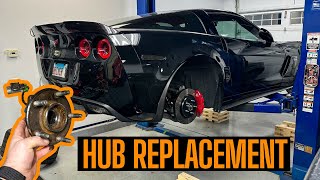
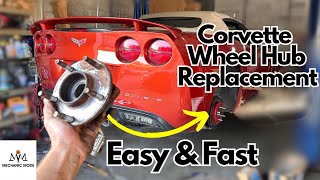
Typical fix: Replace the entire right rear wheel hub and bearing assembly. 🎬 Watch this step-by-step C6 rear wheel hub replacement guide.
Est. part cost: $150-$400 - Debris on Magnetic Encoder Ring ⚪ Low Probability Metallic debris from brakes or road grime can sometimes accumulate on the magnetic ring inside the hub assembly, obstructing the sensor's reading. This is less common on the sealed Corvette hubs compared to some other GM vehicles but is still possible, especially if a nearby component has failed.
How to confirm: This is difficult to confirm without disassembly. It is usually diagnosed after replacing a sensor or wiring doesn't fix the issue. It's considered an internal failure of the hub assembly.
Typical fix: Replacement of the wheel hub assembly is the only effective fix as the ring is internal and not serviceable.
Est. part cost: $150-$400
Rare But Worth Checking
- Faulty Electronic Brake Control Module (EBCM): This is rare for a single wheel speed sensor code. Before condemning the expensive EBCM, all other possibilities (wiring, hub) must be exhaustively ruled out. A diagnostic test, such as swapping the left and right rear wheel sensor inputs at the EBCM connector, can help isolate the fault to the module itself. Some specialist shops offer repair services for EBCM's, which can be a cost-effective alternative to a new unit.
Diagnosis Steps
- Connect an ABS-capable scan tool to verify the C0050 code is present and check for any associated symptom bytes. Common bytes include '0F' for erratic signal, '18' for low signal amplitude, or '00' for no additional information.
- Observe the live data stream for all four wheel speed sensors while driving slowly in a straight line. Confirm that the Right Rear (RR) sensor reads differently, erratically, or drops to zero compared to the other three.
- Raise the vehicle and secure it on jack stands. Visually inspect the wiring harness for the right rear wheel speed sensor. Look for any signs of chafing, melting, or physical damage from the connector at the hub up into the chassis. Pay close attention to where the harness may rub against suspension components or the frame.
- Disconnect the sensor and inspect the connector terminals for corrosion, moisture, or damage. Clean with electrical contact cleaner and apply dielectric grease before reseating.
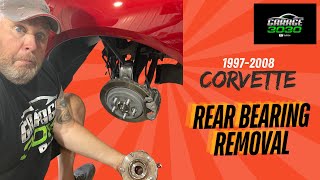
- Check the right rear wheel for any looseness or play by grabbing it at the 12 and 6 o'clock positions. Excessive play indicates a worn wheel bearing, which necessitates replacing the hub assembly. 🎬 Check out this detailed walkthrough for installing new rear bearings.
- If wiring looks good, use a multimeter to check for continuity on the signal and low reference wires (typically brown and white) from the EBCM connector to the wheel speed sensor connector to rule out a wire break. The wires can be accessed at an intermediate connector (C184) located at the right rear of the engine compartment, near the battery.
- If the wiring and connector are confirmed to be good and there is no bearing play, the fault is almost certainly within the integrated wheel hub/sensor assembly, which must be replaced.
Parts You'll Likely Need
- Rear Wheel Bearing and Hub Assembly
(OEM #GM 19300552 (This is a common replacement number, verify by VIN))— This assembly contains the non-serviceable wheel speed sensor and magnetic reluctor ring. Failure of the bearing or the internal sensor is a common cause for C0050. The front and rear hubs are interchangeable on some C5/C6 models, but not all; rear hubs can be used on the front, but front hubs lack the splined center for the rear axle.
Trusted brands: ACDelco, Timken (P/N: 512235), MOOG (P/N: 512153), SKF
OEM price range: $250-$400
Aftermarket price range: $150-$250 - ABS Wheel Speed Sensor Connector Pigtail
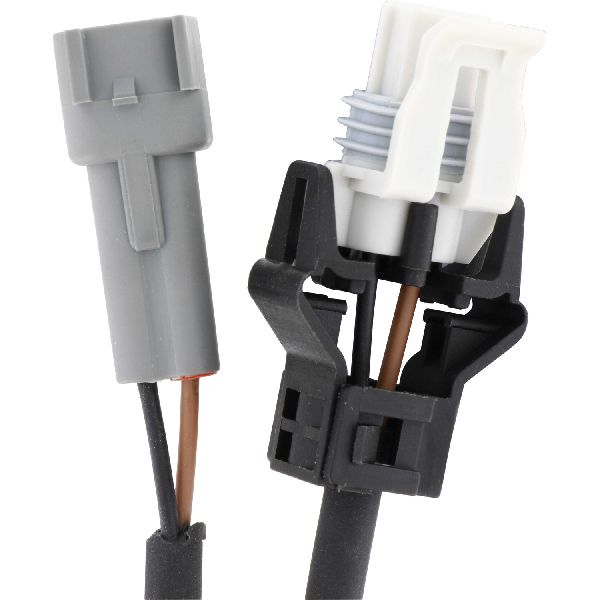
(OEM #ACDelco PT2298 (GM 88862217))— The wiring near the connector is a frequent failure point due to stress and exposure. Replacing the pigtail is often necessary if the wires are broken or the connector is damaged.
Trusted brands: ACDelco, Dorman
OEM price range: $30-$50
Aftermarket price range: $15-$40
Related Codes That Often Appear With This One
- U0415 - Invalid Data Received From Anti-Lock Brake System Control Module
- U042B - Invalid Data Received From Chassis Control Module 'B'
Technical Service Bulletins (TSBs) & Recalls
- While no TSB is specific to C0050 on the Corvette, GM has issued bulletins for other models regarding wheel speed sensor wiring. For example, TSB 16-NA-090 for the Chevy Volt notes that mis-routing or twisting of the harness can cause internal wire damage, a principle that applies here.
- TSB 08-05-25-005 addresses StabiliTrak messages on other GM platforms caused by a software anomaly in the EBCM, reinforcing that EBCM issues are possible, though less common for a single wheel code.
- GM Service Bulletin #PIT4683F provides an advanced diagnostic procedure for testing the wheel speed sensor circuit using a multimeter and a 100-ohm resistor to measure milliamp draw, which should be 4-8 mA (low) and 11-16 mA (high).
Platform-Specific Known Issues
- Wiring Path and Intermediate Connectors: A forum user on CorvetteForum detailed the wiring path for a 2009 Z06. The RR sensor wires (brown and white) go into the transmission harness, up to a connector designated C184 (right rear of engine compartment, by the battery), and then to the EBCM pins A7 and A8. This provides a specific point for advanced circuit testing without having to access the EBCM directly.
Mechanic-Grade Diagnostic Values
- Wheel Speed Sensor Circuit Current Draw — expected: 4 to 8 mA (low state) and 11 to 16 mA (high state). Failure: Readings outside this range indicate a fault in the sensor or wiring.
- Wheel Speed Sensor Resistance — expected: 850 - 1350 ohms (Note: This is a common range for passive sensors, but C6 uses active sensors where this test is less definitive). Failure: A reading of infinite resistance (open) or zero resistance (short) indicates a failed sensor. However, an in-spec reading does not guarantee the sensor is good under load.
Hidden / Shadow Codes Worth Checking
- C0050 0F: Indicates the EBCM has detected an erratic signal from the wheel speed sensor. This is often caused by intermittent wiring, a failing sensor, or debris on the magnetic encoder ring. (see via Requires a professional scan tool (like the GM Tech2 or GDS2) capable of reading GM-specific symptom bytes.)
- C0050 18: Indicates the signal amplitude from the sensor is too low. This can be caused by an excessive air gap (from a loose bearing), internal sensor failure, or an open/high resistance in the wiring. (see via Requires a professional scan tool (like the GM Tech2 or GDS2) capable of reading GM-specific symptom bytes.)
- C0050 5A: Indicates the signal is not plausible when compared to the other wheel speed sensors. This can point to a damaged or contaminated magnetic encoder ring inside the hub. (see via Requires a professional scan tool (like the GM Tech2 or GDS2) capable of reading GM-specific symptom bytes.)
Scan Tool Commands That Help
- Tech2/GDS2: Live Data Graphing — To visually compare the signal from the right rear sensor to the other three while driving. A signal that drops out, becomes erratic, or reads zero when the others are steady is a definitive sign of a fault in that circuit.
- Tech2/GDS2: Clear DTCs — After a repair is completed, this function is used to clear the C0050 code and extinguish the warning lights. The code will typically clear on its own after a number of drive cycles with no fault detected, but this provides immediate confirmation.
Wiring & Ground Locations
- EBCM Connector A, Pins A7 & A8 — The EBCM is located at the left front of the engine compartment, on the frame rail.. Pin A7 (Brown wire, circuit #882) is the signal wire and Pin A8 (White wire, circuit #883) is the low reference for the right rear wheel speed sensor. These are the termination points for testing continuity from the wheel hub.
- Connector C184 — Located at the right rear of the engine compartment, near the battery.. This is an intermediate connector where the transmission harness (containing the wheel speed sensor wires) meets the main engine harness. It's an accessible point to test the circuit without having to reach the EBCM connector directly.
- G105 — On the front left side of the engine, above the generator.. This is a primary ground for the EBCM. While a bad ground here would likely cause multiple system faults and not just a single wheel code, it's a critical point to check for corrosion or looseness if multiple ABS-related codes are present.
Real Owner Repair Stories
- CorvetteForum user 'grandsport2013' (2006 Corvette) — ABS and traction control lights would only come on when hitting a big bump or during hard braking.
❌ Tried (didn't work) Initial scanning with a basic scanner that couldn't define the code.
✅ What actually fixed it The user was advised that the symptoms pointed to either wheel bearing play or a wiring issue. Another user noted that their first instinct would be the wheel bearing, as the sensor is integrated. While the final post from the user isn't a confirmation, the strong consensus from experienced members was to check for wheel bearing play and if present, replace the hub assembly. - CorvetteForum user 'Z06 in Aus' (2009 C6 Z06) — "Service ABS," "Service Active Handling," and "Service Traction Control" messages. Scan tool showed C0050 with a description of signal reading zero.
❌ Tried (didn't work) Swapping sensor inputs at the EBCM proved the hub sensor itself was likely good, pointing to a wiring issue.
✅ What actually fixed it The user traced the wiring path and asked for termination points. Other users provided the full wiring path, including intermediate connector C184 and EBCM pins A7/A8, to allow for a complete continuity test to find the break in the wire. The fix is to repair the broken wire once located.
Model Year Variations Within This Range
- 2009-2013: For the 2009 model year, GM changed the ABS system from Delphi to Bosch. This change also involved different wheel speed sensors integrated into the hubs and a different axle spline count (from 30 to 33 splines). A hub from a 2009+ car is not electronically compatible with a 2005-2008 car, and vice-versa. The axle shafts are also not interchangeable between these year groups.
Diagnostic Flowchart
Used vs. New Parts: Buying Guide for This Vehicle
When a used part is the smart pick: A used wheel hub assembly from a reputable salvage yard can be a cost-effective option, but it's a gamble. It makes the most sense if the donor vehicle has very low mileage and is from a dry climate to minimize the risk of bearing wear and corrosion.
Donor-vehicle mileage cap: roughly under 50000 miles for the part to have meaningful remaining life.
What to inspect on the donor part:
- Verify the donor vehicle's mileage. Avoid hubs from high-mileage cars.
- Check for any signs of physical damage to the hub or the attached wiring pigtail.
- Spin the bearing by hand. It should be smooth with no roughness, noise, or binding.
- Attempt to rock the hub flange. There should be absolutely zero detectable play or wobble.
- Crucially, verify the model year of the donor car. Hubs from 2009-2013 models are not compatible with 2005-2008 models.
OEM-only on this vehicle (don't cheap out):
- While not strictly 'OEM-only', using extremely cheap, no-name hub assemblies from online marketplaces is highly discouraged by forum members due to high failure rates.
Aftermarket brands forum-validated for this vehicle:
- SKF (often cited as the top choice for performance/durability)
- Timken
- MOOG
Brands owners have reported issues with on this vehicle:
- Unbranded 'eBay special' hubs are frequently reported to fail prematurely.
- Rebuilt hubs with grease zerks added are considered junk and structurally weakened.
Related OBD-II Codes
Frequently Asked Questions
My 'Service Active Handling' light comes on when I hit a bump. Is this related to the C0050 code?
Where can I test the right rear wheel speed sensor wires without having to access the EBCM directly?
I've checked the wiring and it looks perfect. What is the next most likely cause for C0050?
Are there any official GM Technical Service Bulletins (TSBs) for code C0050 on my Corvette?
I'm also getting a 'Service Rear Axle' message. Is that connected to my C0050 code?
Can I just replace the wheel speed sensor, or do I have to buy the whole hub assembly?
Helpful Videos
Used OEM Parts in Stock

New Aftermarket Parts Available


The information in this article is provided for general reference and educational purposes only. Vehicle specifications, procedures, and part compatibility can vary by production date, trim level, and region. Always consult your vehicle's factory service manual and verify part numbers before purchasing or performing repairs. Safety-critical components such as airbags, seat belts, and braking systems should be installed by a qualified professional.
- Chevrolet Corvette:
- 🎬 Helpful Videos
- 🛍️ Shop This Part
- What's Unique About the 2005-2013 Chevrolet Corvette
- Symptoms You May Notice
- Most Likely Causes
- Rare But Worth Checking
- Diagnosis Steps
- Parts You'll Likely Need
- Related Codes That Often Appear With This One
- Technical Service Bulletins (TSBs) & Recalls
- Platform-Specific Known Issues
- Mechanic-Grade Diagnostic Values
- Hidden / Shadow Codes Worth Checking
- Scan Tool Commands That Help
- Wiring & Ground Locations
- Real Owner Repair Stories
- Model Year Variations Within This Range
- Diagnostic Flowchart
- Used vs. New Parts: Buying Guide for This Vehicle
- Related OBD-II Codes
- Frequently Asked Questions
- 🎟️ Get 5% Off