

U2101 on 2020-2024 Land Rover Defender: Control Module Incompatible Fixes
Code U2101 on a 2020-2024 Defender means a critical electronic module has the wrong software configuration. This almost always happens after a module has been replaced without being programmed by a dealer. The fix requires a Land Rover specialist with Pathfinder software to configure the module; this is not a DIY repair.
- U2101 means a module needs to be professionally programmed, not that the part is broken.
- This code is a direct result of replacing an electronic module without using Land Rover's proprietary JLR Pathfinder software to configure it.
- Do not attempt to fix this by replacing more parts; the issue is software configuration.
- This repair is not DIY-friendly and requires a visit to a Land Rover dealer or a specialist with the correct diagnostic equipment.
What's Unique About the 2020-2024 Land Rover Defender

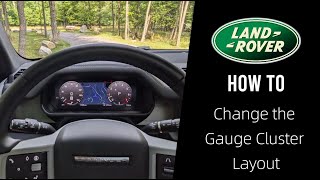
The 2020-2024 Defender (L663 platform) is built on a highly advanced Diagnostics over Internet Protocol (DoIP) network architecture, part of the MLA-Flex platform family. Unlike older vehicles, nearly every major electronic module is 'married' to the vehicle's specific VIN and Car Configuration File (CCF). Any replacement of a key module—such as the Body Control Module (BCM), Instrument Pack Cluster (IPC) 🎬 See how to customize your digital gauge cluster layout, or Keyless Vehicle Module (KVM)—absolutely requires programming with Land Rover's proprietary JLR Pathfinder software to make it work. A simple part swap will guarantee a U2101 code.
Symptoms You May Notice

- Check Engine Light or other malfunction indicator on the dashboard.
- Warning messages on the Pivi Pro screen related to specific system failures (e.g., 'Driver Assist Unavailable', 'Suspension Fault', 'Transmission Fault').
- Loss of function in a specific area, such as infotainment, climate control, or power steering.
- Vehicle fails to start (if a security-related module like the instrument cluster or KVM is the cause).
- Multiple other 'U-prefix' communication codes (e.g., U0101 'Lost Communication with TCM') stored alongside U2101.
- Replacing the misconfigured module a second time. The problem is not the part itself, but the lack of programming. A second new part will have the exact same issue until it is correctly configured.
- Attempting to clear the code with a basic OBD-II scanner. Standard scanners cannot perform the necessary configuration write, so the code will return immediately.
- Chasing secondary 'Lost Communication' codes. The U2101 error is the root cause; the network is intentionally ignoring the incompatible module. Resolving the U2101 through programming will clear the other U-codes.
Most Likely Causes

- Control Module Replaced Without Programming 🔴 High Probability The Defender's complex electronic architecture requires all new modules to be programmed with the vehicle's specific Car Configuration File (CCF) and VIN. This process 'marries' the part to the car.
How to confirm: Review the vehicle's recent repair history. If a major electronic module (BCM, IPC, KVM, Airbag, etc.) was recently replaced by a non-specialist, this is the almost certain cause. A professional scan tool with JLR software will identify the misconfigured module.
Typical fix: The vehicle must be connected to the JLR Pathfinder diagnostic system. A technician will run the 'Programmable Module Installation' (PMI) or 'Replace ECU' routine to write the correct CCF and VIN to the new part, synchronizing it with the vehicle.
Est. part cost: $0 - Failed Software Update 🟡 Medium Probability The Defender receives Over-The-Air (SOTA) software updates. A failed or interrupted update due to poor connectivity or low battery voltage can corrupt a module's configuration data, leading to a mismatch.
How to confirm: This is difficult to confirm without dealer tools. A technician would check for SOTA-related TSBs and attempt to re-flash the module with the latest software version using Pathfinder. A history of failed update notifications on the Pivi Pro screen is a strong indicator.
Typical fix: A Land Rover dealer or specialist must re-install the correct software onto the affected module using the JLR Pathfinder system. In some cases, a specific recovery procedure outlined in a TSB may be required.
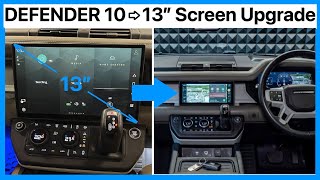
Est. part cost: $0 - Incorrect Module Part Number Installed 🎬 Watch: A walkthrough of retrofitting a larger Pivi Pro screen ⚪ Low Probability Using a module from a different model year or trim level (e.g., a module from a Defender with a Head-Up Display in a vehicle without one) can cause a configuration mismatch even if programmed.
How to confirm: Physically inspect the part number on the installed module and cross-reference it with the Land Rover parts catalog for the vehicle's specific VIN. For example, a KVM for a Defender is part number LR117932.
Typical fix: Replace the incorrect module with the correct OEM part number, followed by mandatory programming with JLR Pathfinder.
Est. part cost: $500-$2500
Rare But Worth Checking
- Damaged CAN Bus Wiring or Connectors: While less common for this specific code, physical damage to the network wiring or corrosion in a module's connector can corrupt communication and sometimes be misinterpreted as a configuration error. This is more likely if other 'Lost Communication' codes are present and module programming fails to resolve the issue.
- Low Battery Voltage During Programming/Update: Modern JLR vehicles are extremely sensitive to battery voltage. Attempting a software update or module programming without a stable power supply connected can cause the process to fail, corrupting the module's software and triggering a U2101 code.
Diagnosis Steps
- Confirm the vehicle's battery is fully charged and the charging system is working correctly. Connect a battery maintainer. Low voltage can cause unpredictable electronic issues.
- Connect a professional-grade diagnostic tool capable of reading manufacturer-specific codes (JLR Pathfinder is required for the fix).
- Scan all modules and identify which one is reporting the U2101 code. Common culprits include the KVM, IPC, and BCM.
- Review the vehicle's recent service history to determine if this module was recently replaced.
- If a module was replaced, initiate the 'Replace ECU' or 'Configure New Module' routine in the Pathfinder software for that specific module.
- Follow all on-screen prompts to download the vehicle's Car Configuration File (CCF) from the JLR server and write it to the new module.
- Once programming is complete, clear all DTCs and perform a full network scan to ensure communication is restored and the U2101 code does not return.
- If programming fails or the code persists, inspect the wiring and connectors for the affected module for damage, corrosion, or loose pins.
Parts You'll Likely Need
- No parts typically needed — The fix is a software configuration procedure performed by a technician. It corrects the data in the existing (usually recently replaced) module. No physical parts are typically required unless the wrong module was installed.
OEM price range: $0
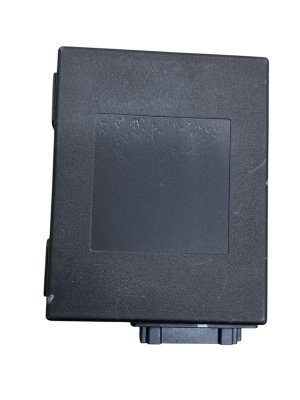
Aftermarket price range: $0 - Keyless Vehicle Module (KVM)
(OEM #LR117932)— This is a commonly replaced security module. If replaced without programming, it will set a U2101 and likely cause a no-start condition. The part number itself is an example of a part that requires programming.
Trusted brands: Genuine Land Rover
OEM price range: $250-$400
Aftermarket price range: N/A - Body Control Module (BCM)
(OEM #LR180692)— The BCM governs many body functions and is VIN-locked. An unprogrammed replacement will cause this code. The part number is an example of a part that requires programming.
Trusted brands: Genuine Land Rover
OEM price range: $400-$600
Aftermarket price range: N/A
Related Codes That Often Appear With This One
- U0100-U0500 — Codes in this range indicate 'Lost Communication' with various modules. The U2101 configuration error is often the root cause, as the network actively refuses to communicate with the improperly configured module, leading to these secondary codes.
- U2100 — This code for 'Control Module Configuration Not Programmed' indicates a module is 'blank'. U2101 means it has the 'wrong' configuration. They often appear together after an incorrect module installation.
Technical Service Bulletins (TSBs) & Recalls
- SSM75814: Describes an error with web application downloads after a Pivi Pro software update via SOTA or TOPIx Cloud. While not directly citing U2101, it confirms that SOTA updates can fail and cause software inconsistencies, a primary cause for this code. The fix involves a specific reset procedure or a manual update at the dealer.
Platform-Specific Known Issues
- Failed Over-The-Air (SOTA) Updates: A known issue on the L663 platform is the failure of SOTA updates to complete, which can corrupt a module's configuration. TSB SSM75814 describes a bug where Pivi Pro updates would cause web applications to fail to reinstall, indicating a partial or failed update process that could potentially lead to configuration errors like U2101. Owners on forums have reported updates getting stuck for weeks, sometimes requiring dealer intervention to force the update via Pathfinder.
Documented NHTSA Reports
While U2101 is a specific configuration code for Land Rover, cross-manufacturer records illustrate how this fault often interacts with other systems. For instance, NHTSA ODI #11581420 describes a vehicle displaying U2101 alongside U0121 and U0140, accompanied by a strange beeping noise similar to a warning chime without dashboard lights. Additionally, NHTSA ODI #10694215 notes a case where U2101 was present alongside a steering-related code (C1B00), where the technician ultimately recommended the replacement of the electronic steering rack.
Mechanic-Grade Diagnostic Values
- CAN Bus Network Health Check — expected: Approximately 60 Ohms resistance when measured across the CAN High and CAN Low pins at the OBD-II port (with battery disconnected). This confirms the integrity of the main bus and its two termination resistors.. Failure: A reading of 120 Ohms indicates a break in the circuit or a missing termination resistor. A reading near 0 Ohms indicates a short between the CAN High and CAN Low wires.
- Battery Voltage During Programming — expected: A stable voltage between 13.0V and 14.5V, maintained by a dedicated, high-amperage power supply.. Failure: Voltage dropping below 12.5V during the programming or update process can cause data corruption and module failure, leading to a U2101 code.
Hidden / Shadow Codes Worth Checking
- U2101-00: This is a common format for JLR codes, where the '-00' suffix indicates 'No sub type information'. While it doesn't add new diagnostic information, it confirms the code is being reported as a general, non-specific configuration incompatibility, which is typical for this fault. (see via JLR Pathfinder or an advanced diagnostic tool capable of reading manufacturer-specific DTCs and their subtypes.)
Scan Tool Commands That Help

- JLR Pathfinder: Replace ECU / Configure New Module — This is the primary dealer-level function used after physically installing a new, blank control module. It downloads the vehicle-specific CCF from JLR's servers and writes it to the new part.
- JLR Pathfinder: Critical Recovery Mode Setup — This is an engineering-level function used to attempt to recover a module that has become unresponsive or 'frozen' during a failed programming attempt, before resorting to physical replacement.
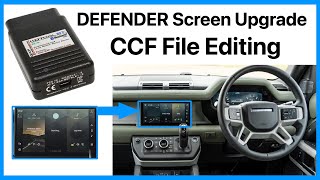
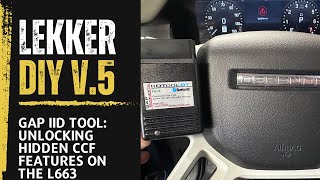
- GAP Diagnostics IID Tool / CCF Editor Tools: Car Configuration File (CCF) Editing — Used by advanced DIYers and independent specialists to enable retrofitted hardware (like a larger screen or adaptive cruise control) or modify vehicle features. It directly edits the configuration parameters that, if set incorrectly, can cause a U2101 code.
Wiring & Ground Locations
- Keyless Vehicle Module (KVM) — Located in the rear cargo area, under the floor cover panel.. The KVM is a primary security module. If it's replaced and not programmed, it will set U2101 and cause a no-start condition. If programming fails, checking its connector and nearby grounds is a critical next step.
- Body Control Module (BCM) — Typically located in the passenger compartment, often behind the glove box or in the A-pillar/footwell area. Exact location requires consulting the workshop manual.. The BCM is a central network hub. A U2101 from the BCM can cause numerous, seemingly unrelated system failures. Its physical connections are critical for overall network stability.
- CAN/DoIP Network Wiring — Runs throughout the vehicle, connecting all major modules to the OBD-II port and gateway module(s).. While a wiring fault is a rare cause for U2101, if module programming repeatedly fails with a known-good module and stable voltage, a technician must consult the official L663 wiring diagrams to trace the DoIP (Ethernet) and CAN bus lines for the specific module, checking for chafing, breaks, or corrosion at intermediate connectors.
Real Owner Repair Stories
- Powerful UK Ltd YouTube Channel (2020 Land Rover Defender 110) — After physically swapping the standard 10-inch Pivi Pro screen for a larger 11.4-inch screen, the new screen was completely blank and non-functional.
❌ Tried (didn't work) Simply plugging in the new screen., Power cycling the vehicle once after changing the CCF setting.
✅ What actually fixed it The Car Configuration File (CCF) had to be modified using a GAP Diagnostics IID tool. The setting for the display was changed from 'Panasonic 10 inch' to '11.6 inch'. After uploading the change, the car required an additional full power cycle (ignition off, wait, ignition on) for the new screen to be recognized and function correctly. This confirmed the U2101-like condition (incompatible hardware configuration) was purely a software setting.
"I Checked Everything" — The Actual Cause
- For code U2101, the equivalent of a 'smoke test clean' scenario is when the 'Configure New Module' routine in Pathfinder repeatedly fails. The cause is often not the module itself, but one of the following: 1) Unstable battery voltage during the procedure, corrupting the data write. 2) A problem with the diagnostic tool itself, such as using an older VCI that doesn't support the DoIP protocol required for 2020+ models. 3) An intermittent fault in the physical network wiring between the OBD port and the module. 4) A temporary issue with the connection to the JLR TOPIx cloud server, preventing the correct configuration file from being downloaded.
OEM Part Supersession History
Varies→Varies— Part revisions for reliability, feature updates, or supplier changes.
Heads up: When replacing a module, it is critical to use a dealer's Electronic Parts Catalogue (EPC) with the vehicle's VIN to get the latest correct part number. Installing a superseded part may require a newer version of Pathfinder software to program correctly. Never assume a module from a different model year is compatible, even if it physically fits, as the internal electronics and required CCF structure may have changed.
Model Year Variations Within This Range
- 2020-2024: The L663 platform has seen continuous updates since its 2020 launch. Changes include the introduction of the 130 body style, new engine options, and evolving trim packages (like the 2024 'County' pack). These changes mean that modules like the BCM, IPC, and Pivi Pro infotainment unit may have different hardware and require different CCF parameters depending on the specific model year and trim. A module from a 2024 Defender 130 is not guaranteed to be programmable to a 2020 Defender 90.
Diagnostic Flowchart
Used vs. New Parts: Buying Guide for This Vehicle
When a used part is the smart pick: For critical, VIN-locked modules like the BCM, KVM, or IPC on an L663 Defender, buying a used part only makes sense if you are using a specialized third-party mail-in 'cloning' service. This service transfers the exact data from your original faulty module to the donor used part, making it plug-and-play. This avoids the need for dealer programming but relies on your original module being readable.
Donor-vehicle mileage cap: roughly under 80000 miles for the part to have meaningful remaining life.
What to inspect on the donor part:
- Verify the OEM part number is an exact match.
- Inspect high-resolution photos for any signs of water damage, such as white or green corrosion on the pins or water marks on the casing.
- Ensure the seller guarantees the part is from a running, non-flooded vehicle.
- Check for broken connector tabs or damage to the housing.
OEM-only on this vehicle (don't cheap out):
- Body Control Module (BCM)
- Keyless Vehicle Module (KVM)
- Instrument Pack Cluster (IPC)
- Airbag Module (RCM)
- Telematics Control Module (TCU)
Brands owners have reported issues with on this vehicle:
- No aftermarket versions of these specific control modules are available. The only options are Genuine Land Rover (new) or used OEM parts.
Real Owner Stories
Aggregated from forums and TSBs cited above. Mileages and costs reflect what owners reported in those sources.
2020 Land Rover Defender
Symptoms: The vehicle was stuck on an old software version (2.1.6b) and would not accept any Over-The-Air (OTA) updates.
What fixed it: The issue required dealer intervention to manually force the update using the JLR Pathfinder diagnostic system.
Source hint: landroverforums.com: A thread titled 'Software wont update, dealer says 'latest version''
2021 Land Rover Defender
Symptoms: An Over-The-Air (SOTA) software update got stuck and would not complete for several weeks, leading to various system malfunction warnings and a U2101 code.
What fixed it: The owner had to take the vehicle to a dealer, where a technician used the Pathfinder system to manually force the update to complete, resolving the configuration error.
Source hint: Vehicle Specific Issue: Failed Over-The-Air (SOTA) Updates
NHTSA ODI #11581420
Symptoms: An owner reported that their vehicle displayed several codes including U2101, U0121, and U0140. The car consistently made a strange beeping noise that sounded like a warning chime, though no dashboard lights accompanied the sound.
What fixed it: The report notes that the consumer had to pay out of pocket for repairs related to these electronic faults.
Source hint: NHTSA ODI #11581420
NHTSA ODI #10694215
Symptoms: A driver experienced issues where the steering wheel would not return to the center position when turning. Upon inspection, codes C1B00 and U2101 were present.
What fixed it: The dealer informed the owner that the vehicle required the replacement of the electronic steering rack to resolve the issue.
Source hint: NHTSA ODI #10694215
Related OBD-II Codes
Frequently Asked Questions
My Defender's Pivi Pro screen showed a software update failed. Could this cause the U2101 code?
I had the Body Control Module (BCM) replaced at an independent shop and now my Defender has a U2101 code. What's the problem?
What is TSB SSM75814 and does it relate to the U2101 code on my Defender?
Can I just buy a used Keyless Vehicle Module (KVM) from a junkyard to fix my Defender?
Why is the JLR Pathfinder software so important for fixing a U2101 code?
My Defender won't start and is showing a U2101 code. Is this related?
Do other Land Rover models like the Range Rover have this same U2101 issue?
Helpful Videos
We Have This Part in Stock



The information in this article is provided for general reference and educational purposes only. Vehicle specifications, procedures, and part compatibility can vary by production date, trim level, and region. Always consult your vehicle's factory service manual and verify part numbers before purchasing or performing repairs. Safety-critical components such as airbags, seat belts, and braking systems should be installed by a qualified professional.
- Land Rover Defender:
- 🎬 Helpful Videos
- 🛍️ Shop This Part
- What's Unique About the 2020-2024 Land Rover Defender
- Symptoms You May Notice
- Most Likely Causes
- Rare But Worth Checking
- Diagnosis Steps
- Parts You'll Likely Need
- Related Codes That Often Appear With This One
- Technical Service Bulletins (TSBs) & Recalls
- Platform-Specific Known Issues
- Documented NHTSA Reports
- Mechanic-Grade Diagnostic Values
- Hidden / Shadow Codes Worth Checking
- Scan Tool Commands That Help
- Wiring & Ground Locations
- Real Owner Repair Stories
- "I Checked Everything" — The Actual Cause
- OEM Part Supersession History
- Model Year Variations Within This Range
- Diagnostic Flowchart
- Used vs. New Parts: Buying Guide for This Vehicle
- Real Owner Stories
- 2020 Land Rover Defender
- 2021 Land Rover Defender
- NHTSA ODI #11581420
- NHTSA ODI #10694215
- Related OBD-II Codes
- Frequently Asked Questions
- 🎟️ Get 5% Off