

U0442 on 2012-2019 Chevrolet Sonic: Invalid BCM Data, Causes and Fixes
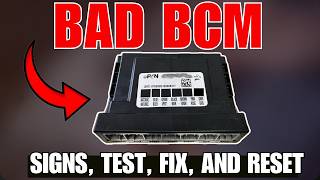
Code U0442 on a Chevy Sonic means the Body Control Module (BCM) is sending corrupt data to other modules. This is often caused by a failing BCM, low battery voltage, or wiring issues. A replacement BCM is the most common fix and typically requires professional programming.
- U0442 on a Sonic points to a problem with the Body Control Module (BCM) sending bad data.
- Symptoms are typically widespread electrical issues, like malfunctioning lights, locks, and wipers, or even a no-start condition.
- Before condemning the BCM, always check for a weak battery and poor ground connections, as these are simpler and cheaper fixes.
- Replacing the BCM is the most common repair and requires professional programming to match the new module to your car.
What's Unique About the 2012-2019 Chevrolet Sonic
For the 2012-2019 Chevrolet Sonic, the Body Control Module (BCM) is a known point of failure that can lead to a cascade of confusing electrical problems. While the U0442 code can appear on many vehicles, on the Sonic it frequently points directly to an internal BCM fault rather than just a simple wiring issue. Owners often report bizarre electrical behavior, from wipers and lights acting on their own to no-start conditions, all stemming from this central computer. The BCM controls a wide array of body functions, and its failure can mimic problems with many other individual components.
Symptoms You May Notice
- Check Engine Light is on
- Erratic or non-functional power windows, door locks, or interior lights
- Wipers or turn signals activating on their own or not working at all
- Wipers stopping in the middle of the windshield
- Vehicle security light is on, or the alarm triggers randomly
- Engine will not crank or start (intermittent no-start)
- Instrument cluster gauges behave erratically or go dark
- Battery drains overnight (parasitic draw)
- Warning lights for other systems (ABS, Airbag) may illuminate without a fault in those systems
- Daytime running lights flashing randomly on startup
- Replacing the ECM/PCM when the fault lies with the BCM.
- Replacing individual components like window switches or wiper motors when the root cause is the BCM that controls them.
- Replacing the battery without confirming it has failed a load test.
Most Likely Causes
- Failing Body Control Module (BCM) 🔴 High Probability The BCM on this platform is a known failure point, susceptible to internal circuit board issues that cause corrupt data transmission. This can be due to component failure on the board itself.
How to confirm: After ruling out power/ground issues, a professional scan tool is used to attempt communication with the BCM. If the BCM fails to communicate or shows multiple internal fault codes, it is condemned. A technician may also monitor the CAN bus data stream to observe the corrupted data packets directly.
Typical fix: Replace the Body Control Module and program the new unit to the vehicle's VIN using a GM MDI scan tool. Alternatively, the original BCM can be sent to a service for cloning, and the replacement will be plug-and-play.
Est. part cost: $150-$300 - Low Battery Voltage or Failing Battery 🟡 Medium Probability Modern control modules are highly sensitive to voltage. A weak or failing battery can provide unstable power during startup, causing modules to transmit garbled data and set communication codes. GM has issued TSBs like #20-NA-132 regarding proper battery testing procedures.
How to confirm: Test the battery with a digital multimeter. A healthy, resting battery should be at ~12.6V. With the engine running, it should be ~13.7-14.7V. A load test is the most definitive way to confirm a weak battery; voltage should not drop below 10V during cranking.
Typical fix: Replace the vehicle's battery.
Est. part cost: $150-$250 - Poor BCM Power or Ground Connections ⚪ Low Probability Vibration and moisture can lead to corrosion or looseness at the BCM's main connector or at the chassis ground points, interrupting stable power. The negative battery cable itself is a known weak point on this platform that can cause widespread electrical issues, as addressed in a special coverage campaign.
How to confirm: Visually inspect the BCM connectors for corrosion (green or white powder) or backed-out pins. Locate the main body ground points under the dash and in the engine bay and check for tightness and corrosion. Specifically inspect the negative battery cable and its connection points on the chassis and transmission.
Typical fix: Clean the corroded terminals on the connectors and chassis ground points. Ensure all connections are secure. Replace the negative battery cable if it shows signs of internal corrosion or damage.
Est. part cost: $5-$50
Rare But Worth Checking
- CAN Bus Wiring Fault: While less common than a module failure, a short or open in the CAN bus wiring harness between the BCM and other modules can corrupt the data signal. This usually requires tracing wiring diagrams and is labor-intensive to find. TSB #17-NA-211 provides diagnostic tips for finding issues on CAN bus data lines for related communication codes.
Diagnosis Steps
- Read all codes from all vehicle modules with a professional-grade scan tool. Note any other 'U' codes or codes related to specific body functions.
- Check and record the battery voltage. Perform a load test on the battery to ensure it's healthy, even if voltage seems okay.
- Inspect the charging system to ensure the alternator is providing stable voltage (typically 13.7-14.7V) when the engine is running.
- Locate the Body Control Module (BCM), typically found under the driver's side of the dashboard. Inspect its connectors for any signs of corrosion, moisture damage, or loose pins.
- Inspect the main chassis ground connections, especially the negative battery cable termination points, for the BCM to ensure they are a clean, tight, and free of corrosion.
- If power and grounds are good, use an advanced scan tool to monitor the data PIDs from the BCM. Look for erratic, missing, or nonsensical data values.
- If a specific function is failing (e.g., wipers), use the scan tool to command that function on/off via the BCM. If the command is sent but the function doesn't work, it helps isolate the issue to the BCM or the component's circuit.
- If all wiring, power, and grounds are confirmed good, the BCM is the most likely culprit. Replacement and programming are required.
Parts You'll Likely Need
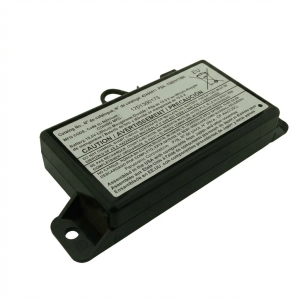
- Body Control Module (BCM)
(OEM #13587704, 13595894, 13504847 (Part numbers vary by year and options; always verify with VIN))— This module is the most common point of failure for code U0442 on this vehicle, causing corrupt data transmission.
Trusted brands: ACDelco (GM Original Equipment)
OEM price range: $200-$300
Aftermarket price range: $150-$250 (Often remanufactured or requires a cloning service)
Related Codes That Often Appear With This One
- U0140 — U0140 means 'Lost Communication With Body Control Module'. If U0442 (Invalid Data) and U0140 (Lost Communication) appear together, it strongly points to a severe BCM failure or a major power/ground issue at the BCM itself.
- U0100 — U0100 means 'Lost Communication with ECM/PCM'. While U0442 is data *from* the BCM, a failing BCM can sometimes disrupt the entire CAN bus network, causing other modules to report communication loss with the main engine computer.
Technical Service Bulletins (TSBs) & Recalls
- TSB #20-NA-132: Provides policy information on the requirements for 12V battery testing and warranty replacements, relevant as low voltage can cause communication codes.
- TSB #17-NA-211: Addresses no-crank/no-start conditions with communication codes like U0100, providing diagnostic tips for CAN bus issues that are relevant to diagnosing U0442.
Platform-Specific Known Issues
- Owner Experience with Erratic Wipers: An owner on Sonic Owners Forum described how their wipers would not park correctly and would stop in the middle of the windshield. Another user suggested the BCM is the control center for this activity and could be the cause. A Reddit user also reported wipers turning on by themselves upon startup. These are classic symptoms of a BCM data issue.
Mechanic-Grade Diagnostic Values
- High-Speed GMLAN (CAN Bus) Termination Resistance — expected: ~60 Ω. Failure: A reading of ~120 Ω indicates a missing termination resistor or an open in the bus. A reading significantly less than 60 Ω suggests a short between the CAN lines or an extra termination resistor.
- High-Speed GMLAN Bus Voltage (Key On, Engine Off) — expected: CAN High (Pin 6 at DLC) and CAN Low (Pin 14 at DLC) should both be at ~2.5V when idle (recessive state).. Failure: When active (dominant state), CAN High should go to ~3.5V and CAN Low to ~1.5V. Voltages stuck high or low indicate a short to power or ground.
- Low-Speed GMLAN Bus Voltage (Key On, Engine Off) — expected: The single wire bus (Pin 1 at DLC) should be at ~0.2V at rest (recessive state).. Failure: When active (dominant state), the voltage is driven to ~4.0V or higher. A stuck voltage indicates a wiring fault.
- Battery Negative Cable Frame Ground Nut Torque — expected: 22 Y (16 lb ft). Failure: A loose nut can cause intermittent and widespread electrical faults mimicking a BCM failure.
Scan Tool Commands That Help
- GDS2 (GM Techline Connect): Module Communication Test — To verify if the BCM is online and responding on the network. A 'No Comm' result here, when U0442 is present in other modules, points towards a hard BCM failure or a complete loss of its power/ground.
- GDS2 (GM Techline Connect): Output Controls (e.g., 'Wipers On/Off', 'Headlights On/Off') — To test if the BCM can command a specific function. If the scan tool command works but the physical switch does not, it helps isolate the fault to the switch input circuit. If the command does *not* work, it points towards a faulty BCM or an issue in the output circuit from the BCM to the component.
- GDS2 (GM Techline Connect): BCM Programming (SPS) — This is required after installing a new BCM. The Service Programming System (SPS) downloads the correct software and vehicle configuration from GM's servers and flashes it to the new module, programming the VIN and vehicle options.
Wiring & Ground Locations
- Body Control Module (BCM) — Under the driver's side dashboard, behind the fuse panel, near the driver's left foot.. This is the source of the invalid data. Its connectors (especially X2) and power/ground pins are primary inspection points.
- G307 — Located in the left kick panel area, near the BCM.. This is a critical chassis ground point for multiple components controlled by the BCM. Corrosion or looseness here can cause erratic behavior.
- Negative Battery Cable Grounds — A two-piece design under the battery tray. One cable goes to a chassis stud, and a separate one from the engine block goes to another stud nearby.. This separated ground design is a potential weak point. Poor contact at either stud can create high resistance, causing voltage drops and communication errors across the vehicle. GM had a special coverage campaign for faulty negative battery cables causing similar electrical issues.
- BCM Connector X2 — One of the main connectors on the BCM.. This connector contains critical power and ground pins. Pin 4 (RD/VT) is a main battery positive voltage feed, and Pin 2 (BK/WH) is a signal ground. Verifying stable voltage and low resistance to ground at these pins is a key diagnostic step.
Real Owner Repair Stories
- Sonic Owners Forum user (Chevrolet Sonic (year not specified)) — Loss of power steering, traction control, no transmission shifting, intermittent door locking, radio and AC blower failure.
❌ Tried (didn't work) Replacing the negative battery cable.
✅ What actually fixed it The user found a loose negative screw on the under-hood fuse box. Tightening this screw resolved all the electrical issues.
OEM Part Supersession History
13506936→13587704— Part consolidation and potential internal revisions by the manufacturer.
Heads up: When replacing, the part number must match exactly or be a direct supersession. Using a BCM from a different vehicle model, even with the same part number, will not work without cloning, as the internal configuration data is different.
Model Year Variations Within This Range
- 2013 (with LUV Turbo Engine): A service update bulletin (12289) was issued for potential inadequate clearance between the battery B+ cable terminal and the starter solenoid. Contact could energize the starter motor circuit, causing smoke, odor, and starter damage, which could potentially lead to electrical system instability.
Diagnostic Flowchart
Other Known Issues on This Vehicle
Issues unrelated to this code that are worth knowing about as an owner of this generation:
- PCV System Failure (1.4L Turbo) 🔴 High — Very common. A check valve in the intake manifold fails, or the diaphragm in the valve cover ruptures, causing oil consumption, rough idle, and codes like P0171. (Ref: GM TSB PIP5197J addresses diagnosis for related oil consumption.)
- Cracked Plastic Thermostat Housing 🟠 Medium — Extremely common on both 1.4L and 1.8L engines. The plastic housing cracks, causing coolant leaks, often dripping onto the transmission.
- Leaking Water Pump (1.4L Turbo) 🟠 Medium — Common failure leading to coolant loss. The leak often originates from the weep hole. (Ref: Special Coverage Adjustment #14371A extended warranty to 10 years/150,000 miles for this specific issue.)
- Oil Cooler/Filter Housing Leaks 🟠 Medium — Common on both engines. The seals between the oil cooler/filter housing and the engine block degrade, causing oil or coolant leaks.
- Failing Purge Valve 🟡 Low — A common cause for a Check Engine Light with code P0496. The valve sticks open, causing rough running after refueling.
Used vs. New Parts: Buying Guide for This Vehicle
When a used part is the smart pick: A used BCM from a salvage yard is a cost-effective option ONLY if you use a mail-in cloning service. A used BCM cannot be programmed to a new vehicle by a dealer; it must be 'cloned'.
Donor-vehicle mileage cap: roughly under 120000 miles for the part to have meaningful remaining life.
What to inspect on the donor part:
- Verify the part number on the used BCM EXACTLY matches your original BCM or is a known supersession.
- Inspect the connectors on the donor BCM for any signs of corrosion, bent pins, or physical damage.
- Source the part from a vehicle that was not involved in a flood or fire.
OEM-only on this vehicle (don't cheap out):
- Body Control Module (BCM) - While a used OEM part can be cloned, aftermarket BCMs are not generally available or recommended due to the complex vehicle-specific programming required.
Brands owners have reported issues with on this vehicle:
- No-name, unbranded BCMs sold on marketplaces without a clear warranty or programming/cloning support.
Real Owner Stories
Aggregated from forums and TSBs cited above. Mileages and costs reflect what owners reported in those sources.
Chevrolet Sonic
Symptoms: Wipers would not park correctly and would stop in the middle of the windshield.
What fixed it: The BCM was identified as the control center for this activity and the likely cause of the failure.
Source hint: Sonic Owners Forum thread titled 'odd wiper behavior'
Chevrolet Sonic
Symptoms: Wipers turning on by themselves immediately upon starting the vehicle.
What fixed it: Diagnosis pointed to a BCM data issue, as the BCM manages these electrical commands.
Source hint: Reddit r/ChevySonic thread 'wiper issue'
Chevrolet Sonic
Symptoms: Electrical problems occurring specifically at high RPMs.
What fixed it: Investigation into the electrical architecture and BCM communication stability.
Source hint: Reddit r/ChevySonic thread 'electrical problems at high rpms'
Related OBD-II Codes
Frequently Asked Questions
Does TSB #20-NA-132 apply to my Chevrolet Sonic if I have communication codes like U0442?
Can I use a used BCM from a salvage yard to fix the U0442 code on my Sonic?
Is there a specific TSB for no-start conditions related to communication issues on the Sonic?
My wipers are stopping in the middle of the windshield; is this related to the BCM?
Is there a special coverage for electrical ground issues on the 2012-2019 Chevrolet Sonic?
What is the estimated cost to replace the BCM on a Chevrolet Sonic?
Helpful Videos
We Have This Part in Stock



The information in this article is provided for general reference and educational purposes only. Vehicle specifications, procedures, and part compatibility can vary by production date, trim level, and region. Always consult your vehicle's factory service manual and verify part numbers before purchasing or performing repairs. Safety-critical components such as airbags, seat belts, and braking systems should be installed by a qualified professional.
- Chevrolet Sonic:
- 🎬 Helpful Videos
- 🛍️ Shop This Part
- What's Unique About the 2012-2019 Chevrolet Sonic
- Symptoms You May Notice
- Most Likely Causes
- Rare But Worth Checking
- Diagnosis Steps
- Parts You'll Likely Need
- Related Codes That Often Appear With This One
- Technical Service Bulletins (TSBs) & Recalls
- Platform-Specific Known Issues
- Mechanic-Grade Diagnostic Values
- Scan Tool Commands That Help
- Wiring & Ground Locations
- Real Owner Repair Stories
- OEM Part Supersession History
- Model Year Variations Within This Range
- Diagnostic Flowchart
- Other Known Issues on This Vehicle
- Used vs. New Parts: Buying Guide for This Vehicle
- Real Owner Stories
- Chevrolet Sonic
- Chevrolet Sonic
- Chevrolet Sonic
- Related OBD-II Codes
- Frequently Asked Questions
- 🎟️ Get 5% Off