

P2583 on 2020-2024 Ford Transit: Adaptive Cruise Sensor Fault Causes and Fixes
P2583 on a Ford Transit means there's a fault with the front radar sensor for the Adaptive Cruise Control and Pre-Collision Assist systems. The most common cause is a blocked sensor, so the first step is to thoroughly clean the sensor area on the front bumper/grille. If cleaning doesn't work, the sensor may be misaligned or faulty, requiring professional diagnosis and calibration.
- P2583 means your Transit's adaptive cruise control and pre-collision assist are disabled due to a front radar sensor fault.
- Before seeking professional help, always start by thoroughly cleaning the sensor area on the front of your van, as dirt or snow is a very common cause.
- This is not a DIY-friendly repair beyond cleaning. Any replacement or adjustment of the sensor requires an expensive and complex professional calibration.
- The vehicle is safe to drive without the system, but you lose a significant safety feature, so it should be addressed promptly.
What's Unique About the 2020-2024 Ford Transit
While P2583 is a standardized code, specific details for the Ford Transit are not as well-documented publicly as they are for other manufacturers like Honda, which uses detailed suffix codes (e.g., -54, -76) to specify the exact fault. For the Transit, the code indicates a general fault with the front radar system. The underlying causes—obstruction, misalignment, or failure—are common to all vehicles equipped with this technology. However, a notable issue on some Ford vehicles, including the Transit, can be the wiring harness leading to the sensor, which can be susceptible to damage or corrosion. Another consideration is that a weak or failing 12V battery can cause sporadic electronic glitches, including false ADAS warnings.
Symptoms You May Notice
- Adaptive Cruise Control (ACC) is unavailable or will not engage.
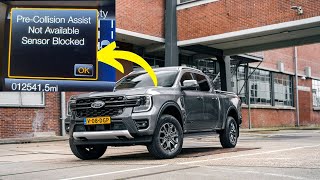
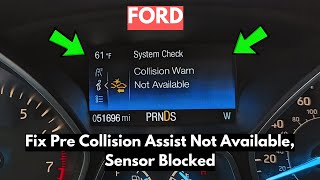
- Pre-Collision Assist warning message on the instrument cluster.
- Standard cruise control may also be disabled.
- Check Engine Light or other ADAS-related warning lights are on.
- "Front Camera Malfunction" message may appear, as the camera and radar work together.
- ACC may disengage unexpectedly while driving.
- Replacing the sensor without performing the mandatory calibration. A new sensor will not work correctly until it is properly aimed and calibrated to the vehicle.
- Ignoring a damaged mounting bracket. If the bracket is bent, a new or recalibrated sensor will not hold its alignment, and the fault will return.
Most Likely Causes
- Obstructed Radar Sensor 🔴 High Probability The sensor is located in the lower front bumper/grille area, making it highly susceptible to blockage from heavy dirt, mud, snow, ice, or even heavy rain and fog.
How to confirm: Visually inspect the front lower grille and bumper area. The sensor is often a black, square-shaped module. Look for any obstructions like debris, or even aftermarket accessories like a license plate frame or bull bar. The system will often self-correct once the 🎬 See how to clear the sensor blocked message obstruction is removed and the vehicle is restarted.
Typical fix: Thoroughly clean the sensor and the area around it with a soft cloth and mild soap. Do not use abrasive materials. Remove any aftermarket accessories that may be blocking the sensor's view.
Est. part cost: $0 - Radar Sensor Misalignment 🟡 Medium Probability Minor front-end impacts from parking blocks, curb strikes, or even small fender benders can knock the sensor's precise alignment out of specification. The mounting brackets can be bent or damaged, causing the fault.
How to confirm: This can only be confirmed by a professional shop using ADAS calibration equipment. A visual inspection may reveal a damaged or bent mounting bracket. The code will often reappear after being cleared if misalignment is the issue.
Typical fix: The sensor must be professionally re-aimed (calibrated) using specialized targets and diagnostic software. This is not a DIY repair. 🎬 Watch: How a professional ADAS dynamic calibration is performed Calibration alone can cost between $300 and $750.
Est. part cost: $0 (calibration is a labor charge) - Damaged Wiring or Connector ⚪ Low Probability Wiring in the front bumper area is exposed to road debris, moisture, and corrosion, which can lead to chafing, breaks, or bent/corroded pins in the connector over time.
How to confirm: Inspect the wiring harness and connector going to the radar sensor for any signs of chafing, breaks, bent pins, or corrosion. A wiggle test on the harness while monitoring live data with a scan tool can sometimes identify an intermittent fault.
Typical fix: Repair the damaged section of the wiring harness or replace the connector pigtail. Ensure the connection is clean, secure, and protected from the elements.
Est. part cost: $20-$150 - Failed Front Distance Range Sensor ⚪ Low Probability
How to confirm: If the sensor is clean, aligned, and the wiring is intact, the sensor itself may have failed internally. This is diagnosed by exclusion and testing with a compatible high-level scan tool that can read data from the ADAS module.
Typical fix: Replace the front distance range sensor (CCM) and perform a mandatory calibration procedure.
Est. part cost: $500-$1200
Rare But Worth Checking
- Low Battery Voltage or Charging System Issue:
Diagnosis Steps
- Read Fault Codes: Use an OBD-II scanner to confirm P2583 is the primary code. Note any other ADAS-related codes from the ABS or BCM modules.
- Inspect and Clean the Sensor: Thoroughly inspect the front bumper and lower grille area where the radar sensor is located. Clean off any dirt, snow, ice, or other debris.
- Check Battery Health: Test the 12V battery. Low voltage can cause numerous electronic faults on modern vehicles. A simple restart after waiting 5-10 minutes can sometimes clear temporary glitches.
- Clear Codes and Test Drive: After cleaning and checking the battery, clear the trouble codes and test drive the vehicle to see if the code returns. Sometimes a simple obstruction or temporary glitch is the only issue.
- Inspect for Physical Damage: Look closely at the sensor and its mounting bracket for any signs of cracks, looseness, or damage from an impact.
- Check Wiring and Connectors: Inspect the electrical connector and wiring harness leading to the sensor for any signs of damage, corrosion, or a loose connection.
- Professional Calibration: If the above steps do not resolve the issue, or if the vehicle has had recent front-end repairs, the vehicle must be taken to a dealership or qualified auto repair shop with ADAS equipment to check and perform a sensor calibration.
Parts You'll Likely Need
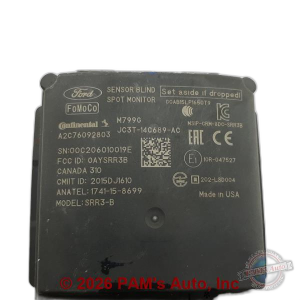
- Front Distance Range Sensor (ACC Module)
(OEM #JX7T-9G768-AD (Verify with VIN, as multiple part numbers exist))— If the sensor has failed internally due to impact, water intrusion, or electronic failure, it will need to be replaced. Replacement always requires professional calibration. Used parts are available but carry risk.
Trusted brands: Motorcraft, Bosch
OEM price range: $700-$1200
Aftermarket price range: $500-$900
Technical Service Bulletins (TSBs) & Recalls
- While no TSBs specifically for P2583 on the Transit were found, related Ford documents confirm when calibration is required. I-CAR document for the 2020 Ford Transit states calibration is necessary if a DTC is present, or if the sensor or its mounting bracket is removed, replaced, or has been in a collision.
- A related Special Service Message (SSM 48042) for 2018-2019 F-150s noted that a loss of power at the ABS module could disable the ACC system, sometimes without setting a specific DTC, highlighting the importance of checking power and ground circuits.
Platform-Specific Known Issues
- Wiring Harness Damage: While not exclusive to the Transit, forum discussions for similar Ford trucks (F-150) with the same system highlight that the wiring harness leading to the sensor can be a failure point. After replacing the sensor module itself, some owners found the actual problem was in the wiring, which was fixed by replacing the harness pigtail.
- Loose Sensor Grommets/Mounting Hardware: On Ford trucks, there have been reports of the grommets that help stabilize the sensor becoming loose, causing the sensor to vibrate or shift and trigger a fault. This led to a backorder on the small mounting hardware parts, indicating it may be a more common issue than a full sensor failure.
Mechanic-Grade Diagnostic Values
- C-CM CAN Bus Network Resistance — expected: Approximately 60 Ω between the two CAN bus pins at the module connector (with battery disconnected).. Failure: A reading of 120 Ω indicates a break in one of the circuits or a missing terminating resistor. A reading near 0 Ω indicates a short between the two CAN wires.
- C-CM Power Supply Voltage — expected: Battery voltage (approx. 12.6V with key on, engine off) at the power supply pin of the C-CM connector.. Failure: Low or no voltage indicates a problem with the fuse, relay, or wiring supplying power to the module.
- C-CM Ground Circuit Resistance — expected: Less than 5 Ω between the ground pin at the C-CM connector and a known good chassis ground.. Failure: High resistance indicates a corroded or loose ground connection, which can cause intermittent or incorrect module operation.
Scan Tool Commands That Help
- Ford IDS (Integrated Diagnostic System): C-CM (Cruise-Control Module) Self-Test — This is a primary step after retrieving DTCs. The self-test commands the module to check its internal circuits and communication pathways, which can confirm if the module itself is faulty.
- Ford IDS (Integrated Diagnostic System): DataLogger for C-CM — To view live data from the radar sensor. A technician would monitor parameters like 'Target Detected' or 'Sensor Status' while driving or performing a wiggle test on the wiring to see if the signal drops out, indicating an intermittent connection.
- Ford IDS (Integrated Diagnostic System): Cruise Control Module Alignment — This is a mandatory service function required after the C-CM has been replaced or disturbed. The procedure uses the scan tool in conjunction with physical targets to aim the radar sensor correctly. The P2583 code will not clear until this is successfully completed.
Wiring & Ground Locations
- C-CM Connector (C2813 on many Fords) — The electrical connector plugs directly into the back of the square radar module located in the lower front bumper/grille area.. This is the primary point for testing power, ground, and CAN bus signals directly at the module. Corrosion or damage here is a common cause of communication-related faults for the sensor.
- CAN Bus Wires — Within the harness leading to the C-CM connector. On Ford systems, these are often a twisted pair of wires.. The C-CM communicates with the PCM and other modules over the High-Speed CAN (HS-CAN) network. A break or short in one of these wires will cause a loss of communication and trigger a P2583 code. It's critical that these wires are twisted to reduce electromagnetic interference.
- Ground Point G203 (Example) — On some Ford platforms, a key ground point for front-end electronics is located near the passenger side kick panel. The exact ground point for the Transit's C-CM would need to be verified in a model-specific wiring diagram, but front-end grounds are often located on the inner fender or radiator support.. A poor ground connection for the C-CM can cause a wide range of erratic behavior or a complete loss of function, leading to a P2583 code even if the module and its power feed are good.
OEM Part Supersession History
JX7T-9G768-AC→JX7T-9G768-AD— Revision update for performance or reliability improvements.
Heads up: While AD may be a direct replacement for AC, it is critical to verify the correct part number for the vehicle's specific VIN and build date. Using the wrong hardware revision, even if it physically fits, can lead to communication errors or calibration failure.
Model Year Variations Within This Range
- 2022-2024: Some parts listings show a different ADAS control module part number (N1WZ-14G647-AC) for 2022-2024 models, suggesting a potential change in the ADAS hardware or architecture in later years of this generation. Another parts site indicates a module part number L1MZ-7P238-A is for Transits built up to January 3, 2022. This highlights the absolute necessity of verifying the part number with the vehicle's VIN.
Diagnostic Flowchart
Used vs. New Parts: Buying Guide for This Vehicle
When a used part is the smart pick: A used sensor may be a cost-effective option ONLY if it comes from a reputable salvage yard that guarantees the part is from a vehicle with no front-end damage. The mounting brackets must be perfectly straight and intact. It is a gamble, as internal damage from a collision is not always visible.
Donor-vehicle mileage cap: roughly under 75000 miles for the part to have meaningful remaining life.
What to inspect on the donor part:
- Verify the donor vehicle did not have a frontal collision.
- Inspect the lens of the sensor for deep scratches, cloudiness, or cracks.
- Check the electrical connector pins to ensure they are straight and free of corrosion.
- Ensure all mounting tabs and brackets are present and not bent or cracked.
OEM-only on this vehicle (don't cheap out):
- Front Distance Range Sensor (C-CM). Aftermarket versions are not widely available or trusted for this critical safety component. The risk of incompatibility or calibration failure is extremely high.
Aftermarket brands forum-validated for this vehicle:
- Bosch (Often the Original Equipment Manufacturer for Ford)
Brands owners have reported issues with on this vehicle:
- Unbranded, no-name sensors from online marketplaces. These frequently fail to communicate with the vehicle's systems or cannot be calibrated.
Real Owner Stories
Aggregated from forums and TSBs cited above. Mileages and costs reflect what owners reported in those sources.
2018+ Ford F-150
Symptoms: Adaptive Cruise Control and Pre-Collision Assist warnings appeared, triggering a fault code.
What fixed it: After replacing the sensor module did not solve the problem, the issue was traced to the wiring. Replacing the sensor's harness pigtail ultimately resolved the fault.
Source hint: Vehicle-specific issue note on 'Wiring Harness Damage'
Ford F-150
Symptoms: The sensor would vibrate or shift, causing intermittent 'Pre-Collision Assist Not Available' warnings and disabling the adaptive cruise control.
What fixed it: The fault was traced to loose grommets that help stabilize the sensor. Securing and replacing the small mounting hardware parts stopped the vibration and cleared the code.
Source hint: Vehicle-specific issue note on 'Loose Sensor Grommets/Mounting Hardware'
Related OBD-II Codes
Frequently Asked Questions
Can I fix the P2583 code on my Ford Transit myself?
My Transit shows a 'Pre-Collision Assist Not Available' warning. Is this related to code P2583?
I just had minor front-end bodywork done on my Transit and now this code is on. What's the likely problem?
What is the typical cost to fix code P2583 on my 2020-2024 Transit?
Is it a good idea to buy a used front radar sensor for my Transit to save money?
My mechanic says the sensor is clean and aligned, but the P2583 code persists. What else could be wrong?
Helpful Videos
Used OEM Parts in Stock

New Aftermarket Parts Available


The information in this article is provided for general reference and educational purposes only. Vehicle specifications, procedures, and part compatibility can vary by production date, trim level, and region. Always consult your vehicle's factory service manual and verify part numbers before purchasing or performing repairs. Safety-critical components such as airbags, seat belts, and braking systems should be installed by a qualified professional.
- Ford Transit:
- 🎬 Helpful Videos
- 🛍️ Shop This Part
- What's Unique About the 2020-2024 Ford Transit
- Symptoms You May Notice
- Most Likely Causes
- Rare But Worth Checking
- Diagnosis Steps
- Parts You'll Likely Need
- Technical Service Bulletins (TSBs) & Recalls
- Platform-Specific Known Issues
- Mechanic-Grade Diagnostic Values
- Scan Tool Commands That Help
- Wiring & Ground Locations
- OEM Part Supersession History
- Model Year Variations Within This Range
- Diagnostic Flowchart
- Used vs. New Parts: Buying Guide for This Vehicle
- Real Owner Stories
- 2018+ Ford F-150
- Ford F-150
- Related OBD-II Codes
- Frequently Asked Questions
- 🎟️ Get 5% Off