

P0501 on 2011-2015 Honda Civic: Vehicle Speed Sensor Range/Performance Fixes
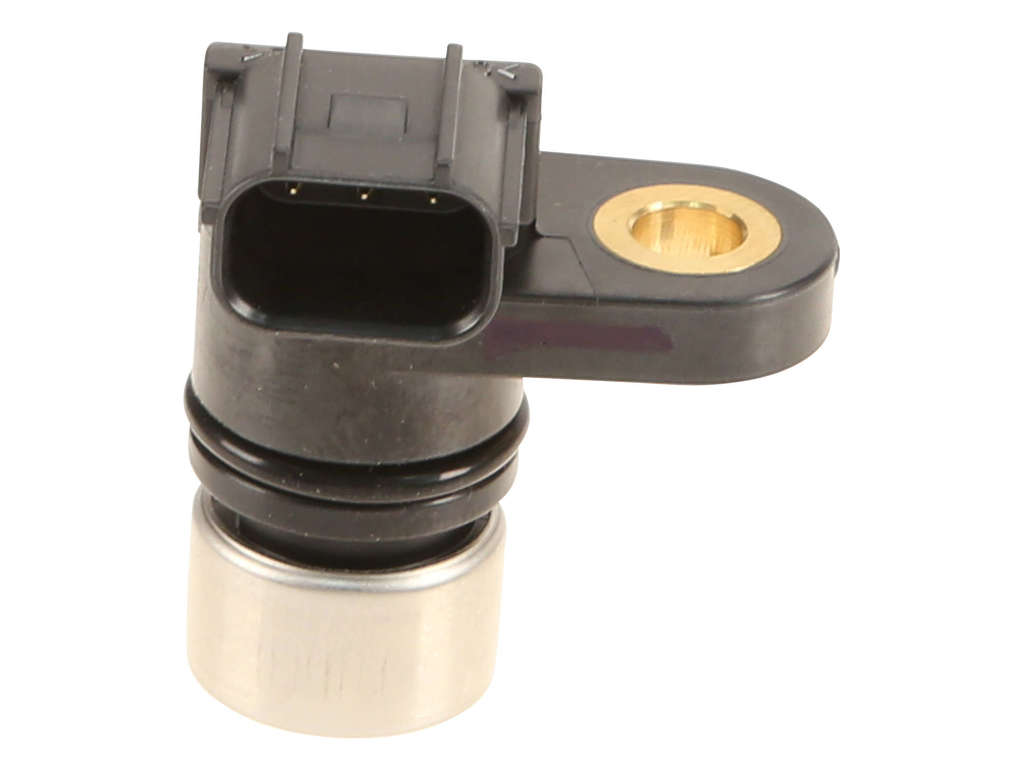
On a 2011-2015 Honda Civic, particularly models with the CVT, code P0501 almost always points to a failed Vehicle Speed Sensor (VSS) located on the transmission. This can cause an erratic or dead speedometer, poor CVT performance, and disabled cruise control. A replacement sensor is typically affordable, and the repair is a manageable DIY task for most, requiring removal of the air intake assembly for access.
- P0501 on your Civic points to a problem with the Vehicle Speed Sensor (VSS) circuit, not an internal transmission failure.
- The most common symptoms are a non-working/erratic speedometer and harsh or hesitant CVT shifting.
- The most likely fix is replacing the VSS itself, which is located on the back of the transmission and held by one 10mm bolt.
- Before replacing the sensor, always check its wiring and connector for damage. A common failure is a pin corroding and breaking off inside the connector.
- This repair is generally considered DIY-friendly and can be done with basic hand tools after removing the air intake assembly for access.
What's Unique About the 2011-2015 Honda Civic

The 2011-2015 year range for the Civic spans two different generations, the 8th (up to 2011) and 9th (2012-2015). The user's mention of a CVT is key, as this transmission was introduced in the 9th generation for the 2014-2015 model years, replacing the traditional 5-speed automatic. For these CVT models, a clean VSS signal is absolutely critical for smooth operation, as the PCM relies on it to control the transmission's variable ratios. A failure can cause more noticeable shifting problems and hesitation than in a conventional automatic. It's important not to confuse the VSS (output speed sensor) with the transmission's input speed sensor, which is a separate part.
Generation note: The specified range covers two Civic generations. The 2011 model is the last year of the 8th generation. The 2012-2015 models are the 9th generation. While the P0501 code relates to the VSS on both, part numbers and specific locations may differ slightly. The CVT was only available on 2014-2015 models within this range; earlier models used a 5-speed automatic. The VSS for the CVT is located on the back of the transmission and is distinct from the input speed sensor.
Symptoms You May Notice
- Check Engine Light is on
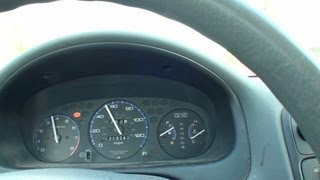
- Speedometer is erratic, reads 0 mph, or doesn't work at all
- Odometer stops accumulating miles when the speedometer fails
- Harsh, delayed, or erratic automatic transmission shifting, sometimes described as 'wavy' acceleration
- Cruise control does not work
- ABS or Traction Control (VSA) light may illuminate
- Hesitation or stumbling during acceleration
- Replacing the transmission fluid. While important for maintenance, old fluid will not cause a P0501 code.
- Blaming the entire transmission. This code specifically points to an electrical or sensor issue, not an internal mechanical failure of the transmission itself. However, driving for an extended period with a faulty VSS can cause undue stress on the CVT.
- Replacing the wrong sensor. The transmission has both an input and an output speed sensor. P0501 refers to the output VSS.
Most Likely Causes

- Failed Vehicle Speed Sensor (VSS) 🔴 High Probability The VSS is an electronic sensor that can fail over time due to heat cycles and wear. Corrosion of the sensor's pins is also a common failure point, especially if moisture enters the connector.
How to confirm: Test the sensor's output signal with a scan tool that can display live data while driving. Alternatively, test for proper voltage and ground at the connector and check the signal wire for a pulsing voltage as the wheels turn. A visual inspection may reveal a corroded or broken pin on the sensor itself.
Typical fix: Replace the Vehicle Speed Sensor on the transmission. This involves removing the air intake box for access, disconnecting the connector, removing a single 10mm bolt, and carefully prying the old sensor out.
Est. part cost: $20-$70 - Damaged Wiring or Connector 🟡 Medium Probability The wiring to the VSS is located in the engine bay and can be susceptible to heat, vibration, or damage from road debris or improper servicing. The connector pins can also corrode and break off inside the harness plug. Problems have been noted by owners after hosing down the engine bay, suggesting a vulnerability to moisture.
How to confirm: Visually inspect the wiring harness and connector for the VSS. Look for any breaks, corrosion, or loose pins. A common failure is a pin from the sensor corroding and breaking off inside the connector, which can be seen upon unplugging it. Perform a continuity test on the wires between the sensor and the PCM.
Typical fix: Repair the damaged section of the wiring harness or replace the connector pigtail. If a pin is broken off inside the connector, it must be carefully extracted before a new sensor is installed.
Est. part cost: $10-$30
Rare But Worth Checking
- Faulty Powertrain Control Module (PCM): This is very rare. The PCM should only be considered after all other possibilities, including the sensor and wiring, have been thoroughly tested and ruled out.
- Defective Instrument Cluster: In some vehicle architectures, the VSS signal passes through the instrument cluster. A failure in the cluster's circuitry could potentially cause this code, though it is uncommon for this specific model.
- Blown Fuse: On some Honda models, the VSS circuit is protected by a dedicated fuse in the under-dash fuse box (e.g., Fuse #15, 7.5A on older models). While less commonly reported for this generation, it is a quick and easy check to perform.
Diagnosis Steps

- Read Codes: Use an OBD-II scanner to confirm P0501 is the primary code. If other codes like those for wheel speed sensors (ABS codes) are present, diagnose them first as some systems use ABS sensors to verify vehicle speed.
- Live Data Test: Use a capable scan tool to monitor the Vehicle Speed data while driving. If the reading is erratic, stuck at zero, or doesn't match the actual speed, it confirms a VSS circuit issue.
- Visual Inspection: Locate the VSS on the rear of the transmission housing. You will need to remove the air intake box for access. Inspect the sensor's connector and wiring for any obvious signs of damage, corrosion, or loose connections. Pay close attention to the inside of the electrical connector for corroded or broken-off pins.
- Electrical Testing: Disconnect the VSS. Use a digital multimeter to check for battery voltage on the power wire and a good ground on the ground wire. Check the signal wire for any shorts to power or ground. With the sensor plugged in and ignition on, back-probe the signal wire while spinning a wheel; you should see a pulsing voltage.
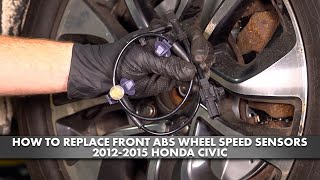
- Sensor Replacement: If wiring, power, and ground are good, the VSS itself is the most likely culprit. Replace the sensor. It is held by a single 10mm bolt. The old sensor may be stuck by its O-ring and require gentle prying or twisting with pliers to remove. 🎬 Watch: Step-by-step walkthrough for replacing the output speed sensor
- Final Test: After replacement, clear the code and test drive the vehicle to ensure the speedometer works correctly, the transmission shifts smoothly, and the Check Engine Light does not return.
Parts You'll Likely Need

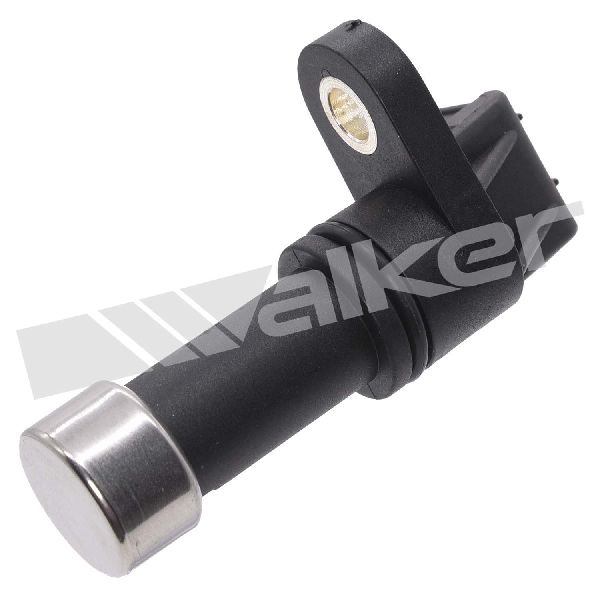
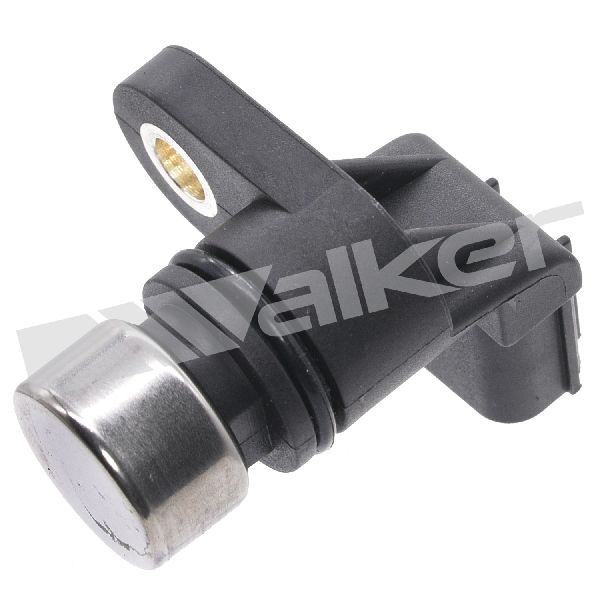
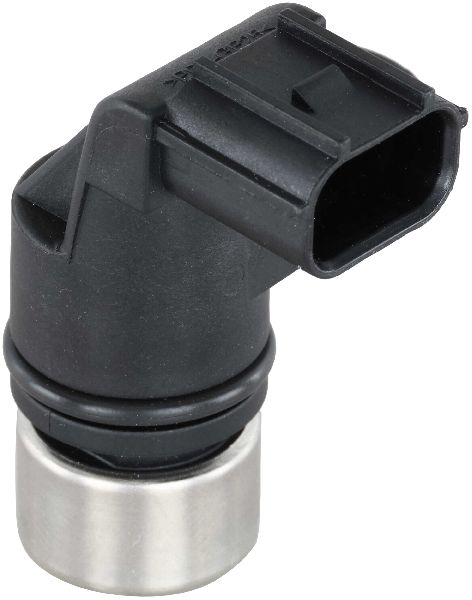
- Vehicle Speed Sensor (VSS)
(OEM #28810-RJ2-003 (Verification needed by VIN, but commonly cited for 9th Gen CVT))— This sensor is the primary component responsible for measuring vehicle speed and is the most common failure point for code P0501.
Trusted brands: Honda (OEM), Denso (often the OEM supplier), Standard Motor Products (SMP), Beck/Arnley, Delphi, TRQ
OEM price range: $80-$150
Aftermarket price range: $20-$70
Platform-Specific Known Issues
- Corroded Connector Pins: A recurring theme in owner forums is not just the sensor failing, but the electrical pins corroding and breaking off inside the wiring harness connector. This requires extracting the broken pin from the connector before a new sensor can be installed. This failure is documented in detail by mechanic EricTheCarGuy on an older Civic, but the principle remains identical.
- Confusion with Input Speed Sensor: The CVT has two similar-looking sensors on the transmission case: an input speed sensor and an output speed sensor (VSS). P0501 is for the output sensor. It's crucial to identify the correct one before replacement. The output VSS is typically the one further back or lower on the transmission housing.
Mechanic-Grade Diagnostic Values
- VSS Connector Pin Voltages (Key On, Engine Off, Connector Disconnected) — expected: One pin should have ~5V (VCC reference from PCM), one pin should have continuity to ground, and the third is the signal wire.. Failure: No voltage on the reference wire or no continuity on the ground wire indicates a wiring or PCM issue, not a sensor failure.
- VSS Signal Wire Voltage (Key On, Connector Plugged In, Wheels Rotating) — expected: A pulsing digital square wave signal fluctuating between 0V and 5V as the wheel is turned. This is best observed with a DSO (oscilloscope) but may be seen as a fluctuating voltage on a multimeter.. Failure: A steady voltage (e.g., stuck at 0V, 5V, or 12V) or no voltage at all while the wheels are turning points to a faulty sensor or a wiring short/open.
Scan Tool Commands That Help
- Honda Diagnostic System (HDS) or equivalent high-end scanner: Clear DTCs / Reset ECU — After replacing the VSS or repairing wiring, the DTC must be cleared from the PCM.
- Honda Diagnostic System (HDS) or equivalent high-end scanner: Reset Shift Adaptations / CVT Relearn — After a repair affecting transmission inputs like the VSS, resetting the CVT's learned values can resolve harsh shifting or performance issues more quickly than waiting for the system to re-adapt on its own.
Wiring & Ground Locations
- VSS Connector (3-Pin) — On the top or rear of the CVT transmission housing, often requiring removal of the air intake assembly for access.. This is the direct connection point for the sensor. It is a primary point of failure due to corrosion, where pins can break off from the sensor and get stuck inside the connector.
- G101 — On the 1.8L engine, this primary ground is located on the left rear of the engine, typically on the thermostat housing.. This is a critical power and logic ground for the ECU/PCM. A poor connection at G101 can cause a wide range of seemingly unrelated sensor codes and drivability issues, including problems with the 5V reference circuits that supply sensors like the VSS.
- PCM Connector B (51-Pin) — At the Powertrain Control Module (PCM), located on the left side of the engine compartment.. The VCC2 (power), SG2 (ground), and VSS signal wires run from the sensor to this connector. A continuity check between the VSS connector and the corresponding pins on this connector can isolate a wiring break.
Real Owner Repair Stories
- EricTheCarGuy Video/Forum (1998 Honda Civic (older model, but identical failure mode)) — P0501 code, bouncing speedometer needle, harsh transmission shifting.
❌ Tried (didn't work) Initial diagnosis pointed directly to the VSS, but simply replacing the sensor would not have worked.
✅ What actually fixed it The center signal pin on the VSS had corroded and broken off, remaining stuck inside the female side of the wiring harness connector. The broken pin had to be extracted from the connector before a new VSS could be installed to make a proper connection. - Honda-Tech Forum User (1999-2000 Honda Civic (EM1)) — CEL with code 17 (OBD1 equivalent of P0501).
❌ Tried (didn't work) Visual inspection of connector pins appeared fine., Fuse #15 was checked and found to be good.
✅ What actually fixed it After extensive troubleshooting, the user found that simply cleaning the apparently clean terminals on both the sensor and the connector resolved the issue. This highlights that invisible oxidation can cause enough resistance to trigger the code.
OEM Part Supersession History
28810-RPC-003→28810-RPC-013— Part revision/update by Honda.
Heads up: The part number 28810-RJ2-003 is specifically cited for the 9th Gen Civic with CVT. The RPC series parts are for the 8th Gen Civic automatic transmission. While they may appear similar, using the wrong part can result in incorrect signal output. Always verify by VIN.
Model Year Variations Within This Range
- 2011 (8th Gen) vs 2012-2015 (9th Gen): The 8th generation used a conventional 5-speed automatic, while the 2014-2015 9th generation models introduced the CVT. The VSS part numbers and specific locations on the transmission case are different between these two distinct transmissions.
Diagnostic Flowchart
Used vs. New Parts: Buying Guide for This Vehicle
When a used part is the smart pick: A used OEM Vehicle Speed Sensor from a low-mileage donor vehicle is a reasonable choice for this repair. The part is electronic but generally durable, and failure is often due to corrosion rather than simple wear. A used wiring connector pigtail is also a good option if yours is damaged.
Donor-vehicle mileage cap: roughly under 80000 miles for the part to have meaningful remaining life.
What to inspect on the donor part:
- Inspect the connector pins on the used sensor. They should be clean, straight, and free of any green or white corrosion.
- Ensure the plastic housing is not cracked or showing signs of extreme heat exposure.
- If possible, get the sensor from a vehicle that was not in a front-end collision to reduce the risk of impact damage to the transmission casing where the sensor is mounted.
Aftermarket brands forum-validated for this vehicle:
- Denso (often the original OEM supplier)
- Standard Motor Products (SMP)
- NTK
- Delphi
- Beck/Arnley
Brands owners have reported issues with on this vehicle:
- No-name, unbranded sensors from online marketplaces should be avoided, as their signal quality and durability can be inconsistent, potentially causing the code to return.
Real Owner Stories
Aggregated from forums and TSBs cited above. Mileages and costs reflect what owners reported in those sources.
1998 Civic
Symptoms: Bouncing speedometer and harsh transmission shifting.
What fixed it: The root cause was a corroded and broken-off pin from the VSS that was stuck inside the wiring connector. The fix required extracting the broken pin and replacing the sensor.
Source hint: EricTheCarGuy.com: In a detailed video and forum post, a 1998 Civic with P0501, bouncing speedometer, and harsh shifting is diagnosed.
Related OBD-II Codes
Frequently Asked Questions
I see two similar-looking sensors on my 2011-2015 Civic's CVT. Which one is for the P0501 code?
My speedometer is bouncing and the transmission is shifting harshly. Is this related to the P0501 code on my Civic?
I'm about to replace the Vehicle Speed Sensor. Is there anything specific I should check inside the electrical connector?
My Check Engine Light came on for P0501 right after I washed my engine bay. Could I have caused the problem?
What do I need to remove to get access to the VSS on my 2011-2015 Civic?
Are there any aftermarket VSS brands that are reliable for my Honda Civic?
Helpful Videos
We Have This Part in Stock


The information in this article is provided for general reference and educational purposes only. Vehicle specifications, procedures, and part compatibility can vary by production date, trim level, and region. Always consult your vehicle's factory service manual and verify part numbers before purchasing or performing repairs. Safety-critical components such as airbags, seat belts, and braking systems should be installed by a qualified professional.
- Honda Civic:
- 🎬 Helpful Videos
- 🛍️ Shop This Part
- What's Unique About the 2011-2015 Honda Civic
- Symptoms You May Notice
- Most Likely Causes
- Rare But Worth Checking
- Diagnosis Steps
- Parts You'll Likely Need
- Platform-Specific Known Issues
- Mechanic-Grade Diagnostic Values
- Scan Tool Commands That Help
- Wiring & Ground Locations
- Real Owner Repair Stories
- OEM Part Supersession History
- Model Year Variations Within This Range
- Diagnostic Flowchart
- Used vs. New Parts: Buying Guide for This Vehicle
- Real Owner Stories
- 1998 Civic
- Related OBD-II Codes
- Frequently Asked Questions
- 🎟️ Get 5% Off