

C0050 on 2003-2009 Hummer H2: Right Rear Wheel Speed Sensor Circuit Causes and Fixes
Code C0050 on a Hummer H2 indicates a fault with the right rear wheel speed sensor circuit. This usually means the sensor itself has failed or the wiring to it is damaged, a common issue on these trucks. Expect to pay $25-$60 for a new sensor, and it's a straightforward DIY replacement for many owners. A cheap scanner may not read this ABS-specific code.
- C0050 means there is a problem with the right rear wheel speed sensor circuit, which disables your ABS and traction control.
- The most likely cause is a failed wheel speed sensor, which is relatively inexpensive and easy to replace.
- Before buying parts, visually inspect the sensor's wiring harness for any obvious damage, as this is another common cause.
- You will need a scan tool that can read ABS codes to properly diagnose this issue; a basic engine code reader will not see C-codes.
- While you can drive the vehicle, your key safety systems are inactive, so drive with extra caution and get the issue fixed promptly.
What's Unique About the 2003-2009 Hummer H2
The Hummer H2 is built on the GM GMT800 platform, specifically a modified version designated GMT825. It shares its underlying chassis, EBCM, and braking system components with other large GM trucks and SUVs from the same era, like the Chevrolet Tahoe/Suburban, GMC Yukon, and Cadillac Escalade. As a result, the causes for code C0050 are very similar across these vehicles. The primary issues are typically failures of the wheel speed sensor itself or damage to the exposed wiring harness near the wheel, which is susceptible to debris, moisture, and physical stress from suspension movement, especially given the H2's off-road intentions.
Symptoms You May Notice
- ABS warning light is on
- Traction control or StabiliTrak warning light is on
- "SERVICE BRAKE SYSTEM" message on the driver information center
- ABS and traction control are disabled
- Audible chimes upon startup
- Inability to engage differential lock features after the warning lights appear
- Replacing the wheel hub assembly when only the inexpensive speed sensor has failed.
- Replacing the EBCM before thoroughly testing the wiring harness for breaks or shorts. One forum user sent their EBCM for repair only to be told it was fine, pointing back to a wiring or sensor issue.
- Replacing the wrong sensor. Always confirm the code (C0050 is Right Rear) with a scanner before buying parts.
Most Likely Causes
- Failed Right Rear Wheel Speed Sensor 🔴 High Probability The sensor is an exposed electronic component located at the wheel hub, subjecting it to harsh conditions like water, road salt, and debris, leading to internal failure over time. They can become heavily rusted and seized in the hub.
How to confirm: Use a scan tool capable of reading ABS live data to monitor all four wheel speeds while driving. If the right rear sensor reads 0 mph or shows an erratic signal while the others read correctly, the sensor is likely bad. You can also test the sensor's internal resistance with a multimeter; a working sensor on a similar GM truck should read around 5100 ohms. An open (infinite) or shorted (zero) reading confirms failure.
Typical fix: Replace the right rear wheel speed sensor. It is typically held in place by a single bolt on the wheel hub assembly. Soaking the old sensor with penetrating oil is recommended as they often rust in place.
Est. part cost: $25-$60 - Damaged Wiring Harness or Connector 🟡 Medium Probability The wiring runs down the frame and along the rear axle to the wheel hub, where it is vulnerable to getting snagged, frayed, or corroded, especially from off-road use or in regions with road salt. A broken wire inside the insulation is a common point of failure that can be hard to spot visually.
How to confirm: Visually inspect the entire length of the wiring harness from the wheel hub back to the main vehicle frame. Look for breaks, chafing, or corrosion at the connector. A more definitive test involves checking continuity. One user on Hummer Forums detailed a successful diagnosis of a C0050 code as a broken wire. You can perform a continuity test on the two wires (Brown and White on some models) between the sensor connector and the EBCM plug (Pins 1 & 2). Wiggling the harness during the test can help find intermittent breaks.
Typical fix: Repair the damaged section of wire using solder and heat-shrink tubing. If the connector pigtail is the issue, it can be replaced. Harness repair kits are available.
Est. part cost: $15-$50 for a pigtail or repair kit - Damaged or Debris-Covered Tone Ring ⚪ Low Probability The tone ring (or magnetic encoder) is part of the wheel hub assembly. While generally protected, severe rust jacking can cause it to crack, or metallic debris from brake wear can stick to it, disrupting the sensor's reading. A failing wheel bearing can also cause misalignment between the sensor and ring.
How to confirm: Remove the wheel speed sensor and visually inspect the tone ring through the sensor mounting hole with a flashlight. Look for cracks, missing teeth, or a heavy buildup of metallic debris. A wobbling or failing wheel bearing could also be the root cause.
Typical fix: If the tone ring is just covered in debris, it can sometimes be cleaned with brake cleaner and a brush. However, if the ring is cracked or damaged, the entire wheel hub and bearing assembly must be replaced as the ring is integrated into it.
Est. part cost: $150-$300
Rare But Worth Checking
- Failed Electronic Brake Control Module (EBCM): This is rare, but a known issue on GMT800 trucks. Internal solder joints or the processor can fail. Before condemning the EBCM, all other possibilities (sensor, wiring, hub) must be exhaustively ruled out. A diagnostic check might show no communication with the ABS module at all, or a specific internal fault code like C0550 may be present alongside C0050. Some owners send their modules to specialty repair services.
Diagnosis Steps
- Connect an ABS-capable scan tool to the vehicle. A basic OBD-II reader will not work.
- Read the fault codes from the Electronic Brake Control Module (EBCM). Confirm C0050 is present.
- View the live data stream for all four wheel speed sensors.
- Drive the vehicle slowly (or spin the wheels with the vehicle safely on jack stands) and observe the speed readings. Confirm that the Right Rear (RR) sensor reads 0 mph or provides an erratic signal compared to the other three wheels.
- Raise and safely support the rear of the vehicle. Remove the right rear wheel.
- Visually inspect the wheel speed sensor and its wiring harness for any obvious damage, such as cracks, fraying, or loose connections. Pay close attention to where the harness flexes with suspension travel.
- Disconnect the sensor and inspect the connector terminals for corrosion or damage.
- If no visual faults are found, use a multimeter to test the sensor's resistance. A good sensor should read in the thousands of ohms (a user with a similar GM truck reported ~5100-5390 ohms). An infinite (open) or zero (shorted) reading indicates a bad sensor.
- If the sensor tests good, check the wiring harness. Disconnect the EBCM connector (located on the frame under the driver's side) and the sensor connector. Check for continuity on the two wires (often Brown and White for RR) between the EBCM plug (pins 1 and 2) and the sensor plug. There should be less than 1 ohm of resistance. Also check for shorts to ground from each wire.
- If wiring and sensor are confirmed good, remove the sensor and inspect the tone ring on the wheel hub for damage or heavy debris.
- If all of the above check out, the fault may lie within the EBCM itself, which is a known but less common failure point.
Parts You'll Likely Need
- Rear Wheel Speed Sensor
(OEM #ACDelco 20938592 (Supersedes 15158254))— This is the most common failure point for code C0050, as the sensor is an exposed electronic component that wears out over time.
Trusted brands: ACDelco, Delphi, Standard Motor Products (SMP)
OEM price range: $40-$70
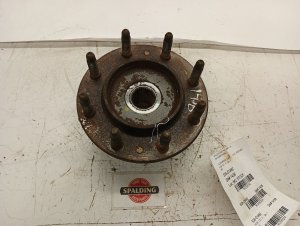
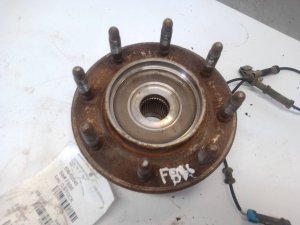
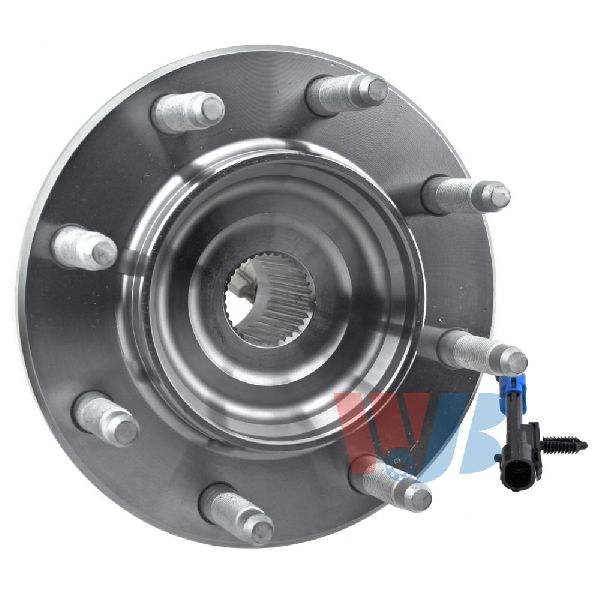
Aftermarket price range: $25-$60 - Rear Wheel Hub and Bearing Assembly — This part is replaced if the integrated magnetic tone ring is found to be cracked or damaged, as it is not serviced separately.
Trusted brands: ACDelco, Timken, MOOG
OEM price range: $200-$350
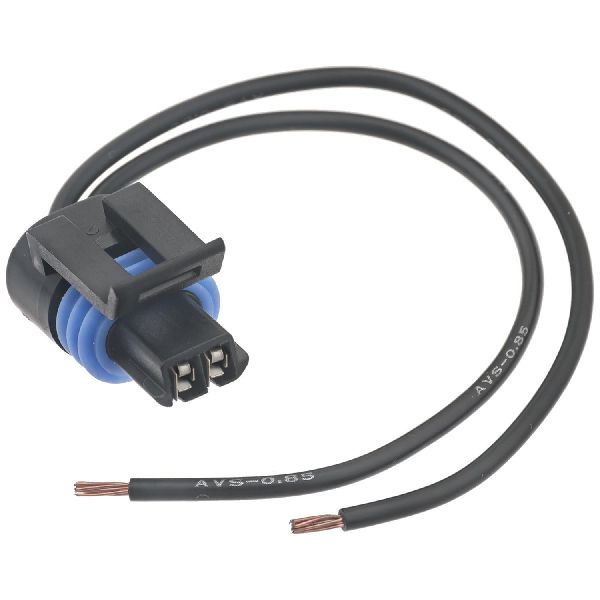
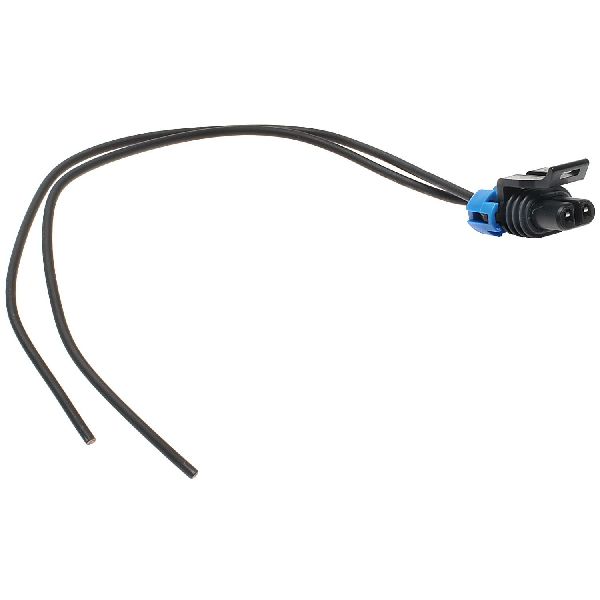
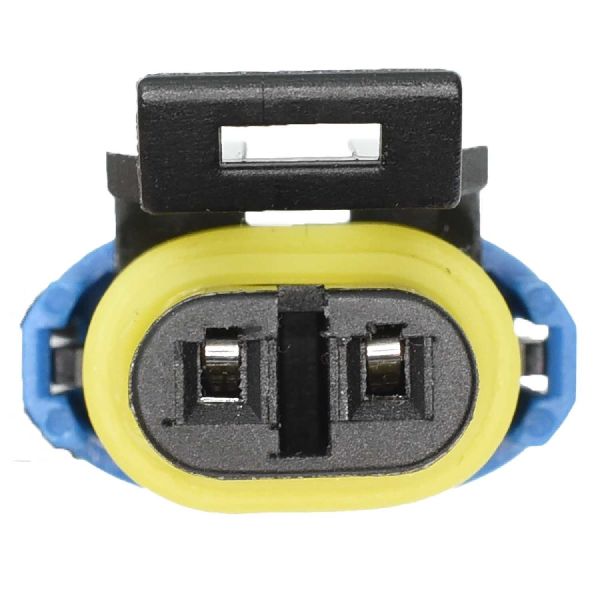
Aftermarket price range: $150-$300 - ABS Wheel Speed Sensor Wire Harness Connector — If the wiring is damaged at the connector, replacing the pigtail is often easier than repairing the individual pins. Standard Motor Products offers repair kits.
Trusted brands: Standard Motor Products (TechSmart), Dorman
Related Codes That Often Appear With This One
- C0045 — This is the code for the Left Rear Wheel Speed Sensor Circuit. It's common for wiring issues or sensor failures to occur on both rear wheels around the same time due to similar age and exposure.
- C0040 — This is the code for the Right Front Wheel Speed Sensor Circuit. Seeing multiple wheel speed sensor codes can sometimes point towards a more systemic issue, like a problem with the EBCM or its main power/ground connections.
- C0550 — This code indicates an internal ECU malfunction within the EBCM. If this code is present with C0050, it increases the likelihood that the EBCM itself is the root cause of the problem.
Platform-Specific Known Issues
- Owner Experience: Broken Wire Inside Harness: On HummerForums.com, a user with code C0050 ultimately traced the problem to a broken wire inside the harness insulation, which was not visually apparent. After replacing the sensor with no success, they performed a continuity test from the EBCM connector to the sensor plug, which revealed the open circuit. This highlights the importance of testing the wiring thoroughly before replacing more expensive components.
- Owner Experience: EBCM Diagnosis: Another user on Hummer Forums, dealing with the similar C0045 code, went through extensive diagnosis including replacing the sensor and verifying wiring continuity. Suspecting the EBCM, they sent it to a repair service who tested it and found no faults with the common internal jumpers, suggesting a non-repairable processor failure or, more likely, an issue that was missed in the wiring/sensor diagnosis. This serves as a cautionary tale to be 100% certain of wiring and sensor integrity before condemning the EBCM.
Mechanic-Grade Diagnostic Values
- Passive Wheel Speed Sensor Resistance — expected: 800 - 2,000 Ohms (general GM range for this era). Some sources report higher values up to 5,100 Ohms, so comparison with the opposing wheel sensor is recommended.. Failure: An open circuit (infinite resistance, OL) or a short circuit (near zero resistance) indicates a failed sensor.
- Passive Wheel Speed Sensor AC Voltage Output — expected: Greater than 100mV AC, increasing with wheel speed.. Failure: No AC voltage generated while spinning the wheel indicates a dead sensor.
- Continuity of Sensor Harness to EBCM — expected: Less than 1.0 Ohm on each of the two wires.. Failure: High resistance or an open circuit (OL) indicates a broken wire. Wiggling the harness during the test can reveal intermittent breaks.
Hidden / Shadow Codes Worth Checking
- C0050 0F: Indicates the EBCM has detected an erratic signal from the wheel speed sensor. This often points to a failing sensor, debris on the tone ring, or an intermittent wiring connection. (see via Requires a professional scan tool (like the GM Tech 2/GDS2) capable of reading GM-specific symptom bytes.)
- C0050 18: Indicates the signal amplitude from the sensor is too low. This can be caused by an excessive air gap between the sensor and tone ring, a damaged tone ring, metallic debris, or an open circuit. (see via Requires a professional scan tool (like the GM Tech 2/GDS2) capable of reading GM-specific symptom bytes.)
- C0050 5A: Indicates the signal is not plausible. The EBCM is receiving a signal, but it doesn't make sense compared to the other wheel speed sensors. This often points to a cracked tone ring or a failing wheel bearing causing excessive runout. (see via Requires a professional scan tool (like the GM Tech 2/GDS2) capable of reading GM-specific symptom bytes.)
Scan Tool Commands That Help
- GM Tech 2: Automated Bleed — This function is used after replacing the EBCM or opening the hydraulic brake lines to purge air from the ABS pump and valve body. While not a direct diagnostic for C0050, if the module is unresponsive to this command, it can further suggest an EBCM internal failure rather than a sensor/wiring issue.
- GM Tech 2: Live Data Graphing — This is the primary diagnostic function. Graphing all four wheel speeds while driving allows a technician to visually confirm if the right rear sensor signal drops out, becomes erratic, or flatlines compared to the others, which is a definitive sign of a fault in that circuit.
Wiring & Ground Locations
- Electronic Brake Control Module (EBCM) — Bolted to the driver's side frame rail, generally located below the driver's door area.. This is the computer that receives the signal from the right rear wheel speed sensor. The connector at the module is a common point for corrosion and wiring checks must be performed here.
- EBCM Connector Pins 1 & 2 — At the main EBCM electrical connector. Pin 1 is typically a Brown wire (Signal) and Pin 2 is a White or Light Blue/White wire (Low Reference).. These are the specific pins for the Right Rear Wheel Speed Sensor circuit. All continuity and short-to-ground tests for the harness must be performed from these pins back to the sensor connector.
- G103 / G104 — Main engine/chassis grounds located on the engine block or cowl area near the rear of the engine compartment.. The EBCM relies on a solid ground connection to function. While not the most common cause, a corroded or loose main ground can cause various erratic ABS faults, including wheel speed sensor codes.
Real Owner Repair Stories
- Hummer Forums user @Back40coffee (Hummer H2, year not specified but within the 2003-2009 range.) — ABS and Traction Control lights on the dash.
❌ Tried (didn't work) Replacing the right rear wheel speed sensor. The old sensor tested with similar resistance to the new one.
✅ What actually fixed it The problem was a broken wire in the harness leading to the sensor. The user confirmed the fix after finding and repairing the break.
OEM Part Supersession History
15158254→20938592, which was then superseded by 84406733— Standard part revision and supplier changes over time.
Heads up: No known incompatibilities; the latest part number is the correct service replacement for all years.EBCM for 2003-2007 (e.g., 88936322)→19301997 (Remanufactured)— Module update and transition to remanufactured units for service.
Heads up: The EBCM for 2003-2007 models (6.0L engine) is different from the one used on 2008-2009 models (6.2L engine, P/N 25928348). They are not interchangeable.
Model Year Variations Within This Range
- 2003-2007: These models typically used a Kelsey-Hayes EBCM (e.g., part number family 88936322). These specific modules are known to be repairable by third-party services for common internal solder joint failures.
- 2008-2009: These later models used a different EBCM (e.g., part number 25928348), likely a Bosch unit, to accommodate the newer 6.2L engine and potentially different stability control logic. These modules may have different failure modes and repair options.
Diagnostic Flowchart
Used vs. New Parts: Buying Guide for This Vehicle
When a used part is the smart pick: A used wiring harness pigtail from a junkyard is a perfectly acceptable repair part if the wiring is pliable and free of corrosion. A remanufactured or tested-good used EBCM is also a common and cost-effective repair, as new units can be expensive or unavailable.
Donor-vehicle mileage cap: roughly under 80000 miles for the part to have meaningful remaining life.
What to inspect on the donor part:
- For a wheel hub: Check for any bearing play or roughness when spinning it by hand. Ensure the magnetic tone ring is intact with no cracks or missing chunks.
- For a wiring harness: Inspect for brittle or cracked insulation. Avoid any connectors with signs of green/white corrosion on the pins.
- For an EBCM: Look for intact seals and no pry marks, which would indicate a previously failed repair attempt. Ask if the part has been tested.
OEM-only on this vehicle (don't cheap out):
- Wheel Speed Sensor: Given the low cost of new OEM (ACDelco) or OES (Delphi) sensors and the critical safety function, using a new, quality part is strongly recommended over a used one of unknown age and condition.
Aftermarket brands forum-validated for this vehicle:
- Timken, MOOG, ACDelco Professional for wheel hub assemblies.
- Standard Motor Products (SMP) or Dorman for wiring pigtails and connectors.
Brands owners have reported issues with on this vehicle:
- Unnamed 'white-box' wheel speed sensors from online marketplaces are frequently reported on forums to be dead-on-arrival or fail prematurely.
Documented NHTSA Reports
While C0050 is a common GM wheel speed sensor code, cross-manufacturer records provide additional context for this fault. For instance, NHTSA ODI #11649367 describes a scenario where the vehicle disables the ABS and supporting systems and sets code C0050 after brake service, which a technician attributed to the extra brake fluid required to return caliper piston contact to the brake pad. Another report, NHTSA ODI #11693418, notes that a diagnostic showed code C0050-00 in a situation where the rotors, rear brake pads, and adapter plate needed replacement. Furthermore, NHTSA ODI #11228687 highlights a case where C0050 appeared alongside multiple other codes including C0035 and C0040. In a different application, NHTSA ODI #10763888 mentions C0050 was used to identify a faulty power steering control module (PSCM) requiring the replacement of the entire steering column, though this is specific to that vehicle's architecture.
Real Owner Stories
Aggregated from forums and TSBs cited above. Mileages and costs reflect what owners reported in those sources.
2003-2009 Hummer H2
Symptoms: Owner had a C0050 code after replacing the sensor did not resolve the issue.
What fixed it: The problem was a broken wire inside the harness insulation that was not visually apparent. The fault was found by performing a continuity test from the EBCM connector to the sensor plug, which revealed the open circuit.
Source hint: vehicle_specific_issues: 'Owner Experience: Broken Wire Inside Harness' (from HummerForums.com)
2003-2009 Hummer H2
Symptoms: Owner was dealing with a similar C0045 (left rear) code and had already replaced the sensor and verified wiring continuity.
What fixed it: This was a cautionary tale. The owner suspected the EBCM and sent it to a repair service, but the unit tested good. This suggested the actual problem was likely an intermittent or hard-to-find issue in the wiring or sensor circuit that was missed during initial diagnosis.
Source hint: vehicle_specific_issues: 'Owner Experience: EBCM Diagnosis' (from HummerForums.com)
Related OBD-II Codes
Frequently Asked Questions
My ABS and StabiliTrak lights are on, and I can't use my differential lock on my H2. Is this related to the C0050 code?
Will my basic OBD-II code reader work to diagnose a C0050 on my Hummer H2?
Where is the EBCM located on a 2003-2009 Hummer H2? I need to check the wiring harness.
What resistance value should I see when testing the right rear wheel speed sensor on my H2 with a multimeter?
I replaced the right rear sensor but the C0050 code came back. What's the next most likely cause on these trucks?
Can I replace just the tone ring on my H2's rear axle if it's damaged?
Is the diagnosis for C0050 on a 2005 Chevy Silverado the same as for my Hummer H2?
Used OEM Parts in Stock
New Aftermarket Parts Available


The information in this article is provided for general reference and educational purposes only. Vehicle specifications, procedures, and part compatibility can vary by production date, trim level, and region. Always consult your vehicle's factory service manual and verify part numbers before purchasing or performing repairs. Safety-critical components such as airbags, seat belts, and braking systems should be installed by a qualified professional.
- Hummer H2:
- 🛍️ Shop This Part
- What's Unique About the 2003-2009 Hummer H2
- Symptoms You May Notice
- Most Likely Causes
- Rare But Worth Checking
- Diagnosis Steps
- Parts You'll Likely Need
- Related Codes That Often Appear With This One
- Platform-Specific Known Issues
- Mechanic-Grade Diagnostic Values
- Hidden / Shadow Codes Worth Checking
- Scan Tool Commands That Help
- Wiring & Ground Locations
- Real Owner Repair Stories
- OEM Part Supersession History
- Model Year Variations Within This Range
- Diagnostic Flowchart
- Used vs. New Parts: Buying Guide for This Vehicle
- Documented NHTSA Reports
- Real Owner Stories
- 2003-2009 Hummer H2
- 2003-2009 Hummer H2
- Related OBD-II Codes
- Frequently Asked Questions
- 🎟️ Get 5% Off