

C0045 on 2018 Chevrolet Silverado HD: Left Rear Wheel Speed Sensor Fixes
On a 2018 Silverado HD, code C0045 indicates a fault in the left rear wheel speed sensor circuit. This usually means the sensor itself has failed or its wiring is damaged. Expect to pay around $45-$115 for a new sensor and inspect the wiring harness for damage before replacing parts. Wiring harness damage is a known issue on this platform, and GM has issued service bulletins to investigate this specific code on these trucks.
- C0045 means a fault with the left rear wheel speed sensor circuit, which disables ABS and StabiliTrak.
- The most common causes are a bad sensor or damaged wiring; always inspect the wiring harness for damage before buying parts.
- On the 2018 Silverado HD, the sensor is available separately from the more expensive wheel hub assembly.
- This is a safety-critical system. While DIY is possible, professional diagnosis is recommended if you are not comfortable working on brake systems.
- Check for TSBs related to wiring connectors, as this is a known issue on GM trucks.
What's Unique About the 2018-2018 Chevrolet Silverado HD
For the 2018 Silverado HD (third generation, K2XX platform), the rear wheel speed sensors are individual components that can be replaced separately from the wheel hub assembly. This is a key distinction from many other GM vehicles where the sensor is integrated into the hub. GM has issued technical service bulletins and engineering inquiries (like #PIE0456A) for these trucks specifically for codes C0045 and C0050, pointing towards connector and wiring harness issues as a common source of faults. This makes a thorough inspection of the harness for chafing against the axle housing or frame critical before replacing the sensor itself.
Symptoms You May Notice
- ABS warning light illuminated
- StabiliTrak or Traction Control warning light illuminated
- "Service StabiliTrak" or "Service Trailer Brake" message on the Driver Information Center
- Cruise control may be disabled
- ABS system is inoperative, potentially leading to wheel lock-up during hard braking
- Replacing the wheel hub assembly when only the separate, less expensive wheel speed sensor was needed.
- Replacing the wheel speed sensor when the actual problem is a broken wire or corroded connector further up the harness.
- Replacing parts without cleaning rust off the sensor mounting surface, leading to a persistent code.
Most Likely Causes
- Damaged Wheel Speed Sensor Wiring or Connector 🔴 High Probability The wiring harness is exposed under the truck and is susceptible to damage from road debris, corrosion, or chafing against the frame, suspension components, or axle housing. GM TSBs for related platforms also point to corrosion in intermediate connectors like X411.
How to confirm: Visually inspect the entire length of the wiring harness from the left rear wheel to the main vehicle harness. Check the connector at the sensor and any intermediate connectors for corrosion, pushed-out pins, or moisture. A wiggle test on the harness while observing live data can reveal intermittent faults. A multimeter can be used to check for continuity.
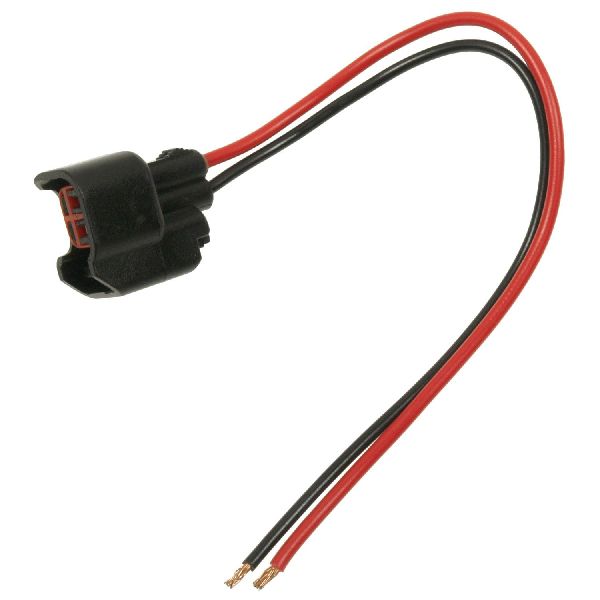
Typical fix: Repair the damaged section of wire or replace the connector pigtail. Ensure the harness is properly routed and secured with zip ties away from moving parts.
Est. part cost: $15-$50 for a pigtail connector - Failed Left Rear Wheel Speed Sensor 🔴 High Probability
How to confirm: After confirming wiring is intact, use a scan tool to monitor live data from the left rear sensor while spinning the wheel; the reading should be smooth and match the other wheels. If the reading is zero or erratic, the sensor is likely bad. You can also test the sensor's internal resistance with a multimeter; a typical reading for this type of sensor is between 850-1350 ohms. Swapping the left and right rear sensors to see if the fault code follows the sensor (changes to C0050) is also a valid diagnostic step.
Typical fix: Replace the left rear wheel speed sensor. 🎬 Watch this step-by-step video on replacing rear ABS sensors The sensor is typically held in by a single T30 or 10mm bolt.
Est. part cost: $45-$115 - Damaged or Contaminated Magnetic Encoder Ring ⚪ Low Probability The encoder ring (or reluctor ring) is part of the wheel hub assembly. While more durable than the sensor, it can be damaged by a failing wheel bearing, or metallic debris from a failing bearing can accumulate on it, disrupting the signal. In some cases, the magnetic strip can delaminate or break apart.
How to confirm: With the sensor removed, visually inspect the magnetic ring inside the hub for cracks, missing sections, or a buildup of metallic debris. A failing wheel bearing will often produce a humming or grinding noise and have excessive play.
Typical fix: If the encoder ring is damaged, the entire wheel hub and bearing assembly must be replaced. 🎬 See how to replace the rear hub assembly on a Silverado HD If it's just dirty, clean the debris off.
Est. part cost: $150-$350 for a hub assembly - Rust Buildup Under Sensor ('Rust Jacking') ⚪ Low Probability Corrosion can build up on the hub surface where the wheel speed sensor mounts. This can physically push the sensor slightly away from the encoder ring, increasing the air gap and causing a weak or erratic signal (C0045 18).
How to confirm: When the sensor is removed, check for a layer of rust or scale on the mounting surface of the hub.
Typical fix: Remove the sensor and thoroughly clean the mounting surface down to bare metal with a wire brush or scraper before reinstalling or replacing the sensor.
Est. part cost: $0 if cleaning is all that's needed.
Rare But Worth Checking
- Faulty Electronic Brake Control Module (EBCM): This is rare and should only be considered after all other possibilities (sensor, wiring, hub) have been exhaustively ruled out. TSB #PIT5499B notes that water intrusion into the EBCM connector can cause this code, so the module itself may not be at fault. Inspecting the EBCM connector for corrosion is a critical final step.
Diagnosis Steps
- Confirm code C0045 is present using an OBD-II scanner capable of reading ABS codes.
- Use the scanner's live data function to view the wheel speed from all four sensors while driving. Observe if the left rear sensor reads 0 mph or provides an erratic signal compared to the others.
- Safely raise and support the vehicle. Visually inspect the left rear wheel speed sensor and its wiring harness for any obvious signs of damage, such as cuts, chafing against the axle or frame, or corrosion.
- Unplug the sensor connector and inspect for corrosion, moisture, or bent/pushed-out pins. The NHTSA TSBs highlight connector integrity as a key checkpoint.
- If wiring appears intact, remove the sensor (usually one T30 or 10mm bolt) and inspect the sensor tip and the magnetic encoder ring inside the hub for debris or damage.
- Clean the sensor mounting surface on the hub of any rust or debris to ensure a proper air gap.
- If no visual faults are found, use a multimeter to test the sensor's resistance (expect 850-1350 Ohms) or swap the left and right rear sensors to see if the fault code follows the sensor to the other side (changes to C0050).
- If the sensor tests good and the code remains, perform a continuity and resistance check on the wiring harness between the sensor connector and the EBCM. Pay special attention to pins 34 (Dark Green) and 35 (Tan/White) at the EBCM connector.
- As a final step, inspect the main EBCM connector for any signs of water intrusion or corrosion, as suggested by TSB #PIT5499B.
Parts You'll Likely Need
- Rear Wheel Speed Sensor
(OEM #84051224)— This is the most common component to fail in the circuit, after ruling out wiring damage. It is a direct-fit replacement for left or right rear. This part number supersedes 22871878.
Trusted brands: ACDelco, Delphi, Standard Motor Products (SMP), NTK
OEM price range: $70-$115
Aftermarket price range: $45-$85 - Rear Wheel Hub and Bearing Assembly
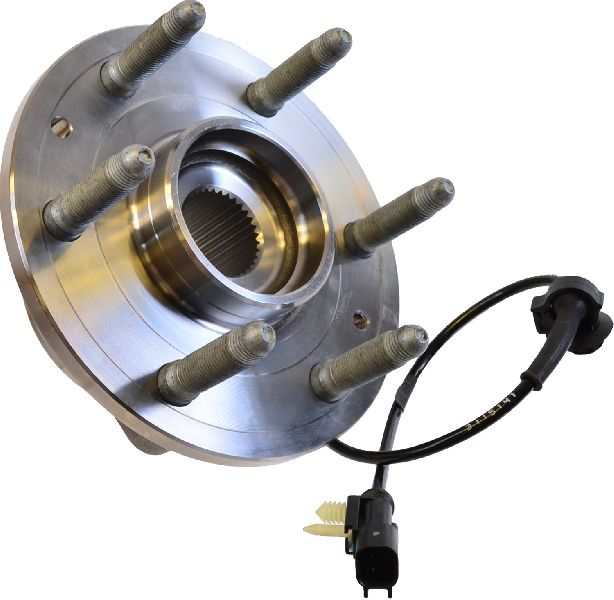
(OEM #13544069)— Only needed if the integrated magnetic encoder ring is damaged or if the wheel bearing itself has failed, causing the code. A failing bearing will typically make a grinding or humming noise.
Trusted brands: ACDelco, Timken, MOOG
OEM price range: $250-$350
Aftermarket price range: $150-$250
Related Codes That Often Appear With This One
- C0050 — Right Rear Wheel Speed Sensor Circuit. If both appear, it may indicate a systemic issue like a wiring harness problem common to both rear sensors or an issue with the EBCM. A GM Engineering Information bulletin (#PIE0456A) specifically targeted 2018 HD trucks with C0045 or C0050 to find a root cause.
- U0121 — Lost Communication With Electronic Brake Control Module. This code often appears alongside ABS sensor codes when there are EBCM connector issues or power problems, as mentioned in TSB #PIT5499B.
Technical Service Bulletins (TSBs) & Recalls
- PIE0456A: Engineering Information request regarding wheel speed sensor codes C0045 or C0050 on 2018 Silverado HD/Sierra HD.
- PIT5499B: Points to checking the EBCM connector for water intrusion when C0045 is present on other GM trucks.
- PIT5427B: Recommends inspecting the X411 connector for damage when C0045 is stored on other GM platforms.
Platform-Specific Known Issues
- Owner complaint NHTSA ODI #11165895 on a similar GM platform (Equinox) directly links code C0045 to a failed hub bearing assembly.
- TSB #PIT5499B points to potential water intrusion in the Electronic Brake Control Module (EBCM) connector as a cause for C0045 and other ABS codes on 2015-2016 Colorado/Canyon models, a relevant check for other GM trucks.
- TSB #PIT5427B suggests inspecting the X411 connector for damage on related GM platforms (Equinox/Terrain) when encountering code C0045, highlighting a known weak point in GM wiring harnesses.
- GM issued an Engineering Information bulletin (#PIE0456A) seeking field data on 2018 HD trucks with C0045 or C0050 to find a root cause for this specific issue.
Mechanic-Grade Diagnostic Values
- Wheel Speed Sensor Internal Resistance — expected: 850 - 1350 Ohms. Failure: A reading of OL (Open Loop) or 0 Ohms indicates a failed sensor. A reading outside the expected range suggests an internal fault.
- Wheel Speed Sensor AC Voltage Output — expected: Rises from millivolts to several volts AC as wheel speed increases.. Failure: No AC voltage produced when the wheel is spun indicates a failed sensor or a damaged magnetic encoder ring.
Hidden / Shadow Codes Worth Checking
- C0045 06: Left Rear Wheel Speed Sensor Circuit Low Voltage/Open. This points directly to a wiring break, poor connection, or a short to ground. (see via GM GDS2, Tech2, or other professional scan tool capable of reading ABS symptom bytes.)
- C0045 0F: Left Rear Wheel Speed Sensor Circuit Signal Erratic. This often indicates a damaged magnetic encoder ring, debris on the sensor, or an intermittent wiring fault. (see via GM GDS2, Tech2, or other professional scan tool capable of reading ABS symptom bytes.)
- C0045 18: Left Rear Wheel Speed Sensor Circuit Low Signal Amplitude. This suggests the signal is too weak, often caused by 'rust jacking' increasing the air gap, or an internal sensor fault. (see via GM GDS2, Tech2, or other professional scan tool capable of reading ABS symptom bytes.)
- C0045 5A: Left Rear Wheel Speed Sensor Circuit Not Plausible. The EBCM receives a signal, but it's illogical compared to other wheel speeds (e.g., three wheels at 30 mph, one at 0 mph). (see via GM GDS2, Tech2, or other professional scan tool capable of reading ABS symptom bytes.)
Scan Tool Commands That Help
- GM GDS2 / High-End Scan Tool: Live Data - Wheel Speed Sensors — This is the primary diagnostic step. Observing the live data from all four wheels while driving or spinning the wheels by hand is the fastest way to confirm the left rear sensor is the one providing a faulty (zero or erratic) reading.
- GM GDS2 / High-End Scan Tool: Read DTC with Symptom Byte — After confirming the base C0045 code, reading the symptom byte (e.g., 06, 0F, 5A) provides crucial direction, distinguishing between an open wire, an erratic signal from a bad hub, or a plausibility issue.
Wiring & Ground Locations
- EBCM Connector (X1) — Attached to the ABS hydraulic block, typically located on the driver's side frame rail under the hood.. This is the destination for the wheel speed sensor signal. Pins 34 (Dark Green, Signal) and 35 (Tan/White, Low Reference) are the specific terminals for the left rear sensor circuit. Testing here can confirm if the signal is reaching the module, isolating the fault to the wiring or the EBCM itself.
- X411 Connector — A large, multi-wire chassis connector located on the frame rail, often near the transmission or under the driver's side of the cab.. This is an intermediate connector that the rear axle wiring harness passes through. It is a known point for corrosion and water intrusion, which can interrupt the wheel speed sensor signal before it reaches the EBCM.
- G400 / G401 — Main chassis grounds for the rear of the vehicle, typically mounted to the left rear frame rail, behind the rear tire.. While the wheel speed sensor circuit has its own low reference wire, a poor chassis ground in the vicinity can introduce electrical noise and potential voltage issues that can affect sensitive modules like the EBCM.
Real Owner Repair Stories
- Diesel Place forum user (2018 Chevy Silverado 2500HD) — Intermittent 'Service StabiliTrak' message with codes C0045 and C0050.
❌ Tried (didn't work) Replacing both rear wheel speed sensors.
✅ What actually fixed it The mechanic found and cleaned green corrosion from the pins inside the main chassis connector on the frame rail (X411). After cleaning and applying dielectric grease, the codes were resolved.
OEM Part Supersession History
22871878→84051224— Standard part revision by GM, likely for improved durability, materials, or manufacturing process.
Heads up: The new part number (84051224) is the correct and direct replacement for the original. No known incompatibility issues.
Diagnostic Flowchart
Other Known Issues on This Vehicle
Issues unrelated to this code that are worth knowing about as an owner of this generation:
- L5P Duramax #4 Fuel Injector Connector Failure 🟠 Medium — A known pattern failure specific to the #4 cylinder connector, causing rough idle and limp mode. Not extremely common but well-documented in forums.
- L5P Duramax MAP Sensor Soot Buildup 🟠 Medium — Very common issue where soot clogs the MAP sensor, leading to rough idle, power loss, and boost-related codes. Often requires periodic cleaning or replacement.
- 8-Speed (8L90) Transmission Shudder/Hard Shift 🔴 High — Widespread issue on many GM trucks with the 8-speed transmission, causing harsh shifts or a shudder. Less common on HD trucks which often have the Allison, but relevant for gas models. (Ref: Multiple TSBs exist regarding fluid flushes and torque converter replacement.)
- DEF System Heater and Sensor Failures 🟠 Medium — Common on modern diesels, especially in cold climates. The DEF tank heater can fail, leading to a 'limp mode' countdown. NOx sensors are also a frequent failure point.
- Infotainment Screen Blackout/Failure 🟡 Low — Owners report the main infotainment screen going black or becoming unresponsive, particularly in extreme temperatures. It's an intermittent electrical annoyance.
- Leaking Oil/Transmission Cooler Lines 🟠 Medium — A very common issue where the factory crimps on the cooler lines fail, causing oil or transmission fluid leaks.
Used vs. New Parts: Buying Guide for This Vehicle
When a used part is the smart pick: A used wiring harness pigtail from a junkyard can be a cost-effective fix if your issue is a damaged connector and you can't source a new pigtail easily. A complete used hub assembly is risky but may be considered if from a very low-mileage donor and the bearing feels perfectly smooth with no play.
Donor-vehicle mileage cap: roughly under 50000 miles for the part to have meaningful remaining life.
What to inspect on the donor part:
- For a wiring pigtail, ensure there are several inches of clean, un-corroded wire attached.
- Check the connector for any signs of green or white corrosion, or broken locking tabs.
- For a hub assembly, spin it by hand to ensure the bearing is silent and smooth. There should be zero side-to-side play.
- Visually inspect the magnetic encoder ring inside the hub for cracks, chips, or heavy rust.
OEM-only on this vehicle (don't cheap out):
- Electronic Brake Control Module (EBCM) — Aftermarket or used modules often have programming and compatibility issues.
Aftermarket brands forum-validated for this vehicle:
- Sensors: ACDelco (OEM), Delphi, NTK, Standard Motor Products (SMP)
- Hub Assemblies: Timken, MOOG, ACDelco
Brands owners have reported issues with on this vehicle:
- Unbranded, no-name sensors and hub assemblies from online marketplaces are frequently reported to fail prematurely or be dead-on-arrival.
Real Owner Stories
Aggregated from forums and TSBs cited above. Mileages and costs reflect what owners reported in those sources.
2018 Chevy Silverado 2500HD
Symptoms: Intermittent C0045 and C0050 codes; replacing the sensors did not resolve the issue.
What fixed it: Repairing a chafed wire in the harness located approximately 12 inches from the sensor plug where it was rubbing against the axle housing.
Source hint: Diesel Place forum user (2018 Chevy Silverado 2500HD)
2018 Chevrolet Silverado HD
Symptoms: ABS warning light and C0045 code that persisted even after replacing the wheel speed sensor.
What fixed it: The issue was identified as a fault in the wiring or connectors between the hub and the EBCM, rather than the sensor or hub itself.
Source hint: CorvetteForum - 'Replaced Wheel Speed sensor and Still Getting C0045 code'
Related OBD-II Codes
Frequently Asked Questions
Is there a specific GM technical bulletin for code C0045 on my 2018 Silverado HD?
Why is my 'Service Trailer Brake' message on along with the ABS light?
Can a bad wheel bearing cause the C0045 code on this truck?
I replaced the sensor but the code C0045 is still there. What else should I check?
What is 'rust jacking' and how does it affect my Silverado's ABS?
Helpful Videos
We Have This Part in Stock


The information in this article is provided for general reference and educational purposes only. Vehicle specifications, procedures, and part compatibility can vary by production date, trim level, and region. Always consult your vehicle's factory service manual and verify part numbers before purchasing or performing repairs. Safety-critical components such as airbags, seat belts, and braking systems should be installed by a qualified professional.
- Chevrolet Silverado HD:
- 🎬 Helpful Videos
- 🛍️ Shop This Part
- What's Unique About the 2018-2018 Chevrolet Silverado HD
- Symptoms You May Notice
- Most Likely Causes
- Rare But Worth Checking
- Diagnosis Steps
- Parts You'll Likely Need
- Related Codes That Often Appear With This One
- Technical Service Bulletins (TSBs) & Recalls
- Platform-Specific Known Issues
- Mechanic-Grade Diagnostic Values
- Hidden / Shadow Codes Worth Checking
- Scan Tool Commands That Help
- Wiring & Ground Locations
- Real Owner Repair Stories
- OEM Part Supersession History
- Diagnostic Flowchart
- Other Known Issues on This Vehicle
- Used vs. New Parts: Buying Guide for This Vehicle
- Real Owner Stories
- 2018 Chevy Silverado 2500HD
- 2018 Chevrolet Silverado HD
- Related OBD-II Codes
- Frequently Asked Questions
- 🎟️ Get 5% Off