

B1561 on 2022-2026 Ram 2500: Cellular Antenna 2 Fault Explained
Code B1561 on a 2022-2026 Ram 2500 indicates a fault with the Uconnect system's 'Cellular Antenna 2'. This almost always triggers a "Uconnect Box Requires Service" message. The most common cause is a loose connection at the antenna or the Telematics Box Module (TBM) located behind the glove box. Checking connections is the first step before replacing any parts. In some cases, the issue can be a backend server or provisioning problem that must be resolved by Ram Cares support, not by a physical r
- B1561 points specifically to a fault with 'Cellular Antenna 2', which is located inside the dashboard, not on the roof.
- The most common symptom is the "Uconnect Box Requires Service" message.
- Before buying any parts, your first step should be to access the Telematics Box Module (TBM) behind the glove box and ensure all antenna connections are tight.
- This fault does not affect the truck's drivability, but safety/convenience features like the SOS button and remote app will not function.
- Do not replace the expensive TBM unless all wiring, connection, and antenna checks have been performed by a qualified technician.
What's Unique About the 2022-2026 Ram 2500

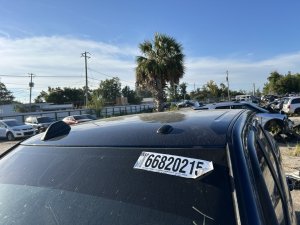
On the fifth-generation Ram Heavy Duty trucks (2019-present), the Uconnect 5 system is deeply integrated. Code B1561 is a well-documented issue, addressed by multiple Technical Service Bulletins (TSBs). These bulletins consistently point technicians toward checking for simple loose connections before replacing the expensive Telematics Box Module (TBM). Unlike the primary cellular antenna (B1560) which is in the roof's 'shark fin', service documents clarify that Cellular Antenna 2 (B1561) is a separate antenna located within the instrument panel (dashboard).
Diagnostic Flowchart
Tap your situation to follow the diagnostic path that matches what you're seeing on this vehicle.
Symptoms You May Notice
- "Uconnect Box Requires Service" message on the infotainment screen. [S2508000100, OTHERDOC_134, OTHERDOC_132, 4, 6, 10, 44]
- "SOS/Assist Not available" pop-up message. [OTHERDOC_134, OTHERDOC_132]
- Red light on the overhead SOS/Assist buttons.
- Inability to use Uconnect remote services via the mobile app (e.g., remote start, vehicle location).
- Vehicle Wi-Fi hotspot not working.
- SOS emergency button is inoperative.
- Replacing the Uconnect Radio/Head Unit. The radio is a separate component from the Telematics Box Module (TBM) that sets this code.
- Replacing the 'Shark Fin' Roof Antenna. TSBs clarify that B1561 refers to the Cellular Antenna 2 located inside the instrument panel, not the roof antenna (which is associated with code B1560).
Most Likely Causes

- Loose or Damaged Antenna Connection 🔴 High Probability Multiple TSBs and STAR cases from the manufacturer specifically identify loose connections as the primary cause for this code. [2, OTHERDOC_134, OTHERDOC_132, 10] The FAKRA-style connectors can 🎬 See how to inspect and seat these FAKRA connectors become unseated due to vibration or during other dash-related service. Forum users frequently report that dealers find and fix loose connectors.
How to confirm: Access the Telematics Box Module (TBM), located behind the glove box assembly. Visually inspect and physically check the security of all coaxial antenna cable connections. The Cell 2 antenna connector is often a specific color. Disconnect and firmly reconnect all FAKRA connectors to ensure they are seated.
Typical fix: Firmly reseat the loose connector(s). If the connector lock is broken, the cable may need to be secured or replaced.
Est. part cost: $0 - Faulty Instrument Panel (IP) Cellular Antenna 🟡 Medium Probability The antenna assembly itself can fail internally, causing a short or an open circuit that triggers the code. This is the next logical component to fail after confirming connections are secure. One owner on a 5thGenRams forum reported a dealer replaced the cell antenna to resolve the issue.
How to confirm: After verifying connections are good, the easiest way to confirm a bad antenna is to substitute a known-good test antenna (special tool 9977-6-cell) at the TBM, as recommended by STAR Case S2108000016. If the code disappears with the test antenna, the original antenna or its cable is faulty.
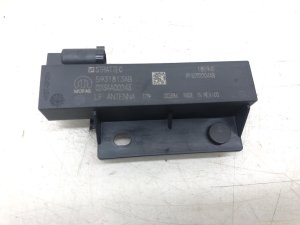
Typical fix: Replace the in-dash cellular antenna assembly. A possible Mopar part number is 68537883AA, though it's critical to verify with a VIN.
Est. part cost: $50 - $150 - Damaged Antenna Coaxial Cable ⚪ Low Probability The cable running through the dashboard can be pinched, kinked, or chafed, leading to a short or open circuit. This is less common than a simple loose connection but can happen, especially if prior dash work has been performed. Some owners speculate that wiring harnesses on this platform can be tight, potentially leading to connection issues.
How to confirm: With the cable disconnected at both ends (TBM and antenna), use a multimeter to test for continuity (to check for an open circuit/B1561-13) and to test for a short to ground (for B1561-11).
Typical fix: Replace the damaged antenna cable. An example Mopar part number for a similar antenna cable is 68483935AA.
Est. part cost: $50 - $100
Rare But Worth Checking
- Faulty Telematics Box Module (TBM): While possible, an internal failure of the TBM is the least likely cause. Manufacturer TSBs and STAR Cases specifically advise against replacing the TBM until all wiring, connection, and antenna issues have been definitively ruled out. [10, S228A000005] Replacement also requires dealer programming. Some owners have had TBMs replaced, which fixed the issue, while for others the problem remained, suggesting misdiagnosis.
- Software Glitch / Over-the-Air (OTA) Update Failure: Some TSBs for similar codes on other Stellantis vehicles recommend a TBM software update as a potential fix. Forum users have reported that dealers performed software updates or that issues resolved on their own after a period of time, suggesting a successful OTA update or a server-side certificate update fixed the problem.
- Backend Provisioning/Server Issue: In a well-documented case on a RAM TRX forum, after a dealer replaced the TBM with no success, the owner resolved the "Uconnect Box Requires Service" message by escalating the issue with RAM Connect customer service. The support team fixed the problem remotely 'on the back end', indicating the root cause was a service provisioning or account synchronization error, not a hardware fault in the truck.
Diagnosis Steps

- Verify the "Uconnect Box Requires Service" message is present.
- Scan the Telematics Box Module (TBM) with an OBD-II scanner capable of reading body codes to confirm B1561 is active or stored. Note if it is a -11 (short) or -13 (open) variant.
- Perform a hard reset by disconnecting the negative battery terminal for 15-20 minutes. This can sometimes clear temporary module glitches.
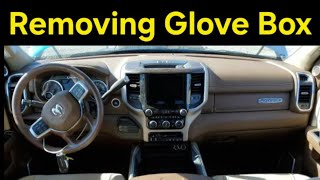
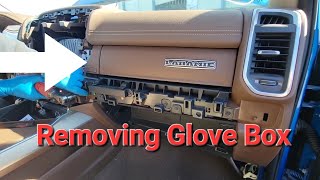
- Remove the glove box assembly 🎬 Watch: How to easily remove the lower glove box to gain access to the Telematics Box Module (TBM). This typically involves opening the glove box, depressing the side tabs to let it swing down fully, and then removing the screws holding the assembly in place.
- Inspect all FAKRA antenna connectors on the TBM. They are color-coded. Ensure they are fully seated and the locking tabs are engaged. Disconnect and reconnect them to be certain.
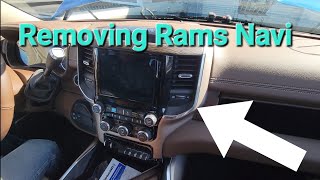
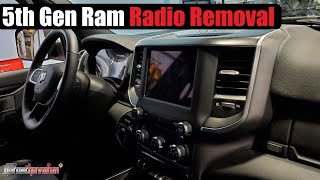
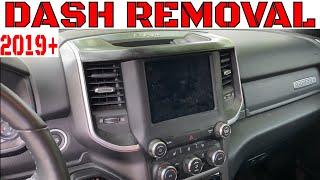
- If connections at the TBM are secure, the next step is to access the in-dash antenna to check its connection. This may require removing parts of the dash trim 🎬 Watch this guide on removing the center dash panel or the radio bezel.
- If all connections are good, test the antenna circuit. A professional would use a multimeter to check the antenna cable for shorts/opens or use a dedicated test antenna (special tool 9977-6-cell) to isolate the fault between the TBM and the antenna assembly, as per STAR Case S2108000016.
- If the antenna and wiring test good, and a software update is not available or does not work, contact Ram Cares/Uconnect support to investigate a possible backend provisioning issue before replacing hardware.
- If all other steps fail, the fault may lie within the TBM itself, which would then require replacement and programming by a dealer.
Parts You'll Likely Need

- Instrument Panel Cellular Antenna (Cell 2)
(OEM #68537883AA)— If connections are secure, the internal circuitry of the antenna itself is the next most likely point of failure, causing an open or short. Part number is an example and should be verified with VIN.
Trusted brands: Mopar
OEM price range: $70 - $150 - Telematics Box Module (TBM)
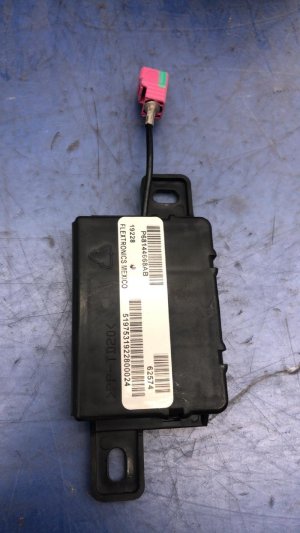
(OEM #68604980AA)— This is a last resort part to be replaced only after all wiring, antenna, and software/provisioning issues are ruled out. It is expensive and requires dealer programming. Part number is an example and should be verified with VIN.
Trusted brands: Mopar
OEM price range: $500 - $800
Related Codes That Often Appear With This One
- B1560 — This code is for Cellular Antenna 1 (roof antenna). Since both antennas connect to the same TBM, a fault affecting the module or its main harness can trigger codes for both. [3, 08-071-26, 5, 13, 28]
- B1562 — This code is for the GPS antenna. It is also connected to the TBM, and TSBs often group these three antenna codes together as being caused by loose connections. [OTHERDOC_134, OTHERDOC_132, 5, 13, 28]
- B22A9 — This code indicates an internal performance failure of the TBM. It can appear alongside antenna codes if the module itself is failing or experiencing a significant internal fault. [08-071-26, S2508000100, 5, 13, 28]
Technical Service Bulletins (TSBs) & Recalls
- 08-071-26: Defines B1561-11 as 'Cellular Antenna 2 - short to ground'.
- OTHERDOC_134 & OTHERDOC_132: Link B1561 to 'Antenna loose connection' and the 'Uconnect Box Requires Service' pop-up.
- S228A000005: Details troubleshooting for B1561-11 (short) and B1561-13 (open) variants, and clarifies Cell 1 vs Cell 2 antenna locations.
- S2508000100: Associates B1561 with an intermittent 'Uconnect Box Requires Service' message.
- STAR Case S2108000016: Provides a clear diagnostic flow: check connections, use a test antenna, then check harnesses before considering TBM replacement.
Platform-Specific Known Issues
- Multiple Technical Service Bulletins (TSBs) have been issued regarding this code and the associated "Uconnect Box Requires Service" message, indicating it is a known issue on this platform. [S2508000100, S228A000005, OTHERDOC_134, OTHERDOC_132, 08-071-26, 44]
- STAR Case S2108000016 specifically outlines the diagnostic procedure, emphasizing checking connections and using a test antenna to isolate the fault before replacing the TBM.
Mechanic-Grade Diagnostic Values
- Antenna Signal Circuit to Ground Resistance (for B1561-11) — expected: Infinite or very high resistance (OL). Some sources suggest >30k Ohms is acceptable.. Failure: Resistance below 30k Ohms (or near 0 Ohms) indicates a short to ground in the antenna or its coaxial cable.
- Antenna Coaxial Cable Shield to Chassis Ground — expected: Less than 1.0 Ohm.. Failure: High or infinite resistance indicates a poor ground connection for the antenna system's shielding.
- Antenna Coaxial Cable Continuity (for B1561-13) — expected: Continuity (near 0 Ohms) from end-to-end on the center pin.. Failure: Infinite resistance (OL) indicates an open circuit in the cable.
Hidden / Shadow Codes Worth Checking
- B1561-11: Cellular Antenna 2: Circuit Short To Ground. The TBM detects the antenna circuit is shorted to ground. (see via A professional scan tool like wiTECH or an advanced aftermarket tool like AlfaOBD is required to read manufacturer-specific sub-codes.)
- B1561-13: Cellular Antenna 2: Circuit Open or Short to Battery. The TBM detects an open circuit (lack of connection) or a short to a power source. (see via A professional scan tool like wiTECH or an advanced aftermarket tool like AlfaOBD is required to read manufacturer-specific sub-codes.)
Scan Tool Commands That Help
- wiTECH or equivalent: Test Antenna Substitution — To definitively diagnose a faulty antenna or wiring. Disconnect the vehicle's antenna from the TBM and connect a known-good test antenna (Mopar special tool 9977-6-CELL). If the DTC B1561 no longer sets, the fault is in the vehicle's original antenna or its cabling. If the code remains, the issue is more likely the TBM itself.
- wiTECH, AlfaOBD: TBM Reset / ECU Reset — After clearing DTCs, an ECU reset can be performed to force the module to re-initialize. This is often a necessary step after checking connections or replacing a component to see if the fault is truly resolved.
- wiTECH: Check for TBM Software Updates — Before replacing hardware, check if a software update is available. TSBs like 08-130-23 address Uconnect Box messages via software flashes for the TBM.
Wiring & Ground Locations
- Cellular Antenna 2 FAKRA Connector — On the Telematics Box Module (TBM), which is located behind the glove box assembly, often next to the passenger airbag.. This is the primary connection point for the antenna circuit that sets code B1561. It is a common failure point due to being loose. FAKRA connectors are color-coded to prevent mismating; Cellular communication connectors are often White (Code B).
- Instrument Panel Ground — While specific ground point diagrams for 2022+ models are proprietary, common ground locations (like G300 or G301 on prior generations) are typically found on the metal support structure behind the kick panels or at either side of the instrument panel.. A B1561-11 (short to ground) can be caused by the antenna cable's center conductor chafing and touching a grounded metal part of the dash structure. A good shield ground is also required for proper antenna function.
Real Owner Repair Stories
- RAM TRX Forum User (Ram TRX (shares Uconnect platform)) — "Uconnect Box Requires Service" message.
❌ Tried (didn't work) Dealer replaced the Telematics Box Module (TBM).
✅ What actually fixed it The owner escalated the issue with RAM Connect customer service. The support team performed a remote, 'back end' fix related to service provisioning or account synchronization. No further hardware was replaced. - Reddit user r/DodgeDurango (2022 Dodge Durango R/T (Stellantis platform mate)) — "Uconnect Box Requires Service" message with code B1561-13 (Circuit Open).
❌ Tried (didn't work) Dealer updated firmware, but the message returned.
✅ What actually fixed it The thread did not have a final confirmed fix, but the user was told by the dealer that the issue would likely never be fully resolved, suggesting an intermittent and hard-to-diagnose physical fault.
OEM Part Supersession History
68541933AB, 68541933AC, 68541933AD, 68541933AF, 68571285AA, 68571285AB→68604980AA— Part has been updated/revised by the manufacturer.68537883AA (Antenna)→No supersession found.
Heads up: Part is listed for Ram 2500/3500 from 2023-2026. Always verify with VIN.
Model Year Variations Within This Range
- 2022-2024 vs 2025-2026: While the core Uconnect system and TBM function are the same, 2025 models introduced a larger optional 14.5-inch screen and more standard safety tech. However, these changes are not known to directly affect the diagnosis or cause of code B1561. The underlying TBM, antennas, and wiring principles remain consistent.
Helpful Videos
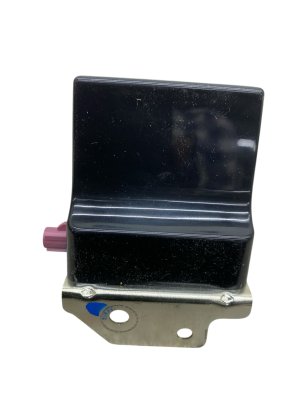
We Have This Part in Stock



The information in this article is provided for general reference and educational purposes only. Vehicle specifications, procedures, and part compatibility can vary by production date, trim level, and region. Always consult your vehicle's factory service manual and verify part numbers before purchasing or performing repairs. Safety-critical components such as airbags, seat belts, and braking systems should be installed by a qualified professional.
- Ram 2500:
- 🎬 Helpful Videos
- 🛍️ Shop This Part
- What's Unique About the 2022-2026 Ram 2500
- Diagnostic Flowchart
- Symptoms You May Notice
- Most Likely Causes
- Rare But Worth Checking
- Diagnosis Steps
- Parts You'll Likely Need
- Related Codes That Often Appear With This One
- Technical Service Bulletins (TSBs) & Recalls
- Platform-Specific Known Issues
- Mechanic-Grade Diagnostic Values
- Hidden / Shadow Codes Worth Checking
- Scan Tool Commands That Help
- Wiring & Ground Locations
- Real Owner Repair Stories
- OEM Part Supersession History
- Model Year Variations Within This Range
- 🎟️ Get 5% Off