

B1560 on 2022-2026 Ram 2500: Cellular Antenna Fault Causes and Fixes
This code indicates a fault with the Uconnect system's Cellular Antenna 1. The most common cause is a loose connection at the 'shark fin' antenna or the telematics module. Expect to see a "Uconnect Box Requires Service" message on your screen.
- B1560 points to a problem with Cellular Antenna 1, which is part of the roof-mounted 'shark fin'.
- The most common symptom is a "Uconnect Box Requires Service" message on the screen.
- Before buying any parts, check the wiring connections at the base of the antenna (under the headliner) and at the Telematics Box Module (TBM). A loose plug is the most likely and cheapest fix.
- Do not replace the expensive Telematics Box Module unless all wiring and the antenna itself have been proven to be good.
- This is a common, well-documented issue with multiple service bulletins available to guide diagnosis.
What's Unique About the 2022-2026 Ram 2500

On modern Ram trucks, the Uconnect system is deeply integrated, and this code is a common, well-documented issue. Ram has issued multiple Technical Service Bulletins (TSBs) acknowledging antenna connection problems that trigger B1560 and related codes. The issue is less about a fundamental design flaw and more about the sensitivity of the antenna connections and wiring, which can become loose or damaged over time, leading to intermittent error messages that frustrate owners. Some TSBs also point to software logic issues within the Telematics Box Module (TBM) that can incorrectly flag a hardware fault, requiring a software update to resolve.
Diagnostic Flowchart
Tap your situation to follow the diagnostic path that matches what you're seeing on this vehicle.
Symptoms You May Notice

- "Uconnect Box Requires Service" message on the infotainment screen.
- "Wifi Unavailable" pop-up message.
- Malfunction Indicator Lamp (Check Engine Light) may be illuminated.
- Loss of cellular-based Uconnect services (e.g., remote start via app, SOS calls).
- In-vehicle Wi-Fi hotspot not working.
- SOS and Assist buttons are inoperative.
- GPS signal loss or inaccurate location on navigation.
- Replacing the Uconnect Radio/Head Unit. The radio is separate from the Telematics Box Module (TBM) that sets this code.
- Assuming the issue is a software bug without checking connections. While software updates are sometimes needed, B1560 almost always points to a physical hardware or wiring problem first. TSBs explicitly state to check all connections before considering software or module replacement.
Most Likely Causes

- Loose or Damaged Antenna Connections 🔴 High Probability TSBs specifically call out checking for loose connections, damaged connector locks, or pushed-out terminals at both the antenna base and the Telematics Box Module (TBM). Vibrations and temperature cycles can cause these connections to become intermittent. Forum users frequently report finding a loose connector at the shark fin antenna base or behind the radio.
How to confirm: Visually inspect the wiring connectors at the base of the roof-mounted 'shark fin' antenna (requires partially dropping the rear of the headliner) and at the TBM (typically under the driver's seat for this generation, though some TSBs for other models mention it being behind the glovebox). Ensure they are fully seated and the locks are engaged. The connectors are often color-coded.
Typical fix: Reseat the loose connectors. If the connector or terminals are damaged, the connector housing or individual terminals may need to be replaced. A hard reset by disconnecting the vehicle's battery for several minutes may be required after reseating connections.
Est. part cost: $0-$25 - Faulty 'Shark Fin' Antenna Assembly 🟡 Medium Probability The antenna assembly houses the electronics for cellular, GPS, and satellite radio. Internal failures or damage to the integrated wiring can cause an open or shorted circuit, a known issue on this platform.
How to confirm: After confirming connections are good, test the antenna circuit for proper resistance or substitute a known-good antenna. A diagnostic scan tool may also help isolate the fault to the antenna itself. A dealer can use a specific test kit (9977-6-CELL) to verify antenna function.
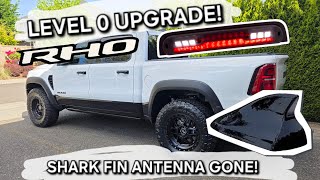
Typical fix: Replace the entire roof-mounted 'shark fin' antenna assembly. This requires dropping the rear of the headliner 🎬 See this walkthrough on how to remove the shark fin antenna. to access the mounting nut and connectors. Some owners access it through the third brake light opening, though it is very tight.
Est. part cost: $55-$120 - Damaged Antenna Coaxial Cable ⚪ Low Probability The cable runs from the antenna, down a pillar, and to the TBM. It can be pinched or damaged during vehicle assembly or if other interior work has been performed. TSB S228A000005 specifically mentions checking for pinched or damaged cables.
How to confirm: Perform a continuity and resistance test on the cable from end to end to check for opens or shorts to ground. This requires access to both ends of the cable simultaneously.
Typical fix: Repair the damaged section of the cable or replace the entire antenna cable harness.
Est. part cost: $50-$150 - Telematics Box Module (TBM) Software Issue ⚪ Low Probability Multiple TSBs indicate that the TBM's software logic can misinterpret normal electrical fluctuations and falsely trigger antenna fault codes. The fix is a software update, often performed by the dealer, rather than a hardware replacement.
How to confirm: A dealer uses a wiTECH scan tool to check the current software version of the TBM and compare it against the latest available version outlined in service bulletins. Some updates may be pushed over-the-air (OTA) automatically.
Typical fix: Reprogram the TBM with the latest software version. This is typically a dealer-only procedure.
Est. part cost: $0 (if under warranty) - $250
Rare But Worth Checking
- Faulty Telematics Box Module (TBM): This is the control unit that monitors the antenna circuits. While it can fail, TSBs specifically advise against replacing it until all other wiring, antenna, and software issues have been ruled out. It is the most expensive component and least likely cause. Replacement requires programming by the dealer using a wiTECH tool.
Diagnosis Steps

- Scan the vehicle for all Diagnostic Trouble Codes (DTCs). Note if B1560 is present with B1561 or B1562.
- Check for any applicable software updates for the Telematics Box Module (TBM) and Radio. A dealer can do this with a wiTECH scan tool.
- Perform a hard reset by disconnecting the negative battery terminal for at least 10 minutes to reset all modules.
- Locate the Telematics Box Module (TBM). On 5th Gen Ram trucks, it is consistently located under the driver's seat.
- Inspect the coaxial cable connections at the TBM. Disconnect, inspect for bent/corroded pins or pushed-out terminals, and reconnect them firmly.
- Gain access to the 'shark fin' antenna connections by carefully lowering the rear of the headliner. This involves removing the B-pillar and C-pillar trim panels. Access may be possible through the third brake light opening, but it is very tight and risks cutting your hands on sheet metal.
- Inspect the connectors at the base of the antenna. Disconnect, check for bent or corroded pins, and reconnect firmly.
- If connections are good, use a multimeter to test the antenna cable for continuity (no breaks) and to ensure it is not shorted to ground. For a B1560-11 (short to ground), the resistance across the cable should be above 47.5 Ohms.
- If the wiring tests good, the fault is most likely within the 'shark fin' antenna assembly itself, which will need to be replaced.
Parts You'll Likely Need
- Roof Mount Antenna Assembly ('Shark Fin')
(OEM #68483909AA (replaces 68359011AA))— This assembly contains the cellular, GPS, and satellite radio antennas. An internal failure of the cellular antenna circuit is a common cause for B1560 after wiring is confirmed to be good. This part number is confirmed for 2019-2022+ Ram 2500/3500 models.
Trusted brands: Mopar
OEM price range: $80-$120
Aftermarket price range: $55-$110
Related Codes That Often Appear With This One
- B1561 — This code is for a fault in Cellular Antenna 2. Since both antennas are part of the same system and often in the same harness, a problem affecting one can affect the other.
- B1562 — This code indicates a fault with the GPS antenna, which is also housed in the 'shark fin' assembly. A loose connection or faulty antenna often triggers all three codes. [Bulletin #08-071-26]
- B22A9 — This code points to an internal performance failure of the Telematics Box Module (TBM). It can be set alongside antenna codes when the TBM is struggling to communicate with its peripherals or has a software logic issue. [Bulletin #S2508000100]
Technical Service Bulletins (TSBs) & Recalls
- S228A000005 Rev. A: Uconnect Box Error Message, With Active or Stored Cellular Antenna Open or Short DTCs. Explicitly advises checking TBM/Radio software is up to date and thoroughly inspecting all harness connections before replacing any parts.
- 08-071-26: MIL illumination with DTCs B1560-11 (Cellular Antenna 1 - short to ground) or others.
- OTHERDOC_134 / OTHERDOC_132: "Uconnect Box Requires Service" pop-ups; TBM DTCs B1560, B1561, B1562 - Antenna loose connection.
- S2508000100: Intermittent Uconnect Box Requires Service Message with TBM DTCs including B1560.
- 08-001-26 REV. A: Details TBM software updates to correct false DTCs including B1560-11 and B1560-13.
- 08-130-23 / 08-162-23: Details Over The Air (OTA) and dealer-installable software updates for the TBM to resolve false "Uconnect Box Requires Service" messages.
Platform-Specific Known Issues
- Multiple TSBs (S228A000005, 08-071-26, etc.) have been issued for this exact problem, confirming it is a known issue on this platform.
- Owner forums are filled with complaints about the "Uconnect Box Requires Service" message, often traced back to this code, indicating a high frequency of occurrence.
- Accessing the shark fin antenna requires carefully dropping the rear of the headliner by removing pillar trim, which owners find tedious and risks creasing the headliner if not done carefully. Some owners have successfully accessed the antenna nut through the third brake light opening, but describe it as a very tight and difficult process.
Mechanic-Grade Diagnostic Values
- Antenna Cable Resistance (Test for Short to Ground) — expected: Above 47.5 Ohms. Failure: A resistance reading below 47.5 Ohms indicates a short in the antenna cable.
Scan Tool Commands That Help
- wiTECH 2.0: TBM Replacement Routine — This function must be run after physically replacing the Telematics Box Module (TBM) to program the new module to the vehicle. Failure to do so will result in continued error messages.
- wiTECH 2.0: Reprogram TBM — Used to flash the TBM with updated software as specified by a Technical Service Bulletin (TSB). This can resolve issues where software logic falsely triggers antenna codes.
- wiTECH 2.0: Read/Clear DTCs — Used to read the specific fault code (e.g., B1560-11 vs. B1560-13) and to clear codes after a repair or software update is performed.
Wiring & Ground Locations
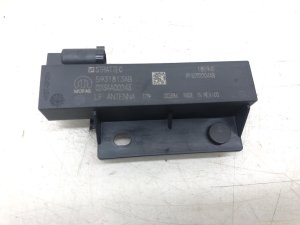
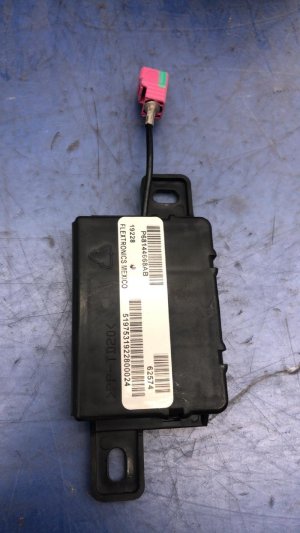
- Telematics Box Module (TBM) — Under the driver's seat.. This is the control module that sets code B1560. The antenna coaxial cables connect directly to it, making it a primary inspection point for loose connections.
- Shark Fin Antenna Connectors — At the base of the antenna, under the roof headliner. Accessible by partially dropping the rear of the headliner or, with difficulty, through the center high-mounted stop lamp (CHMSL) opening.. This is the other end of the antenna circuit. A loose connection here is a very common cause of the fault.
- OBD-II Port — Under the dashboard, to the left of the steering column, above the hood release latch.. This port is used to connect a scan tool (like wiTECH) to read the fault codes and perform software updates or diagnostic routines on the TBM.
Real Owner Repair Stories
- 5thGenRams Forum user (2022 Ram 1500 Laramie) — "Uconnect Box Requires Service" error message.
❌ Tried (didn't work) Dealer initially suspected software or a bad TBM.
✅ What actually fixed it The dealer replaced the cellular antenna, which required removing the headliner. The repair was covered under warranty. - Reddit user jcpm37 (5th Gen Ram (year not specified)) — "Uconnect Box Requires Service" pop-up at every startup.
❌ Tried (didn't work) Dealer replaced the Uconnect module (TBM) entirely and updated it, but the message immediately returned.
✅ What actually fixed it The dealer then replaced the shark fin antenna and the wiring harness, which resolved the issue. - RAM TRX Forum user (2022 Ram TRX Level 2) — "Uconnect Box Requires Service" message, codes B1560-13, B1561-11, etc.
❌ Tried (didn't work) Dealer replaced the telematics unit (TBM), but the issue did not resolve., Driving the truck for over 100 miles to try and force an over-the-air update/certificate sync did not work.
✅ What actually fixed it The user's issue persisted after the initial TBM replacement, but resolved on its own the next morning, leaving the final fix uncertain but highlighting the intermittent and frustrating nature of the problem even for dealers. Another user in the same thread fixed the error by having the dealer plug the shark fin antenna back in after it was disconnected during a theft attempt.
When the Usual Fixes Don't Work
- In some cases, even after a dealer replaces the TBM, the error message persists. One owner on Reddit reported their dealer replaced the TBM module to no effect, and the final fix was a new shark fin antenna and wiring harness. This reinforces TSB advice not to replace the TBM until all other physical components of the antenna system have been thoroughly checked.
OEM Part Supersession History
68359011AA→68483909AA— Unspecified, but part supersessions typically indicate a revision for improved reliability, durability, or a change in manufacturing.
Heads up: The new part number (68483909AA) is the correct replacement for 2019-2022+ models and should be used for repairs.
Model Year Variations Within This Range
- 2022-2023: Multiple TSBs (08-130-23, 08-162-23) were released specifically for 2022-2023 models to update the TBM software to version 5.39.1. This was pushed via Firmware Over-The-Air (FOTA) or could be done by a dealer to address false "Uconnect Box Requires Service" messages that occurred with no active DTCs.
Helpful Videos
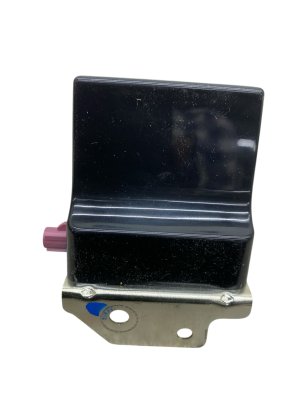
We Have This Part in Stock



The information in this article is provided for general reference and educational purposes only. Vehicle specifications, procedures, and part compatibility can vary by production date, trim level, and region. Always consult your vehicle's factory service manual and verify part numbers before purchasing or performing repairs. Safety-critical components such as airbags, seat belts, and braking systems should be installed by a qualified professional.
- Ram 2500:
- 🎬 Helpful Videos
- 🛍️ Shop This Part
- What's Unique About the 2022-2026 Ram 2500
- Diagnostic Flowchart
- Symptoms You May Notice
- Most Likely Causes
- Rare But Worth Checking
- Diagnosis Steps
- Parts You'll Likely Need
- Related Codes That Often Appear With This One
- Technical Service Bulletins (TSBs) & Recalls
- Platform-Specific Known Issues
- Mechanic-Grade Diagnostic Values
- Scan Tool Commands That Help
- Wiring & Ground Locations
- Real Owner Repair Stories
- When the Usual Fixes Don't Work
- OEM Part Supersession History
- Model Year Variations Within This Range
- 🎟️ Get 5% Off