

B1560 on 2017-2022 Chrysler 300: Cellular Antenna Fault Causes and Fixes
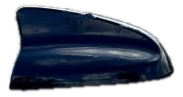
On a 2017-2022 Chrysler 300, code B1560 almost always indicates a fault with the cellular 'shark fin' antenna or its wiring, triggering a 'Uconnect Box Requires Service' message. The most common variant is B1560-13 (Circuit Open). Before replacing parts, check the coaxial cable connections at the antenna base and the Telematics Box Module (TBM) behind the glove box. The most common fix is replacing the roof antenna assembly (e.g., Mopar P/N 68281292AA), which costs around $95-$150 for the part.
- B1560 on a Chrysler 300 means there's a problem with the primary cellular antenna circuit, which disables Uconnect remote services.
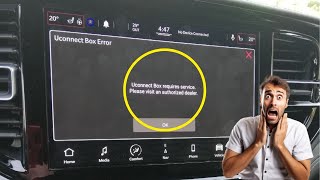
- The most common symptom is the 'Uconnect Box requires service' message on the radio screen.
- Before replacing any parts, check the antenna cable connections at the TBM (behind the glove box) and at the antenna base under the headliner, as a loose connection is a frequent cause.
- The most common confirmed repair is replacing the entire 'shark fin' antenna assembly on the roof.
- Do not replace the expensive TBM or radio head unit unless the antenna, its wiring, and available software updates have been completely ruled out.
What's Unique About the 2017-2022 Chrysler 300
This issue is a well-documented weak point across many Stellantis (Chrysler, Dodge, Jeep, Ram) vehicles from this era that use the Uconnect system. The primary symptom is a persistent 'Uconnect Box requires service' message on the infotainment screen. Manufacturer STAR Case S228A000005 specifically advises technicians to thoroughly check the antenna and its wiring for intermittent connections before considering a replacement of the more expensive Telematics Box Module (TBM), as this is the most common cause. The problem is so common that it affects platform mates like the Dodge Charger, Durango, and Ram 1500 in the exact same way.
🎬 Watch: Overview of the Uconnect Box service warning and causesDiagnostic Flowchart
Tap your situation to follow the diagnostic path that matches what you're seeing on this vehicle.
Symptoms You May Notice
- "Uconnect Box requires service" message on the infotainment screen.
- Red light illuminated on the overhead SOS button console.
- Malfunction Indicator Lamp (MIL) or Check Engine Light may be illuminated. [Bulletin #08-007-17 REV. H]
- SOS/Assist button features are inoperative.
- Remote services via the mobile app (e.g., remote start, vehicle finder) do not work.
- In-vehicle Wi-Fi hotspot is unavailable.
- Replacing the radio head unit. The TBM is a separate module that handles cellular communication; the radio is usually not the cause of this specific code.
- Replacing the TBM without checking the antenna first. The antenna or its wiring is a much more common and less expensive failure point, as emphasized in STAR Case S228A000005.
Most Likely Causes
- Faulty Cellular 'Shark Fin' Antenna 🔴 High Probability The antenna assembly is exposed to weather, car washes, and vibration, and its internal electronics or the base gasket can fail over time, leading to an open circuit (B1560-13). This is the most common failure point cited in TSBs and owner forums across all affected Stellantis platforms.
How to confirm: After confirming wiring is intact, the most reliable method is to replace the antenna with a known-good part. A dealership can also use a special test antenna (like Mopar tool 9977-6-CELL-LTE) to verify the fault is with the vehicle's antenna.
Typical fix: Replace the roof-mounted 'shark fin' antenna assembly. This requires partially lowering the rear of the headliner to access the mounting nut and connectors.
Est. part cost: $95-$150 - Damaged or Disconnected Antenna Cable/Connector 🟡 Medium Probability STAR Case S228A000005 and TSB 08-103-23 both highlight that intermittent connections are a likely cause and should be checked before replacing parts. Connectors can become loose at the Telematics Box Module (TBM) behind the glove box or at the antenna base itself due to vehicle vibration. Cables can also become kinked or pinched behind the glovebox.
How to confirm: Visually inspect the coaxial cable connectors (often blue, white, or violet Fakra-style connectors) at the TBM and at the antenna base for looseness, corrosion, or bent pins. Check the cable's continuity with a multimeter to rule out an internal break.
Typical fix: Reseat the loose connector firmly. Some owners and technicians report simply unplugging and replugging the connectors resolves the issue. If the connector or cable is damaged, it will need to be repaired or replaced.
Est. part cost: $0-$50 - Telematics Box Module (TBM) Software Issue ⚪ Low Probability In some cases, the TBM's software can incorrectly interpret normal electrical signals as a fault, or the diagnostic logic is too sensitive. TSBs like S2508000100 have been issued for other models to update the TBM software to correct this logic for B1560 codes.
How to confirm: This can only be confirmed by a dealership, which can check for and apply any available software updates for the TBM using a wiTECH scan tool.
Typical fix: A dealership flashes the TBM with the latest software version. Some updates can be performed Over-The-Air (FOTA).
Est. part cost: $0
Rare But Worth Checking
- Faulty Telematics Box Module (TBM): This module is the 'brain' for the Uconnect services. While it can fail, TSBs strongly advise ruling out the antenna, wiring, and software first, as TBM replacement is expensive and often unnecessary. A real-world example on a RAM TRX forum showed a TBM was replaced after multiple software fixes and checks failed, which ultimately solved the problem.
Diagnosis Steps
- Read the trouble codes with a scanner capable of reading Body (B) codes to confirm B1560 is present and note any suffixes like '-13' (Circuit Open) or '-11' (Circuit Short to Ground).
- Try a soft reset of the Uconnect system by pressing and holding the volume and tuner knobs for 10-20 seconds until the system reboots.
- Try a hard reset by disconnecting the negative battery terminal for at least 30 minutes to reset all vehicle modules. This sometimes clears intermittent electronic glitches. 🎬 See this guide for resetting and troubleshooting the Uconnect system
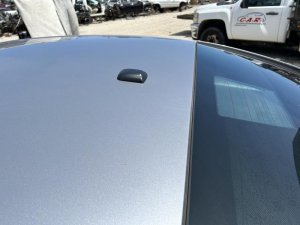
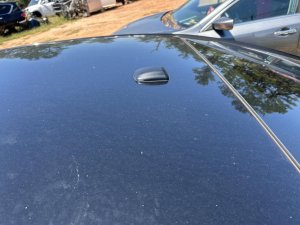
- Visually inspect the 'shark fin' antenna on the roof for cracks, physical damage, or a loose base.
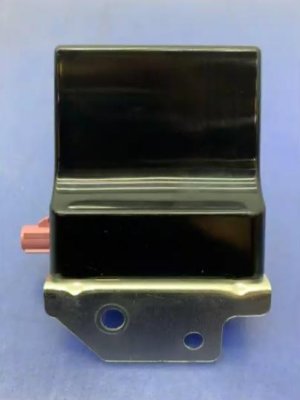
- Access the Telematics Box Module (TBM), which is typically located above or behind the glove box assembly.
- Inspect the coaxial antenna connectors (often blue, white, or violet) at the TBM. Unplug and replug them to ensure they are fully seated and the locking tabs are engaged.
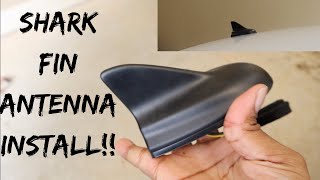
- Carefully lower the rear of the headliner to access the base of the roof antenna. This usually involves removing the C-pillar trim and rear grab handles. 🎬 Watch: Step-by-step shark fin antenna installation walkthrough Some owners of similar platform vehicles have gained access by removing the third brake light assembly.
- If connections are secure and the code persists, the most likely cause is a failed antenna assembly.
- If a new antenna does not fix the issue, consult a dealer to check for and apply any available TBM software updates.
Parts You'll Likely Need
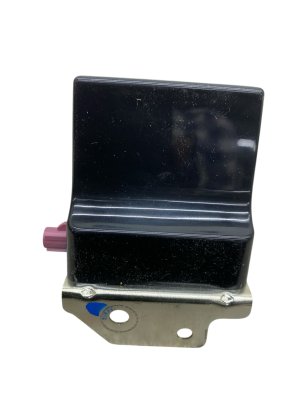
- Antenna Base Assembly
(OEM #68281292AA, superseded by 68299832AB)— This is the 'shark fin' antenna on the roof. The internal circuitry is the most common failure point for code B1560.
Trusted brands: Mopar
OEM price range: $95-$150
Aftermarket price range: $50-$100 - Antenna Coaxial Cable — If the cable is pinched, chafed, or its connectors are damaged, it can cause an open or short circuit. This is less common than antenna failure but is a key check outlined in TSBs.
Trusted brands: Mopar
OEM price range: $40-$80
Related Codes That Often Appear With This One
- B1561 — This code is for 'Cellular Antenna 2'. Some systems use a primary (roof) and secondary (often in-dash) antenna. A wiring or module issue could affect both. [Bulletin #S2508000102, 12]
- B22A9 — This code relates to 'Uconnect Market Communication' or 'ECU Internal Performance'. TSB S2508000102 notes that it can appear alongside antenna codes when the TBM has general communication failures. [Bulletin #S2508000102]
Technical Service Bulletins (TSBs) & Recalls
- S2508000102: Intermittent Uconnect Box Requires Service Message. TBM Setting Stored Or Pending DTCs B22A9, B1560, B1561, B1562.
- 08-007-17 REV. H: MIL illumination. DTC has been set:B1560-13 - Cellular Antenna
- 08-007-17 REV. G: MIL illumination. DTC has been set:B1560-13- Cellular Antenna-1 Circuit Open
- 0800717: MIL illumination. DTC has been set: B1560-13 - Cellular Antenna-1
- S228A000005: Uconnect Box Error Message, With Active or Stored Cellular Antenna Open or Short DTC B1560-11, B1560-13, B1561-11 or B1561-13.
Platform-Specific Known Issues
- TSB #S2508000102 addresses an 'Intermittent Uconnect Box Requires Service Message' and lists B1560 as a potential related DTC, often pointing to connection issues. [Bulletin #S2508000102]
- Multiple revisions of TSB #08-007-17 directly link B1560-13 to a 'Cellular Antenna-1 Circuit Open' fault, sometimes causing MIL illumination. [Bulletin #08-007-17 REV. H, Bulletin #08-007-17 REV. G, Bulletin #0800717]
- STAR Case S228A000005 provides critical diagnostic advice, warning technicians not to replace the TBM for this code if the issue is intermittent, and instead to focus on checking harness connections at both the TBM and antenna for damage or looseness.
Mechanic-Grade Diagnostic Values
- Cellular Antenna Cable Resistance to Ground — expected: Greater than 47.5 Ohms. Failure: A resistance reading below 47.5 Ohms indicates the antenna cable is shorted to ground, corresponding to code B1560-11.
Hidden / Shadow Codes Worth Checking
- B1560-13: Cellular Antenna 1: Circuit Open or Short to Battery. This is the most common variant and indicates a break in the circuit or a short to a power source. (see via A professional scan tool like Mopar's wiTECH is needed to read these sub-codes reliably.)
- B1560-11: Cellular Antenna 1: Circuit Short to Ground. This indicates the TBM has detected that the primary cellular antenna circuit is shorted to ground. (see via A professional scan tool like Mopar's wiTECH is needed to read these sub-codes reliably.)
Scan Tool Commands That Help
- wiTECH: ECU Reset / Erase DTCs — After physically inspecting/reseating connectors or replacing a part, this function must be used to clear the fault and see if it returns as 'Active' (hard fault) or remains cleared, suggesting an intermittent issue was resolved.
- wiTECH: Network 'Loss of Comm' Test — This function continuously 'pings' modules on the network and is useful for diagnosing an intermittent connection. A technician can wiggle the harness while the test is running to see if it induces a fault in real-time.
- wiTECH with special tool: Antenna Circuit Test with 9977-6-CELL-LTE Test Antenna — To definitively isolate the fault. By connecting this known-good test antenna directly to the TBM, a technician can determine if the B1560 code clears. If it does, the fault lies in the vehicle's antenna or cabling; if it doesn't, the fault is likely in the TBM itself.
Wiring & Ground Locations
- Telematics Box Module (TBM) Connectors — Located behind or above the glove box assembly. Access requires removing the glove box.. This is where the antenna coaxial cables connect to the control module. These Fakra-style connectors (often blue, white, or violet) are a primary point of failure due to becoming loose or damaged.
- Antenna Base Connectors — Underneath the roof-mounted 'shark fin' antenna. Access requires partially lowering the rear of the headliner.. This is the other end of the antenna cable circuit. This connection is less likely to be loose than the TBM side but should be checked for corrosion or damage, especially if water intrusion is suspected.
- Main Chassis Ground (G300/G202) — Various locations, including below the center console or behind the dash panels.. While not a direct cause of a B1560 'circuit open/short' code, a poor main ground can cause a wide range of unpredictable electronic issues. Ensuring all major chassis grounds are clean and tight is a good practice when diagnosing any electronic fault.
Real Owner Repair Stories
- Ram TRX Forum user (2022 Ram 1500 TRX (similar Uconnect 5 platform)) — 'Uconnect Box Error Message' with codes B1560-13 and B1561-13.
❌ Tried (didn't work) Dealer replaced the Telematics Box Module (TBM).
✅ What actually fixed it The dealer found the coaxial antenna cable behind the glovebox was kinked and damaged. Replacing the damaged antenna cable pigtail resolved the issue permanently. - 5thGenRams Forum User (2022 Ram 1500) — 'Uconnect Box Requires Service' message appeared and disappeared intermittently.
❌ Tried (didn't work) Multiple dealer visits., Waiting for the message to clear on its own.
✅ What actually fixed it The error message disappeared on its own after a few weeks. The owner suspected an over-the-air (OTA) software update resolved the sensitive diagnostic logic in the background. - Go-Parts research on Ram 3500 forums (5th Gen Ram Heavy Duty) — 'Uconnect Box Requires Service' message and B1560 code.
❌ Tried (didn't work) Dropping the entire headliner.
✅ What actually fixed it Replaced the OEM shark fin antenna. The owner discovered that access to the antenna mounting bolt was possible by simply removing the third brake light assembly, which was a much easier procedure than dropping the headliner.
"I Checked Everything" — The Actual Cause
- The electrical equivalent is when a continuity test passes, but the fault persists. STAR Case S228A000005 notes that if the B1560 code is 'Stored' but not 'Active', the problem is likely an intermittent harness connection, not a hard failure of the antenna itself. A technician performing a simple continuity check at that moment might find no issue, but wiggling the harness between the TBM and antenna could reveal the intermittent open or short.
When the Usual Fixes Don't Work
- While replacing the shark fin antenna is the most common fix, it is not always the solution. In one documented case on a similar platform, the dealer replaced the Telematics Box Module (TBM), but the B1560 error returned. The actual root cause was a kinked and damaged coaxial antenna cable behind the glove box, which was a much cheaper fix. This highlights the importance of following STAR Case S228A000005's advice to thoroughly inspect all wiring before replacing expensive modules.
OEM Part Supersession History
68281292AA→68299832AB— Standard part revision, likely for improved durability or to address the known failure mode of the internal antenna circuitry.68541934AB/AC/AD/AF→68604984AA— Part revision and consolidation for the Telematics Box Module (TBM).
Heads up: Using the correct, latest part number is critical, especially as some 2022 models were subject to a notification for having the wrong TBM from the factory.
Model Year Variations Within This Range
- 2022: A Customer Satisfaction Notification (Z91) was issued for some 2022 models because an incorrect Telematics Box Module (TBM) may have been installed at the factory. For these vehicles, a B1560 code may require TBM replacement under the notification, rather than standard diagnosis.
Helpful Videos
We Have This Part in Stock

The information in this article is provided for general reference and educational purposes only. Vehicle specifications, procedures, and part compatibility can vary by production date, trim level, and region. Always consult your vehicle's factory service manual and verify part numbers before purchasing or performing repairs. Safety-critical components such as airbags, seat belts, and braking systems should be installed by a qualified professional.
- Chrysler 300:
- 🎬 Helpful Videos
- 🛍️ Shop This Part
- What's Unique About the 2017-2022 Chrysler 300
- Diagnostic Flowchart
- Symptoms You May Notice
- Most Likely Causes
- Rare But Worth Checking
- Diagnosis Steps
- Parts You'll Likely Need
- Related Codes That Often Appear With This One
- Technical Service Bulletins (TSBs) & Recalls
- Platform-Specific Known Issues
- Mechanic-Grade Diagnostic Values
- Hidden / Shadow Codes Worth Checking
- Scan Tool Commands That Help
- Wiring & Ground Locations
- Real Owner Repair Stories
- "I Checked Everything" — The Actual Cause
- When the Usual Fixes Don't Work
- OEM Part Supersession History
- Model Year Variations Within This Range
- 🎟️ Get 5% Off