

2021 Ford Bronco Sport Wireless Charger: Diagnosing Common Problems
This guide covers the frequent issues, compatibility requirements, and solutions for the often-problematic factory wireless charging module in the 2021 Ford Bronco Sport.
- The most common problems are not outright failure, but poor performance: intermittent charging, overheating, and extremely slow charging speeds.
- Ford issued Technical Service Bulletin (TSB) 22-2485 to fix issues with MagSafe iPhones via a software update.
- Compatibility is critical: The OEM module requires the vehicle to have dual-zone automatic climate control from the factory.
- Replacement is a feasible DIY job, mainly involving the removal of center console trim panels.
Symptoms of Failure & Common Complaints
The wireless charging system in the 2021 Ford Bronco Sport is a source of frequent complaints from owners. While complete failure is possible, many issues relate to poor performance and compatibility problems. It's important to distinguish between a truly broken module and the unit's inherent design limitations.
Most Common Issues:
- Intermittent Charging or Disconnecting: The most common complaint is that the phone starts and stops charging repeatedly. This is often caused by the phone shifting on the large, slippery surface during normal driving, leading to misalignment with the charging coil. The issue is so prevalent that a constant stream of "wireless charging activated" 🎬 Watch: See how the factory wireless charger behaves in action notifications can become a major distraction.
- Phone Overheating: Many users report that the charging pad makes their phone extremely hot, sometimes to the point where the phone's internal safety features stop the charging process to prevent damage. This is often a sign of inefficient power transfer, where energy is lost as heat instead of being stored in the battery.
- Extremely Slow Charging: Even when it works, the factory charger is often described as "pathetic" and providing very little power. Owners report driving for an hour with only a 5% increase in battery life. This is partly due to the low wattage of the factory unit (around 5W) compared to modern phone capabilities.
- Complete Failure (No Charging): In some cases, the module may fail entirely and not charge a phone at all. This can be a hardware failure within the module itself or a blown fuse.
- Incompatibility with MagSafe iPhones: Newer iPhones with MagSafe technology have known compatibility issues with the Ford wireless charger. This can cause poor performance or prevent charging altogether. Ford released a Technical Service Bulletin (TSB) to address this with a software update.
Known Issues, TSBs, and Recalls
Technical Service Bulletin (TSB) 22-2485
Ford issued TSB 22-2485 for "Wireless Accessory Charger Inoperative/Poor Performance With Magsafe Charging iPhones" on several models, including the 2021-2022 Bronco Sport. The issue is due to limited compatibility between the Wireless Accessory Charging Module (WACM) and Apple iPhone 12 and 13 models. The fix involves a software update for the WACM performed by a Ford dealership. If you are experiencing issues with an iPhone, this TSB is the first thing to investigate.
Recalls
As of mid-2024, there are no specific recalls issued by the NHTSA for the wireless charging module itself on the 2021 Ford Bronco Sport. However, it's always wise to check for the latest recall information using your vehicle's VIN.
Compatibility Warning: Fitment of the OEM wireless charging module (M1PT-19J235-AA) requires the vehicle to be factory-equipped with dual-zone automatic climate control. This is a critical check before purchasing a replacement part, as the necessary wiring and system integration are tied to this option package.
Buying a Used Wireless Device Charging System Module
Given the widespread dissatisfaction with the OEM unit's performance, consider why you are replacing it. If your goal is fast, reliable charging, a used OEM module will likely provide the same frustrating experience as the original. Many owners opt for aftermarket solutions instead. However, if you need to replace a completely dead unit to restore factory functionality, a used OEM part is a cost-effective option.
What to Check Before You Buy:
- Verify the Part Number: Ensure the part number is M1PT-19J235-AA. This module was used across several Ford models like the Escape and Edge, so verifying the number is crucial.
- Inspect the Connector: Check photos for any damage, corrosion, or bent pins on the electrical connector. A clean, undamaged connector is essential for proper function.
- Check the Charging Surface: Look for any deep scratches, cracks, or signs of heat damage (discoloration, warping) on the charging pad itself.
- Ask About the Source Vehicle: If possible, find out the options on the vehicle the part came from. Confirming it came from a Bronco Sport or a compatible Escape with the correct trim level can increase the chance of compatibility.
- Consider the TSB: A used module will likely not have the updated software from TSB 22-2485. If you have a MagSafe iPhone, you may still need a trip to the dealer for the software update after installation.
Cost of Replacement
Pricing can vary based on supplier and condition.
| Part Type | Estimated Cost |
|---|---|
| New OEM (Ford) | $150 - $250 |
| New Aftermarket (Full Kits) | $50 - $170 |
| Used OEM (Recycled) | $35 - $145 |
| Shop Labor Cost | $50 - $100 |
Installation Overview
Replacing the wireless charging module is a relatively straightforward task for a DIYer with basic tools. The module is located in the center console, below the rubber mat in the storage tray. The process involves carefully prying up plastic trim panels around the center console to gain access. No specialized tools are required, but a set of plastic trim removal tools is highly recommended to avoid scratching or breaking the panels. The module itself is typically held in by a few screws. The main challenge is the disassembly and reassembly of the console trim.
Frequently Asked Questions (FAQ)
Why does my Bronco Sport's wireless charger make my phone so hot?
This is a very common issue. It happens when there's inefficient power transfer between the charger and the phone, often due to slight misalignment or compatibility issues. Much of the energy is wasted as heat instead of charging the battery. Ford's TSB for MagSafe iPhones was intended to help with this, but many users still report overheating.
My phone starts and stops charging constantly. Is the charger broken?
Not necessarily. This is the most frequent complaint and is usually caused by the phone sliding on the pad and losing its alignment with the charging coil. The slippery surface and lack of strong positioning guides mean that normal vehicle motion is enough to interrupt the connection. Many owners find it so distracting they stop using the feature.
Can I install this OEM charger in my Bronco Sport that didn't come with one?
This is not recommended. The factory wireless charging system is tied into the vehicle's wiring and option packages, specifically requiring dual-zone automatic climate control. Attempting to retrofit the OEM module would be a complex and expensive wiring project. An aftermarket kit is a much more viable solution.
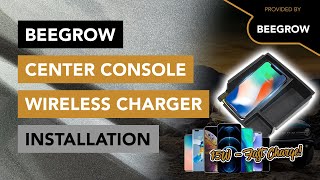
🎬 Watch: How to install an aftermarket wireless charging trayIs a used OEM charger a good buy?
It depends on your goal. If your original charger is completely dead and you want a simple, cost-effective replacement to restore original functionality, then yes. However, if you are hoping to fix problems like slow charging, overheating, or constant disconnects, a used OEM unit will perform just as poorly as your original one. In that case, a quality aftermarket solution might be a better investment.
Helpful Videos
Technical Specifications
OEM Part Numbers: M1PT-19J235-AA
Qi-compatible inductive charging module. Operates on the vehicle's 12V system.
We Have This Part in Stock





The information in this article is provided for general reference and educational purposes only. Vehicle specifications, procedures, and part compatibility can vary by production date, trim level, and region. Always consult your vehicle's factory service manual and verify part numbers before purchasing or performing repairs. Safety-critical components such as airbags, seat belts, and braking systems should be installed by a qualified professional.
- Ford Bronco Sport:
- 🎬 Helpful Videos
- 🛍️ Shop This Part
- Symptoms of Failure & Common Complaints
- Most Common Issues:
- Known Issues, TSBs, and Recalls
- Technical Service Bulletin (TSB) 22-2485
- Recalls
- Buying a Used Wireless Device Charging System Module
- What to Check Before You Buy:
- Cost of Replacement
- Installation Overview
- Frequently Asked Questions (FAQ)
- 🎟️ Get 5% Off