

2017 BMW X4, X5, X6 & 650Ci Wireless Charger: Overheating, Failures, and Replacement
A complete guide to diagnosing and replacing the wireless charging module in your 2017 BMW, including common problems like overheating and slow charging.
- The most common complaint is the charger overheating the phone, which is a design limitation, not necessarily a part failure.
- If the charger, iDrive controller, and ambient lights all fail, check fuse 262 in the rear fuse box before replacing the module.
- A replacement OEM module (new or used) MUST be coded to the vehicle's VIN to enable all features.
- Even a perfectly working module will charge slowly by modern standards; do not expect fast-charging performance.
Symptoms of a Failing Wireless Charging Module
Problems with the wireless charging system in the 2017 BMW X4, X5, X6, and 650Ci can range from a minor annoyance to a complete failure. It's also important to know that some common complaints are actually design limitations of the original part, not necessarily signs of a failure.
1. Phone Does Not Charge (No Power)
The most obvious symptom is a complete failure to charge. You'll place your phone on the tray, and nothing happens. The blue LED indicator light on the charging tray, which signals that charging is active, will not illuminate. In some cases, this failure can be linked to other seemingly unrelated issues.
Pro Tip: A BMW Technical Service Bulletin (TSB) notes that a failure of the wireless charger (WCA), iDrive controller, and ambient lighting can all occur at once. This is often caused by a blown fuse 262, located in the right rear fuse box. If you experience this combination of failures, check this fuse before replacing any parts.
2. Phone Overheats and Stops Charging
This is the most widely reported issue with this system. The charging module generates significant heat, which transfers to the phone. Most smartphones have built-in thermal protection that will pause or stop charging when the battery gets too hot. You may see an orange LED on the charging tray, indicating a problem, or your phone may display a temperature warning. This is a known design flaw, especially when using processor-intensive apps like navigation (Waze, Google Maps) and streaming music via wireless Apple CarPlay or Android Auto simultaneously.
3. Very Slow Charging Speed
Many owners report that the charging rate is extremely slow. The charger is only rated for 5 watts, which is much lower than modern chargers. While using navigation and other apps, the charger may not be able to keep up with the phone's power consumption, leading to the battery level staying flat or even decreasing. This is a limitation of the original technology and not a sign that your specific module has failed.
4. Intermittent Charging or Disconnecting
Your phone may start charging, only to stop and start repeatedly. This can be caused by the phone sliding out of the optimal charging position on the tray, an issue noted by some owners. It can also be a sign of an internal fault in the module or incompatibility with certain phone cases, which can block the inductive charging signal if they are too thick or have metal components.
Buying a Used Wireless Device Charging Module
Given the high cost of a new OEM module, a used part is a practical option. However, there are several critical factors to consider to ensure you get a functional part and understand its limitations.
What to Check Before You Buy
- Verify the Part Number: The primary OEM part number is 84106836835, with an alternate format of 6836835. There are also several other compatible part numbers. Always match the part number from your original module or confirm compatibility with the seller using your vehicle's VIN.
- Physical Inspection: When inspecting photos of a used module, look for any signs of damage to the casing, connectors, or wiring harness. Ensure the connector pins are straight and free of corrosion.
- Understand Its Inherent Flaws: Buying a used module will not solve the overheating or slow charging problems. These are design limitations of the original part. You are buying a functional replacement, not an upgrade. Newer BMWs have redesigned chargers with active cooling fans to address this, but this 2017-era part does not have that feature.
- OEM vs. Aftermarket: Be careful to distinguish between a genuine used OEM module and a new aftermarket charging pad. Aftermarket pads often just plug into the 12V cigarette lighter and do not integrate with the car's computer. A used OEM module is necessary if you want factory features like the 'forgot phone' reminder to work.
Warning: This module requires programming (also known as coding) to your vehicle's VIN after installation. Without coding, it may not function at all, or key features will be missing. This can be done by a BMW dealer or an independent shop specializing in BMWs.
Known Issues, TSBs, and Recalls
While there are no specific recalls for the wireless charging module on these 2017 models, several service bulletins and known issues are relevant.
- NHTSA ID: SIB-B840917 - This bulletin addresses customer complaints of devices getting hot or shutting down while on the charging station. It explains that this is often caused by high interior temperatures and intensive phone use, and is a protective feature of the phone, not a defect in the charger.
- NHTSA ID: MC-10161491-9999 - This bulletin describes a scenario where the wireless charger, iDrive controller, and ambient lights stop working. The cause is identified as a blown fuse (262) and an inoperative WCA module, which requires replacement.
- Phone Incompatibility: Some owners of Google Pixel and certain iPhone models have reported more frequent issues with charging, overheating, or connectivity. There were also reports of the charger in some BMW models potentially damaging the NFC chip in the iPhone 15, though this was not specific to the 2017 models.
Cost of a Wireless Charging Module
The price can vary significantly depending on the source. Labor for installation typically involves removing and reinstalling center console trim.
| Part Source | Estimated Cost |
|---|---|
| New OEM (Dealer) | $200 - $250 |
| New Aftermarket (Pad Only) | $50 - $150 |
| Used OEM (Recycled) | $40 - $110 |
| Shop Labor Cost | $100 - $200 |
Frequently Asked Questions (FAQ)
Why does my phone get so hot on the wireless charger?
This is a common issue caused by the design of the charger and the nature of inductive charging, which generates waste heat. The enclosed space in the center console, combined with heat from the phone's own processor (especially when using navigation), leads to high temperatures that cause the phone to stop charging to protect its battery.
Will a new or used replacement module charge my phone faster?
No. The slow 5-watt charging speed is a limitation of the original hardware. Replacing a broken module with another OEM unit will restore function but will not improve the charging speed.
Does this part need to be programmed by a dealer?
Yes, a genuine BMW wireless charging module must be coded to your car's VIN to ensure it communicates correctly with the vehicle's systems and enables all features, like the on-screen display and 'forgot phone' reminder.
My wireless charger, iDrive knob, and console lights all died at once. What's the problem?
This specific combination of failures strongly points to a blown fuse. Check fuse 262 in the fuse box located in the right rear of the vehicle. A service bulletin indicates that a faulty wireless charging module can cause this fuse to blow.
Technical Specifications
OEM Part Numbers: 84106836835 6836835 8719901 8807424 8781452
Charging Standard: Qi, Power Output: 5 Watts
We Have This Part in Stock


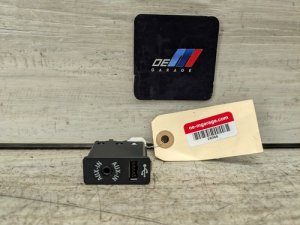


The information in this article is provided for general reference and educational purposes only. Vehicle specifications, procedures, and part compatibility can vary by production date, trim level, and region. Always consult your vehicle's factory service manual and verify part numbers before purchasing or performing repairs. Safety-critical components such as airbags, seat belts, and braking systems should be installed by a qualified professional.
- BMW X5:
- BMW X6:
- BMW X4:
- BMW 650Ci:
- 🛍️ Shop This Part
- Symptoms of a Failing Wireless Charging Module
- 1. Phone Does Not Charge (No Power)
- 2. Phone Overheats and Stops Charging
- 3. Very Slow Charging Speed
- 4. Intermittent Charging or Disconnecting
- Buying a Used Wireless Device Charging Module
- What to Check Before You Buy
- Known Issues, TSBs, and Recalls
- Cost of a Wireless Charging Module
- Frequently Asked Questions (FAQ)
- 🎟️ Get 5% Off