

2023-2025 Genesis Electrified G80 Wireless Communication Module Issues & Replacement
Your complete guide to diagnosing and replacing the module controlling Genesis Connected Services, remote features, and over-the-air updates.
- The primary OEM part number is 955B0-T1000; you must match this exactly.
- This module is ONLY for the 2023-2025 Electrified G80, not the gasoline model.
- A replacement module, new or used, requires programming by a Genesis dealer to link it to your car's VIN.
- Symptoms are almost always related to connectivity: Genesis app not working, SOS errors, and failed OTA updates.
What is the Wireless Communication Module?
Think of the Wireless Communication Module as your car's dedicated smartphone. It has its own SIM card and cellular connection, completely separate from your personal phone. This module, often referred to by Genesis as a Telematics Control Unit (TCU) or Central Communication Unit (CCU), is responsible for all data moving in and out of the vehicle. This includes everything from you sending a 'remote start' command from the Genesis app to the car downloading a critical software update directly from the manufacturer. When it fails, these advanced features stop working.
Symptoms of a Failing Wireless Communication Module
A failing module can cause a variety of frustrating connectivity issues. Here are the most common signs:
- Genesis Connected Services Inactive: The most obvious symptom. You may see errors in the mobile app like "Server error," "No vehicle found," or "Services unavailable." Remote commands (start, lock/unlock, climate) will fail.
- SOS Button Malfunctions: The overhead SOS button may not light up or will not initiate a call when pressed. This is a critical safety failure.
- No GPS or Navigation Errors: While the infotainment screen may work, the GPS may not be able to get a location fix, or the map will show the car in the wrong place.
- Failure to Receive Over-the-Air (OTA) Updates: The vehicle will not be able to download and install software updates, which can leave you missing out on new features and important bug fixes.
- "Reconfigure Network" Message: The infotainment system may prompt you to reconfigure the network, but the process fails repeatedly.
- Battery Drain: In some cases, a faulty communication module can fail to go into a "sleep" state when the car is off, leading to a slow drain of the 12-volt battery.
Known Issues, Recalls, and Technical Service Bulletins (TSBs)
While the Electrified G80 is a relatively new model, Genesis has issued service campaigns for similar systems that are important to be aware of.
- Free Repair Notice for Central Communication Unit (CCU): Genesis issued a notice for a free repair on the CCU for several models, including the G80. An error in the software logic could cause the unit to stay awake, leading to battery discharge. The fix is a software update delivered over-the-air (OTA) for vehicles with active Genesis Connected Services, or performed at a dealership for others.
- Free Repair for Data Communication Unit (DCU): A similar notice was issued for the G80 (RG3 PE) for models manufactured between January and April 2024. Insufficient communication logic could cause poor network connectivity, which is resolved with an OTA or dealer-installed software update.
- Seat Belt Pretensioner Recall: The 2023 Electrified G80 was part of a recall where front seat belt pretensioners could explode upon deployment. This is unrelated to the communication module but is a critical safety repair that should be verified as complete.
Pro Tip: Before suspecting a hardware failure, always try a system reset. In the vehicle's touchscreen, navigate to Settings > Data/Network (or Connected Services) and select "Reconfigure." You can also try a hard reset using the pinhole reset button often located near the volume knob. This can often resolve temporary software glitches.
Buying a Used Wireless Communication Module
Purchasing a used module can save you a significant amount of money, but it requires careful attention to detail to ensure you get a compatible, working part.
Key Considerations:
- Match the Part Number Exactly: The most critical step. The primary OEM part number for this module is 955B0-T1000 (also written as 955B0T1000). Do not purchase a module with a different part number, even if it looks identical. Modern vehicle electronics are extremely specific.
- Verify Vehicle Origin: Ensure the used module comes from a 2023-2025 Genesis Electrified G80. A module from a gasoline G80 or another Genesis model will not work. An eBay listing for this part specified it came from a 2024 G80, which is a good sign.
- Inspect for Physical Damage: When you receive the part, check the housing for any cracks or signs of being opened. Most importantly, inspect the connector pins for any signs of corrosion, moisture, or physical damage. Water damage is a common killer of electronic modules.
- Understand Programming Requirements: A used module will likely need to be programmed by a Genesis dealership or a qualified independent shop with specialized tools. The module's identity (its IMEI, similar to a phone) needs to be linked to your vehicle's VIN in the Genesis network to activate services. Be prepared for this additional cost and step.
- Check the Seller's Return Policy: Buy from a reputable seller with a clear warranty and return policy. Given the need for professional installation and programming, you need the ability to return the part if it's found to be defective or incompatible.
Warning: This module is exclusively for the fully electric 'Electrified G80' sedan. It is not compatible with the standard gasoline-powered G80 models. Always confirm your vehicle model and the part number 955B0-T1000 before purchasing.
Replacement Overview
Replacing the wireless communication module is a moderately difficult task, primarily due to accessing its location and the need for post-installation programming.
- Location: While specific location for the Electrified G80 isn't widely documented in DIY guides yet, these modules are typically located in the trunk area (under the floor or behind a side panel) or behind the dashboard/glove box. An eBay listing for this part notes its placement as 'Front'.
- Installation: Physically swapping the unit involves disconnecting the battery, accessing the module, unplugging several electrical connectors, and unbolting it from its bracket. 🎬 Watch: Learn about telematics control unit installation and wiring Reinstallation is the reverse of removal. 🎬 See a step-by-step telematics control unit replacement
- Programming: This is not a plug-and-play part. After installation, the vehicle must be taken to a Genesis dealer or a specialized repair shop. They will use a diagnostic tool (like Hyundai/Genesis's GDS) to program the new module to your vehicle's VIN. Without this step, the module will not be able to connect to the Genesis network and will not function.
| Item | Estimated Cost |
|---|---|
| New OEM (Dealer) | $250 - $400+ (Part only) |
| New Aftermarket | Not Yet Available |
| Used OEM | $60 - $150 |
| Shop Labor (Installation & Programming) | $200 - $400 |
Frequently Asked Questions (FAQ)
Do I have to go to the dealer for a replacement?
While a DIY-savvy mechanic can physically install the module, a trip to the dealer or a specialized shop with Genesis-specific software is almost always necessary for programming. The module must be electronically paired with your car's VIN to function.
Will a module from a regular gas G80 work?
No. You must use a module specifically from a 2023-2025 Genesis Electrified G80 with the exact part number 955B0-T1000. Modules are specific to the vehicle's powertrain and feature set.
My Genesis app stopped working. Is the module definitely broken?
Not necessarily. First, check the basics: ensure your Genesis Connected Services subscription is active, update the app on your phone, and restart your phone. Then, try the in-vehicle system reset. Network outages can also temporarily disable services. If these steps don't work, then a hardware issue with the module is more likely.
What are all the other numbers on the part label?
The long strings of numbers like 00505407090 are typically internal serial numbers, production codes, or software version identifiers. The only number you need to match when ordering a replacement is the primary OEM part number, 955B0-T1000.
Helpful Videos

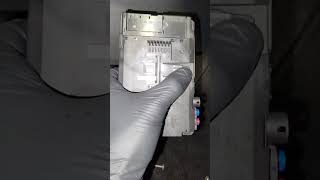
Technical Specifications
OEM Part Numbers: 955B0-T1000 955B0T1000
Also known as Telematics Control Unit (TCU) or Central Communication Unit (CCU). Controls Genesis Connected Services via a built-in cellular modem.
We Have This Part in Stock


The information in this article is provided for general reference and educational purposes only. Vehicle specifications, procedures, and part compatibility can vary by production date, trim level, and region. Always consult your vehicle's factory service manual and verify part numbers before purchasing or performing repairs. Safety-critical components such as airbags, seat belts, and braking systems should be installed by a qualified professional.
- Genesis Electrified G80:
- 🎬 Helpful Videos
- 🛍️ Shop This Part
- What is the Wireless Communication Module?
- Symptoms of a Failing Wireless Communication Module
- Known Issues, Recalls, and Technical Service Bulletins (TSBs)
- Buying a Used Wireless Communication Module
- Key Considerations:
- Replacement Overview
- Frequently Asked Questions (FAQ)
- 🎟️ Get 5% Off