

2019-2021 Ford Ranger Communication Module: Fixing FordPass & SOS Errors
This guide explains how to diagnose, replace, and program the Telematics Control Unit (TCU) that controls your Ranger's remote features and emergency services.
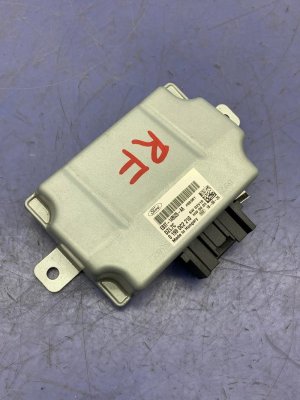
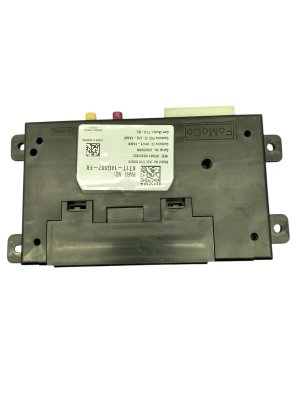
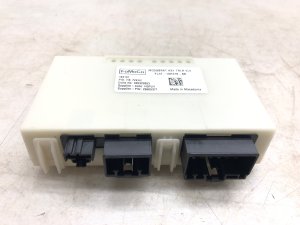
- This part (KB3T-18D816) is the Telematics Control Unit (TCU), not just an antenna; it controls FordPass remote features.
- A replacement TCU, new or used, MUST be programmed to your truck's VIN to function. It is not a plug-and-play part.
- Failure will not prevent the truck from starting or driving, but all remote app functions and SOS/911 Assist will be disabled.
- Before replacing the module, try resetting it by pulling the telematics fuse or disconnecting the battery for 15 minutes.
What is the Telematics Control Unit (TCU)?
On the 2019-2021 Ford Ranger, the part with number KB3T-18D816 is the Telematics Control Unit, or TCU. Think of it as your truck's dedicated cell phone. It's a small computer with its own modem that connects to a cellular network. This connection is what makes features like the FordPass mobile app work, allowing you to lock, unlock, and start your truck from anywhere. It also manages the truck's Wi-Fi hotspot and the critical SOS/911 Assist functions that can automatically call for help in an accident. When this module fails, these connected services stop working, but it will not prevent the truck from starting or driving normally.
Symptoms of a Failing TCU
A bad TCU typically won't cause drivability issues or a Check Engine Light. Instead, the symptoms are all related to the loss of its cellular connection.
- FordPass App Not Connecting: The most common symptom is the FordPass app showing outdated information (fuel level, location) or failing to connect to the vehicle for remote commands.
- Inability to Activate Vehicle: When trying to add the vehicle to the FordPass app, the activation prompt will not appear on the truck's SYNC screen.
- SOS System Malfunction Warning: A message may appear on the instrument cluster indicating a fault with the SOS or 911 Assist system.
- Wi-Fi Hotspot Inoperative: The in-vehicle Wi-Fi hotspot will fail to connect to the network.
- Diagnostic Trouble Codes (DTCs): A scan tool may reveal communication-related fault codes. Common codes associated with TCU failure include U0198 (Lost Communication With Telematic Control Unit) and U3000 (Control Module Internal Fault). In some cases, a general communication code like U0146 (Lost Communication With Gateway Module) might be present.
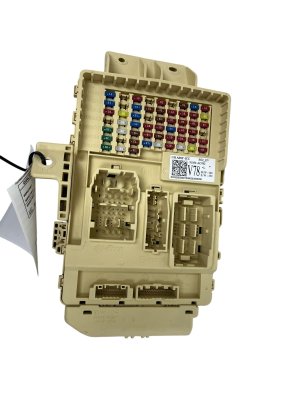
Pro Tip: Before assuming the TCU has failed, try a simple reset. The module receives constant power, so pulling its dedicated fuse for a few minutes can sometimes resolve temporary glitches. On many Rangers, this is fuse #9 in the under-dash fuse panel. Disconnecting the truck's battery for 15-20 minutes can accomplish the same reset.
Known Issues, TSBs, and Recalls
While there are no widespread recalls specifically for TCU failure on the 2019-2021 Ranger, Ford has issued numerous software updates and technical service bulletins (TSBs) for related systems. For instance, TSB SSM 50651 addresses a "Feature Unavailable" message in the FordPass app on various models. It's always worth checking with a dealer or using a scan tool like FORScan to see if a software update is available, as this can sometimes resolve communication issues without replacing the hardware.
Programming: The Most Critical Step
Warning: A replacement TCU, whether new or used, will not work until it is programmed to your specific vehicle. This is not a plug-and-play part.
The TCU must be configured with your truck's Vehicle Identification Number (VIN) and specific feature set. This process is called a Programmable Module Installation (PMI). Without this step, the module cannot communicate with the other computers in the truck or authorize with Ford's servers.
You have three main options for programming:
- Ford Dealership: The dealer uses the Ford Diagnostic & Repair System (FDRS) to perform the PMI. This is the most straightforward but often most expensive option.
- Independent Shop: Some independent repair shops that specialize in Ford vehicles may have an FDRS subscription and can perform the programming.
- DIY with FORScan: For advanced DIY mechanics, it is possible to program a TCU using FORScan software and a compatible OBD-II adapter. This involves backing up the "as-built" data from your old module (if possible), installing the new module, and then writing the as-built data to it. After installation, a specific authorization process must be followed in FORScan to get the module to communicate with Ford's servers. This method requires a paid FORScan license and carries the risk of rendering the module or other systems inoperable if done incorrectly.
Buying a Used 2019-2021 Ranger TCU
Purchasing a used TCU is a great way to save money, as the hardware itself is generally reliable. The most important factor is ensuring you can get it programmed.
- Match the Part Number: Ensure the part number on the used module exactly matches your original one, which is KB3T-18D816 for this application. While other part numbers might look similar, internal hardware or firmware can differ.
- Physical Inspection: Check the used module for any signs of physical damage, especially to the connector pins. Ensure there are no cracks in the casing or evidence of water intrusion.
- Programming is Key: Remember that a used TCU is not VIN-locked and can be programmed to a new vehicle. When buying used, you are purchasing the hardware with the understanding that the cost of programming is a separate, mandatory expense. Factor this into your total cost.
- Source Vehicle Doesn't Matter: The mileage or options of the donor vehicle are irrelevant, as the module will be completely reconfigured for your truck during the PMI process.
Cost Breakdown
Prices can vary by region and supplier, but this table provides a general estimate for replacing the TCU.
| Item | Estimated Cost |
|---|---|
| New OEM (Dealer) | $350 - $600 |
| Used OEM | $35 - $100 |
| Shop Labor (Installation & Programming) | $200 - $400 (1.5-3 hours) |
Frequently Asked Questions (FAQ)
Where is the TCU located on a 2019-2021 Ford Ranger?
The TCU is typically located behind the glove box or in the passenger side kick panel area. On similar Ford trucks like the F-150, it is sometimes found behind the rear seat back.
Will my truck fail to start if the TCU is bad?
No. The TCU is not connected to the engine or anti-theft systems. A failed TCU will not prevent the vehicle from starting, driving, or operating normally, aside from the loss of connected features.
Can I program a used TCU myself?
Yes, if you are experienced with automotive electronics. Using software called FORScan with a compatible OBD-II adapter, you can perform the necessary programming and authorization. However, it is a complex process and is not recommended for beginners. Incorrect programming can cause further issues.
What's the difference between the TCU and the APIM?
The TCU (Telematics Control Unit) is the modem that connects your truck to the cellular network for FordPass and Wi-Fi. The APIM (Accessory Protocol Interface Module) is the brain for the SYNC infotainment system; it runs the touchscreen, navigation, and media functions. While they work together, they are separate modules.
Technical Specifications
OEM Part Numbers: KB3T-18D816
4G LTE Telematics Control Unit (TCU)
We Have This Part in Stock



The information in this article is provided for general reference and educational purposes only. Vehicle specifications, procedures, and part compatibility can vary by production date, trim level, and region. Always consult your vehicle's factory service manual and verify part numbers before purchasing or performing repairs. Safety-critical components such as airbags, seat belts, and braking systems should be installed by a qualified professional.
- Ford Ranger: