

2013-2021 Toyota Camry Cameras: A Guide to Backup, Forward & Side View Systems
Diagnose a black screen or flickering image, identify which camera you need, and understand the critical calibration requirements before you buy a replacement.
- Your Camry has different cameras; you must verify if you need a rear backup, forward ADAS, or side-view camera before purchasing.
- Forward-facing cameras (on the windshield) ALWAYS require professional calibration after replacement, which can cost $250-$600.
- A black screen on the backup camera is often caused by a broken wire in the trunk hinge area, not just a bad camera.
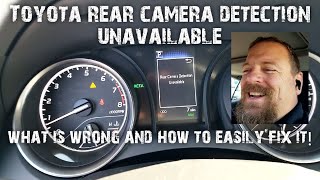
- For 'Rear Camera Detection Unavailable' errors after a battery change, try turning the steering wheel lock-to-lock in reverse to recalibrate.
Understanding the Different Cameras on Your 2013-2021 Camry

Before you can diagnose or replace a camera on your 2013-2021 Toyota Camry, you must first identify which camera has failed. These vehicles can be equipped with multiple cameras, each with a specific job. Confusing them is a common and costly mistake.
1. Rear Backup Camera
This is the most common camera. Mounted on the trunk lid, its job is to show you what's behind the vehicle when you shift into reverse. Failure is common and usually easy to spot.
- Location: On the trunk lid, usually near the license plate lights or trunk release handle.
- Primary Function: Parking and reversing aid.
- Common Part Numbers: 86790-06040, 86790-06150, 86790-06090
2. Forward-Facing ADAS Camera
This camera is mounted high on the inside of the windshield, typically housed in a plastic casing behind the rearview mirror. It is not for recording video like a dashcam; it is a sensor that watches the road for the car's safety systems.
- Location: Upper center of the windshield, inside the car.
- Primary Function: Sensor for Lane Departure Alert (LDA), Pre-Collision System (PCS), and sometimes Automatic High Beams.
- Common Part Numbers: 8646C-06060, 8646C-06080, 88162-06091
Warning: This camera absolutely requires professional calibration after replacement. If it is not calibrated, your safety systems will not work correctly and may behave unpredictably. This is not a simple plug-and-play part.
3. Side-View / 360-View Cameras
Found on higher-trim models, these cameras are located in the housings of the side-view mirrors. They work with the front and rear cameras to create a composite 'Bird's Eye View' of the car's surroundings, which is extremely helpful for parking in tight spaces.
- Location: Underside of the driver and passenger side-view mirrors.
- Primary Function: Part of the Panoramic View Monitor or 360-degree camera system.
Pro Tip: Blind Spot Monitors (BSM) are often located in the same area as side-view cameras but are typically radar sensors, not video cameras. They function differently and are not interchangeable. The part numbers for BSM sensors are distinct from camera part numbers.
Common Symptoms of Camera Failure

Camera problems usually present in obvious ways on the car's main infotainment screen or with warning lights on the dashboard.
Rear Backup Camera Symptoms:
- Black or Blue Screen: When you shift into reverse, the screen is completely black, blue, or shows a 'no signal' message. This is the most common failure symptom.
- Flickering or Distorted Image: The image may flicker, roll like an old TV, or be filled with static. This often points to a failing camera sensor or a loose wire.
- Blurry or Foggy Image: The lens can become cloudy from moisture getting inside the sealed camera body, a common failure mode. It can also simply be dirty.
- "RCD Unavailable" Message: On some models, a message for "Rear Camera Detection Unavailable" may appear, especially after the battery has been disconnected or replaced.
Forward-Facing Camera Symptoms:
- Dashboard Warning Lights: You may see messages like "Pre-Collision System Malfunction," "Lane Departure Alert Malfunction," or "Front Camera Unavailable."
- Safety Systems Inoperative: Features like adaptive cruise control, lane keeping assist, and automatic emergency braking will be disabled.
- "Front Camera Low Visibility": This message can appear if the windshield in front of the camera is dirty, fogged, or obstructed, but if it persists after cleaning, it may indicate a camera fault.
Diagnosing a Faulty Camry Camera


Before buying a replacement part, follow these steps to make sure the camera is truly the problem.
- Clean the Lens: The simplest fix is often overlooked. Use a soft, clean cloth to gently wipe the camera lens. Road grime, salt, and dirt can completely obscure the view.
- Check for Simple Resets: For a backup camera that stopped working, especially after a dead battery, a simple reset might work. Disconnecting the car's 12V battery for about 5 minutes can sometimes clear a glitch and restore function. For a "Rear Camera Detection Unavailable" message, a steering angle reset (turning the wheel lock-to-lock) might be required. 🎬 Watch: How to fix the 'Rear Camera Detection Unavailable' error.
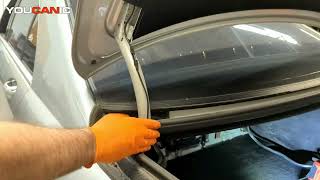
- Inspect the Wiring: For backup cameras, the wiring harness that runs from the trunk lid into the car's body is a common failure point. Repeatedly opening and closing the trunk can cause wires to fray or break over time. Visually inspect the rubber conduit for damage. 🎬 See how to diagnose a backup camera with a B15D8 code.
- Check Fuses: While less common, a blown fuse can cause the camera system to lose power. Consult your owner's manual for the fuse box diagram.
Buying a Used Toyota Camry Camera: What to Look For
A used OEM camera can be a great value, offering original factory quality for a fraction of the price of a new one. Here’s what to check.
1. Verify the Part Number Above All Else
This is the most critical step. Toyota used many different cameras across these model years, depending on the vehicle's build date, trim level, and factory options. Do not assume a camera from another Camry will fit. You must match the part number from your original camera. The part number is printed on a label on the camera body itself. You will need to remove the old camera to see it.
2. Physical Inspection Checklist
- Lens Clarity: Inspect the lens closely. It should be perfectly clear. Avoid any camera that looks hazy, yellowed, or has visible moisture or condensation inside. This is a sign of a failed seal and the camera will not last.
- Connector Pins: Look at the electrical connector. The pins should be clean, straight, and free of any green or white corrosion.
- Casing and Mounts: Check the plastic housing for any cracks or broken mounting tabs. A damaged housing can allow water to enter.
3. Why Used OEM is Often Better than New Aftermarket
For cameras, especially the forward-facing ADAS camera, sticking with a genuine used Toyota part is often the smartest choice. OEM cameras are designed to integrate perfectly with the vehicle's software and mounting points. Cheaper aftermarket backup cameras can suffer from poor image quality, flickering, and may not have the correct connections. For forward-facing cameras, using a non-OEM part is not recommended due to the critical safety functions and calibration complexities involved.
Known Issues, Recalls, and TSBs
While there are no major recalls specifically for camera hardware on the 2013-2021 Camry, there have been software-related issues and technical service bulletins (TSBs).
- Software Recalls for Newer Models: Toyota has issued recalls for newer vehicles (typically 2022 and later) due to software bugs that can cause the rearview camera image to freeze or go blank. While not directly affecting the 2013-2021 range, it highlights that software can be a cause of camera issues.
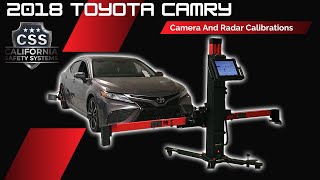
- TSB T-TT-0663-21: This Toyota Tech Tip addresses calibration for the forward camera, front radar, and blind spot monitors. It explains that after work like a windshield replacement or bumper repair, these systems must be recalibrated with special targets to function correctly. This is crucial information 🎬 Watch: A professional walkthrough of the ADAS camera calibration process. for anyone replacing a forward camera.
Installation and Calibration Guide

Rear Backup Camera
- Difficulty: 2 out of 5.
- DIY Feasible: Yes.
- Process: Replacement involves removing the trunk lid liner, unbolting the exterior trim piece that holds the camera, disconnecting the old camera, and installing the new one. No special calibration is typically needed for a simple backup camera replacement, though a steering angle reset may be required if you get an RCD error.
Forward-Facing ADAS Camera
- Difficulty: 5 out of 5 (for a DIYer).
- DIY Feasible: No.
- Process: While physically replacing the camera is straightforward (it often clips into a bracket on the windshield), the mandatory calibration is not a DIY job. It requires specialized targets, a level surface, and Toyota's Techstream diagnostic software to aim the camera and teach the car to see straight again. Attempting to use the car without calibration can lead to dangerous, erratic behavior from the safety systems.
Cost Comparison: New vs. Used Camry Cameras
Prices can vary significantly based on the specific camera type and where you buy it.
| Part Type | New OEM | New Aftermarket | Used OEM | Shop Labor (Install Only) |
|---|---|---|---|---|
| Rear Backup Camera | $250 - $600+ | $40 - $150 | $50 - $200 | $100 - $200 |
| Forward ADAS Camera | $900 - $1,500+ | Not Recommended | $150 - $400 | $150 - $250 (Install) + $250 - $600 (Calibration) |
Frequently Asked Questions (FAQ)
My backup camera screen is black. Do I need a new camera?
Not necessarily. First, try cleaning the lens. Then, try disconnecting the car's battery for 5 minutes to reset the system. Also, inspect the wiring in the flexible boot between the trunk and the car body for any damage. A broken wire is a common cause of a black screen.
Why did my Lane Departure Alert stop working after I got a new windshield?
Your forward-facing camera needs to be recalibrated. When the windshield is replaced, the camera's position changes slightly. It must be professionally recalibrated to aim correctly and function with the safety systems. Any reputable glass shop should perform this as part of the replacement.
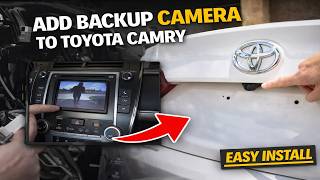
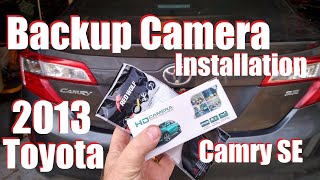
Can I install a backup camera on my Camry that didn't come with one?
Yes, it is possible to add a backup camera to a base model Camry. There are aftermarket kits available that can integrate with the factory radio screen. This is a more involved installation that requires running a video cable from the trunk to the dashboard.
What does the "Rear Camera Detection Unavailable" (RCD) error mean?
This error often appears after the car's battery has been disconnected or has died. It means the system has lost its steering angle calibration for the dynamic guidelines. To fix it, put the car in reverse on a level surface, turn the steering wheel all the way to the left, then all the way to the right, and finally return it to the center. This should recalibrate the system.
Helpful Videos

Technical Specifications
OEM Part Numbers: 8646C-06060 8646C-06080 8646C06010 8646C06030 8646C06080 86790-06040 86790-06090 86790-06150 88162-06031 88162-06050 88162-06091 88162-06092 8816206030 8816206050 8816206090
Camera type (rear, forward, side), connector type, and vehicle options (ADAS, 360-view) must be matched. Part numbers vary by model year and USA vs. Japan build.
We Have This Part in Stock



The information in this article is provided for general reference and educational purposes only. Vehicle specifications, procedures, and part compatibility can vary by production date, trim level, and region. Always consult your vehicle's factory service manual and verify part numbers before purchasing or performing repairs. Safety-critical components such as airbags, seat belts, and braking systems should be installed by a qualified professional.
- Toyota Camry:
- 🎬 Helpful Videos
- 🛍️ Shop This Part
- Understanding the Different Cameras on Your 2013-2021 Camry
- 1. Rear Backup Camera
- 2. Forward-Facing ADAS Camera
- 3. Side-View / 360-View Cameras
- Common Symptoms of Camera Failure
- Rear Backup Camera Symptoms:
- Forward-Facing Camera Symptoms:
- Diagnosing a Faulty Camry Camera
- Buying a Used Toyota Camry Camera: What to Look For
- 1. Verify the Part Number Above All Else
- 2. Physical Inspection Checklist
- 3. Why Used OEM is Often Better than New Aftermarket
- Known Issues, Recalls, and TSBs
- Installation and Calibration Guide
- Rear Backup Camera
- Forward-Facing ADAS Camera
- Cost Comparison: New vs. Used Camry Cameras
- Frequently Asked Questions (FAQ)
- 🎟️ Get 5% Off