

2014-2024 Kia Sorento Backup Camera: Failures, Recalls, and Replacement Guide
Diagnose and fix common backup camera problems like a black or blue screen, flickering, and water damage on your Kia Sorento.
- Camera failures are common, with specific issues tied to Sorento generations: water intrusion in 2016-2020 models and broken mounting clips in 2022-2023 models.
- Two major recalls exist: NHTSA #23V610000 (Kia #SC280) for broken clips on 2022-23 models and another for water damage on 2019 models (Kia #SC282).
- Symptoms often include a black/blue screen, flickering, or a blurry image due to moisture.
- When buying a used replacement, an exact part number match is critical due to variations between trim levels (standard vs. surround view).
Generational Differences & Known Issues

The Kia Sorento across the 2014-2024 model years spans three distinct generations, each with its own specific camera hardware and common issues.
Third Generation: 2016-2020 Sorento (UM)
This generation is particularly known for camera failures due to moisture. Water can get inside the camera housing, causing a blurry image, distortion, or a complete failure showing a blue or black screen. Kia issued a Technical Service Bulletin (TSB ELE205) for this exact problem, acknowledging that moisture intrusion can cause these symptoms. The fix involves replacing the camera with an improved unit that has better sealing. Additionally, a recall was issued for some 2019 Sorento models where a manufacturing error could allow water to seep into the camera, preventing an image from displaying. The recall remedy involves dealers inspecting the camera, adding waterproofing, or replacing it if necessary.
Fourth Generation: 2021-2024 Sorento (MQ4)
The most significant issue for this generation is a recall affecting 2022-2023 Sorento, Sorento Hybrid, and Sorento PHEV models. The mounting clips for the rearview camera housing can break, causing the camera to become loose or fall out of position. This results in an incorrect or completely obscured view. The recall (NHTSA Campaign ID: 23V610000, Kia number: SC280) requires dealers to inspect and replace the camera housing free of charge. Owners have reported the camera hanging down by its wire due to this clip failure.
Second Generation: 2014-2015 Sorento (XM)
While not subject to the same widespread recalls as later models, these cameras can still fail from age, water intrusion, or internal electronic faults. Symptoms are similar, including a black screen or intermittent operation. Diagnosis often points to a failed camera unit itself after verifying power and ground connections. Some owners have reported long backorder times for replacement parts.
🎬 Watch: A quick look at replacement cameras for 2014-2015 models.Warning: The initial part numbers provided in the request included several radar modules for Blind Spot Detection (e.g., 95811-C6010) and Smart Cruise Control. These are not video cameras. They are different systems located in the rear bumper corners or front grille and are not interchangeable. Always verify the part number on your original camera before ordering a replacement.
Symptoms of a Failing Backup Camera

Before the camera fails completely, it will often show one or more of these signs:
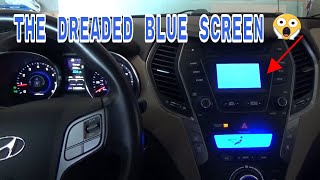
- Black or Blue Screen: When you shift into reverse, the screen goes black or solid blue, but the rest of the infotainment system works fine. This is a classic sign of camera failure or a connection issue.
- Flickering or Intermittent Image: The camera feed cuts in and out, or flickers rapidly, making it unusable. This can be caused by a failing camera or a loose connection in the wiring, often where it passes from the body to the liftgate. 🎬 See this video guide on fixing a blue screen error.
- "Camera Unavailable" Message: The infotainment screen displays a specific error message indicating it cannot get a signal from the camera.
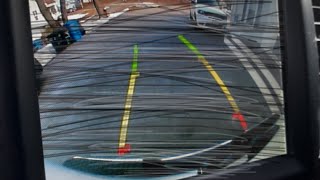
- Blurry, Foggy, or Distorted Image: This is a common symptom of water intrusion. Condensation forms inside the lens, making the image cloudy and difficult to see.
- Missing or Static Parking Guidelines: If the dynamic parking lines disappear or are frozen, it can sometimes indicate a problem with the camera, although it can also be an issue with the head unit.
Diagnosing the Problem

Before buying a new camera, run through these simple diagnostic steps:
- Clean the Lens: The simplest solution is often overlooked. Road grime, dirt, or water droplets can completely obscure the lens. Wipe it with a soft cloth.
- Check the Fuse: Consult your owner's manual to find the fuse for the backup camera system and ensure it isn't blown. 🎬 Watch: Professional diagnostic steps for testing your backup camera signal.
- Restart the System: Turn the vehicle off and on again. Sometimes a simple reboot of the car's electronics can resolve a temporary glitch. Some users also suggest a hard reset of the infotainment unit using the small pinhole reset button.
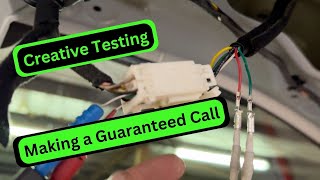
- Check for Wiring Damage: Inspect the wiring harness that runs between the liftgate and the main body of the Sorento (usually inside a black rubber boot). Repeatedly opening and closing the hatch can cause wires to fray or break over time.
Buying a Used Kia Sorento Backup Camera
A used OEM camera can be a cost-effective and reliable solution. Here’s what to look for:
- Verify the Part Number: This is the most critical step. Part numbers vary by generation, trim level, and whether the vehicle has the standard or Surround View Monitor (SVM) system. A camera for a base model will not work on a model with SVM. Match the part number from your old camera exactly.
- Inspect the Lens: Check for deep scratches, yellowing, or any signs of haziness inside the lens. A clear, clean lens is essential for good image quality.
- Check the Connector: Look at the electrical connector pins. They should be straight, clean, and free of any green or white corrosion. Damaged pins can lead to an intermittent connection.
- Examine the Housing: Inspect the plastic housing for cracks, especially around the mounting points. For 2022-2023 models, pay close attention to the mounting clips, as these are a known failure point.
- Why Used OEM is Often Better: Cheap aftermarket cameras often have lower-quality image sensors, resulting in a grainier picture, poor night vision, and incorrect parking guidelines. A used OEM camera is designed to be plug-and-play with your Sorento's existing wiring and display, ensuring proper function and image quality.
Replacement Overview
Replacing the backup camera is a straightforward DIY project for most home mechanics.
- Difficulty: 2/5
- Estimated Time: 1 hour
- Tools Needed: Trim removal tools, socket set (likely 10mm), Phillips head screwdriver.
General Steps:
- Disconnect the negative battery terminal.
- Open the rear liftgate and use a trim removal tool to carefully pry off the interior plastic panel. It is held on by a series of clips and screws.
- Locate the camera mounted in the exterior liftgate trim piece (often a chrome or body-colored applique).
- Disconnect the camera's electrical connector.
- Unbolt the exterior trim applique from inside the liftgate to access the camera itself.
- Unscrew the camera from the applique, install the new one, and reassemble everything in reverse order.
Pro Tip: Before you fully reinstall the large interior trim panel, reconnect the battery and test the new camera to ensure it works correctly. This will save you the frustration of having to take everything apart again.
Calibration Requirements
For a standard rear-view camera replacement, no calibration is typically required. However, if your Sorento is equipped with the 360° Surround View Monitor (SVM), replacing one of the cameras may require a calibration procedure using a specialized scan tool to properly stitch the images together.
Cost Comparison
| Part Type | Estimated Cost |
|---|---|
| New OEM | $300 - $600+ |
| New Aftermarket | $60 - $150 |
| Used OEM | $80 - $250 |
| Shop Labor | $80 - $120 |
Frequently Asked Questions
Why is my Sorento's backup camera screen blue or black?
A blue or black screen usually means the head unit is not receiving a signal from the camera. This is most often caused by a failed camera (especially due to water damage on 2016-2020 models), a loose connection, or a broken wire in the harness between the liftgate and the body.
Can I install an aftermarket camera?
Yes, but it may not be a simple plug-and-play installation. You might need to splice wires, and the image quality and parking guidelines may be inferior to the OEM part. Many aftermarket cameras will not work if your vehicle didn't have a camera from the factory. Given the reasonable cost of used OEM units, they are often the better choice.
Does a new backup camera need to be programmed by the dealer?
For a standard backup camera, programming is not usually necessary. It should work upon installation. However, if your vehicle has the 360° Surround View system, a calibration procedure may be required after replacing a camera to ensure the system works correctly.
Is there a recall for my Sorento's camera?
There are two major recalls. One is for 2019 models for water intrusion (Recall SC282). The other is for 2022-2023 models for broken mounting clips (Recall SC280). You can check if your specific vehicle is affected by entering your VIN on the NHTSA or Kia recall websites.
Helpful Videos
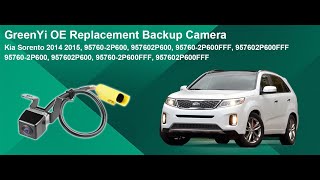
Technical Specifications
OEM Part Numbers: 95760-2P600 95760-2P600FFF 95760-C6100 95760-C6110 95760-C6111 95760-C6210 95760-C6500 99240-C6501FFF 99240-P2000 99240-P2100
Operates on a 6-volt signal, not 12-volt. Connects via a multi-pin harness providing power, ground, and video signal. Lens is a wide-angle 'fisheye' type.
We Have This Part in Stock
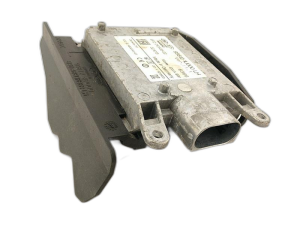
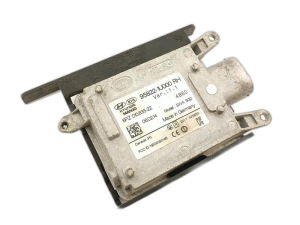


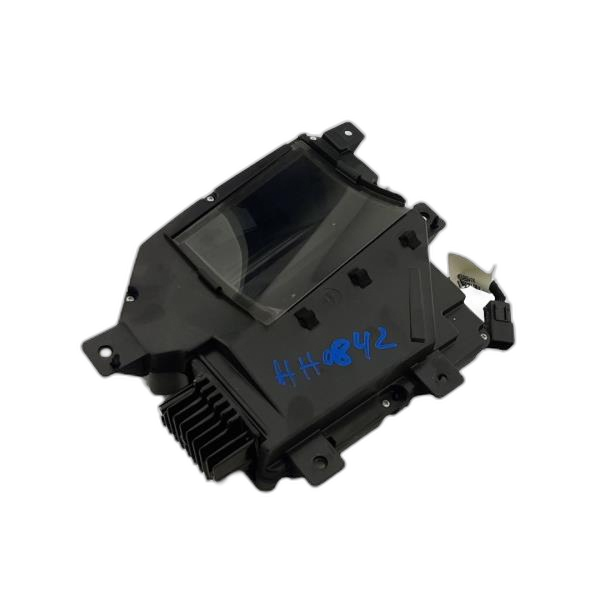

The information in this article is provided for general reference and educational purposes only. Vehicle specifications, procedures, and part compatibility can vary by production date, trim level, and region. Always consult your vehicle's factory service manual and verify part numbers before purchasing or performing repairs. Safety-critical components such as airbags, seat belts, and braking systems should be installed by a qualified professional.
- Kia Sorento:
- 🎬 Helpful Videos
- 🛍️ Shop This Part
- Generational Differences & Known Issues
- Third Generation: 2016-2020 Sorento (UM)
- Fourth Generation: 2021-2024 Sorento (MQ4)
- Second Generation: 2014-2015 Sorento (XM)
- Symptoms of a Failing Backup Camera
- Diagnosing the Problem
- Buying a Used Kia Sorento Backup Camera
- Replacement Overview
- Calibration Requirements
- Cost Comparison
- Frequently Asked Questions
- 🎟️ Get 5% Off