

2011-2018 Kia Sorento Backup Camera Failure: Diagnosis and Replacement
This guide explains common backup camera problems in 2011-2018 Kia Sorentos, including symptoms, recalls, and how to choose the right used replacement part.
- Backup camera failure is common, often due to moisture intrusion causing a blurry or black screen, a known issue acknowledged by Kia's service bulletins (TSB ELE077, ELE205).
- When buying a used replacement, you MUST match the OEM part number exactly. Cameras for standard vs. surround-view systems are not interchangeable.
- Before purchasing a used camera, inspect the lens for any internal fogginess, which indicates a failed seal and a bad part.
- Replacement is a manageable DIY job, typically requiring removal of the rear liftgate's interior trim panel. No programming is usually needed for standard cameras.
Critical Clarification: Backup Camera vs. Blind Spot Module

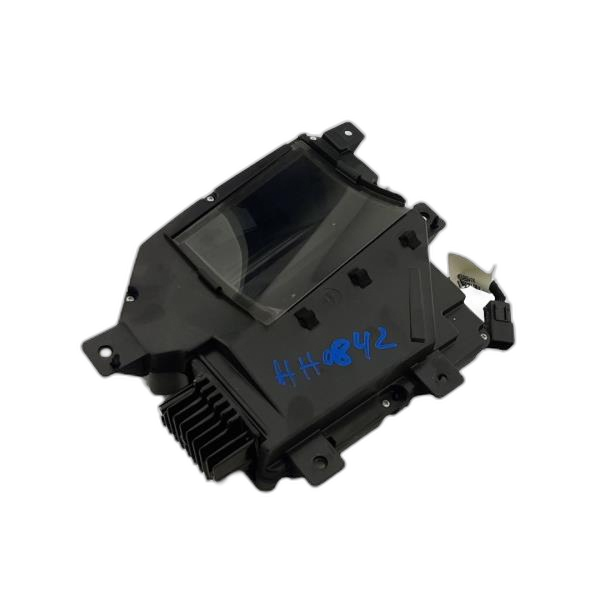
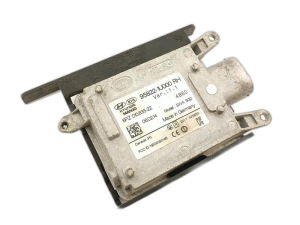
Before diagnosing any issues, it's important to distinguish between the rear view video camera and the blind spot detection (BSD) radar modules. These are separate systems that are often confused. The backup camera is a visual device located on the liftgate. The BSD modules are radar sensors, typically located behind the left and right corners of the rear bumper cover, and are not visible. Part numbers are the best way to tell them apart:
- Backup Camera Part Numbers: Typically start with 95760 (e.g., 95760-2P111, 95760-C6100).
- Blind Spot Radar Module Part Numbers: Typically start with 95811 or 95812 (e.g., 95811-C6000).
Warning: The initial data provided for this guide incorrectly mixed part numbers and descriptions for both systems. This article focuses exclusively on the Video Camera. Ensure you are ordering the correct part for the system you are repairing.
Symptoms of a Failing Backup Camera

Backup camera failure on the Sorento is a common issue. Symptoms can range from a minor annoyance to a complete loss of the rear view image.
- Black or Blue Screen: The most common symptom. The infotainment screen goes black or blue when you shift into reverse, sometimes displaying a "No Signal" message. This indicates a total failure in the power or video signal chain. 🎬 Watch this video explaining common Kia camera failures.
- Flickering or Intermittent Image: The camera feed cuts in and out, or flickers rapidly. This often points to a loose connection or a frayed wire, especially in the flexible harness that runs between the liftgate and the vehicle body.
- Blurry or Foggy Image: The image appears out of focus, hazy, or as if looking through a milky film. This is almost always caused by moisture getting inside the camera housing due to a failed seal.
- Missing Parking Guidelines: If the camera image appears but the colored parking assist lines are gone, this can sometimes point to an issue with the camera itself, though it can also be a head unit problem.
- Distorted or Upside-Down Image: In rare cases, an internal camera failure can cause the image to be distorted or flipped.
Known Issues, Recalls, and Technical Service Bulletins (TSBs)

Kia has acknowledged several issues with backup cameras on Sorento models through recalls and TSBs. While the 2011-2018 range is the focus, related recalls on newer models show a pattern of similar issues.
- TSB ELE 077: Kia issued this technical service bulletin for 2012-2014 Sorento models experiencing blurry images, water intrusion, or intermittent operation. The bulletin provides diagnostic steps and recommends replacing the camera with an improved part if moisture is found.
- TSB ELE205: For 2016-2020 Sorento models, this TSB specifically addresses distortion or a blue screen caused by moisture intrusion into the camera assembly.
- Recall for 2019 Sorento: While just outside the primary year range, a recall was issued for 2019 models where a manufacturing error could allow water to seep into the camera, causing it to fail. This highlights the prevalence of sealing issues.
- Recall for 2022-2023 Sorento (SC280): A large recall (NHTSA Campaign Number: 23V610000) was issued because the mounting clips for the rearview camera could break, causing the camera to fall out of position. This points to issues with the physical housing of the camera assemblies.
Buying a Used Kia Sorento Backup Camera

A used OEM camera is often a reliable and cost-effective alternative to an expensive new part. However, careful inspection and verification are key to getting a good part.
1. Match the Part Number EXACTLY
This is the most critical step. Sorentos have different cameras for standard view versus the 360° Surround View Monitor (SVM) system. They also have different part numbers for different year ranges and trim levels. Do not rely on visual appearance alone. You must confirm your vehicle's original part number and match it to the used part you are buying. Using the wrong part number may result in a camera that doesn't work, has no guidelines, or displays a distorted image.
2. Inspect the Lens and Housing
Before purchasing, physically inspect the used camera. Look for:
- Clear Lens: The lens should be perfectly clear, with no haziness, yellowing, or signs of moisture on the inside. A foggy internal lens means the seals have failed and the camera is bad.
- Intact Connector: Check the electrical connector for any bent, corroded, or broken pins. The plastic housing of the connector should not be cracked.
- No Cracks in the Housing: Inspect the plastic body of the camera for any cracks or damage that could allow water to enter.
3. Why Used OEM is Often Better Than New Aftermarket
While cheap aftermarket cameras are available, they often come with drawbacks. Used OEM cameras offer several advantages:
- Guaranteed Fit: An OEM part will fit perfectly in the factory mounting location without modification.
- Proper Integration: It will plug directly into the existing wiring harness and communicate correctly with the vehicle's infotainment system, ensuring features like parking guidelines work as intended.
- Image Quality: The image sensor and lens are designed to match the vehicle's display, providing the correct resolution and field of view. Some aftermarket cameras have poor resolution or a distorted, fish-eye view.
Replacement Information
Replacing the backup camera on a 2011-2018 Sorento is a straightforward DIY project for most home mechanics. The process involves removing the interior trim panel from the rear liftgate to access the camera.
- Difficulty: 2 out of 5
- Estimated Time: 0.5 - 1.5 hours
- Tools Required: Trim removal tools, Phillips head screwdriver, 10mm socket and ratchet.
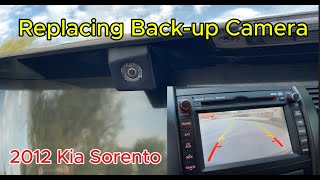
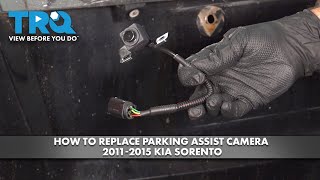
General Replacement Steps (2011-2015 Models): 🎬 Watch this step-by-step 2011-2015 camera replacement video.
- Disconnect the negative battery terminal.
- Open the liftgate and remove the upper and main interior trim panels by removing several Phillips head screws and carefully prying off the panels to release the retaining clips.
- Remove the bolts for the interior pull handle.
- To access the camera, you may need to unbolt the exterior chrome trim piece from inside the liftgate.
- Disconnect the electrical connector from the camera.
- Unscrew the camera from its mounting bracket and remove it.
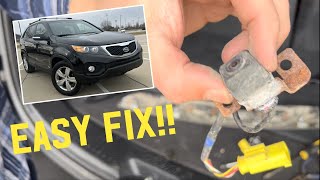
- Installation is the reverse of removal. Always test the camera's function before reinstalling all trim panels. 🎬 See a real-world 2013 Sorento camera swap walkthrough.
Pro Tip: When removing the liftgate trim panel, some of the white plastic clips may stay in the metal liftgate instead of coming off with the panel. Use a trim tool to carefully pop these out and reinstall them onto the plastic panel before attempting to put the panel back on.
Cost Comparison
| Part Type | Estimated Cost |
|---|---|
| New OEM | $120 - $600+ (Varies widely by part number and dealer) |
| New Aftermarket | $25 - $125 |
| Used OEM | $75 - $200 |
| Shop Labor | $80 - $120 |
Frequently Asked Questions
Why is my backup camera screen black but the "Check Surroundings" message still appears?
This is a classic sign that the head unit is working correctly and is trying to display the camera feed, but it is not receiving a video signal from the camera itself. The problem is almost certainly the camera, the wiring, or a fuse.
Do I need to program or calibrate a replacement backup camera?
For a standard backup camera replacement on these Sorento models, no programming is typically required. It should be a plug-and-play installation. However, if your vehicle is equipped with the 360° Surround View Monitor system, calibration may be necessary after replacing one of the cameras to ensure the stitched-together image is accurate.
Can I just clean the lens to fix a blurry image?
You should always start by cleaning the exterior of the lens with a soft cloth. However, if the blurriness is caused by moisture that has gotten inside the camera housing, no amount of external cleaning will help. In this case, the camera's waterproof seal has failed and the entire unit must be replaced.
Is it possible the fuse is blown?
Yes, a blown fuse can cause the camera to stop working completely. Before replacing the camera, it's a good idea to check the fuse box for any fuses related to the backup camera or infotainment system. Your owner's manual will have a diagram of the fuse locations and functions.
Helpful Videos
Technical Specifications
OEM Part Numbers: 95760-2P000 95760-2P110 95760-2P111 95760-2P112 95760-2P201 95760-2P202 95760-2P202FFF 95760-C6100 95760-C6110 95760-C6111
Power: 6V-7V DC. Signal Type: NTSC. Connector: Vehicle-specific plug.
We Have This Part in Stock




The information in this article is provided for general reference and educational purposes only. Vehicle specifications, procedures, and part compatibility can vary by production date, trim level, and region. Always consult your vehicle's factory service manual and verify part numbers before purchasing or performing repairs. Safety-critical components such as airbags, seat belts, and braking systems should be installed by a qualified professional.
- Kia Sorento:
- 🎬 Helpful Videos
- 🛍️ Shop This Part
- Critical Clarification: Backup Camera vs. Blind Spot Module
- Symptoms of a Failing Backup Camera
- Known Issues, Recalls, and Technical Service Bulletins (TSBs)
- Buying a Used Kia Sorento Backup Camera
- 1. Match the Part Number EXACTLY
- 2. Inspect the Lens and Housing
- 3. Why Used OEM is Often Better Than New Aftermarket
- Replacement Information
- Cost Comparison
- Frequently Asked Questions
- 🎟️ Get 5% Off