

Honda Odyssey Cameras (2014-2026): Fixing Backup, LaneWatch & FCW Failures
This guide clarifies the different camera systems on your 2014-2026 Honda Odyssey, from common backup camera recalls to the complex calibration required for forward-facing safety systems.
- The 2014-2026 Odyssey uses three different camera systems (Rear-View, LaneWatch, Forward ADAS) that are not interchangeable. Always verify your specific system and part number before buying.
- A massive recall for 2018-2023 models addresses blank backup camera screens caused by a faulty MOST cable. Check if your vehicle's recall has been performed.
- Replacement of the forward-facing ADAS camera (for FCW, LKAS) is extremely expensive because it requires mandatory professional calibration with special equipment.
- The LaneWatch side camera (2014-2017 models) also requires calibration after replacement, but this can be a DIY job using a printed target and a hidden menu in the infotainment system.
Understanding Your Odyssey's Camera Systems

Before diagnosing or buying a replacement camera for your 2014-2026 Honda Odyssey, it's critical to know which system you're dealing with. These vans came with up to three different types of cameras that are not interchangeable. Identifying the correct one is the first step in any successful repair.
- Rear-View Backup Camera: Located on the tailgate, used for reversing. All models have this.
- LaneWatch Camera: Located in the passenger-side mirror housing. This feature was common on 2014-2017 EX, EX-L, and Touring trims but was phased out on later models in favor of a radar-based blind spot system.
- Forward-Facing ADAS Camera: Located on the upper-middle part of the windshield behind the rearview mirror. This is for safety systems like Forward Collision Warning (FCW), Lane Keeping Assist (LKAS), and Adaptive Cruise Control (ACC).
1. Rear-View Backup Camera (2014-2026)


The backup camera is the most common camera to fail on these vehicles, and the issues are well-documented through massive recalls.
Symptoms of Failure
- Black, Flickering, or No Image: The screen is blank or flashes when you shift into reverse.
- Popping or Crackling Audio: On 2018+ models, audio system noise can accompany the video failure.
- Distorted or Cloudy Image: The image is fuzzy, discolored, or looks like it's underwater. This often points to water getting inside the camera housing.
- "Rear Camera Not Available" Message: The infotainment system explicitly states the camera cannot be displayed.
Known Issues, Recalls, and TSBs
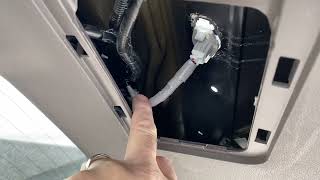
MAJOR RECALL: Honda recalled nearly 1.2 million 2018-2023 Odyssey, Pilot, and Passport vehicles for a faulty Media Oriented Systems Transport (MOST) coaxial cable. This cable connects the camera to the display, and a manufacturing defect causes it to lose connection, resulting in a blank screen. The recall fix involves replacing the cable harness and adding a protective connector cover. Honda's recall numbers are EEL and ZEM.
🎬 Learn more about the major Honda MOST cable recall.RECALL (Water Intrusion): For 2019-2020 Odyssey models, Honda issued recall W83 (TSB 20-050) because water could get into the camera assembly, causing a distorted image or total failure. The fix is to replace the camera assembly with an updated part.
Replacement & Cost
Replacing the backup camera is a straightforward DIY job for most owners. It involves removing the inner tailgate trim panels to access the camera's mounting nuts and electrical connector. No special calibration is required after installation.
🎬 Watch this step-by-step guide to replacing your backup camera.2. LaneWatch Side Camera (2014-2017)


Honda's LaneWatch was an innovative feature that used a camera to show the passenger-side blind spot. If your Odyssey has this, a camera is built into the right-side mirror.
Symptoms of Failure
- Black Screen on Display: When activating the right turn signal or pressing the LaneWatch button, the screen goes black or shows an error.
- "Aiming Failed" or "System Error" Message: The diagnostic screen shows an error, especially after a mirror replacement.
Diagnosis and Replacement
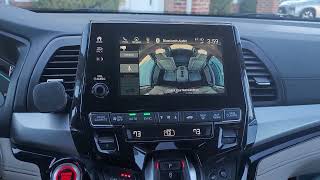
Before assuming the camera is bad, try rebooting the infotainment system. Press and hold the audio power button for a few seconds until it prompts you to reboot. This can often resolve software glitches causing a blank screen. If the camera has failed or the mirror was damaged, replacement is required. The camera is part of the mirror assembly. The most important step after replacement is calibration.
LaneWatch Calibration (DIY Possible)
Unlike the forward camera, LaneWatch calibration can be done without expensive shop equipment. It requires entering a hidden diagnostic menu on the infotainment screen and using a specific printed target.
- Enter Diagnostic Mode: Press and hold the Power, Menu, and Brightness buttons simultaneously.
- Navigate to LaneWatch Setup: Go to 'Detail Information & Setting', then 'Functional Setup', then 'LaneWatch'.
- Start Aiming: You will need a printed target (search for "Honda LaneWatch aiming target") placed on a stand at a specific distance and height from the passenger door.
- Run Calibration: Follow the on-screen prompts to start the aiming process. You may need to move the target slightly to get it right. When successful, the system will confirm and store the new calibration.
Pro Tip: A dealership may charge $250-$550 for this 15-minute job. Doing it yourself with a $20 printed target and some PVC pipe for a stand can save you hundreds.
🎬 See how to easily calibrate your LaneWatch camera at home.3. Forward-Facing ADAS Camera (2014-2026)
This is the most complex and expensive camera. It is critical for all modern safety features. Failure is common and often presents as a cascade of warning lights.
Symptoms of Failure
- Multiple Warning Lights: The dashboard lights up with errors like "Forward Collision Warning Problem," "Lane Keeping Assist Problem," "Adaptive Cruise Control Problem," and "Road Departure Mitigation System Problem."
- Safety Systems Disabled: None of the ADAS features work.
- Error Code U3000-49: A scan tool will often show this code, which indicates an internal electronic failure of the multipurpose camera unit.
Known Issues
Widespread failures of this camera are reported across many Honda models, including the Odyssey. The issue is typically an internal failure of the camera unit itself. While there is no official recall, class action lawsuits have been investigated due to the frequency and high cost of this safety-related repair.
Warning: Calibration is NOT Optional. Replacing the forward-facing camera is not a simple swap. The new camera MUST be professionally calibrated for the safety systems to function correctly. Driving without proper calibration is dangerous, as the car may not brake—or may brake unexpectedly—when it shouldn't.
Replacement & Calibration
While physically swapping the camera unit behind the mirror is easy, the calibration process is not a DIY job. It requires:
- Static Calibration: Using specific targets placed in front of the vehicle at precise distances and a high-end diagnostic scan tool.
- Dynamic Calibration: A specific, on-road driving procedure where the camera learns its environment. This requires driving at a certain speed on well-marked roads.
This process must be done by a dealership or a qualified independent shop with ADAS service equipment. The high cost of this repair is largely due to the labor and specialized equipment for calibration.
Buying a Used Video Camera
Purchasing a used camera can offer significant savings, but it's important to know what to look for.
- Verify the Part Number: The Odyssey uses many different cameras. Match the part number from your old camera exactly. A camera from a different trim level or year may not be compatible.
- Inspect the Lens: For any camera, ensure the lens is clear, unscratched, and shows no signs of internal moisture or hazing.
- Check the Connector: Make sure the electrical connector and any pigtail wiring are intact and free of corrosion or damage.
- Rear-View Camera: These are generally safe to buy used. Given the high failure rate, look for one from a lower-mileage, later-model-year vehicle if possible.
- LaneWatch Camera: Safe to buy used, but be aware you will need to perform the calibration procedure.
- Forward ADAS Camera: Buy with caution. A used ADAS camera will still require professional calibration, adding significant cost. Only buy from a reputable recycler who guarantees the part is functional. An already-faulty used camera (with the common U3000-49 internal error) will still fail calibration, wasting your time and money.
Cost Comparison
| Camera Type | New OEM Price | New Aftermarket Price | Used OEM Price | Shop Labor Cost (Install & Calibrate) |
|---|---|---|---|---|
| Rear-View Backup Camera | $110 - $165 | $95 - $120 | $50 - $100 | $95 - $140 (Install only) |
| LaneWatch Side Camera | $400 - $600 | Not Common | $150 - $250 | $250 - $550 (Includes calibration) |
| Forward ADAS Camera | $300 - $1,000+ | Not Available | $200 - $400 | $500 - $1,500+ (Includes complex calibration) |
Frequently Asked Questions (FAQ)
Why did my camera stop working after the battery died or was replaced?
Low voltage can cause electronic modules to act up. For the LaneWatch or backup camera, first try rebooting the infotainment system by holding the audio power button. For the forward ADAS camera, a persistent fault after a power issue may indicate the camera has failed and needs replacement.
Do I need to calibrate a replacement backup camera?
No. The standard tailgate-mounted rear-view camera does not require any special calibration after installation. It is a plug-and-play replacement.
Why is the dealer quoting over $1,500 to replace my forward camera?
The cost is high due to two factors: the OEM camera part is expensive, and the mandatory static and dynamic calibration process requires several hours of labor and specialized, expensive equipment that most standard shops do not own.
Can I upgrade my Odyssey to add LaneWatch or Forward Collision Warning?
This is generally not feasible. It would require adding the camera, a new wiring harness, and potentially different control modules and software. The cost and complexity would be far greater than the value of the feature.
Helpful Videos


Technical Specifications
OEM Part Numbers: 39530-THR-A23 39530-THR-A12 36580-TK8-A01 36160-THR-A23 36163-THR-A01 36163-THR-A02 36800-THR-A01 36800-THR-A02 36150-TK8-A01 36150-TK8-A02
System type (Rear-View, LaneWatch, Forward ADAS) and specific vehicle trim/year are the primary specifications. Compatibility must be verified by exact OEM part number.
We Have This Part in Stock



The information in this article is provided for general reference and educational purposes only. Vehicle specifications, procedures, and part compatibility can vary by production date, trim level, and region. Always consult your vehicle's factory service manual and verify part numbers before purchasing or performing repairs. Safety-critical components such as airbags, seat belts, and braking systems should be installed by a qualified professional.
- Honda Odyssey:
- 🎬 Helpful Videos
- 🛍️ Shop This Part
- Understanding Your Odyssey's Camera Systems
- 1. Rear-View Backup Camera (2014-2026)
- Symptoms of Failure
- Known Issues, Recalls, and TSBs
- Replacement & Cost
- 2. LaneWatch Side Camera (2014-2017)
- Symptoms of Failure
- Diagnosis and Replacement
- LaneWatch Calibration (DIY Possible)
- 3. Forward-Facing ADAS Camera (2014-2026)
- Symptoms of Failure
- Known Issues
- Replacement & Calibration
- Buying a Used Video Camera
- Cost Comparison
- Frequently Asked Questions (FAQ)
- 🎟️ Get 5% Off