

2015-2025 Honda CR-V Camera Guide: Fixing Backup, ADAS & LaneWatch Issues
This guide explains the different camera systems on your CR-V, common problems like a blurry or black screen, and what to know before buying a replacement.
- The CR-V uses three different camera systems (Rear, Forward ADAS, LaneWatch) that are not interchangeable. Always verify your part number before buying.
- The most common backup camera failure is a permanently blurry image from internal moisture; the only fix is replacement.
- Replacing the forward-facing ADAS camera or Blind Spot sensors REQUIRES professional calibration, which can cost $300-$550 or more.
- On 2023-2025 models, a black-and-white backup camera image is a known issue often caused by the infotainment unit, not the camera itself.
Identifying Your CR-V's Camera System

Before diagnosing a problem or buying a part, it's essential to know which camera system your CR-V has and which one is failing. These vehicles can be equipped with up to three distinct camera systems, plus related radar sensors that are often confused with cameras.
- Rearview Backup Camera: Located on the rear liftgate, standard on all trims. Provides a view behind the car when in reverse. Higher trims (EX, EX-L, Touring) have a multi-angle version, while the base LX has a single-view camera.
- Forward-Facing ADAS Camera: A single (monocular) camera mounted high on the windshield near the rearview mirror. It's part of the Honda Sensing suite and controls features like Lane Keeping Assist (LKAS), Adaptive Cruise Control (ACC), and Collision Mitigation Braking System (CMBS).
- LaneWatch Camera: A small camera on the bottom of the passenger-side (right) exterior mirror. It activates with the right turn signal to show the vehicle's blind spot on the main infotainment screen.
- Blind Spot Information (BSI) Sensors:
Note: These are radar sensors, NOT cameras. They are located behind the left and right corners of the rear bumper cover and trigger a warning light in the side mirrors. They are a common point of confusion but are a completely different system.
1. Rearview Backup Camera (2015-2025)

This is the most commonly replaced camera. Failures are frequent, but replacement is typically straightforward.
Symptoms of a Failing Backup Camera
- Blurry or Cloudy Image: The most common failure. Moisture penetrates the camera's seal over time, causing a permanently foggy or distorted image that cannot be fixed by cleaning the outer lens.
- Black or Blue Screen: The screen goes black, blue, or displays a 'No Signal' message when you shift into reverse. This can indicate a failed camera, a loose connection, or a blown fuse.
- Flickering or Intermittent Image: The image cuts in and out. This is often caused by a loose wire or a failing connection in the wiring harness that runs through the liftgate.
- Image is Black and White: On 2023-2025 models, a widespread issue causes the camera image to display only in black and white. Research suggests this is often a fault in the main audio/infotainment unit, not the camera itself.
- Camera Stays On While Driving: In some cases, a faulty reverse signal switch can cause the backup camera and reverse lights to activate while driving forward.
Known Issues & Recalls
There are no specific recalls for the backup camera itself, but many owners report issues. The black-and-white screen problem on 2023-2025 models is a known issue that Honda has investigated; dealer solutions often involve replacing the entire infotainment/audio unit under warranty. For older models, the primary known issue is moisture intrusion leading to a cloudy lens.
Replacement & Installation
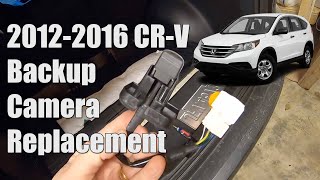
Replacing the rear backup camera is a common DIY job.
- Difficulty: 2 out of 5
- Time: 20-45 minutes
- Procedure: The process involves removing the plastic interior trim panel from the liftgate to access the camera. The camera is typically held in by a few small bolts or clips and has a single electrical connector. After swapping the camera, you simply reinstall the trim panel. 🎬 Watch this step-by-step guide to replacing your backup camera.
- Calibration: For most model years, a replacement backup camera is plug-and-play and does not require calibration.
2. Forward-Facing ADAS Camera (Honda Sensing)

This camera is critical for safety systems. Its replacement is more complex and expensive due to mandatory calibration.
Warning: This camera CANNOT be replaced without professional calibration. After installation, the camera must be precisely aimed using special targets and diagnostic software to ensure the safety systems function correctly. Failure to calibrate can lead to dangerous, unexpected behavior from the Lane Keeping Assist or automatic braking systems.
Symptoms of a Failing ADAS Camera
- Multiple warning lights on the dashboard, such as 'Lane Keeping Assist Problem,' 'Adaptive Cruise Control Problem,' or 'Collision Mitigation System Problem.'
- Honda Sensing features become disabled and cannot be activated.
- The vehicle may display a general 'Camera System Problem' error message.
Replacement & Calibration
While the physical camera swap is simple, the required calibration is not a DIY task.
- Difficulty: 4 out of 5 (due to calibration)
- Procedure: The camera is located behind the plastic housing around the rearview mirror. After disconnecting the battery, this housing is removed, the camera is unplugged and unclipped from its bracket, and the new one is installed.
- Calibration: The vehicle must be taken to a dealer or a qualified auto glass/ADAS repair shop. They will set up specific targets in front of the vehicle and use a diagnostic tool to aim the camera. This process can cost between $300 and $550. 🎬 Watch how professionals calibrate the front-facing ADAS camera system.
3. LaneWatch Camera (Passenger-Side Mirror)

This feature was available on many EX, EX-L, and Touring trims but was phased out on the newest generation CR-V in the North American market. Failure is less common than the backup camera.
Symptoms of a Failing LaneWatch Camera
- The screen remains blank or black when the right turn signal is activated or the LaneWatch button is pressed.
- A 'Camera System Problem' message appears.
- The image is distorted or unavailable.
Pro Tip: If your LaneWatch camera screen is black, try rebooting the infotainment system first. Press and hold the audio system's power/volume knob for several seconds until the system prompts you to reboot. This software reset can often restore camera function without any repairs.
Replacement & Calibration
Replacement requires some disassembly of the passenger mirror. Unlike the forward ADAS camera, aiming can sometimes be done as a DIY project.
- Difficulty: 3 out of 5
- Procedure: The mirror glass and housing must be carefully removed to access and replace the camera module.
- Calibration (Aiming): After replacement, the LaneWatch camera requires aiming to ensure the on-screen distance guidelines are accurate. This involves entering the infotainment system's diagnostic menu and using a specific printed target placed at a measured distance from the vehicle. While dealers charge for this, DIY guides and printable targets are available in owner forums. 🎬 See how to calibrate your LaneWatch camera at home.
Buying a Used Video Camera for Your CR-V
Purchasing a used OEM camera can be a cost-effective solution, especially for the more expensive ADAS and LaneWatch units. However, there are important things to check.
- Verify the Part Number: This is the most critical step. Honda used many different part numbers, even within the same model year. Match the part number from your original camera exactly. A camera from a different trim level or year may not work.
- Inspect the Lens (Backup & LaneWatch): For backup and LaneWatch cameras, carefully inspect the lens for any signs of haziness, yellowing, or a milky ring around the edge. This indicates moisture has gotten inside, and the camera will produce a blurry image. Do not buy a camera with any internal lens cloudiness.
- Check the Connectors: Ensure the electrical connector and pins are clean, straight, and free of corrosion. Damaged pins are a major red flag.
- Check the Mounting Points (ADAS Camera): For the forward-facing camera, inspect the plastic mounting tabs and bracket. If they are cracked or broken, the camera will not sit correctly and may never calibrate properly.
- Why Used OEM is Often Better: For the forward ADAS and LaneWatch cameras, a used OEM unit is often more reliable than a cheap new aftermarket part. These systems are sensitive, and an OEM camera is designed to work perfectly with the vehicle's software and calibration procedures. For the simpler backup camera, a quality new aftermarket unit can be a good alternative to used.
Cost Comparison (2015-2025 Honda CR-V Cameras)
| Part | New OEM | New Aftermarket | Used OEM | Shop Labor (Install & Calibrate) |
|---|---|---|---|---|
| Rearview Backup Camera | $190 - $250 | $50 - $190 | $75 - $150 | $75 - $150 (Install only) |
| Forward ADAS Camera | $550+ | Not Recommended | $150 - $400 | $400 - $700 (Install + Mandatory Calibration) |
| LaneWatch Camera | $400 - $600 | $100 - $250 | $100 - $200 | $250 - $550 (Install + Aiming) |
| BSI Radar Sensor (Not a camera) | $700 - $1,050+ | Not Available | $200 - $500 | $300 - $400 (Install + Calibration) |
Frequently Asked Questions (FAQ)
Why does my screen say 'Camera System Problem'?
This generic error can be caused by a failure in any of the camera systems. It could be a faulty camera, a loose wiring connection, or a software glitch. The first step is to try rebooting the infotainment system. If the error persists, a diagnostic scan is needed to identify which part of the system is reporting a fault.
Do I need to calibrate a replacement backup camera?
Generally, no. For most 2015-2025 CR-V models, the rear backup camera is a plug-and-play part that does not require any special calibration after installation. The systems that require mandatory calibration are the forward-facing ADAS camera and the LaneWatch side camera.
Can I upgrade my base LX backup camera to the multi-angle camera from an EX?
No, this is not a simple plug-and-play swap. The multi-angle camera system uses different software and wiring within the infotainment unit. Attempting to install a multi-angle camera on an LX model that was not equipped with it from the factory will likely result in it not functioning.
My backup camera image is cloudy. Can I clean it?
If the outside of the lens is dirty, cleaning it with a soft cloth will help. However, the common problem on these cameras is moisture getting inside the sealed unit, causing the *internal* part of the lens to become foggy. This cannot be cleaned or repaired. The only solution for an internally cloudy camera is to replace the entire camera unit.
Helpful Videos



Technical Specifications
OEM Part Numbers: 39530-TLA-A01 39530-TLA-A11 39530-TLA-A51 36163-TLA-A10 36163-TLA-A11 36163-TLA-A12 36163-TLA-A13 36163-TLA-A14 36163-TLA-A15 36163-TLA-A17 36163-TPG-A12 36803-TLA-A06 36935-TLA-A21 8S411-3A0-A21
System types include rearview backup camera, forward monocular ADAS camera, passenger-side LaneWatch camera, and rear bumper-mounted BSI radar sensors. Systems operate on the vehicle's 12V DC power. Forward ADAS and BSI systems require professional static or dynamic calibration after replacement.
We Have This Part in Stock



The information in this article is provided for general reference and educational purposes only. Vehicle specifications, procedures, and part compatibility can vary by production date, trim level, and region. Always consult your vehicle's factory service manual and verify part numbers before purchasing or performing repairs. Safety-critical components such as airbags, seat belts, and braking systems should be installed by a qualified professional.
- Honda CR-V:
- 🎬 Helpful Videos
- 🛍️ Shop This Part
- Identifying Your CR-V's Camera System
- 1. Rearview Backup Camera (2015-2025)
- Symptoms of a Failing Backup Camera
- Known Issues & Recalls
- Replacement & Installation
- 2. Forward-Facing ADAS Camera (Honda Sensing)
- Symptoms of a Failing ADAS Camera
- Replacement & Calibration
- 3. LaneWatch Camera (Passenger-Side Mirror)
- Symptoms of a Failing LaneWatch Camera
- Replacement & Calibration
- Buying a Used Video Camera for Your CR-V
- Cost Comparison (2015-2025 Honda CR-V Cameras)
- Frequently Asked Questions (FAQ)
- 🎟️ Get 5% Off