

2011-2020 Honda Accord Camera Guide: Backup, LaneWatch & Honda Sensing Issues
Diagnosing and replacing the various cameras in your 9th or 10th generation Honda Accord, from a flickering backup camera to complex Honda Sensing errors.
- The 2011-2020 Accord uses three different cameras: rear backup, passenger-side LaneWatch, and a forward-facing Honda Sensing camera.
- A black backup camera screen is often caused by broken wires in the trunk lid harness, not a bad camera. Check wiring first.
- The forward-facing Honda Sensing camera ALWAYS requires expensive, professional calibration after replacement or windshield removal.
- A software recall (NHTSA 18V-777) affects the 2018 Accord's backup camera, and a major NHTSA investigation is open for 'phantom braking' on 2018-2020 models.
Understanding the Different Cameras in Your Accord

The term 'video camera' on a 2011-2020 Honda Accord can refer to three distinct parts, each with its own function, common problems, and replacement requirements. It is crucial to identify which camera your vehicle has and which one is failing before purchasing a replacement. The two main generations in this period, the 9th Gen (2013-2017) and 10th Gen (2018-2020), offered these cameras on different trim levels.
1. Rear Backup Camera (All Generations)
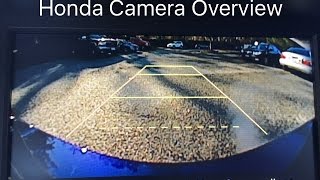
This is the most common camera, federally mandated on all new vehicles since 2018. It is mounted on the trunk lid and activates when the car is shifted into reverse. Early 9th Gen models offered a single-view camera, while later and higher-trim models featured a multi-angle camera, allowing the driver to select from wide, normal, and top-down views.
🎬 Watch: Overview of different Honda camera views and functions.Symptoms of a Failing Backup Camera:
- Black or Blank Screen: The display shows nothing, or just the guidance lines, when in reverse. This is the most common failure.
- Flickering or Distorted Image: The video feed is unstable, snowy, or flashes between a picture and a black screen.
- "No Signal" Message: The head unit explicitly states it cannot connect to the camera.
- Dim or Foggy Image: The picture is unclear, which could be due to moisture inside the lens or a failing image sensor.
Known Issues and Recalls:
- Wiring Harness Failure: The wires that run from the trunk lid to the body can fatigue and break from repeated opening and closing of the trunk. This is a very common cause of failure and should be checked before replacing the camera itself.
- NHTSA Recall 18V-777 (2018 Accord): A software issue with the audio/navigation unit could prevent the backup camera image from displaying. The fix is a software update performed by a dealer.
- Water Intrusion: The camera seals can fail over time, allowing moisture to enter and damage the internal electronics.
Pro Tip: Before buying a new camera, open the trunk and inspect the black, rubber-covered wiring harness that goes from the trunk lid into the car's body. Gently peel back the rubber and check for broken or frayed wires. Repairing a broken wire is much cheaper than replacing the camera.
2. LaneWatch Camera (9th & 10th Gen, Trim Dependent)
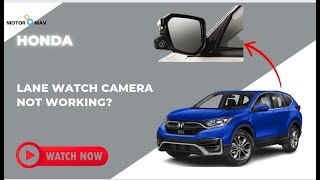
Found on EX, EX-L, and Touring trims of certain years, the LaneWatch camera is located in the housing of the passenger-side mirror. It activates when the right turn signal is used (or by pressing a button on the stalk), displaying a view of the passenger-side blind spot on the main infotainment screen.
Symptoms of a Failing LaneWatch Camera:
- Black Screen on Right Signal: The screen goes black or shows an error instead of the camera view when the right turn signal is activated.
- Flickering or Poor Image Quality: Similar to the backup camera, the image may be unstable or unclear.
- Does Not Activate: The system does not turn on at all, either with the turn signal or the manual button.
Known Issues and Calibration:
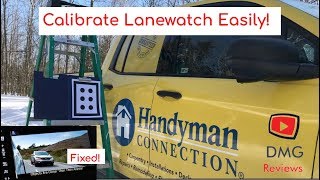
- Aiming Required: If the passenger mirror or the LaneWatch camera itself is replaced, the system requires a specific 'aiming' or calibration procedure. Without this, the distance markers on the screen will be inaccurate or the system may not function at all.
- DIY Calibration: It is possible to perform the aiming procedure at home. It involves entering a diagnostic menu on the infotainment screen and placing a specific printed target at a measured distance from the car.
- Connector Issues: Damage to the passenger mirror can also damage the camera's wiring connector inside the mirror housing, leading to a failure even if the camera itself is intact.
3. Forward-Facing Camera (Honda Sensing / ADAS)
This camera is mounted high on the windshield, behind the rearview mirror. It is a critical component of the Honda Sensing suite, which includes features like Forward Collision Warning (FCW), Collision Mitigation Braking System (CMBS), Lane Keeping Assist System (LKAS), and Road Departure Mitigation (RDM). It works in conjunction with a radar sensor often located in the front grille emblem.
Symptoms of a Failing Forward-Facing Camera:
- Multiple Warning Lights: A failure will typically trigger a message on the dash like "Some Driver Assist Systems Cannot Operate" and illuminate warnings for ACC, LKAS, and Collision Mitigation. 🎬 Watch: Troubleshooting the 'Driver Assist Systems Cannot Operate' warning.
- Features Don't Work: Adaptive Cruise Control, Lane Keeping Assist, and other related features will be disabled.
- Phantom Braking: In some cases, a malfunctioning system can cause the car to brake unexpectedly, believing an obstacle is present when there is not. This is a serious safety concern.
Warning: The forward-facing camera system is a critical safety component. Replacement and calibration should not be taken lightly. An improperly calibrated camera can cause features to work incorrectly or fail in an emergency.
Known Issues and Recalls:
- NHTSA Investigation (PE22-002, EA24-003): NHTSA has opened and upgraded an investigation into 'phantom braking' on millions of Hondas, including the 2018-2022 Accord. This involves the Collision Mitigation Braking System activating unexpectedly. As of early 2026, this has led to a lawsuit but not yet a recall for this specific issue.
- Calibration Required: This camera ALWAYS requires professional calibration after replacement. Calibration is also required after a windshield replacement, a wheel alignment, or if the camera is removed for any reason. This procedure uses special targets and a scan tool and is not a DIY job.
- Environmental Obstructions: The system can be temporarily disabled by a dirty windshield, heavy rain, snow, fog, or even high internal temperatures, which will trigger a "Radar Obstructed" or "Camera Temperature Too High" message. This is normal operation and should resolve when conditions improve.
Buying a Used Honda Accord Video Camera

Purchasing a used OEM camera can be a great way to save money, especially compared to new dealer prices. However, there are important factors to consider.
What to Check Before You Buy:
- Verify the Part Number: This is the most critical step. Due to the wide variety of cameras, you must match the part number from your original camera. A camera from a different trim or year may physically fit but will not work electronically. The provided OEM part numbers (e.g., 36150-T2A-xxx for 9th Gen backup, 36163-TVA-xxx for 10th Gen forward) are a starting point, but always confirm with your specific vehicle.
- Inspect the Lens: Check for deep scratches, hazing, or any signs of water intrusion (a foggy appearance inside the lens). A clear, scratch-free lens is essential for a good picture.
- Check the Connectors and Wiring: Ensure the electrical connector pins are straight and not corroded. For backup cameras, check the short wiring pigtail for any cuts or damage.
- Ask About the Source Vehicle: If possible, know the mileage of the vehicle the part came from. A lower-mileage part is generally preferable. For forward-facing cameras, it's crucial to know if it came from a vehicle that had a frontal impact, which could have damaged the delicate internal components.
- Understand Calibration Needs: When buying a used forward-facing or LaneWatch camera, factor in the cost of professional calibration. A cheap used part is not a good deal if the calibration costs hundreds of dollars.
Cost of Replacement

Prices can vary significantly based on the type of camera and whether you choose new, used, or aftermarket.
| Part | New OEM | New Aftermarket | Used OEM | Shop Labor (Install) | Shop Labor (Calibration) |
|---|---|---|---|---|---|
| Rear Backup Camera | $200 - $400 | $70 - $150 | $50 - $125 | $100 - $200 | N/A |
| LaneWatch Camera | $250 - $500 | $100 - $200 | $75 - $150 | $80 - $150 | $100 - $250 |
| Forward-Facing Camera | $500 - $1000+ | Not Common | $150 - $400 | $150 - $250 | $250 - $600+ |
Frequently Asked Questions

My backup camera screen is black. Is the camera definitely broken?
Not necessarily. The most common causes are a blown fuse, a software glitch that can be fixed by restarting the car, or broken wires in the trunk harness. Always check these simple things first before spending money on a new camera.
Can I install a multi-angle backup camera on my car that only has a single-view one?
This is generally not a simple plug-and-play swap. The vehicle's infotainment system and wiring harness are often different for single-view and multi-view systems. It would require significant rewiring and possibly changing the head unit.
Why did my Honda Sensing system stop working after I got a new windshield?
The forward-facing camera is mounted to the windshield. When the windshield is replaced, the camera must be removed and reinstalled. This process requires the camera to be recalibrated to ensure it is aimed correctly. Reputable glass shops will include this calibration as part of the replacement service.
Can I disable the Honda Sensing features if they are malfunctioning?
Yes, you can temporarily disable features like Lane Keeping Assist and Collision Mitigation through the vehicle's settings menu in the infotainment display. However, this is a temporary fix and does not solve the underlying problem. If the system is giving false warnings, it should be professionally diagnosed.
Helpful Videos

Technical Specifications
OEM Part Numbers: 36150-T2A-A01 36150-T2A-A02 36150-T2A-A03 36150-T2A-A04 36150-T2A-A05 36150-T2A-A06 36163-TVA-A01 36163-TVA-A02 36163-TVA-A03 36163-TVA-A04 36163-TVA-A05 36801-TVA-A17 36803-TVA-A07 36803-TVA-A11 36803-TVA-A12 39530-TVA-A01 39530-T2A-A31 39530-T2A-A21 39530-T2A-A71
Camera systems include rear backup (single or multi-angle), passenger-side mirror LaneWatch, and forward-facing windshield-mounted ADAS camera. Forward-facing camera works with a millimeter-wave radar sensor. Systems require specific aiming and calibration procedures upon replacement.
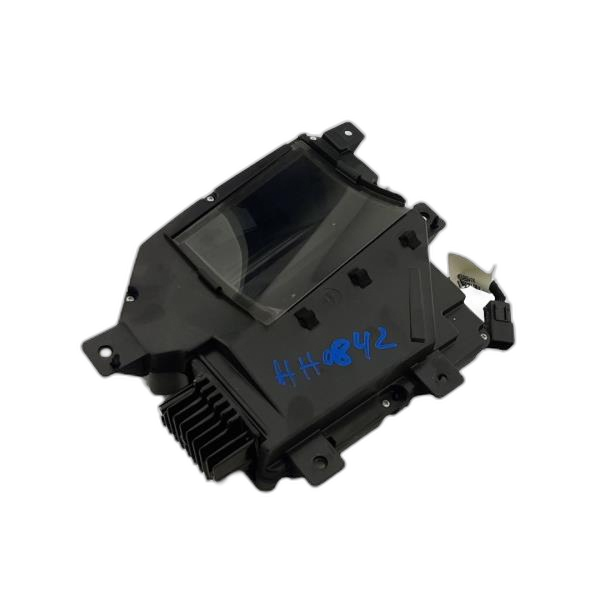
We Have This Part in Stock





The information in this article is provided for general reference and educational purposes only. Vehicle specifications, procedures, and part compatibility can vary by production date, trim level, and region. Always consult your vehicle's factory service manual and verify part numbers before purchasing or performing repairs. Safety-critical components such as airbags, seat belts, and braking systems should be installed by a qualified professional.
- Honda Accord:
- 🎬 Helpful Videos
- 🛍️ Shop This Part
- Understanding the Different Cameras in Your Accord
- 1. Rear Backup Camera (All Generations)
- 2. LaneWatch Camera (9th & 10th Gen, Trim Dependent)
- 3. Forward-Facing Camera (Honda Sensing / ADAS)
- Buying a Used Honda Accord Video Camera
- What to Check Before You Buy:
- Cost of Replacement
- Frequently Asked Questions
- 🎟️ Get 5% Off