

2015-2023 Challenger & Charger Backup Camera: Fixing a Black, Blurry, or Flickering Screen
This guide covers the common causes of rear video camera failure in the Dodge Challenger and Charger, from simple wiring issues to complete camera replacement.
- Before replacing the camera, check for a blown fuse in the trunk and inspect the wiring harness near the trunk hinges for damage, as this is the most common point of failure.
- Symptoms like a flickering screen or the camera working only after opening/closing the trunk strongly indicate a wiring problem, not a bad camera.
- There are no major hardware recalls for this camera on these models; failure is typically due to wear and tear.
- A used OEM camera is a cost-effective, plug-and-play replacement that avoids the potential quality issues of cheap aftermarket parts.
Common Symptoms of a Failing Dodge Backup Camera

When the rear video camera in a 2015-2023 Dodge Challenger or 2022-2023 Dodge Charger begins to fail, the signs are usually obvious on the infotainment screen. Understanding these symptoms can help you diagnose the problem correctly.
- Black or Blue Screen: The most common symptom is a completely black, blue, or blank screen when you shift into reverse. The radio may function normally in all other modes, but it fails to display the camera feed.
- Flickering or Intermittent Image: The video feed may cut in and out, flicker, or work only some of the time. Owners often report that the camera works intermittently, sometimes being fixed temporarily by opening and closing the trunk. This strongly suggests a wiring issue.
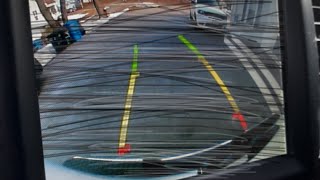
- Blurry, Fuzzy, or Washed-Out Image: The camera may still provide an image, but the quality is poor, making it difficult to see clearly. The image might appear dark, grainy, or washed out, especially in low light. While this can be a sign of the camera sensor failing, it can also be caused by a dirty or hazy lens.
- Inverted or Distorted Image: In some cases of electronic failure, the camera might display an upside-down or otherwise distorted image.
- "Check Surroundings" Message Stays On: The screen displays the standard warning message but never switches to the video feed.
Diagnosing the Problem: Is It the Camera, a Fuse, or the Wiring?

Before spending money on a new camera, it's important to perform a few simple diagnostic steps, as the camera itself isn't always the culprit.
1. Check the Fuses
The first and easiest thing to check is the fuse box. On the Challenger and Charger, the relevant fuse box is located in the trunk, near the battery. Check your owner's manual for the specific fuse numbers, but they are often labeled for the camera or park assist module. For the Challenger, fuses F44 and F45 in the rear fuse block are commonly associated with the camera system. Always visually inspect the fuse and test it with a multimeter if possible, as a fuse can be bad without showing a visible break.
2. Inspect the Trunk Wiring Harness
The most frequent point of failure for the backup camera system on these cars is the wiring harness that runs from the car's body into the trunk lid. Years of opening and closing the trunk can cause the wires inside this harness to fatigue and break. This leads to the intermittent flickering and black screens that many owners experience.
Pro Tip: To test for a wiring issue, put the car in reverse (with the parking brake on and the engine running) to activate the camera. While watching the screen, have a helper gently wiggle the wiring harness where it flexes near the trunk hinge. If the image flickers or cuts out, you've likely found your problem.
🎬 Watch: How to diagnose and fix a flickering backup camera screen.3. Check the Camera Connection
If the fuses and wiring harness seem okay, the next step is to check the electrical connector at the camera itself. You'll need to remove the trunk lid's inner trim panel to access it. This panel is held on by several plastic push clips. Once the panel is off, locate the camera's connector, unplug it, check for any corrosion on the pins, and plug it back in securely. A loose connection can cause many of the same symptoms as a failing camera.
🎬 See this guide for troubleshooting common reverse camera connection issues.Known Issues, Recalls, and Technical Service Bulletins (TSBs)

While Stellantis (Dodge's parent company) has issued numerous recalls for backup camera issues, they primarily affect other models like the Dodge Journey, Ram ProMaster, and newer vehicles with different radio software.
- 2019 Challenger Software Recall (W30-W37): There was a specific recall for some 2019 Dodge Challenger models where a software error could cause the rearview camera image to remain displayed after the vehicle was shifted out of reverse. This was resolved with a free software update from the dealer and does not cause a black screen.
- No Major Hardware Recalls for This Part: As of early 2026, there are no widespread hardware recalls for the camera itself on the 2015-2023 Challenger or 2022-2023 Charger. The most common failure remains the trunk wiring harness, which is considered a wear-and-tear item.
Buying a Used OEM Video Camera for Your Challenger or Charger

If you've determined the camera itself has failed, a used OEM unit is an excellent cost-saving alternative to an expensive new part from the dealer. Here’s what to look for:
- Verify the Part Number: The most critical step is to match the part number. While several numbers exist, ensure the one you buy is compatible with your vehicle's year and model. See the part number reference table below.
- Inspect the Lens: Check the camera lens for deep scratches, haziness, or signs of moisture intrusion behind the lens. A clear, clean lens is essential for good image quality.
- Check the Connector: Look at the electrical connector pins. They should be straight, clean, and free of any green or white corrosion.
- Ask About the Donor Vehicle: If possible, find out the mileage of the vehicle the part came from. A camera from a lower-mileage car is generally preferable. More importantly, ask if the camera was tested and confirmed to be working before removal.
- Why Used OEM is a Good Choice: A used original equipment (OEM) camera is designed to be a perfect plug-and-play fit. It will mount correctly and connect to the factory wiring without modification. Cheaper aftermarket cameras can have lower-quality sensors, poor low-light performance, and may not be as durable or weather-resistant as the factory part.
Warning: The initial data provided included part numbers for Blind Spot Radar Modules (e.g., 68245862AE, 68303025AB). These are NOT backup cameras. They are sensors located in the rear bumper for the blind spot monitoring system. Ensure you are purchasing the correct video camera that mounts in the spoiler or trunk lid.
Cost to Replace the Rear Video Camera

The cost can vary significantly depending on whether you do the work yourself and the type of part you buy.
| Part/Service | Estimated Cost |
|---|---|
| New OEM Camera (Part Only) | $225 - $325 |
| New Aftermarket Camera (Part Only) | $30 - $100 |
| Used OEM Camera (Part Only) | $75 - $175 |
| Shop Labor Cost | $150 - $250 |
| Total Cost at a Dealership | $350 - $650+ |
Rear Video Camera Replacement Overview
Replacing the camera is a straightforward job that most DIY mechanics can complete in under an hour.
- Open the trunk and remove the inner trim liner by carefully prying out the plastic push clips.
- Disconnect the main wiring harness for the trunk lid components.
- Locate the nuts or screws holding the rear spoiler (Challenger) or trunk finish panel (Charger) and remove them.
- Carefully lift the spoiler/panel to access the camera. Disconnect the camera's electrical connector.
- The camera is typically held in place by two small screws. Remove them and the old camera. 🎬 Watch: Step-by-step spoiler removal and camera installation for your Challenger.
- Install the new camera and reassemble everything in reverse order. No programming or dealer activation is typically required for a direct OEM replacement.
OEM Part Number Reference
Part numbers for these vehicles can supersede over time. The following are known valid numbers for the rear video camera. Always verify fitment for your specific VIN before ordering.
| Part Number | Notes |
|---|---|
| 04672760AC | Common replacement for 2015-2023 Challenger. Supersedes 68354314AA, 68172474AI, and others. |
| 68172474AH | Also listed for 2015-2023 Challenger. |
| 68210236AE | Listed for 2015-2017 Dodge Charger. Later models may use a similar or identical part to the Challenger. |
Frequently Asked Questions (FAQ)
Why is my backup camera screen black?
A black screen is most often caused by a blown fuse, a broken wire in the trunk lid harness, a loose connection, or a completely failed camera. Start by checking the fuses in the trunk, then inspect the wiring harness for damage where it flexes.
Why does my backup camera flicker?
Flickering is almost always a sign of a poor electrical connection. The most likely cause is a wire that is beginning to break inside the flexible trunk lid harness. Wiggling the harness while the camera is on can help confirm this diagnosis.
Is there a recall for the backup camera on my Challenger or Charger?
There are no major recalls for camera hardware failure on these specific models and years. A 2019 software recall for the Challenger addressed an issue where the image would stay on too long, not a black screen. Most camera problems are due to wiring fatigue or component failure, which are not covered by a recall.
Do I need to take my car to the dealer to program a new camera?
If you are replacing your failed camera with a direct OEM replacement (new or used), you should not need any programming. The system is designed to be plug-and-play. Dealer activation is sometimes required only when adding a camera to a vehicle that did not have one from the factory.
Helpful Videos


Technical Specifications
OEM Part Numbers: 04672760AC 68354314AA 68172474AH 68172474AI 68210236AE
Mounts in rear spoiler or trunk lid assembly. Connects to the factory wiring harness for display on the Uconnect screen.
We Have This Part in Stock



The information in this article is provided for general reference and educational purposes only. Vehicle specifications, procedures, and part compatibility can vary by production date, trim level, and region. Always consult your vehicle's factory service manual and verify part numbers before purchasing or performing repairs. Safety-critical components such as airbags, seat belts, and braking systems should be installed by a qualified professional.
- Dodge Challenger:
- Dodge Charger:
- 🎬 Helpful Videos
- 🛍️ Shop This Part
- Common Symptoms of a Failing Dodge Backup Camera
- Diagnosing the Problem: Is It the Camera, a Fuse, or the Wiring?
- 1. Check the Fuses
- 2. Inspect the Trunk Wiring Harness
- 3. Check the Camera Connection
- Known Issues, Recalls, and Technical Service Bulletins (TSBs)
- Buying a Used OEM Video Camera for Your Challenger or Charger
- Cost to Replace the Rear Video Camera
- Rear Video Camera Replacement Overview
- OEM Part Number Reference
- Frequently Asked Questions (FAQ)
- 🎟️ Get 5% Off