

2010-2018 Acura MDX Cameras: Failures, Replacement, and Calibration Guide
This guide clarifies the different camera and radar systems, explains common failures, and details the critical calibration requirements for replacement.
- The forward-facing camera (2014-2018 models) requires mandatory, expensive electronic calibration after replacement, making it not a full DIY job.
- The MDX uses both cameras and radar sensors; be sure to identify the correct part. Forward cameras are for lane-keeping, while radar in the grille is for adaptive cruise.
- Backup camera failure is common, often presenting as a black or fuzzy screen, but is a relatively simple, plug-and-play replacement.
- Always match part numbers exactly when buying a used camera, as different trims and years have incompatible hardware.
Understanding the 'Cameras' on Your 2010-2018 Acura MDX

Before diagnosing a problem, it's essential to know which system you're dealing with. The term 'camera' can be confusing as the MDX uses both cameras and radar sensors for its safety and convenience features.
Camera vs. Radar: A Critical Distinction
Many driver aids that sound like they use cameras actually use radar. Here’s a quick breakdown:
- Video Cameras: These are optical sensors that 'see' the environment. They are used for the Rear-View Camera, Forward-Facing Camera (for Lane Keeping Assist), and the optional Surround-View System.
- Radar Sensors: These use radio waves to detect objects and their distance/speed. They are used for Adaptive Cruise Control (ACC), the Collision Mitigation Braking System (CMBS), and the Blind Spot Information System. These sensors are located behind the front grille emblem and in the rear bumper. The initial part numbers provided in the prompt, such as 36800-STX-A01 and 36931-TZ5-A11, are for these radar modules, not video cameras.
System Breakdown by Generation
- 2nd Generation (2010-2013): The primary camera is the rear-view backup camera. Some models without navigation display the camera feed in the rearview mirror. The forward-facing system for ACC/CMBS on these models uses a radar sensor in the grille, not a camera.
- 3rd Generation (2014-2018): This generation introduced the forward-facing multipurpose camera for the AcuraWatch suite of safety features (LKAS, etc.). It also offered an optional Surround-View system on Advance packages. The backup camera was standard.
Common Symptoms of Camera Failure

Forward-Facing Camera (2014-2018 Models)
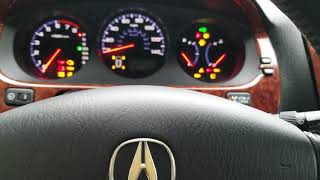
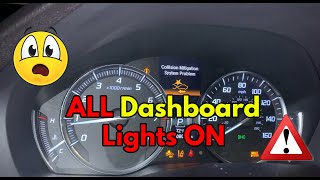
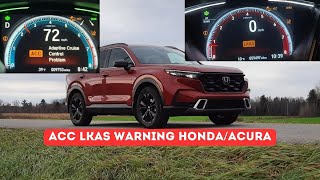
- Dashboard Warning Messages: The most common symptom is a flood of warning lights on the instrument panel. 🎬 Watch: What to do when all your dashboard lights come on. You will likely see errors for "Lane Keeping Assist System (LKAS) Problem," "Collision Mitigation Braking System (CMBS) Problem," and "Adaptive Cruise Control (ACC) Problem" simultaneously.
- Disabled Safety Features: The corresponding systems will stop working. The car will no longer provide steering assistance to stay in the lane, and automatic emergency braking will be inactive.
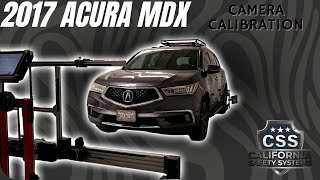
- Internal Failure Code: A common diagnostic trouble code (DTC) associated with a failed camera is U3000-49, indicating an internal electronic failure of the unit. 🎬 See how a technician diagnoses and calibrates a failed front camera.
Rear-View Backup Camera (2010-2018 Models)
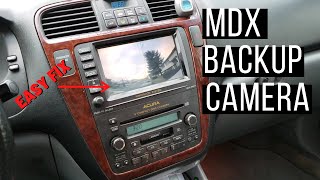
- Black or Blank Screen: When you shift into reverse, the screen is black or may display a message like "Check Tuner". This is a common failure mode.
- Fuzzy or Distorted Image: The image may appear blurry, grainy, or flicker, often getting worse over time before failing completely.
- Intermittent Function: The camera may work sometimes but not others, which can be a sign of a failing camera unit or a loose connection.
Known Issues, TSBs, and Recalls

- TSB 15-027: For 2016 MDX models (and other Acuras), a Technical Service Bulletin was issued for the LKAS not keeping the vehicle in the lane. The cause was an improperly secured wiring harness putting pressure on the forward camera, shifting it out of position. The fix involves repositioning the harness and re-calibrating the camera.
- Tailgate Light Recall (2014-2020): While not a camera recall, a significant recall was issued for moisture entering the tailgate lid light assembly, which could cause various lighting failures. This highlights potential moisture intrusion issues in the tailgate area where the backup camera is also housed.
- Rearview Camera Software Recall (2025 Models): Though outside this generation, Honda has issued recalls for newer MDX models where a software glitch causes the rearview camera image to not display. This indicates a history of software-related camera issues.
Warning: The forward-facing camera requires mandatory electronic calibration after replacement. This is not a DIY-friendly job and adds significant cost.
Buying a Used Acura MDX Camera

Purchasing a used OEM camera can offer significant savings, but it's crucial to verify compatibility and condition to avoid costly mistakes.
1. Match the Part Number Exactly
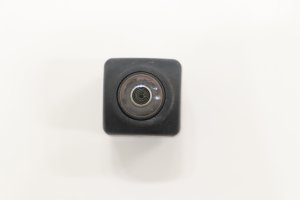
This is the most critical step. Acura used many different camera part numbers depending on the vehicle's year, trim level (Base, Tech, Advance), and installed options (AcuraWatch, Surround View). A camera from a different trim package may not be compatible with your vehicle's software. For example, a forward camera for a base model might have a part number like 36160-TZ6-A04, while a surround-view camera has a different number entirely. Do not purchase a camera based on appearance alone.
2. Inspect the Physical Condition
- Lens: Check the lens for deep scratches, haziness, or internal condensation. A cloudy lens will produce a blurry image.
- Connectors and Housing: Inspect the electrical connector for bent or corroded pins. Ensure all mounting tabs on the housing are intact and not cracked.
- Donor Vehicle History: If possible, find out if the donor vehicle was in an accident. A camera from a vehicle with a heavy front-end impact (for a forward camera) or rear-end impact (for a backup camera) could have hidden damage.
3. Understand the Total Cost (Calibration is Key)
For the forward-facing camera, the job is not finished after the physical installation. The camera is non-functional until it is electronically aimed and calibrated by a dealer or a shop with specialized ADAS equipment. This procedure can cost several hundred dollars and must be factored into your budget. A used camera might save you $500 on the part, but the mandatory $400+ calibration cost makes the total savings less dramatic. The rear-view backup camera is typically plug-and-play and does not require calibration.
4. Used OEM vs. New Aftermarket
For a complex electronic part like the forward camera, a used OEM unit is often a better choice than a cheap new aftermarket one. OEM parts are designed to integrate seamlessly with the vehicle's software. Aftermarket cameras, especially for the forward ADAS system, can cause software conflicts, calibration failures, and unreliable performance. For the simpler backup camera, high-quality aftermarket options are available, but OEM often provides the best image quality and fit.
Replacement & Installation Difficulty
| Component | Difficulty | DIY Feasible? | Key Steps & Notes |
|---|---|---|---|
| Forward-Facing Camera (2014-2018) | 2/5 (Physical Swap), 5/5 (Calibration) | No | Located behind the rearview mirror. The physical swap is simple, involving removing a plastic cover and disconnecting the unit. However, the vehicle is not safely operable until it undergoes mandatory static and dynamic calibration at a dealership or ADAS-certified shop. |
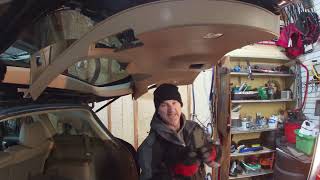
| Rear-View Backup Camera (2010-2018) | 2/5 | Yes | Located in the tailgate handle/trim piece. Requires removing the interior tailgate trim panel 🎬 Watch this step-by-step guide to replacing your rear-view camera. to access the camera's connector and mounting screws. This is a plug-and-play part with no calibration needed. |
Cost Comparison
Prices can vary significantly based on the specific camera and supplier. These are estimates as of early 2026.
| Item | New OEM | New Aftermarket | Used OEM | Shop Labor (Install Only) |
|---|---|---|---|---|
| Forward-Facing Camera (Part) | $400 - $850 | $200 - $400 | $100 - $400 | $100 - $200 |
| Rear-View Camera (Part) | $240 - $350 | $95 - $200 | $75 - $150 | $100 - $200 |
| Forward Camera Calibration (Labor) | $400 - $900+ | |||
Frequently Asked Questions
Why did my LKAS and other safety systems stop working after a windshield replacement?
The forward-facing camera must be removed and reinstalled during a windshield replacement. Acura's official position is that the camera must be recalibrated anytime the windshield is replaced. The precise mounting angle and optical clarity of the glass are critical. If the glass shop did not perform an ADAS calibration, the system will be disabled and display warning lights.
My backup camera image is just a black screen. Is the camera broken?
Most likely, yes. A black screen when shifting to reverse is the most common symptom of a failed backup camera unit. It can sometimes be caused by a wiring issue in the flexible boot between the tailgate and the body, but the camera itself is the more frequent point of failure.
Can I install a camera from a 2017 MDX into my 2014 MDX?
Possibly, but only if the part numbers are an exact match or a verified supersession from Acura. Hardware and software were updated throughout the generation, and using an incompatible camera can result in it not working at all. Always verify part number compatibility before purchasing.
What is the difference between the forward camera and the sensor in the grille?
The forward camera is a video camera behind the windshield used for lane-keeping functions. The sensor in the grille is a milliwave radar unit used for adaptive cruise control and collision mitigation braking. The two components work together, but they are separate parts that can fail independently.
Helpful Videos
Technical Specifications
OEM Part Numbers: 36800STXA01 36800STXA02 36931-TZ5-A11 36931TZ5A11 36931TZ5A21 36936TZ5A21 39530-STX-A11 39530-TZ5-A11 36160-TZ6-A04 36560-TZ5-A02
System types include: Forward-Facing Monocular Camera (for ADAS), Rear-View Camera, and Multi-View/Surround-View Cameras (optional). These are distinct from the Milliwave Radar sensors used for ACC/CMBS and Blind Spot Monitoring.
We Have This Part in Stock



The information in this article is provided for general reference and educational purposes only. Vehicle specifications, procedures, and part compatibility can vary by production date, trim level, and region. Always consult your vehicle's factory service manual and verify part numbers before purchasing or performing repairs. Safety-critical components such as airbags, seat belts, and braking systems should be installed by a qualified professional.
- Acura MDX:
- 🎬 Helpful Videos
- 🛍️ Shop This Part
- Understanding the 'Cameras' on Your 2010-2018 Acura MDX
- Camera vs. Radar: A Critical Distinction
- System Breakdown by Generation
- Common Symptoms of Camera Failure
- Forward-Facing Camera (2014-2018 Models)
- Rear-View Backup Camera (2010-2018 Models)
- Known Issues, TSBs, and Recalls
- Buying a Used Acura MDX Camera
- 1. Match the Part Number Exactly
- 2. Inspect the Physical Condition
- 3. Understand the Total Cost (Calibration is Key)
- 4. Used OEM vs. New Aftermarket
- Replacement & Installation Difficulty
- Cost Comparison
- Frequently Asked Questions
- 🎟️ Get 5% Off