

2021-2025 Tesla Model X Connectivity Module: Bluetooth, LTE, and Replacement Programming
Diagnose lost LTE, Bluetooth, or GPS in your Tesla Model X and understand the critical software programming required for any replacement.
- Replacement is NOT plug-and-play; mandatory software programming using Tesla's proprietary Toolbox 3 is required.
- A DIYer cannot complete this repair. A visit to Tesla Service or a specialized independent shop is necessary for the final software steps.
- Symptoms include loss of LTE, GPS, Bluetooth, and mobile app connectivity, but the car will remain drivable.
- The part number 1613774-90-C is confirmed to fit both 2021+ Model X and Model S vehicles.
Symptoms of a Failing Vehicle Connectivity Module


A problem with the connectivity module can manifest in several ways, as it controls multiple communication systems. You may not get a single clear warning, but rather a collection of strange electrical issues. Common symptoms include:
- No Internet Connection: The most common symptom is the loss of the LTE icon on the touchscreen, often replaced with a message like "No Connectivity." This prevents access to live traffic data, satellite maps, and music streaming services.
- GPS Malfunctions: The vehicle may show an incorrect location, fail to find a GPS signal, or navigation may become unresponsive.
- Bluetooth Connection Problems: Difficulty pairing a phone, frequent disconnections, or the inability for the car to recognize your phone as a key (a BLE, or Bluetooth Low Energy, function) can point to a module issue.
- Mobile App Failure: You may be unable to connect to your vehicle using the Tesla mobile app, preventing you from checking charge status, pre-conditioning the cabin, or using other remote features.
- Slow or Unresponsive Touchscreen: While many issues can cause a slow screen, a failing connectivity module can contribute by being unable to load data for maps and media.
- Software Update Failures: The car may be unable to detect or download over-the-air (OTA) software updates.
Pro Tip: Before assuming the hardware has failed, perform a soft reboot of the infotainment system by holding down both scroll wheels on the steering wheel until the screen turns black. This simple step resolves many temporary software glitches that can mimic hardware failure.
Known Issues, Recalls, and TSBs
As of mid-2024, there are no widespread recalls or Technical Service Bulletins (TSBs) specifically for the failure of the connectivity module or part number 1613774-90-C on the 2021-2025 Tesla Model X. Most recalls for these model years pertain to airbag systems, software logic for safety systems, or other components. It is important not to confuse current issues with the well-known eMMC memory failure that affected pre-2018 Model S and X vehicles; the 2021+ models use a different hardware architecture.
Buying a Used Vehicle Connectivity Module
This is one of the most critical sections for anyone considering this repair. Unlike a mechanical part, a used connectivity module has significant risks and requirements.
- Verify the Part Number: Your primary goal is to match the part number exactly. The known OEM part number is 1613774-90-C. This part is used in both the 2021+ Model S and Model X, so finding a used unit is feasible.
- Physical Inspection: When buying used, inspect the part for any signs of physical damage, especially to the connectors. Water damage or bent pins will render the part useless.
- The Programming Problem: A used module is not plug-and-play. It is electronically tied to the vehicle's configuration. Simply swapping the hardware is not enough to restore function. The car's firmware must be reinstalled or reconfigured for the new module to be recognized and activated.
- Why Used OEM is the Only Option (Besides New): There are no mainstream aftermarket manufacturers for these complex, software-integrated Tesla modules. Your only options are a new part from Tesla or a used OEM part. Given the mandatory programming, the cost savings of a used part must be weighed against the required labor costs for software configuration.
Warning: Do not purchase a used connectivity module without a clear plan for how you will get it programmed. The physical installation is only half the job.
Replacement and Programming Requirements

Physically replacing the connectivity board is a complex but documented procedure that involves significant disassembly of the dashboard and footwell area to access the main car computer. However, the physical swap is overshadowed by the software requirements.
The Need for Tesla Toolbox 3
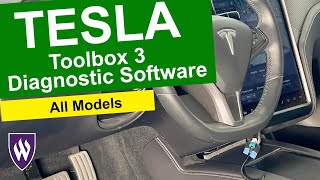
After the new or used module is installed, it must be paired with the vehicle. This is not optional. Tesla's official service procedures explicitly state that a "Firmware Reinstall" must be performed. This action can only be initiated through Tesla's proprietary diagnostic software, Toolbox 3.
🎬 Watch this overview of Tesla's Toolbox 3 software- DIY Feasibility: A DIYer cannot complete this repair and restore full functionality. While you can physically swap the board, you cannot perform the required firmware reinstall without access to Toolbox 3.
- Independent Shops vs. Dealer: An independent repair shop can perform this repair only if they have an active subscription to Tesla's diagnostic software and the necessary interface cables. Many shops do not have this. For most owners, a visit to a Tesla Service Center will be required.
- Vehicle Configuration: The process involves connecting a laptop to the vehicle's diagnostic port and running specific routines that configure the gateway and other modules to recognize the new hardware.
Cost Breakdown for Replacement
The costs can vary significantly based on whether you source the part yourself and the labor rates for programming.
| Item | Estimated Cost | Notes |
|---|---|---|
| New OEM Module (from Tesla) | $200 - $400 (part only) | Price is an estimate; Tesla does not publicly list all component prices. |
| Used OEM Module | $50 - $100 | Commonly available on sites like eBay. Remember this does not include programming. |
| Shop Labor (Installation & Programming) | $300 - $600 | This is an estimate based on forum reports for similar jobs and Tesla's labor rates. The key cost is the software configuration via Toolbox 3. |
| Total Estimated Cost (Tesla Service) | $500 - $800 | This is the most likely all-in cost for a complete and functional repair. |
Frequently Asked Questions (FAQ)
Does the connectivity module need to be programmed after installation?
Yes, absolutely. This is the most important takeaway. The vehicle's firmware must be reinstalled or reconfigured using Tesla's Toolbox 3 software. Without this step, the new module will not function.
Can I replace the connectivity module myself?
While physical replacement is possible for a skilled DIYer, you cannot complete the job. The final, mandatory software programming step requires a Tesla Service Center or a specialized independent shop with a Toolbox 3 subscription.
Will a failing connectivity module stop my car from driving?
No. The core driving controls (steering, acceleration, braking) are managed by different computer systems. A failed connectivity module will disable navigation, entertainment, and remote features, but the vehicle will remain drivable.
Is this the same as the MCU eMMC failure on older Teslas?
No. The eMMC failure was a specific issue with an 8GB memory chip wearing out on the MCU1 computer in pre-2018 vehicles. The 2021-2025 Model X uses a completely different and more robust infotainment computer (MCU-Z with an AMD Ryzen processor), and this connectivity module is a separate component.
My Tesla lost its internet connection. Is my module broken?
Not necessarily. Connectivity loss can be caused by temporary network outages (Tesla uses AT&T in the US), software glitches, or being in an area with no cellular service. Always try a system reboot first. If the problem persists for days across different locations, it may indicate a hardware issue.
Helpful Videos

Technical Specifications
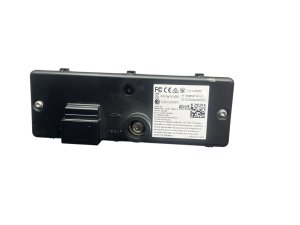
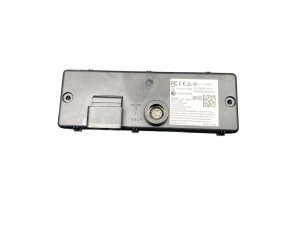
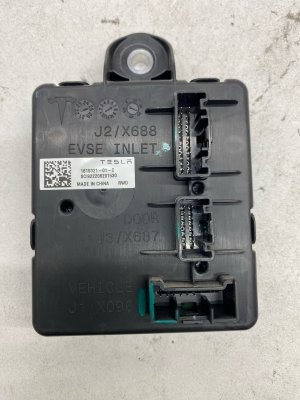
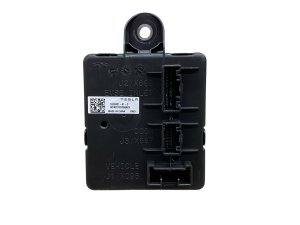
OEM Part Numbers: 1613774-90-C 161377490C
Component of the MCU-Z (Infotainment Computer). Manages Cellular (LTE), Wi-Fi, GPS, and Bluetooth/BLE communications.
We Have This Part in Stock

The information in this article is provided for general reference and educational purposes only. Vehicle specifications, procedures, and part compatibility can vary by production date, trim level, and region. Always consult your vehicle's factory service manual and verify part numbers before purchasing or performing repairs. Safety-critical components such as airbags, seat belts, and braking systems should be installed by a qualified professional.
- Tesla X:
- 🎬 Helpful Videos
- 🛍️ Shop This Part
- Symptoms of a Failing Vehicle Connectivity Module
- Known Issues, Recalls, and TSBs
- Buying a Used Vehicle Connectivity Module
- Replacement and Programming Requirements
- The Need for Tesla Toolbox 3
- Cost Breakdown for Replacement
- Frequently Asked Questions (FAQ)
- 🎟️ Get 5% Off