

2010-2020 Mercedes USB Port Failure: Fixing Intermittent CarPlay & Charging Issues in GLE, GLS, E-Class & More
This guide diagnoses and explains the simple replacement for the faulty center console USB port affecting many 2010-2020 Mercedes-Benz models that causes data and charging problems.
- The most common failure is an intermittent connection that drops out over bumps, which requires replacing the USB module.
- Before replacing the part, always test with a different, high-quality USB cable and restart both your phone and the car's infotainment system.
- Replacement is a very simple DIY task that usually takes less than 30 minutes with only a trim tool.
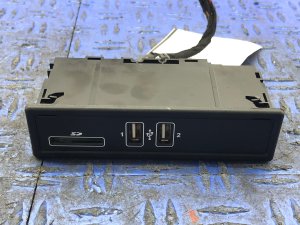
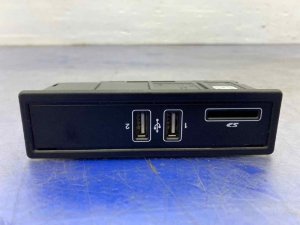
- When buying a used part, visually inspect the inside of the port for a broken or bent plastic tab, as this is a common point of damage.
Symptoms of a Failing Mercedes-Benz USB Port

When the USB port in your Mercedes begins to fail, it can be a significant inconvenience, disabling features like Apple CarPlay, Android Auto, and device charging. Symptoms can range from a completely dead port to frustratingly intermittent issues.
1. Intermittent Connection (Especially Over Bumps)
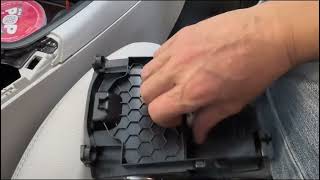
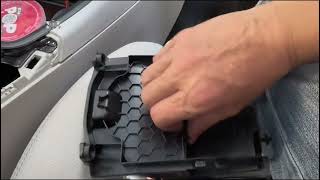
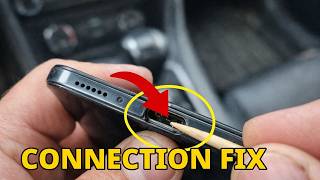
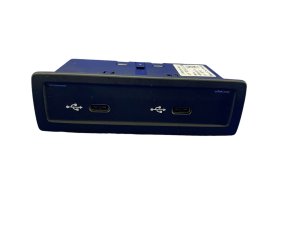
This is the most common symptom. You may notice that Apple CarPlay or Android Auto disconnects and restarts when you drive over a speed bump or if the USB cable is slightly wiggled. This indicates that the internal contacts of the port have become loose or worn out and can no longer maintain a secure connection with the cable. 🎬 See how a loose physical connection causes CarPlay to disconnect. Some owners and technicians note this is a particularly common issue with newer USB-C ports, which can feel weak or loose even from the factory.
2. No Charging or Data Connection
The most obvious sign of failure is a completely dead port. When you plug in a device, nothing happens—no charging indicator on your phone and no recognition from the vehicle's infotainment system. Before assuming the port is bad, always check the fuse first. In some models, like the W212 E-Class, a specific fuse in the trunk fuse box powers the rear USB ports. Also, on units with an adjacent SD card slot, a stray coin can fall in and short-circuit the module's board, causing both ports to fail.
3. Infotainment System Shows "USB Device Unreadable"
Sometimes the port provides power for charging, but the data connection is faulty. The infotainment screen may display an error message like "USB device is unreadable" or fail to launch CarPlay/Android Auto. This points to a failure in the data transfer pins within the port or an issue with the wiring connecting it to the head unit.
4. Physical Damage
The small plastic tab inside the USB port can easily break, especially if a cable is yanked out at an angle. A visual inspection will quickly reveal if this is the problem. Once that tab is broken, the cable cannot make a secure connection, leading to intermittent or total failure.
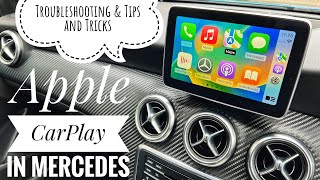
Pro Tip: Many connection problems are not caused by the port itself, but by the USB cable or a software glitch. Always try a different, high-quality, MFi-certified (for Apple devices) cable first. 🎬 Watch this guide for more CarPlay troubleshooting tips and tricks. You can also try restarting your phone and the car's infotainment system. To properly reboot the infotainment system, turn the car off, get out, lock it, and walk away with the key for at least five minutes.
Buying a Used USB Port: What to Check

A used OEM USB port is an excellent, cost-effective alternative to an expensive new part from the dealer. Since this isn't a high-wear mechanical part, a recycled unit from a low-mileage vehicle is often just as reliable as a new one. Here's what to inspect before buying:
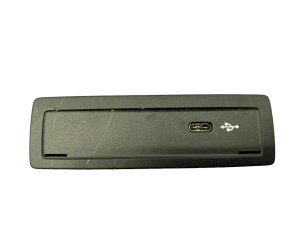
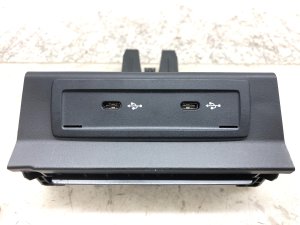
- Verify the Part Number: Mercedes uses several part numbers that look identical but may have different connectors or mounting tabs. Match the part number from your original unit exactly. Common part numbers for this group of vehicles include 1728201600, 1728202000, and 1728202826. Always double-check compatibility for your specific model and year.
- Inspect the Ports Visually: This is the most critical check. Look directly into the USB ports. The internal plastic tab should be straight, centered, and fully intact. There should be no signs of corrosion (green or white powder), bent pins, or debris. If a port looks loose, worn, or damaged, pass on it.
- Check the Rear Connector: Inspect the electrical connector on the back of the module. Ensure the plastic housing isn't cracked or broken and that all the small pins inside are straight and free of corrosion.
- Ask About the Source Vehicle: If possible, find out the mileage of the vehicle the part came from. A part from a lower-mileage car has likely seen less physical use (fewer cable insertions/removals) and is a better bet.
Replacement Difficulty: 1 out of 5

Replacing this USB module is a very straightforward DIY job that typically takes less than 30 minutes and requires only basic tools.
- Difficulty Rating: 1/5 (Beginner)
- Estimated Time: 0.5 hours
- Tools Needed: Plastic trim removal tool, small flathead screwdriver.
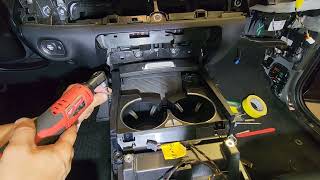
The general process involves using a plastic trim tool to carefully pry up the panel surrounding the USB module in the center console. These panels are usually held in by clips. Once the trim is loose, you can access the module. Disconnect the single electrical wiring harness from the back, then press the release tabs on the side of the module to push it out of the trim piece. The new module simply snaps into place. 🎬 Watch a step-by-step walkthrough of the USB module replacement process. Reconnect the wiring and test the port before snapping the trim panel back down.
Caution: While some online sources suggest there is no fuse for the front USB ports because they are powered by the head unit, others show specific fuse locations for rear ports. It is always worth checking your vehicle's fuse diagram for any fuses labeled "USB," "Media," or "Infotainment" before ordering a new part.
Cost of Replacement
The cost to replace a Mercedes-Benz USB port is relatively low, especially if you do the work yourself.
| Part Type | Estimated Cost |
|---|---|
| New OEM (Dealer) | $60 - $125 |
| New Aftermarket | $25 - $90 |
| Used OEM | $40 - $80 |
| Shop Labor | $50 - $100 |
Frequently Asked Questions
Why does my Apple CarPlay cut out when I hit a bump?
This is the classic sign of a physically worn-out USB port. The internal contacts have become loose and can no longer maintain a secure connection with the cable when subjected to vibration. Replacing the USB port module is the most reliable solution.
Can I replace a broken USB port myself?
Yes, this is a very DIY-friendly repair. Accessing and replacing the module typically only requires a plastic trim removal tool and can be completed in under 30 minutes. It is a plug-and-play component with no programming required.
My phone charges, but CarPlay won't connect. Is the port bad?
It could be, but it's more likely a software or cable issue. A USB connection requires pins for both power and data. If the data pins are damaged or there's a software glitch, the phone might charge but not communicate with the car. Before replacing the port, try a new, high-quality cable, restart your phone and the car's infotainment system, and ensure your phone's software is up to date.
Are all the USB ports in the car the same?
No. In many Mercedes models, only specific USB ports are connected for data transfer (Apple CarPlay/Android Auto). These are often marked with a smartphone or tablet symbol. Other ports in the car may be for charging only. If CarPlay isn't working, make sure you are plugged into the correct data-enabled port as specified in your owner's manual.
Helpful Videos
Technical Specifications
OEM Part Numbers: 1728201600 1728202000 1728202826 A1728202000
A properly functioning port should supply approximately 4.40V – 5.25V. The module is typically located in the center console and connects via a single wiring harness.
We Have This Part in Stock

The information in this article is provided for general reference and educational purposes only. Vehicle specifications, procedures, and part compatibility can vary by production date, trim level, and region. Always consult your vehicle's factory service manual and verify part numbers before purchasing or performing repairs. Safety-critical components such as airbags, seat belts, and braking systems should be installed by a qualified professional.
- Mercedes-Benz GLS-Class:
- Mercedes-Benz GLE-Class:
- Mercedes-Benz CLA-Class:
- Mercedes-Benz GL-Class:
- Mercedes-Benz CLS-Class:
- Mercedes-Benz E-Class:
- Mercedes-Benz GLA-Class:
- Mercedes-Benz M-Class:
- Mercedes-Benz SL-Class:
- Mercedes-Benz SLC-Class:
- Mercedes-Benz SLK-Class:
- 🎬 Helpful Videos
- 🛍️ Shop This Part
- Symptoms of a Failing Mercedes-Benz USB Port
- 1. Intermittent Connection (Especially Over Bumps)
- 2. No Charging or Data Connection
- 3. Infotainment System Shows "USB Device Unreadable"
- 4. Physical Damage
- Buying a Used USB Port: What to Check
- Replacement Difficulty: 1 out of 5
- Cost of Replacement
- Frequently Asked Questions
- 🎟️ Get 5% Off