

2025 Mazda CX-50 USB Port: Fixing Connection Problems and Part Guide
This guide covers common connection issues, symptoms of failure, and correct part numbers for the 2025 Mazda CX-50's USB ports.
- Compatibility is critical: Gas and Hybrid models use different USB ports. Verify your vehicle's powertrain before ordering.
- Most 'failures' are software issues: Connection problems with Apple CarPlay/Android Auto are common and often fixed with a quality data cable or an infotainment system restart, not a new port.
- There are different parts for front and rear: The rear USB-C module is Part No. K618-66-290 and is easy to replace. The front data port is more complex and tied to firmware.
- Check for recalls, but none are for the USB port: The 2025 CX-50 has recalls for suspension and other items, but not for the USB system.
Symptoms of USB Port Failure

Problems with the USB ports in the 2025 CX-50 can manifest as either a hardware failure or, more commonly, a software or connectivity issue. Before assuming the port itself is bad, it's important to rule out other causes.
1. Intermittent or No Apple CarPlay / Android Auto Connection
This is the most frequently reported issue. You might experience your phone connecting and disconnecting randomly, the infotainment system not recognizing your device at all, or features like maps going blank. 🎬 Watch: Troubleshooting tips for Mazda CarPlay connection issues. Often, this is not a fault of the port's hardware.
- Cable Quality: Low-quality or 'charge-only' cables are a common cause. Always use a high-quality data cable, preferably the one that came with your phone.
- Software Glitches: Many users report that simply restarting their phone or the car's infotainment system resolves the issue. A factory reset of the infotainment system has also been reported as a fix for persistent connection problems.
- Firmware: Connection stability issues are sometimes addressed in Mazda Connect software updates. If problems are persistent, check with a dealer to see if a firmware update is available.
2. No Power or Device Not Charging
If you plug in a device and it doesn't charge, the issue could be simple or complex. First, test the device and cable in a different port or with a different charger to confirm they work. Check the port for any visible debris or dirt and clean it carefully with compressed air. If the port is clean and other ports work, the port itself may have failed internally or a fuse may have blown. Some users have reported ports failing and requiring replacement under warranty.
3. Physical Damage
The port may be physically broken, with a bent or loose connector from repeated or forceful plugging and unplugging. A visual inspection is the best way to diagnose this. If the internal connector is loose or damaged, the entire port module will need to be replaced.
Known Issues, Recalls, and TSBs for 2025 Mazda CX-50

As of early 2026, there are no active recalls or Technical Service Bulletins (TSBs) specifically related to the USB ports on the 2025 Mazda CX-50.
However, several safety recalls have been issued for other components on the 2025 CX-50. It is important to distinguish these from any USB port issues you may be having:
- NHTSA Campaign 25V737000 (Mazda Recall 7925J): Concerns improperly tightened front suspension bolts on both gas and hybrid models, which could lead to suspension separation.
- NHTSA Campaign 24V649000 (Mazda Recall 6824H): Involves a potential malfunction in the forward sensing camera that could disable automatic emergency braking and lane-keep assist.
- Mazda Safety Recall (March 2025): Related to trailer hitch assembly bolts that could loosen over time on certain 2024-2025 models.
These recalls are not related to the vehicle's infotainment or charging systems.
Compatibility Warning: The most critical issue for buyers is part compatibility. USB ports and related console components for GAS models are NOT compatible with HYBRID models. Furthermore, front and rear ports are different parts, and attempting to install a port from a different model (like a CX-90) in the front console may not work due to firmware differences.
Buying a Used 2025 CX-50 USB Port

Buying a used OEM USB port is a great way to save money, as the part is simple and generally reliable. Here’s what to look for:
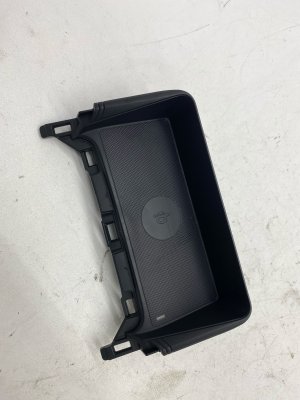
- Verify the Part Number: This is the most important step. The part number for the rear USB-C module is widely cited as K618-66-290. The front data port is part of a larger console assembly, and its individual part number is not easily available. If replacing the front port, you may need to buy the entire console panel assembly. The part number VC85-66-CHXA refers to the console trim panel that includes the wireless charger and is very expensive. Double-check compatibility for your vehicle's specific trim and powertrain (Gas vs. Hybrid).
- Inspect the Connector Pins: Look at both the front (where you plug your cable in) and the back (the wiring harness connector). The pins should be straight, clean, and free of any corrosion or damage.
- Check for Physical Damage: Inspect the plastic housing for cracks or broken mounting tabs. A port that was forcefully removed from a donor vehicle might have damage that prevents it from fitting securely.
- Mileage is Not a Major Factor: Unlike mechanical parts, the mileage of the donor vehicle is not a primary concern for a USB port. The physical condition and lack of damage are far more important.
Installation & Replacement
Installation difficulty varies depending on the location of the port.
Rear Seat USB Port (Difficulty: 1/5)
Replacing the rear USB port module is a very simple DIY job that should take less than 10 minutes.
- The rear console panel (with the air vents) pulls straight off. Use firm, even pressure. Be careful not to pull it too far, as it has wiring attached.
- Disconnect the wiring harness from the back of the USB module.
- Press the two tabs on the side of the old USB module to release it from the panel.
- Push the new module into place until it clicks, reconnect the wiring harness, and snap the console panel back on.
Front Console USB Port (Difficulty: 3/5)
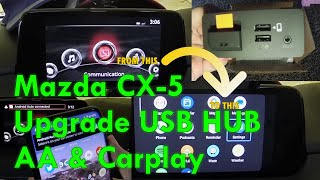
Replacing the main data port in the front console is more involved as it requires removing more trim pieces. While still possible for a DIYer, it requires more care and patience. The exact procedure involves removing the side trim panels of the center console to gain access to the USB hub assembly. 🎬 Watch: This walkthrough shows how to access the USB hub. One user noted that the wiring harness length can be limited, making it tricky to maneuver.
Cost Comparison
| Part/Service | Estimated Cost |
|---|---|
| New OEM (Rear USB-C Module K618-66-290) | $45 - $70 |
| New OEM (Full Console Panel VC85-66-CHXA) | $480 - $570 |
| Used OEM (Rear USB-C Module) | $25 - $50 |
| Shop Labor for Replacement (Rear) | $50 - $100 |
| Shop Labor for Replacement (Front) | $120 - $200 |
Frequently Asked Questions (FAQ)
Why is my phone not connecting with Apple CarPlay / Android Auto?
Before replacing the port, try these steps: 1) Use a high-quality data cable, not a cheap charging cable. 2) Restart your phone and the car's infotainment system. 3) Check for and remove any debris in the USB port and your phone's charging port. 4) Ensure your phone's software and the car's infotainment firmware are up to date.
Can I install a 2025 USB-C port in my older 2023-2024 CX-50?
For the rear seats, yes. The USB-C module (Part No. K618-66-290) from a 2025 model or a CX-90 is reportedly a direct, plug-and-play swap for the older USB-A ports in the rear console. However, for the front data ports, the answer is no. The front hub is tied to the infotainment firmware, and the USB-C hub from newer models is not compatible with the firmware in pre-2025 vehicles.
Is the USB port for the Gas model the same as the Hybrid model?
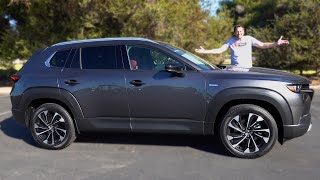
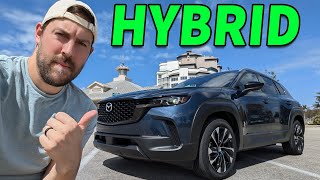
No. Part listings explicitly state that the USB ports and related console components are different between the gas and hybrid powertrains. 🎬 See a hands-on look at the new CX-50 Hybrid tech. You must purchase the correct part for your specific vehicle.
Why do the USB ports charge my phone so slowly?
The built-in USB ports in most cars, including the CX-50, have a limited power output (e.g., 5V/2.5A) and do not support modern fast-charging protocols like Power Delivery (PD). For faster charging, it is recommended to use a high-quality 12V adapter that supports PD plugged into the vehicle's accessory socket.
Helpful Videos
Technical Specifications
OEM Part Numbers: K618-66-290 (Rear USB-C Module, Gas models) VC85-66-CHXA (Console Trim Panel with Wireless Charger, Gas models)
Power Output: Max 12.5 W (DC 5 V, 2.5 A) per port
We Have This Part in Stock


The information in this article is provided for general reference and educational purposes only. Vehicle specifications, procedures, and part compatibility can vary by production date, trim level, and region. Always consult your vehicle's factory service manual and verify part numbers before purchasing or performing repairs. Safety-critical components such as airbags, seat belts, and braking systems should be installed by a qualified professional.
- Mazda CX-50:
- 🎬 Helpful Videos
- 🛍️ Shop This Part
- Symptoms of USB Port Failure
- 1. Intermittent or No Apple CarPlay / Android Auto Connection
- 2. No Power or Device Not Charging
- 3. Physical Damage
- Known Issues, Recalls, and TSBs for 2025 Mazda CX-50
- Buying a Used 2025 CX-50 USB Port
- Installation & Replacement
- Rear Seat USB Port (Difficulty: 1/5)
- Front Console USB Port (Difficulty: 3/5)
- Cost Comparison
- Frequently Asked Questions (FAQ)
- 🎟️ Get 5% Off