

2019-2025 Audi Q3 & RS Q3 Console Switch Panel: Drive Select & Park Assist Issues
This guide covers the common failures, compatibility problems, and critical programming requirements for the center console multi-switch panel in the Audi Q3 and RS Q3.
- This part is a switch panel, not the main traction control module. Its failure affects the buttons for traction control, drive modes, and other features.
- Compatibility is tricky: Part number 83A925301B is used for cars with AND without automatic parking assist. You MUST visually match the buttons on the replacement part to your original.
- This part is subject to Audi's Component Protection. A used or new replacement will not work correctly until it is programmed to your car by a dealer or specialist with online access.
- Software issues can mimic a failed switch. If your Drive Select modes are greyed out, have a technician check for software faults before replacing the hardware.
What is the Center Console Multi-Switch Panel?
Often mistaken for a primary control module, the part number 83A925301B is actually the switch assembly in the center console of the 2019-2025 Audi Q3 and 2020-2022 Audi RS Q3. Think of it as the command center, not the computer. It provides the physical buttons you press to control features like traction control, parking sensors, and drive modes. The actual processing is handled by other modules in the vehicle, but this panel is the critical link between you and those systems.
Symptoms of a Failing Switch Panel
When this switch panel fails, it can cause frustrating and confusing issues. Here are the most common symptoms:
- Unresponsive Buttons: The most obvious sign of failure is when one or more buttons on the panel do not respond when pressed. For example, you might be unable to turn off the traction control system or activate the parking sensors.
- Drive Select Stuck: You may be unable to change the Audi Drive Select mode, or the mode may not change even though the MMI screen indicates it has. In some cases, the Drive Select options may appear greyed out on the MMI screen.
- Intermittent Functionality: Buttons may work sometimes and not others. This can be caused by internal wear, loose connections, or damage from liquid spills.
- Warning Lights: A fault within the switch panel can sometimes trigger warning messages on the instrument cluster, such as "Drive system: malfunction."
Pro Tip: A software glitch can sometimes mimic a hardware failure. On some Audi models, the Drive Select function can become disabled due to a software issue where the system's activation keys are lost. This requires a dealer or specialist with Audi's ODIS diagnostic software to redownload the keys. Before replacing the switch, it's wise to rule out a simple software problem, especially if the Drive Select options are greyed out on the MMI screen.
Known Issues, Recalls, and Technical Service Bulletins (TSBs)
As of mid-2026, there are no specific recalls issued by the National Highway Traffic Safety Administration (NHTSA) for this center console switch panel on the 2019-2025 Audi Q3 or RS Q3. However, several recalls exist for other components on these vehicles, so it is always recommended to check your vehicle's VIN on the NHTSA website for any open campaigns.
While no specific TSBs for this switch panel were found, forum discussions indicate that software issues can cause symptoms that appear to be a faulty switch. For example, some RS Q3 owners have reported a mismatch between the selected drive mode and the mode displayed on the Virtual Cockpit, which was identified as a software bug.
CRITICAL: Component Protection and Programming
This is the most important consideration when replacing this switch panel, especially with a used part. Modern Audi vehicles use a security system called Component Protection (CP). This system links electronic modules to the vehicle's original VIN. If you install a module (even a switch panel) from another vehicle, Component Protection will activate, causing the part to have limited or no functionality.
Warning: A used switch panel will likely trigger Component Protection. To restore full functionality, the part must be adapted to your vehicle by an Audi dealership or an independent specialist with an authorized ODIS diagnostic tool that can connect to Audi's online servers. This procedure, known as "Component Protection removal," cannot be done by most DIY mechanics or local shops.
When purchasing a used switch panel, you must factor in the additional cost and time for a specialist to perform the online adaptation.
Buying a Used Q3 / RS Q3 Switch Panel: What to Look For
Buying a used OEM switch panel is a great way to save money, but careful verification is essential.
- The Part Number Trap: The primary part number is 83A925301B. However, there is significant confusion regarding vehicle options, even under the same part number.
- The Parking Assist Button Conflict: This is the biggest compatibility issue. Some parts distributors list part number 83A925301B as being for vehicles WITH automatic park assist, while others list the exact same part number as being for vehicles WITHOUT it. Do not rely on the part number alone.
- Visually Match the Buttons: The only way to guarantee compatibility is to physically compare the buttons on the replacement part to your original switch panel. Ensure it has the exact same set of buttons (Traction Control, Start/Stop, Drive Select, and crucially, the correct Parking Assist button for your car's options).
- Physical Inspection: Check for clear, unworn graphics on the buttons. Test the feel of each button to ensure none are sticky, which could indicate a past liquid spill. Inspect the housing and all mounting clips for cracks or damage.
Replacement Cost Comparison
Prices can vary based on condition and supplier. Here is a general cost estimate:
| Part Type | Estimated Cost |
|---|---|
| New OEM | $250 - $370 |
| Used OEM | $50 - $125 |
| Shop Labor (Replacement) | $150 - $270 |
| Shop Labor (Component Protection) | $100 - $200 (in addition to replacement) |
Step-by-Step Replacement Overview
Replacing the switch panel is feasible for an experienced DIYer but requires patience and care to avoid damaging the console trim. The general process involves removing several pieces of the center console to access the switch.
Difficulty: 3/5
Estimated Time: 1-1.5 hours
Overview:
- Disconnect the Battery: Always disconnect the negative battery terminal before working on vehicle electronics.
- Remove Console Trim: Using plastic trim removal tools, carefully pry up the trim piece around the gear shifter. Audi trim is often held by very tight clips, so proceed slowly to avoid breaking them.
- Access the Switch: Once the shifter surround is loose, you can access the electrical connectors and mounting screws for the switch panel itself.
- Disconnect and Remove: Disconnect the electrical connectors, which have small release tabs. Remove the screws holding the switch panel in place and lift it out.
- Installation: Installation is the reverse of removal. After installing the new/used part, reconnect the battery. Remember that if you installed a used part, it will likely need to be programmed by a specialist.
Frequently Asked Questions (FAQ)
Does a replacement Audi Q3 switch panel need to be programmed?
Yes, it is highly likely. Due to Audi's Component Protection system, a used switch panel must be electronically adapted to your vehicle's VIN by a dealer or a qualified independent shop with online diagnostic capabilities. A new OEM part will also require this adaptation.
Why do some switches with the same part number have different buttons?
This is a known issue with part number 83A925301B. It appears Audi used the same base part number for vehicles with and without the automatic parking feature. It is absolutely critical to ignore the description and visually match the buttons on the part you are buying to the one in your car.
Can I replace this switch panel myself?
The physical replacement is possible for a DIYer with the right trim tools and patience. However, you will not be able to complete the job without a visit to a specialist for the final Component Protection programming step.
My Audi Drive Select is greyed out. Is the switch definitely broken?
Not necessarily. While a bad switch is a possibility, this symptom can also be caused by a software glitch where the vehicle's MMI system 'forgets' the activation key for the Drive Select feature. This software issue requires a dealer to fix and should be investigated before you buy a new hardware switch.
Technical Specifications
OEM Part Numbers: 83A925301B 83A925301
Center console mounted multi-switch assembly. Controls functions including Traction Control (ESC), Drive Select, Auto Start/Stop, and Parking Assist.
We Have This Part in Stock


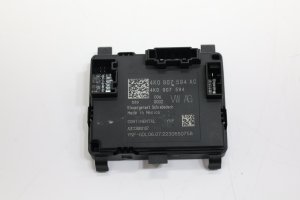

The information in this article is provided for general reference and educational purposes only. Vehicle specifications, procedures, and part compatibility can vary by production date, trim level, and region. Always consult your vehicle's factory service manual and verify part numbers before purchasing or performing repairs. Safety-critical components such as airbags, seat belts, and braking systems should be installed by a qualified professional.
- Audi Q3:
- Audi RS Q3:
- 🛍️ Shop This Part
- What is the Center Console Multi-Switch Panel?
- Symptoms of a Failing Switch Panel
- Known Issues, Recalls, and Technical Service Bulletins (TSBs)
- CRITICAL: Component Protection and Programming
- Buying a Used Q3 / RS Q3 Switch Panel: What to Look For
- Replacement Cost Comparison
- Step-by-Step Replacement Overview
- Frequently Asked Questions (FAQ)
- 🎟️ Get 5% Off