

2014-2015 Kia Optima Telematics Module: UVO Failures, Battery Drain, and Replacement Guide
This guide details the common failures of the Telematics Interface Module in the 2014-2015 Kia Optima, focusing on UVO system issues and the critical programming required after replacement.
- A replacement module MUST be programmed by a Kia dealer or a specialized shop with the correct tools; it is not plug-and-play.
- The primary symptoms of failure are an inoperative UVO system and a parasitic battery drain that kills the battery when parked.
- The correct OEM part number is 965102T101 (or the compatible 965102T100). Always match the number.
- Buying a used OEM module can save over $500 compared to a new part, making it the most cost-effective solution even with programming costs.
Symptoms of a Failing Telematics Module

A bad telematics module in a 2014-2015 Kia Optima primarily affects the UVO eServices. The vehicle will still drive normally, but you will lose access to all connected features. Watch for these specific signs.
- UVO System Inoperative: The most common symptom is a complete failure of the UVO system. The screen may display a message like "Telematics system needs to be checked" or simply fail to load UVO features.
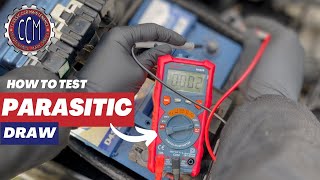
- Parasitic Battery Drain: A faulty module can fail to enter its low-power sleep mode when the car is off, causing a slow but steady drain on the 12-volt battery. This can lead to a dead battery if the car sits for a few days. 🎬 See the easiest way to test for a parasitic draw
- Bluetooth and Connectivity Issues: Problems with pairing a phone, or frequent disconnections, can be related to a failing telematics or head unit. Kia has issued software updates to address some of these concerns.
- No GPS Signal: If the GPS antenna or the module itself fails, the navigation system may not be able to find your vehicle's location.
- Internal Diagnostic Faults: While not visible without a special procedure, a technician can access a "Dealer Engineering Mode" which may show error codes like "T001, TMU submicom is not connected," directly pointing to a module failure.
Known Issues, TSBs, and Recalls
While there are no specific recalls for the telematics module itself, it's important to be aware of related service bulletins and major recalls for the 2014-2015 Optima.
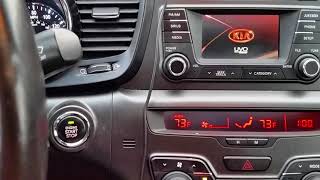
- UVO Software Updates: Kia released Technical Service Bulletins (TSBs) to fix software bugs in the UVO system. TSB ELE 085 addressed an inoperative media button 🎬 Watch this quick tutorial on performing a Kia UVO radio reset, while TSB ELE 100 / SA 222 fixed issues with loud incoming call ringing and improved Bluetooth connectivity. These bulletins involved software updates, not module replacement, but show a history of system glitches.
- Major Safety Recalls: This generation of Optima has several critical recalls. One of the most serious is for the Hydraulic Electronic Control Unit (HECU), which can short circuit and cause an engine compartment fire, even when the car is parked (NHTSA Recall 23V-652). There are also recalls and a class-action lawsuit related to catastrophic engine failure. It is crucial to check if these recalls have been performed on any vehicle you are considering.
Warning: A replacement Telematics Interface Module must be programmed to your vehicle's specific VIN and options. This is not a plug-and-play part. Failure to program the module will result in it not functioning correctly.
Buying a Used Telematics Interface Module

Given the high cost of a new module, a used OEM part from a reputable recycler is an excellent value. However, you must account for the added step and cost of programming.
- Verify the Part Number: The most common OEM part number is 965102T101. A compatible earlier version is 965102T100. Always match the part number from your original module to the replacement.
- Physical Inspection: When you receive the used module, inspect it for any signs of physical damage, especially corrosion on the connector pins. Water intrusion is a common killer of electronic modules.
- Factor in Programming Costs: A used module is useless without programming. Before you buy, contact your local Kia dealership or a qualified independent shop that has the Kia Diagnostic System (KDS) or an equivalent J2534 pass-thru device. Get a quote for programming a used module to your car's VIN. Some dealers may be hesitant to program used parts, so call ahead.
- Why Used OEM is the Best Choice: There are virtually no new aftermarket versions of this specific module. A used OEM part is manufactured by Kia to the original standard. As long as it is programmed correctly, it will function identically to a new one at a fraction of the price.
Replacement and Programming Procedure

Physically replacing the module is straightforward for a DIY mechanic, but the final programming step requires professional tools.
- Location: The Telematics Interface Module is typically located in the dashboard on the driver's side, behind the lower crash pad panel to the left of the steering column.
- Disconnect the Battery: Before working on any electronic component, disconnect the negative terminal of the 12-volt battery to prevent electrical shorts.
- Remove Trim Panels: Carefully remove the driver's side dash end panel and the lower knee bolster panel to gain access to the module.
- Swap the Module: The module is usually held in place by a few bolts or screws. Disconnect the electrical connectors, unbolt the old module, and install the replacement in its place.
- Professional Programming: After the new module is installed and the battery is reconnected, the vehicle must be taken to a Kia dealer or a specialized shop. They will connect their diagnostic tool to the OBD-II port to code the replacement module to the car's VIN and specific equipment configuration.
Cost Comparison
The savings from buying a used module are significant, even after factoring in the cost of programming.
| Part Type | Estimated Cost |
|---|---|
| New OEM | $550 - $700 |
| New Aftermarket | Not Available |
| Used OEM | $25 - $75 |
| Shop Labor (Replacement) | $75 - $150 |
| Shop Labor (Programming) | $150 - $300 |
Frequently Asked Questions (FAQ)
Do I absolutely have to program a replacement telematics module?
Yes. The module is tied to the vehicle's VIN and specific features. A used module from another car will not work correctly until it is reprogrammed for your vehicle by a dealer or a qualified shop with Kia-specific diagnostic tools.
Can I just unplug the module to fix a battery drain?
Possibly, as a temporary measure. Unplugging the module will stop it from draining the battery, but you will lose all UVO functionality. The fuse for the telematics unit (labeled TMU) is located in the interior fuse panel and can also be pulled. This is a diagnostic step, not a permanent solution.
Can an independent mechanic or locksmith program this module?
It depends on their equipment. A generic OBD-II scanner cannot program this module. The shop must have advanced tools like the Kia Diagnostic System (KDS) or a J2534 pass-thru device with a subscription to Kia's technical information service. Always confirm with the shop before bringing them the car.
Is the telematics module the same as the radio or head unit?
No. The telematics module is a separate computer that provides cellular and GPS connectivity. It works together with the main audio/navigation head unit, but they are distinct parts. A problem with the UVO service is more likely to be the telematics module, while a problem with radio reception or the display screen itself points to the head unit.
Helpful Videos
Technical Specifications
OEM Part Numbers: 965102T101 965102T100
Also known as: Telematics Management Unit (TMU), MTS Unit Assembly. Location: Driver's side dashboard, behind lower trim panels.
We Have This Part in Stock



The information in this article is provided for general reference and educational purposes only. Vehicle specifications, procedures, and part compatibility can vary by production date, trim level, and region. Always consult your vehicle's factory service manual and verify part numbers before purchasing or performing repairs. Safety-critical components such as airbags, seat belts, and braking systems should be installed by a qualified professional.
- Kia Optima: