

Ford F-150, Escape, Expedition & Navigator Telematics Module Failure (2017-2020): Why FordPass Stops Working
A complete guide to diagnosing and replacing the Telematics Control Unit (TCU) that causes FordPass and LincolnWay app features to fail, and why programming is essential.
- A replacement Telematics Control Unit (TCU) MUST be programmed to your vehicle's VIN by a dealer or a qualified technician with tools like Ford FDRS or FORScan.
- Common symptoms of failure are non-working FordPass/LincolnWay app features, incorrect GPS location, and potential battery drain.
- Before replacing the module, try pulling the TCU fuse for 5 minutes to reset it, as this can solve common software glitches.
- When buying a used module, you must match the engineering part number (e.g., JL3T-14G087-CK) exactly with your original part.
Symptoms of a Failing Telematics Module

When the Telematics Control Unit (TCU) begins to fail, the symptoms are almost exclusively related to the FordPass or LincolnWay mobile apps. The vehicle will continue to drive normally, but the 'smart' features will be disabled. Here are the most common signs of a bad TCU:
- FordPass/LincolnWay App Inoperative: The most obvious symptom is the complete failure of all remote commands. You will be unable to remote start, lock, or unlock your vehicle using the app.
- No Vehicle Location: The app will either show an old, incorrect location for your vehicle or fail to update the location entirely.
- "Feature Unavailable" Message: When attempting to use a remote feature, the app may display a generic error message like "Feature Unavailable."
- Stuck "Updating" Message: The app may persistently show a message indicating that the vehicle's software is being updated, but it never completes.
- Failed Authorization: You may be unable to authorize a new phone or user with the vehicle, a process that relies on the TCU.
- Excessive Battery Drain: In some cases, a faulty TCU can fail to shut down properly when the vehicle is turned off, leading to a slow but persistent drain on the 12-volt battery. This can result in a dead battery after the vehicle sits for several days.
- Missing Modem ESN: A technician using diagnostic tools may find that the modem's Electronic Serial Number (ESN) is missing from the system's network menu, indicating the module is not communicating.
Associated OBD-II Trouble Codes
A failed TCU will often store specific trouble codes that can be read with a capable OBD-II scanner. The most common codes are Network 'U' codes, indicating a communication failure:
- U0198: Lost Communication With Telematic Control Module
- U2402: Incompatible Configuration (often stored in the Gateway Module when the TCU is unresponsive)
- C006A:00: A less common code that may indicate a software glitch solvable with a reprogram.
Known Issues, TSBs, and Recalls

Ford has issued several Technical Service Bulletins (TSBs) related to TCU problems across these vehicles. There are no direct safety recalls for TCU failure, but these service bulletins provide a clear path for diagnosis and repair.
TSB SSM 49084: The Most Common Fix
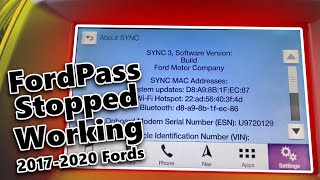
For a wide range of 2017-2020 Ford and Lincoln vehicles, including the F-150, Escape, Expedition, and Navigator, Ford released Special Service Message (SSM) 49084 🎬 Watch this video on fixing FordPass connection issues on 2017-2020 models (and related bulletins like 48558 and 47735). This addresses complaints of inoperative FordPass features, failed user authorization, and a missing modem ESN.
The official repair procedure often does not require immediate replacement. The first step a technician will take is a simple reset and reprogram:
- Pull the specific fuse for the TCU module.
- Wait for at least 5 minutes before reinstalling the fuse.
- Connect the vehicle to the dealer's diagnostic tool (IDS or FDRS) and reprogram the TCU to the latest software version.
In many cases, this procedure restores full functionality. If it fails, the module itself is likely faulty and requires replacement.
Customer Satisfaction Program 17B07: Battery Drain
This program specifically addressed TCU-related battery drain. A software flaw could cause the module to stay awake after the vehicle was shut off. The fix was to reprogram the TCU with updated software that corrected the power-down logic.
Related Issue: TSB 20-2363 for SYNC 3
Sometimes, symptoms that seem like a TCU failure can actually be caused by the main infotainment module, the Accessory Protocol Interface Module (APIM). TSB 20-2363 addresses an issue where remote start cannot be scheduled from FordPass, along with other SYNC screen freezes or glitches. The fix for this is to update the APIM software, not the TCU. This highlights the importance of proper diagnosis before replacing parts.
Replacement and Location Guide

The physical difficulty of replacing the TCU ranges from easy to moderate, depending on the vehicle. However, the critical challenge for every model is the required programming after installation.
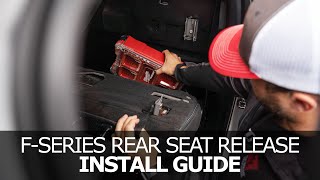
- 2018-2020 Ford F-150: The TCU is located on the back wall of the cab, behind the rear passenger-side seat back. 🎬 See how to release and fold down the F-150 rear seat You will need to fold down or remove the rear seat to gain access to the module and its mounting bolts.
- 2017-2019 Ford Escape: The TCU is typically located in the rear cargo area, behind the driver's side (LH) trim panel. Access involves removing the floor covering and popping off the large plastic side panel.
- 2018-2019 Ford Expedition & 2019 Lincoln Navigator: The TCU is located under the front center console. This is the most involved replacement, as the entire center console assembly must be unbolted and lifted to access the module underneath.
TCU Fuse Locations for Reset
If you want to try the simple fuse-pull reset yourself, here are the fuse locations:
- Ford F-150 (2018-2020): Consult the owner's manual. The fuse is in the passenger compartment fuse box, but the exact number can vary.
- Ford Escape (2017-2019): Fuse F20 (5A) in the luggage compartment fuse box, which is behind a small access panel on the right (passenger) side of the cargo area.
- Ford Expedition & Lincoln Navigator (2018-2019): Fuse 17 (5A) in the passenger compartment fuse box, located under the dashboard on the passenger side.
Warning: This module is linked to the original vehicle's Vehicle Identification Number (VIN). A used or new module will not function until it is professionally programmed to your specific vehicle.
Buying a Used Telematics Interface Module
Since newly manufactured aftermarket versions of this part are not available due to the complex electronics and cellular certifications, your options are a new OEM part from a dealer or a used OEM part. Buying a used module can offer significant savings, but there are critical rules to follow.
- Match the Part Number Exactly: The engineering part number (e.g., JL3T-14G087-CK) printed on the module's sticker is the most important identifier. You must buy a replacement with the exact same part number as your original to ensure hardware compatibility.
- Inspect Connectors: Ensure the electrical connector ports and the FAKRA antenna connectors on the used module are clean, straight, and free of any corrosion or damage.
- Budget for Programming: A used module is a paperweight until it is programmed. Factor in the cost of a dealer visit or specialized independent shop labor to perform the Programmable Module Installation (PMI).
- Source is Irrelevant, Programming is Key: It does not matter if the used module came from an F-150, an Escape, or an Expedition. As long as the part number is an exact match, it can be programmed to work in your vehicle.
Programming Requirements: The Most Important Step

You cannot skip this step. The TCU is a 'smart' module that is integrated into the vehicle's network and security systems. When you install a replacement, the vehicle's other computers will not recognize it until it is properly introduced and configured.
There are three paths to getting a replacement TCU programmed:
- Ford/Lincoln Dealer: This is the most straightforward option. The dealer will use the Ford Diagnostic and Repair System (FDRS) to perform a "Programmable Module Installation" (PMI). This process downloads your vehicle's specific configuration data from Ford's servers and writes it to the new module, linking it to your VIN.
- Independent Repair Shop: Some well-equipped independent shops have dealer-level tools or a J2534 pass-thru device that can perform the same PMI procedure as the dealer. You must ask specifically if they have the capability to program new or used Ford modules.
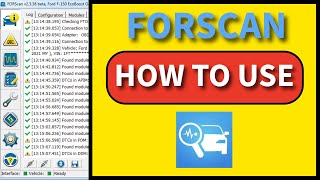
- DIY with FORScan: For advanced DIY mechanics, it is possible to program a used module using a Windows laptop, a specific OBD-II adapter, and the FORScan software. 🎬 Watch this step-by-step tutorial on how to program using FORScan This requires a paid extended license for FORScan and knowledge of how to back up your vehicle's 'as-built' data and write it to the new module. This method is powerful but carries the risk of 'bricking' the module or other vehicle systems if done incorrectly.
Cost Comparison
| Part or Service | Estimated Cost |
|---|---|
| New OEM Module | $440 - $530 |
| Used OEM Module | $50 - $150 |
| New Aftermarket / Remanufactured | Not Available |
| Shop Labor (Physical Swap) | $100 - $300 (depending on location) |
| Dealer Programming (PMI) | $120 - $250 |
Frequently Asked Questions (FAQ)
Can I just swap in a new module without programming it?
No. The module is tied to the vehicle's VIN for security and functionality. It will not communicate with the vehicle or the FordPass servers until it is programmed using dealer-level tools like FDRS or advanced software like FORScan.
My FordPass app stopped working. Does that mean my TCU is definitely bad?
Not necessarily. The first step is to try the fuse pull reset described in TSB SSM 49084. Pull the TCU fuse for 5 minutes, reinstall it, and see if function returns. The issue could also be a software glitch that a dealer can fix by reprogramming the existing module, or even a problem with the related APIM module. Proper diagnosis is key.
Can a locksmith program a new Telematics Module?
Generally, no. While locksmiths can program keys and some immobilizer functions, programming a TCU requires specific diagnostic software (Ford FDRS) and access to Ford's servers to download vehicle-specific 'as-built' data. This is typically only done by dealers or highly specialized independent shops.
What is the difference between a 3G and 4G TCU?
Earlier vehicles were equipped with 3G TCUs. As cellular carriers shut down their 3G networks, these older modules stopped working. Ford offered a customer satisfaction program (21B09) to upgrade some vehicles to a 4G module. The vehicles in this guide (2017-2020) should already have 4G LTE modules, but it's a critical detail to be aware of, especially when buying used parts. Ensure the replacement part is a 4G module.
Helpful Videos
Technical Specifications
OEM Part Numbers: JL3T14G087CH JL3T14G087CK JL3T14G087CL JL3T14G087CF JL3Z19K350A JL3Z19K350CA JL3Z19K350CH
Cellular Connectivity: 4G LTE; Connectors: Main electrical harness plug, multiple FAKRA antenna connectors (for cellular and GPS).
We Have This Part in Stock



The information in this article is provided for general reference and educational purposes only. Vehicle specifications, procedures, and part compatibility can vary by production date, trim level, and region. Always consult your vehicle's factory service manual and verify part numbers before purchasing or performing repairs. Safety-critical components such as airbags, seat belts, and braking systems should be installed by a qualified professional.
- Ford F-150:
- Ford Escape:
- Ford Expedition:
- Lincoln Navigator:
- 🎬 Helpful Videos
- 🛍️ Shop This Part
- Symptoms of a Failing Telematics Module
- Associated OBD-II Trouble Codes
- Known Issues, TSBs, and Recalls
- TSB SSM 49084: The Most Common Fix
- Customer Satisfaction Program 17B07: Battery Drain
- Related Issue: TSB 20-2363 for SYNC 3
- Replacement and Location Guide
- TCU Fuse Locations for Reset
- Buying a Used Telematics Interface Module
- Programming Requirements: The Most Important Step
- Cost Comparison
- Frequently Asked Questions (FAQ)
- 🎟️ Get 5% Off