

2021-2023 Escape & Bronco Sport Telematics Module: FordPass Faults, Battery Drain & Programming
This guide covers common failures, diagnosis, and the critical programming requirements for the Telematics Control Unit (TCU) in the 2021-2022 Ford Escape and 2021-2023 Ford Bronco Sport.
- A replacement Telematics Module (TCU) MUST be programmed to your vehicle's VIN using dealer software (FDRS) or advanced DIY tools like FORScan.
- Common failure symptoms include loss of FordPass app functions, a parasitic battery drain that kills the battery, and 'SOS System Fault' messages.
- A faulty TCU will not prevent the vehicle from starting or driving, but the battery drain can leave you stranded.
- Many TCU issues are software-related and can sometimes be fixed with a module reset (disconnecting the battery) or a software update, avoiding the need for replacement.
Known Issues and TSBs

The Telematics Control Unit (TCU) in the 2021-2022 Ford Escape and 2021-2023 Ford Bronco Sport is prone to several known issues, primarily related to software glitches, connectivity loss, and battery drain. Many problems are not due to a physical hardware failure but rather software errors that can sometimes be resolved by updates or resets.
Common Problems Across Both Models
- TCU Lock-Up: A widespread issue is the module simply "locking up" or becoming unresponsive. This results in a total loss of FordPass app connectivity—remote start, lock/unlock, and vehicle location features will stop working.
- Parasitic Battery Drain: A faulty or malfunctioning TCU can fail to enter "sleep mode" after the vehicle is turned off. This causes a continuous, small drain on the 12-volt battery, which can lead to a dead battery, especially if the vehicle sits for several days.
- Failed Over-the-Air (OTA) Updates: The TCU is the gateway for Ford Power-Up software updates. Failures during the update process are common and can sometimes "brick" the module or cause other systems to malfunction. TSB 22-2117 was issued for some 2021 Ford models to address a procedure for recovering the TCU and APIM (SYNC module) after failed OTA updates.
- Gateway Module Communication Failure: While not a direct TCU failure, issues with the Gateway Module (GWM) can prevent communication with the TCU, leading to similar symptoms. A customer satisfaction program was issued for some 2021 Bronco Sports for GWM reprogramming to resolve issues that could cause a vehicle to fail an emissions inspection.
Symptoms of a Failing Telematics Module

Diagnosing a TCU problem can be tricky because its symptoms often overlap with other module failures, like the APIM (SYNC module). Here are the most common signs that your TCU is the culprit:
- FordPass App Not Connecting: The most immediate symptom is the inability to communicate with your vehicle via the FordPass app. Remote start, lock, unlock, and location services will be unavailable.
- "SOS System Fault" or "Connectivity Settings Unavailable" Message: You may see error messages on the SYNC screen related to connectivity or emergency assistance features.
- Blank Modem Serial Number (ESN): In the SYNC settings menu, under the FordPass Connect information, the modem serial number (ESN) may be blank, indicating the SYNC system cannot communicate with the TCU.
- No GPS Signal or Inaccurate Compass: The TCU provides GPS data to the vehicle. A failing unit can cause the navigation to stop working or the compass to be stuck. A TSB was issued for some 2021 F-150s for this exact issue, requiring a TCU and APIM reprogram.
- Dead Battery: As mentioned, a significant parasitic drain that kills the battery after a few days of inactivity is a strong indicator of a TCU that is not shutting down correctly.
- Associated OBD-II Codes: A scan tool may reveal specific Diagnostic Trouble Codes (DTCs). Common codes related to TCU failure include U0198 (Lost Communication With Telematic Control Module) and various codes in the Gateway Module (GWM) like U2402.
Pro Tip: Before assuming the TCU has failed, try a simple reset. On many Ford models, temporarily pulling the fuse for the TCU or disconnecting the vehicle's 12V battery for 30 minutes can force the module to reboot and may restore functionality, at least temporarily. This is a common first step recommended by owners in online forums.
Buying a Used Telematics Interface Module: What to Know

Given the high cost of a new module from a dealership, a used OEM part from a reputable recycler is a viable option. However, buying an electronic module like a TCU requires careful consideration.
Part Number Compatibility is Critical
You must match the part number exactly or use a Ford-approved superseded number. The primary OEM part number for these vehicles is LJ6T-14G229-AP. The Ford service part number is LJ6Z-14G229-A. You may also see other suffix variations like LJ6T-14G229-AU on used parts websites. The prefix 'LJ6T' indicates the part was designed for the Bronco Sport/Escape platform. Do not install a module from a different vehicle model (like an F-150 or Explorer) even if it looks identical, as it will have incorrect firmware and configuration.
The Importance of Programming
Warning: A replacement Telematics Module—whether new or used—MUST be programmed to your vehicle. You cannot simply swap the part and expect it to work. The module is tied to the vehicle's VIN and its specific set of features.
This process is called Programmable Module Installation (PMI). During PMI, the technician uses diagnostic software to load the vehicle's "As-Built" data into the new module. This configures the TCU for your specific vehicle options and registers it with the Ford network.
- Dealer Programming: A Ford dealership is the most straightforward option. They use the Ford Diagnosis and Repair System (FDRS) software to perform the PMI. This is the guaranteed method to ensure full functionality.
- Independent Shop/DIY Programming: An advanced independent mechanic or a knowledgeable DIYer can often program the module using a high-quality OBDII adapter and a licensed copy of FORScan. This is a more complex process that involves performing a "TCU Module Reset" and potentially modifying As-Built data parameters. This is not recommended for beginners, as incorrect programming can disable the module or other vehicle systems.
Physical Inspection Checklist
When buying a used module, inspect it for:
- No Physical Damage: Check the casing for cracks or signs of being pried open.
- Clean Connectors: The pins in the electrical connectors should be straight, clean, and free of any corrosion or water damage.
- Intact Labels: Ensure the original part number label is present and legible.
Telematics Module Replacement Overview
Location
In the Ford Escape and Bronco Sport, the Telematics Control Unit is typically located behind the trim in the passenger-side C-pillar area (the pillar behind the rear passenger door). Access requires removing the upper C-pillar trim panel.
Programming After Installation
After the new or used module is physically installed, the PMI procedure must be performed using either the dealer's FDRS software or FORScan. Once programmed, the final step is to use the FordPass app to authorize the new module and activate the vehicle's connected features. This process can sometimes take several attempts and requires patience.
Cost Comparison for Telematics Module Replacement
| Part/Service | Estimated Cost |
|---|---|
| New OEM Module | $350 - $500 |
| Used OEM Module | $75 - $150 |
| Shop Labor (Replacement & Programming) | $200 - $400 |
Note: Prices are estimates and can vary based on location, supplier, and vehicle condition. A dealership may quote over $1,000 for the entire job.
Frequently Asked Questions (FAQ)

Do I have to go to a Ford dealer for programming?
While a Ford dealer is the most reliable option, a well-equipped independent shop with access to Ford's FDRS software or an advanced DIYer with a paid FORScan license can also program a replacement TCU. However, it is not a simple plug-and-play repair.
Will my 2021-2023 Escape or Bronco Sport start with a bad telematics module?
Yes. A failed TCU will not prevent the vehicle from starting and driving. However, it can cause a parasitic battery drain that may leave you with a dead battery if the vehicle is not driven regularly.
Can I just unplug the telematics module to fix the battery drain?
Yes. If you are experiencing a parasitic battery drain and want to stop it as a temporary measure, you can physically unplug the TCU or pull its dedicated fuse. Doing so will disable all FordPass features, the Wi-Fi hotspot, and OTA updates, but it will not affect the vehicle's ability to drive. Note that on some models, the TCU fuse may also power other components like the power liftgate, so unplugging the module itself is often the better option.
What is the difference between the TCU and the APIM?
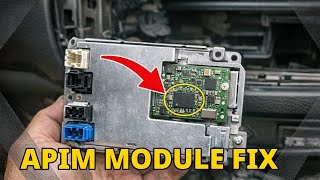
The TCU (Telematics Control Unit) is the vehicle's modem for cellular and GPS connections. The APIM (Accessory Protocol Interface Module) is the brain for the SYNC infotainment system, controlling the center touchscreen, Bluetooth for your phone, and Apple CarPlay/Android Auto. While they work together, they are separate modules. A black screen is typically an APIM failure, while a loss of FordPass connectivity is usually a TCU failure.
Helpful Videos
Technical Specifications
OEM Part Numbers: LJ6T-14G229-AP LJ6Z-14G229-A LJ6T-14G229-AU
4G LTE Cellular Modem, GPS Receiver
We Have This Part in Stock



The information in this article is provided for general reference and educational purposes only. Vehicle specifications, procedures, and part compatibility can vary by production date, trim level, and region. Always consult your vehicle's factory service manual and verify part numbers before purchasing or performing repairs. Safety-critical components such as airbags, seat belts, and braking systems should be installed by a qualified professional.
- Ford Escape:
- Ford Bronco Sport:
- 🎬 Helpful Videos
- 🛍️ Shop This Part
- Known Issues and TSBs
- Common Problems Across Both Models
- Symptoms of a Failing Telematics Module
- Buying a Used Telematics Interface Module: What to Know
- Part Number Compatibility is Critical
- The Importance of Programming
- Physical Inspection Checklist
- Telematics Module Replacement Overview
- Location
- Programming After Installation
- Cost Comparison for Telematics Module Replacement
- Frequently Asked Questions (FAQ)
- 🎟️ Get 5% Off