

2018-2021 Ford Edge & Ranger Telematics Module Failure: Fixing FordPass Connectivity
This guide explains common failures of the Telematics Control Unit (TCU) in the 2018-2019 Ford Edge and 2019-2021 Ford Ranger, including diagnosis, replacement, and mandatory programming.
- A replacement Telematics Control Unit (TCU) is NOT plug-and-play; it requires mandatory programming (PMI) by a dealer or qualified shop.
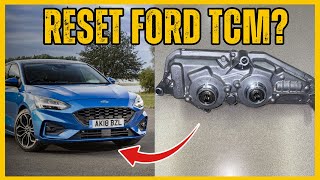
- Before replacing the module, always try a hard reset by pulling the TCU fuse for 5 minutes, as this often fixes communication glitches.
- The most common symptom of failure is the FordPass app ceasing to communicate with the vehicle for remote start, lock, and unlock functions.
- Buying a used OEM module and having a dealer program it is the most cost-effective repair strategy, potentially saving hundreds of dollars over a full dealer replacement.
Symptoms of a Failing Telematics Module
A faulty Telematics Control Unit (TCU) primarily affects the vehicle's connected features. The vehicle will still drive normally, but the convenience and safety features you rely on will disappear. Here are the most common signs of a TCU failure in the Ford Edge and Ranger:
- FordPass App Not Working: This is the most common symptom. You may be unable to connect to your vehicle, with the app showing outdated information or failing to send commands like remote start, lock, or unlock.
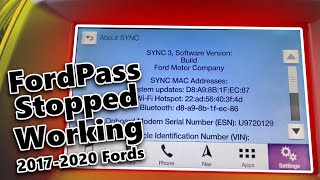
- No Modem ESN in SYNC Settings: When you navigate to the 'About SYNC' screen in your vehicle's settings, the Modem Electronic Serial Number (ESN) may be blank or missing entirely. This is a definitive sign that the TCU is not communicating.
- Wi-Fi Hotspot Inoperative: The in-car Wi-Fi hotspot will fail to activate or provide an internet connection.
- GPS and Vehicle Location Issues: The FordPass app may show an incorrect vehicle location or be unable to locate it at all.
- Failed Activation: After a service or if you are a new owner, you may be unable to activate the vehicle in the FordPass app, with the system failing to send the confirmation message to the vehicle's screen.
Associated OBD-II Codes
A failing TCU often stores communication-related Diagnostic Trouble Codes (DTCs). These are typically 'U' codes, indicating a network or data communication problem. Common codes include:
- U0198:00 - Lost Communication With Telematic Control Unit
- U0146:09 - Lost Communication With Gateway 'A': Component Failures
- U2402:00 / U2402:92 - Invalid Data Received / Unexpected Operation
- B156D - Customer Connectivity Not Synchronized with HMI
Diagnosis and Troubleshooting
Before condemning the module, there is one simple step every owner should try first. Because the TCU is powered on at all times, it can develop software glitches, much like a phone or computer that is never restarted.
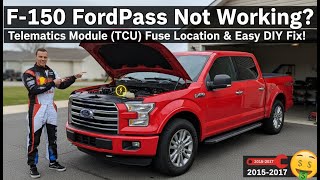
Pro Tip: The first and most effective troubleshooting step is to perform a hard reset. Locate the fuse for the TCU in the passenger compartment fuse panel (consult your owner's manual for the exact location, but it is often fuse #10). Remove the fuse for at least 5 minutes, then reinstall it. This forces the module to completely reboot and often restores communication.
🎬 Watch a video demonstration on pulling the TCU fuse to fix FordPass.If the fuse pull does not resolve the issue, the problem is likely a hardware failure within the TCU itself. A dealership or a qualified technician can confirm this by attempting to communicate with the module using a diagnostic tool like Ford's FDRS.
🎬 Watch Ford Tech Talk explain how to diagnose module failures.Known Issues, TSBs, and Recalls
Ford has issued several Technical Service Bulletins (TSBs) and Special Service Messages (SSMs) related to TCU communication failures.
- SSM 48558, 48316, 48260, 47735: These bulletins address various FordPass app concerns, including inoperative remote features and missing ESNs on 2017-2020 vehicles, including the Edge and Ranger. 🎬 Watch this guide on fixing FordPass connection issues on 2017-2020 Fords. The recommended procedure is to first perform the fuse pull reset, then, if the issue persists, reprogram the TCU to the latest software version using the Ford diagnostic system.
These issues are typically caused by software glitches that are resolved with a reset or a firmware update, but in some cases, the module itself has an internal fault and requires replacement.
Replacement and Programming Requirements
Warning: A replacement Telematics Interface Module MUST be programmed to your vehicle after installation. It is not a plug-and-play part. This process, known as Programmable Module Installation (PMI), links the module to your vehicle's VIN and configures it for Ford's network.
Failure to program a new or used TCU will result in it not working at all. The FordPass app will not be able to activate or communicate with the unprogrammed module.
Who Can Program a TCU?
- Ford Dealerships: This is the most reliable option. Dealers have the required FDRS (Ford Diagnosis and Repair System) software and a direct link to Ford's network to perform the PMI and 'provision' the module.
- Independent Shops: Some independent shops with advanced diagnostic tools and subscriptions (like Autel or Snap-on with pass-thru capabilities) may be able to program the module. However, success is not guaranteed, as the process can sometimes be problematic even for dealers.
- DIY with FORScan: Advanced DIY mechanics with a compatible OBD-II adapter, a paid FORScan license, and significant technical knowledge can attempt to program a used module. This is a complex procedure that involves editing as-built data and is not recommended for beginners.
Replacement Location
The TCU is located in a similar position on both vehicles, making access straightforward.
- 2018-2019 Ford Edge: The TCU is typically located behind the passenger side glove box.
- 2019-2021 Ford Ranger: The TCU is also located behind the passenger side glove box.
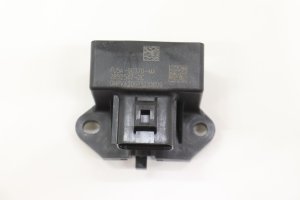
To access it, you will need to open the glove box, release the retaining tabs to let it swing down completely, and remove it. The module is a black box with several electrical connectors.
Buying a Used Telematics Interface Module
Purchasing a used OEM module is a cost-effective way to fix your vehicle, especially since new units can be expensive and the primary failure mode isn't related to wear and tear. Here's what to look for:
- Match the Part Number: While base numbers 14G087 and 14G229 are interchangeable, it is best to match the full part number (e.g., KT1T-14G087-FK) from your original module to ensure compatibility.
- Inspect for Damage: Check for any signs of physical damage, especially to the connectors and casing. Avoid any modules that show signs of water intrusion or corrosion.
- Factor in Programming Costs: Remember that the cost of the part is not the final cost. You must account for the labor charge from a dealership or qualified shop to program the module to your vehicle.
- Source from a Reputable Seller: Buy from an automotive recycler that offers a warranty and can provide the VIN of the donor vehicle if needed. This helps ensure you are getting a functional part.
Cost Breakdown
The cost to replace a TCU can vary significantly depending on whether you use new or used parts and who performs the labor.
| Part/Service | Estimated Cost |
|---|---|
| New OEM Module | $400 - $600+ |
| Used OEM Module | $75 - $150 |
| Shop Labor (Installation & Programming) | $200 - $400 (1.5-2.5 hours) |
| Total Dealer Replacement (New Part) | $600 - $1,200+ |
| Total DIY/Independent Shop (Used Part) | $275 - $550 |
Frequently Asked Questions (FAQ)
Do I have to replace my TCU if the FordPass app stops working?
Not necessarily. Always try the simplest fix first: pull the TCU fuse for 5 minutes to perform a hard reset. This resolves the issue for many owners without needing any parts or service.
Can I install a used TCU myself and have the dealer program it?
Yes. This is a common way to save money. You can physically install the part yourself (it's usually behind the glove box) and then drive the vehicle to the dealership for the mandatory programming service. This saves you the labor cost for the physical installation.
Will a TCU from a different model like an F-150 work in my Edge or Ranger?
It might, but it is not recommended. While many Fords use similar TCUs, the firmware and as-built data can be different. Using a module from a different vehicle line can cause compatibility issues and may require advanced reprogramming (like a firmware downgrade) with tools like FORScan. It is safest to use a module with a part number specified for your vehicle.
What's the difference between the TCU and the APIM (SYNC Module)?
The TCU is the telematics modem that handles cellular communication for FordPass and the Wi-Fi hotspot. The APIM (Accessory Protocol Interface Module) is the brain of your SYNC infotainment system; it runs the screen, processes audio, and manages navigation. The two modules work together but have separate functions. A bad TCU affects remote features, while a bad APIM would cause issues with the center touchscreen itself.
Helpful Videos
Technical Specifications
OEM Part Numbers: KT1T-14G087-FJ KT1T-14G087-FK KT1T-14G087-FL KT1T-14G087-FM KT1Z-19K350-A KT1Z-19K350-B KT1Z-19K350-C
The module functions as a 4G LTE cellular modem for vehicle connectivity.
We Have This Part in Stock




The information in this article is provided for general reference and educational purposes only. Vehicle specifications, procedures, and part compatibility can vary by production date, trim level, and region. Always consult your vehicle's factory service manual and verify part numbers before purchasing or performing repairs. Safety-critical components such as airbags, seat belts, and braking systems should be installed by a qualified professional.
- Ford Edge:
- Ford Ranger:
- 🎬 Helpful Videos
- 🛍️ Shop This Part
- Symptoms of a Failing Telematics Module
- Associated OBD-II Codes
- Diagnosis and Troubleshooting
- Known Issues, TSBs, and Recalls
- Replacement and Programming Requirements
- Who Can Program a TCU?
- Replacement Location
- Buying a Used Telematics Interface Module
- Cost Breakdown
- Frequently Asked Questions (FAQ)
- 🎟️ Get 5% Off