

2021-2025 Dodge Durango Telematics Module: Fixing 'Uconnect Box Service' Errors
Your complete guide to diagnosing, replacing, and programming the Telematics Box Module (TBM) to resolve common Uconnect, SOS, and GPS issues in your Durango.
- The "Uconnect Box Requires Service" error is the most common symptom, but it may be caused by a simple software bug or a loose cable, not a failed module.
- A replacement Telematics Module (new or used) is NOT plug-and-play and MUST be programmed to your Durango's VIN to function.
- DIY programming is possible with tools like AlfaOBD, but a Security Gateway (SGW) bypass cable is required for these model years.
- Before buying a new module, always check for loose connections behind the glove box and ensure your vehicle has the latest Over-The-Air (OTA) software updates installed.
Symptoms of a Failing Telematics Module

When the telematics module begins to fail, it typically disrupts communication-based features. The symptoms are often very specific and appear on the main infotainment screen.
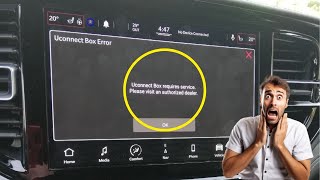
- "Uconnect Box Requires Service" Message: This is the most common symptom. A persistent pop-up message will appear on the Uconnect screen, often requiring you to press 'OK' or 'X' to dismiss it every time you start the vehicle.
- Red SOS Light: The 'SOS' button on the overhead console or rearview mirror may light up red, indicating a system fault.
- GPS and Navigation Malfunctions: The vehicle's GPS may show an incorrect location, fail to update your position, or stop working entirely.
- Uconnect App Not Working: Remote features like starting, locking, or locating your vehicle via the smartphone app will fail to connect.
- "Vehicle Phone Requires Service" Message: An alternative warning message that points to a fault in the same system.
Pro Tip: Before assuming the module is bad, check for loose connections. The telematics module is located above the glove box, and many owners have found that simply re-seating the connectors fixes the problem. 🎬 See how to fix the Uconnect service message yourself A common diagnostic trouble code (DTC) is B1561-13 for "Cell Antenna 2 Circuit Open," which often indicates a faulty antenna cable (Part No. 68487082AB) rather than a complete module failure.
Known Issues, TSBs, and Recalls

For this generation of Durango, many telematics issues are software-related and may not require replacing the module.
Technical Service Bulletins (TSBs)
Dodge has released several TSBs to address software glitches in the Telematics Box Module (TBM). Bulletins like 08-156-23, 08-103-23, and 08-039-25 were issued to fix the "Uconnect Box requires service" message and improve server communication. 🎬 Watch this overview of the Uconnect Box warning issue These issues are often resolved through a Firmware Over The Air (FOTA) update, which the vehicle can download and install automatically without a dealer visit. If you are experiencing issues, ensure your vehicle's software is up to date before pursuing a hardware replacement.
Recalls
While there are no direct recalls for the telematics module itself, there are important related recalls for certain model years:
- ABS Module Software Recall (2022 Models): A significant recall was issued for over 53,000 2022 Dodge Durangos due to a software malfunction in the Anti-Lock Braking (ABS) control module. This glitch could disable the Electronic Stability Control (ESC) system, increasing crash risk. The fix is a free software update performed by a dealer.
- Rearview Camera Recall (2021 Models): Some 2021 Durangos were recalled because radio software could prevent the rearview camera image from displaying. This is also corrected with a free software update from the dealer.
Programming and Installation Requirements

Warning: A replacement Telematics Interface Module, whether new or used, must be programmed to your vehicle. It is not a plug-and-play part.
The telematics module is tied to the vehicle's security system and Vehicle Identification Number (VIN). The vehicle's secret key data is shared between the Powertrain Control Module (PCM), the Wireless Ignition Node (WIN), and the keys. A new TBM must be properly introduced to this system to function.
Who Can Program the Module?
- Dealership: This is the most reliable method. A Dodge dealer will use their proprietary wiTECH diagnostic software to program the new module to your vehicle.
- Independent Shops & Advanced DIY: Programming can be done without a dealer using advanced scan tools like AlfaOBD or Jscan. However, all 2018 and newer Dodge vehicles are equipped with a Security Gateway Module (SGW) that blocks unauthorized diagnostic commands. To use tools like AlfaOBD, you must first connect a special SGW Bypass Cable.
- Cloning Services: Some specialized electronic repair services may offer to "clone" the programming from your original module to a used replacement. This would require sending both units to the service but could result in a plug-and-play solution upon return.
Buying a Used Telematics Interface Module
Purchasing a used OEM module is a great way to save money, as the part itself is generally reliable, with failures often linked to software or connections. Here’s what to look for:
- Verify the Part Number: Match the part number exactly or confirm you are buying the latest superseded version. The `68467662xx` series has been largely replaced by numbers like `68604567AB` and `68604567AD`. A reputable seller should be able to confirm compatibility.
- Physical Inspection: When the part arrives, check for any signs of physical damage, especially to the connector pins. Ensure there is no evidence of water intrusion or corrosion.
- Factor in Programming: Remember that the cost of the part is not the final cost. You must account for programming, whether it's paying a dealer/shop or buying the tools to do it yourself.
- Why Used OEM is a Good Choice: Unlike complex mechanical parts, this is a solid-state electronic module. A used OEM unit that has been tested is functionally identical to a new one and is manufactured to the vehicle's original specifications, ensuring proper integration once programmed.
Replacement Cost Breakdown
The cost to fix a telematics issue can vary greatly depending on whether the fix is software, a loose wire, or a full module replacement.
| Item | Estimated Cost |
|---|---|
| New OEM Module | $160 - $292 |
| Used OEM Module | $50 - $120 |
| Shop Labor (Physical Swap) | $75 - $150 |
| Shop Labor (Programming) | $100 - $250 |
| Total Dealer Replacement (New OEM) | $335 - $700+ |
| Total DIY Replacement (Used OEM + AlfaOBD/SGW Cable) | $150 - $250 (plus tool cost) |
Frequently Asked Questions (FAQ)
Does a replacement telematics module have to be programmed?
Yes, absolutely. The module is linked to your vehicle's VIN and security system. It will not function correctly until it is programmed by a dealer or with an advanced aftermarket tool.
Can I fix the "Uconnect Box Requires Service" message myself?
Sometimes. First, check for any Over-The-Air software updates through your Uconnect screen. 🎬 Watch how to reset your Uconnect system Second, access the module by removing the glove box and check for any loose antenna or data connections. Securing a loose plug can often resolve the error message completely.
Where is the Telematics Interface Module located on a 2021-2025 Durango?
The module is located in the dashboard, directly above the glove box. You will need to open the glove box, release its stoppers to let it hang down fully, and possibly remove the glove box assembly to gain clear access.
What is a Security Gateway (SGW) Bypass and do I need one?
The SGW is a factory-installed module in all 2018+ Dodge vehicles that prevents unauthorized changes to the vehicle's electronic systems. If you plan to program the new telematics module yourself using software like AlfaOBD, you will need an SGW bypass cable to temporarily get around this security feature.
Helpful Videos
Technical Specifications
OEM Part Numbers: 68467662AD 68467662AE 68467662AF 68467662AG 68467662AH 68467662AJ 68604567AB 68604567AC 68604567AD
The Telematics Box Module (TBM) integrates GPS and cellular communication capabilities. It is also referred to as the Global Telematics Box Module (Sales Code RDG).
We Have This Part in Stock



The information in this article is provided for general reference and educational purposes only. Vehicle specifications, procedures, and part compatibility can vary by production date, trim level, and region. Always consult your vehicle's factory service manual and verify part numbers before purchasing or performing repairs. Safety-critical components such as airbags, seat belts, and braking systems should be installed by a qualified professional.
- Dodge Durango:
- 🎬 Helpful Videos
- 🛍️ Shop This Part
- Symptoms of a Failing Telematics Module
- Known Issues, TSBs, and Recalls
- Technical Service Bulletins (TSBs)
- Recalls
- Programming and Installation Requirements
- Who Can Program the Module?
- Buying a Used Telematics Interface Module
- Replacement Cost Breakdown
- Frequently Asked Questions (FAQ)
- 🎟️ Get 5% Off