

2017-2019 Highlander Radio Rebooting? A Guide to Entune Problems & Replacement
This guide covers the common stereo problems in the 2017-2019 Toyota Highlander, including random reboots, black screens, and replacement compatibility.
- The most common failures are software-related, such as constant rebooting or black screens, which can sometimes be fixed with a reset or software update.
- When buying a used unit, you MUST match the faceplate ID (e.g., 510179 or 510390) and ensure it's for a non-JBL system.
- Replacement OEM units are generally plug-and-play and do not require dealer programming or anti-theft code entry.
- If the unit is rebooting, try removing the navigation SD card first, as a corrupt card is a known cause of this issue.
Known Issues and Symptoms of Failure

The Entune audio system in the 2017-2019 Toyota Highlander is known for several common issues, many of which are software-related. If your stereo is acting up, you'll likely experience one or more of the following symptoms.
1. Constant Rebooting or Cycling
One of the most widely reported problems is the head unit getting stuck in a reboot loop. The screen will show the Toyota logo, go blank, and then repeat the process endlessly. 🎬 Watch: Troubleshooting a Toyota radio stuck in a reboot loop This can happen randomly or after events like a battery change. In some cases, this issue has been linked to a corrupted navigation SD card or software glitches related to a connected phone's contact list.
2. Black or Unresponsive Screen
The display may go completely black and fail to turn on, even though the side button backlights are illuminated. In many instances of this failure, the backup camera will still display when the vehicle is in reverse, but all other radio functions are inaccessible. 🎬 See: How to fix a black screen on your Highlander display This often points to an internal hardware failure within the Panasonic-made head unit.
3. Bluetooth Connectivity Problems
Issues with Bluetooth are common, including the system's inability to pair with a phone, intermittent connection loss, or non-functional steering wheel controls for audio tracks. Sometimes these problems appear after a phone's software is updated.
4. No Sound or Inoperative Voice Prompts
For vehicles equipped with the premium JBL audio system, a known issue can cause a loss of navigation voice prompts, text message playback, and button beeps. This specific problem has been linked to a faulty amplifier in some 2019 models.
Diagnosing a Faulty Highlander Stereo


Before assuming the head unit needs replacement, try these simple diagnostic steps:
- Soft Reset: Press and hold the radio's power/volume knob for about 10-12 seconds until the system reboots. This is the simplest first step and can resolve many temporary software glitches. 🎬 Watch: Quick video guide on resetting your Toyota head unit
- Check for Software Updates: Toyota has released Technical Service Bulletins (TSBs) with software updates to fix known bugs like random rebooting. You can check Toyota's official website for firmware updates for your specific vehicle.
- Remove Navigation SD Card: If your unit has navigation and is stuck in a reboot loop, try removing the micro SD card for the maps. If the rebooting stops, the card may be corrupt and needs replacement.
- Delete Personal Data: If you are experiencing Bluetooth issues, try deleting your phone from the car's memory and the car from your phone's memory. Then, use the 'Delete Personal Data' option in the setup menu to perform a factory reset of the unit's settings.
Technical Service Bulletins (TSBs) and Recalls

While there are no major safety recalls specifically for the radio unit itself, Toyota has issued recalls for the 2017-2019 Highlander that involve other electronic components, such as the fuel pump, which could cause stalling. It's always wise to check the NHTSA website for any open recalls on your vehicle.
More relevant to the stereo are Technical Service Bulletins. TSBs are instructions for dealers on how to fix common, non-safety-related problems. Several TSBs have been issued for the Entune system to address software glitches, including random reboots and connectivity issues. If you are experiencing these problems, referencing these TSBs with a dealer may lead to a software update that resolves the issue, though this may not be covered if your vehicle is out of warranty.
Important: A TSB is not a recall. Repairs are typically only covered for free if the vehicle is still within its basic warranty period.
Buying a Used 2017-2019 Highlander Stereo: What to Look For
If diagnostics point to a failed head unit, a used OEM part can be a cost-effective solution. However, compatibility is critical. Follow these guidelines to ensure you get the right part.
1. Compatibility is Key: JBL vs. Non-JBL
The single most important factor is whether your Highlander has the standard (non-JBL) audio system or the premium JBL system. The two are not interchangeable. They use different amplifiers, wiring harnesses, and speakers. You can identify a JBL system by the JBL logo on the face of the radio or on the door speaker grilles. The units covered by the provided part numbers are for non-JBL systems only.
2. Match the Faceplate ID
To guarantee a perfect match, you must verify the faceplate ID number printed on the front of your original radio. For this generation of Highlander, the key non-JBL faceplate IDs are 510179 and 510390. A replacement unit must have the same ID number to be compatible.
3. Programming and Anti-Theft
Unlike some other manufacturers, Toyota head units from this era are generally not VIN-locked with a hard anti-theft code that requires dealer intervention. A used unit with the correct part number and faceplate ID should be largely plug-and-play. However, some sources suggest that a 'VIN sync' might be needed for all features to integrate perfectly, though this is not consistently reported. Be prepared that some advanced functions tied to your specific vehicle options might require dealer configuration, but basic audio and display functions should work upon installation.
4. Navigation Units: The SD Card Requirement
If you are replacing a navigation-equipped radio, be aware that the map data is stored on a micro SD card that is inserted into the unit. These cards are often specific to the radio. A used radio may not come with the required SD card, and you may need to purchase one separately. A missing or corrupt SD card can sometimes cause the unit to reboot constantly.
Cost Comparison
Replacing the stereo can have a wide range of costs depending on the path you choose. Here is an estimated breakdown:
| Repair Option | Estimated Cost |
|---|---|
| New OEM Unit (from dealer) | $1,000 - $2,500+ |
| Used OEM Unit | $400 - $600 |
| Remanufactured OEM Unit | $500 - $700 (often with a core charge) |
| New Aftermarket Unit | $300 - $1,200+ (plus installation kits) |
| Shop Labor for Installation | $150 - $300 |
Frequently Asked Questions (FAQ)
Do I need to program a replacement 2017-2019 Highlander radio?
Generally, no. As long as you purchase a used OEM unit with the exact same faceplate ID (e.g., 510179 or 510390) and from a vehicle with the same audio system (non-JBL), it should be plug-and-play for primary functions like audio and the backup camera. Advanced features tied to specific trim levels may require configuration, but the unit is not typically locked by an anti-theft code requiring a dealer visit.
Why is my Highlander radio constantly rebooting?
This is a common software issue. It can be caused by a bug that requires a firmware update from Toyota, a corrupted navigation SD card, or a conflict with a connected smartphone's contacts. Try performing a soft reset by holding the power button, and if that fails, try removing the navigation SD card to see if the problem stops.
Can I fix a black screen on my radio myself?
You can try a few resets first. A soft reset (holding the power button) or a hard reset (disconnecting the car's negative battery terminal for 15 minutes) can sometimes resolve software freezes. If the screen remains black but the backup camera still works, it usually indicates an internal hardware failure, and the unit will likely need to be repaired or replaced.
What's the difference between the JBL and non-JBL audio systems?
The JBL system is a premium, amplified audio option available on higher trim levels. It uses an external amplifier, a higher speaker count (11 speakers), different speaker impedances, and unique wiring. The standard non-JBL system has fewer speakers and is powered directly by the head unit. The components are not interchangeable, so it is crucial to buy a replacement radio that matches your vehicle's original system.
Can I install an aftermarket radio instead?
Yes, many companies like Kenwood, Pioneer, and Alpine offer aftermarket head units that fit the 2017-2019 Highlander. You will need a specific dash kit and wiring harness adapter to make it fit and connect properly. An adapter like the iDatalink Maestro can help retain factory features like steering wheel controls and vehicle settings.
Helpful Videos
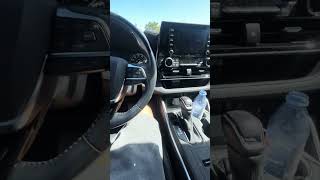
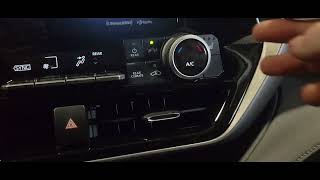
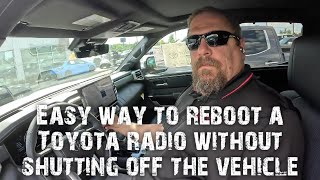

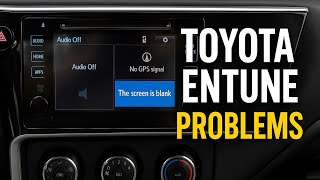
Technical Specifications
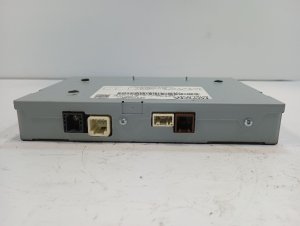
OEM Part Numbers: 86100-0E271 86100-0E290 86100-0E293 86100-0E294 861000E293 86804-0E290 86804-0E291 868040E290 868040E291
Faceplate IDs: 510179, 510390 System: Toyota Entune Audio (Non-JBL) Screen Size: 8-inch Touchscreen Manufacturer: Panasonic
We Have This Part in Stock



The information in this article is provided for general reference and educational purposes only. Vehicle specifications, procedures, and part compatibility can vary by production date, trim level, and region. Always consult your vehicle's factory service manual and verify part numbers before purchasing or performing repairs. Safety-critical components such as airbags, seat belts, and braking systems should be installed by a qualified professional.
- Toyota Highlander:
- 🎬 Helpful Videos
- 🛍️ Shop This Part
- Known Issues and Symptoms of Failure
- 1. Constant Rebooting or Cycling
- 2. Black or Unresponsive Screen
- 3. Bluetooth Connectivity Problems
- 4. No Sound or Inoperative Voice Prompts
- Diagnosing a Faulty Highlander Stereo
- Technical Service Bulletins (TSBs) and Recalls
- Buying a Used 2017-2019 Highlander Stereo: What to Look For
- 1. Compatibility is Key: JBL vs. Non-JBL
- 2. Match the Faceplate ID
- 3. Programming and Anti-Theft
- 4. Navigation Units: The SD Card Requirement
- Cost Comparison
- Frequently Asked Questions (FAQ)
- 🎟️ Get 5% Off