

2019 Ram 2500, 3500, 4500 & 5500 Radio Receiver Guide: Solving Black Screens & Failures
This guide covers common issues, replacement, and programming for the 8.4-inch Uconnect radio receiver module in 2019 Ram Heavy Duty and Chassis Cab trucks.
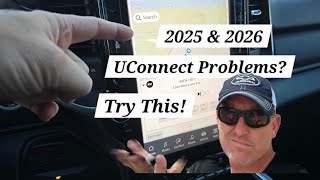
- Many common issues like black screens and freezing are caused by software glitches and can be fixed with a free software update from a dealer or via the Uconnect website.
- A replacement radio module MUST be programmed to your vehicle's VIN to function correctly and enable all features.
- Before replacing the module, perform a soft reset (hold power knob for 20 seconds) and check for simple electrical issues like battery connections and fuses.
- This part is only the radio 'brain'; the 8.4-inch touchscreen is a separate component.
Known Issues, TSBs, and Recalls
The 2019 model year for Ram Heavy Duty trucks saw the introduction of a new Uconnect system, which experienced several software-related issues. Many problems can be resolved with software updates rather than replacing the hardware.
Recalls
NHTSA Recall 20V-191 (FCA Campaign W32): This important safety recall addresses an issue where the rearview camera image could remain on the screen after the truck is shifted out of reverse. This lingering image could distract the driver, increasing the risk of a crash. The fix is a software update that dealers can perform, or it can be delivered over-the-air (FOTA). This recall applies to 2019-2020 Ram 2500 and 3500 10k Cab Chassis models with the 8.4-inch display.
Technical Service Bulletins (TSBs)
A Technical Service Bulletin (TSB) is a document from the manufacturer that outlines a procedure for repairing a known problem. For the 2019 Ram trucks, several TSBs address radio issues:
- TSB 08-003-19 REV. B: This bulletin covers a wide array of symptoms related to the radio and backup camera. Problems addressed include a black or white screen, the radio locking up or resetting, phantom touches (features activating without input), audio distortion, Bluetooth connection problems, and incorrect GPS location in CarPlay or Android Auto. The solution is a radio software update.
- TSB 08-009-19 REV. A: Aimed at vehicles with the 12-inch screen but relevant to the platform, this TSB addresses issues like audio distortion, a locked-up radio, screen flickering, and intermittent resets.
You can check for software updates for your specific vehicle by entering your VIN on the official Uconnect website.
Pro Tip: Before assuming your radio module has failed, try a 'soft reset.' Press and hold the power/volume knob for 10-20 seconds until the screen goes black and the system reboots. This simple step can resolve many temporary software glitches without a trip to the dealer.
🎬 Watch: Quick troubleshooting tips for a glitchy Uconnect systemSymptoms of a Failing Radio Receiver
When the radio receiver module begins to fail, it can cause a variety of frustrating and distracting problems. Because the Uconnect system is tied into many vehicle functions, symptoms are not always limited to the radio itself.
Warning: Some radio issues can be caused by seemingly unrelated problems. For example, owners have reported that water intrusion in a taillight, causing a short in the blind spot sensor, can lead to the Uconnect screen going black. Similarly, a loose or corroded power connection under the red cover on the positive battery terminal has been found to cause intermittent radio power loss.
Buying a Used Stereo / Receiver
Purchasing a used OEM radio module can be a cost-effective solution, but it requires careful consideration to ensure compatibility and functionality.
Compatibility and Part Numbers
The most critical step is to ensure the part number of the replacement module is compatible with your truck. The base part number is 68381424, with the last two letters (e.g., AC, AD, AH, AL) indicating revisions. While later revisions often contain software and hardware improvements, they are generally interchangeable. However, it's always best to match the part number as closely as possible or confirm compatibility with the seller.
Programming and Anti-Theft
This is the most important consideration. A used radio module will likely need to be programmed to your vehicle's VIN and specific options (like heated seats, backup camera, etc.).
- Dealer Programming: A Ram dealership can program a used radio to your truck. They will need the radio's serial number and may require proof of ownership for the radio to generate a security code.
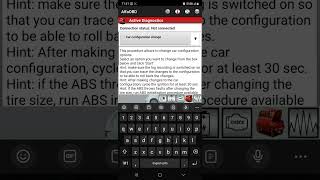
- Independent Shops & DIY: Advanced DIYers or independent shops with the right tools can also perform the programming. Software like AlfaOBD, paired with a compatible OBD-II interface and a security gateway bypass module, allows users to change vehicle configurations, including enabling features for a new radio. This is often how users perform upgrades from a smaller screen to the 8.4-inch or 12-inch versions. 🎬 Watch: How to use AlfaOBD for Uconnect radio upgrades
- Pre-Programmed Units: Some online sellers specialize in selling used OEM radios that are pre-programmed to your vehicle's VIN before shipping. This is often the most straightforward, plug-and-play option for a DIY replacement.
Without proper programming, a replacement radio may not function at all, may be locked by an anti-theft code, or may not control all of your vehicle's features correctly.
Physical Inspection
When buying a used unit, inspect it for any signs of physical damage, especially to the connectors. Ensure all pins are straight and there is no corrosion. Ask the seller about the history of the part and the reason it was removed from the donor vehicle.
Replacement Procedure Overview
Replacing the radio module in a 2019 Ram HD truck is a relatively straightforward process that many DIYers can accomplish.
- Disconnect the vehicle's battery.
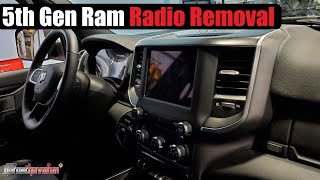
- The entire center dash bezel, which includes the screen and climate controls, is held in by two screws at the top (under a rubber mat) and a series of clips around the perimeter.
- After removing the two screws, carefully use a plastic pry tool to work your way around the edge of the bezel and release the clips.
- Pull the bezel away from the dash and disconnect the numerous electrical connectors on the back for the screen, climate controls, and switch panels.
- The radio receiver module is the metal box mounted behind the screen, typically held in by four 7mm screws.
- Unscrew the module, swap it with the replacement unit, and re-fasten it.
- Reconnect all electrical connectors to the bezel and carefully snap it back into place, ensuring all clips are engaged. 🎬 See this step-by-step dash removal and stereo installation guide
- Reinstall the two top screws and reconnect the battery.
- Perform the necessary programming or visit a dealer/shop to have it done.
Cost Comparison
| Part / Service | Estimated Cost |
|---|---|
| New OEM Module (from dealer) | $900 - $1,200+ |
| Used OEM Module (recycler/online) | $250 - $500 |
| Remanufactured/Upgrade Kit | $800 - $1,500 |
| Shop Labor (Replacement) | $100 - $200 |
| Shop Labor (Programming) | $100 - $250 |
Frequently Asked Questions (FAQ)
Do I have to take my truck to the dealer to replace the radio?
Not necessarily. While a dealer can always perform the replacement and programming, it is possible to do it yourself. The physical replacement is straightforward. For programming, you can either buy a pre-programmed unit from a specialty vendor or use advanced tools like AlfaOBD to configure the new module to your truck.
My screen is black. Is the radio module bad?
It could be, but not always. First, try a soft reset by holding the power knob for 20 seconds. Next, check for simple issues like a loose battery connection or blown fuses. Also, check for software updates using your VIN on the Uconnect website. A black screen is a common symptom listed in TSBs that are fixed with a software update. In rare cases, issues in other parts of the vehicle's network, like a faulty blind spot sensor, can cause the screen to go black.
Can I upgrade from my 5-inch or base radio to this 8.4-inch screen?
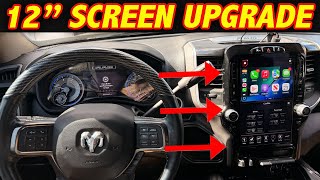
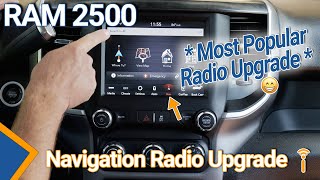
Yes, this is a popular upgrade. Several companies sell complete kits that include the 8.4-inch screen, the radio receiver module, the correct dash bezel, and all necessary wiring harnesses. These kits are often pre-programmed for your VIN to make the installation plug-and-play.
What is the difference between the radio module and the screen?
The radio receiver module is the metal box, or the 'computer,' that runs the infotainment system. The screen is just a display and touchscreen interface. They are separate parts. This guide and the listed part numbers are for the module only. If your screen is cracked or physically damaged but the radio works, you would need to replace the screen, not the module.
Helpful Videos
Technical Specifications
OEM Part Numbers: 68381424 68381424AC 68381424AD 68381424AE 68381424AF 68381424AG 68381424AH 68381424AL 68381424ZA
Radio receiver module for Uconnect 4 systems with 8.4-inch touchscreen. Features include Apple CarPlay, Android Auto, and optional SiriusXM.
We Have This Part in Stock



The information in this article is provided for general reference and educational purposes only. Vehicle specifications, procedures, and part compatibility can vary by production date, trim level, and region. Always consult your vehicle's factory service manual and verify part numbers before purchasing or performing repairs. Safety-critical components such as airbags, seat belts, and braking systems should be installed by a qualified professional.
- Ram 2500:
- Ram 3500:
- Ram 4500:
- Ram 5500:
- 🎬 Helpful Videos
- 🛍️ Shop This Part
- Known Issues, TSBs, and Recalls
- Recalls
- Technical Service Bulletins (TSBs)
- Symptoms of a Failing Radio Receiver
- Buying a Used Stereo / Receiver
- Compatibility and Part Numbers
- Programming and Anti-Theft
- Physical Inspection
- Replacement Procedure Overview
- Cost Comparison
- Frequently Asked Questions (FAQ)
- 🎟️ Get 5% Off