

2021-2024 Mazda 3 Infotainment Failure: A Guide to CMU Replacement and Programming
This guide covers the common failures, critical programming requirements, and part number details you need to know before replacing your Mazda 3's infotainment unit.
- A replacement Stereo/CMU for a 2021-2024 Mazda 3 MUST be programmed by a dealer or specialist with Mazda's MDARS software to function.
- Before replacing the unit, try a hard reset and check with a dealer for any available software updates, as many glitches can be fixed without new hardware.
- Always match the OEM part number from your original unit exactly, as versions for navigation and non-navigation vehicles differ.
- A used OEM unit is significantly cheaper than new, but the cost of professional programming must be factored into the total repair cost.
Symptoms of a Failing Mazda 3 CMU
When the Connectivity Master Unit (CMU) in a 2021-2024 Mazda 3 begins to fail, it can cause a variety of frustrating electronic issues. Many of these are software-related glitches, while others indicate a true hardware failure. Before assuming the unit needs replacement, it's worth trying a system reset. 🎬 Watch this step-by-step video on resetting your Mazda infotainment system. You can perform a hard reset by pressing and holding the Mute, Nav, and Back buttons simultaneously for about 10 seconds until the system reboots. If problems persist, you may be experiencing one of the following common failure symptoms.
1. Constant Reboots, Freezing, or Lagging
One of the most common complaints is the Mazda Connect system getting stuck in a reboot loop, or freezing completely. The screen may become unresponsive to inputs from the commander knob, or there might be a significant delay between your input and the system's response. This can be caused by software bugs, conflicts with a connected smartphone, or a corrupted navigation SD card. In some cases, the system may overheat and shut down.
2. Black or Unresponsive Screen
The center display may go completely black or fail to turn on at all. Sometimes the audio will continue to play, but the screen remains dark. This could be a simple issue, like the display being accidentally turned off with the volume knob, but it can also indicate a more serious internal failure of the CMU or a problem with its power source. A recall issued for some 2024 models (NHTSA ID 23V-718) addressed a software issue in the view monitor control module that could cause camera images to flicker or disappear, which presents similarly.
3. Bluetooth and Smartphone Connection Failures
Difficulty connecting your phone via Bluetooth, Apple CarPlay, or Android Auto is a frequent symptom. You might experience dropped connections, distorted audio during calls, or the system failing to recognize your device at all. These issues are often traced back to software glitches within the CMU that can sometimes be resolved with a firmware update from a dealership.
4. No Audio or Static from Speakers
In some instances, the display and all functions may appear to work correctly, but there is no sound coming from the speakers, or only static is heard. Mazda has issued a Technical Service Bulletin (TSB), SA-021-24, acknowledging this specific problem. This points to an internal fault within the CMU's audio processing circuits.
🎬 See how to fix common audio problems on newer Mazda models.Associated Diagnostic Trouble Codes (DTCs)
While a failing CMU may not always trigger a check engine light, a professional scan tool may reveal network-related fault codes. These are typically "U" codes, which indicate a communication problem between electronic modules. Codes relevant to CMU and related telematics issues include:
- U3000:04-TCU: Telematics Communication Unit internal malfunction.
- U0323, U0423, U3000: A group of codes that can become difficult to clear if the CMU is disconnected or has a fault.
Warning: Many of these symptoms can be caused by simple software glitches. Before buying a replacement part, check with a Mazda dealer to see if any Technical Service Bulletins (TSBs) apply to your vehicle's VIN. A simple software update could fix the problem without needing to replace hardware.
Important: Programming and VIN Locking
Replacing the CMU in a 2021-2024 Mazda 3 is not a plug-and-play job. This is the single most important fact to understand before buying a used unit. The CMU is a security component that is tied to the vehicle's original Vehicle Identification Number (VIN).
A replacement unit, whether new or used, must be programmed to your specific vehicle using Mazda's proprietary software, the Mazda Diagnostic and Repair Software (MDARS). This procedure pairs the replacement CMU with your car's other modules. Without this programming, the unit will not function correctly, if at all.
- Is this a DIY job? The physical installation is simple, but the programming is not. You cannot complete the job at home without access to an MDARS subscription and a compatible VCI (Vehicle Communication Interface) like a Mazda VCM-II.
- Can an independent shop do it? Only if they have invested in a subscription to Mazda's MDARS system. Many general repair shops do not have this, so you must confirm with them beforehand. Otherwise, a trip to a Mazda dealership for programming is required after you install the part.
Buying a Used 2021-2024 Mazda 3 Stereo Receiver
A used OEM CMU can be a cost-effective solution, but careful purchasing is key. Given the programming requirements, you are buying a piece of hardware that will require professional service to activate.
Match Part Numbers Exactly
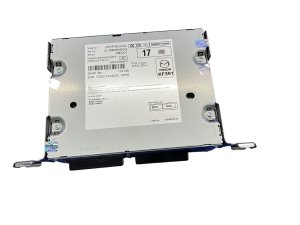
The most critical step is to match the part number from your original unit to the replacement. Different part numbers exist for vehicles with and without navigation, and for different production dates. Using the wrong part number can lead to incompatibility. The known OEM part numbers are a good starting point, but always verify the number on your specific unit.
- BGMC669C0D
- BGMC669C0E
- BGMC669C0F
- BGMC669C0G (replaces BGMC669C0F)
- DRVP669C0C
- DRVP669C0G
Physical Inspection
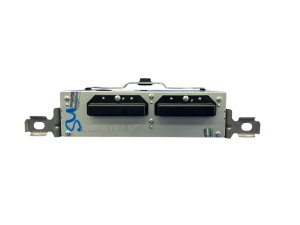
When your used part arrives, inspect it carefully. Check for any damage to the casing, and pay close attention to the electrical connectors. Ensure none of the pins are bent, corroded, or broken. Check the screen (if included) for deep scratches or delamination, although the main CMU is a separate box from the display itself.
Pro Tip: When buying from an online recycler, ask them to confirm the part number with a photo of the sticker on the unit itself. This avoids any confusion and ensures you get the exact part you need.
Cost of Replacement
The cost to replace a Mazda 3 CMU can vary significantly depending on the route you take. Programming labor is a required cost regardless of where you source the part.
| Part Source | Estimated Cost |
|---|---|
| New OEM (Dealer) | $1,300 - $1,950 |
| Used OEM (Recycled) | $100 - $250 |
| Aftermarket Head Unit | $250 - $600+ (May lose some vehicle integration) |
| Shop Labor (Programming) | $150 - $300 |
Frequently Asked Questions (FAQ)
Can I install a used Mazda 3 stereo myself?
You can perform the physical installation, which involves removing trim panels and unbolting the old unit. 🎬 Watch this step-by-step guide to installing a replacement Mazda infotainment screen. However, the vehicle will not be fully functional until the used unit is programmed to your car's VIN by a Mazda dealer or a specialized independent shop with MDARS software.
Does a replacement CMU absolutely need to be programmed?
Yes. The CMU is a security-linked component. A replacement unit will not work correctly without being programmed to your vehicle. This is a mandatory step.
Can I upgrade my non-navigation stereo to one with navigation?
This is often possible, but it requires more than just swapping the CMU. You would need a CMU that supports navigation, a navigation SD card from Mazda, and potentially a GPS antenna if your vehicle doesn't already have one. The new unit would still require dealer programming to function.
My screen is rebooting. Do I need a new stereo?
Not necessarily. Many rebooting and freezing issues are caused by software glitches. First, try a hard reset (holding Mute+Nav+Back for 10 seconds). If that doesn't work, contact a dealer to see if a software update is available for your vehicle, which is much cheaper than a full hardware replacement.
Helpful Videos
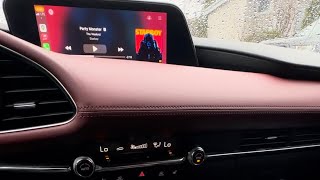
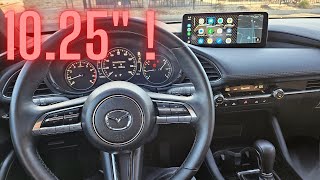

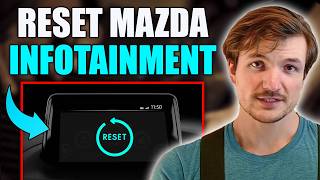
Technical Specifications
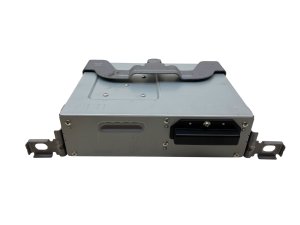
OEM Part Numbers: BGMC669C0D BGMC669C0E BGMC669C0F BGMC669C0G DRVP669C0C DRVP669C0G
Controls the Mazda Connect system with commander knob interface. Integrates with vehicle CAN bus network. Requires programming via Mazda Diagnostic and Repair Software (MDARS).
We Have This Part in Stock




The information in this article is provided for general reference and educational purposes only. Vehicle specifications, procedures, and part compatibility can vary by production date, trim level, and region. Always consult your vehicle's factory service manual and verify part numbers before purchasing or performing repairs. Safety-critical components such as airbags, seat belts, and braking systems should be installed by a qualified professional.
- Mazda 3:
- 🎬 Helpful Videos
- 🛍️ Shop This Part
- Symptoms of a Failing Mazda 3 CMU
- 1. Constant Reboots, Freezing, or Lagging
- 2. Black or Unresponsive Screen
- 3. Bluetooth and Smartphone Connection Failures
- 4. No Audio or Static from Speakers
- Associated Diagnostic Trouble Codes (DTCs)
- Important: Programming and VIN Locking
- Buying a Used 2021-2024 Mazda 3 Stereo Receiver
- Match Part Numbers Exactly
- Physical Inspection
- Cost of Replacement
- Frequently Asked Questions (FAQ)
- 🎟️ Get 5% Off