

2008-2009 Lexus LX570 Radio: Solving No Sound, Screen Failures & P6503 Swaps
This guide covers diagnosing common radio and navigation problems in the Lexus LX570 and ensuring you buy the correct used replacement unit.
- Compatibility is critical: You must match the faceplate ID (e.g., P6503) and audio system type (Pioneer vs. Mark Levinson).
- A total loss of sound is a very common failure, which can be caused by either the head unit or the separate amplifier.
- A used OEM radio is typically plug-and-play and does not require dealer programming or an anti-theft code.
- The factory system in these years supports Bluetooth for calls only, not music streaming; aftermarket solutions are needed for CarPlay/Android Auto.
Symptoms of a Failing LX570 Stereo Receiver
When the stereo head unit in a 2008-2009 Lexus LX570 begins to fail, it can cause a variety of issues. Because it controls so many functions, a problem with the unit can be very noticeable.
- No Sound: One of the most common failures is a complete loss of audio from all sources (radio, CD, Bluetooth). The display may appear to function normally, but no sound comes from the speakers. This can sometimes be caused by a failed external amplifier, but it can also be an internal fault in the head unit itself.
- Blank or Frozen Screen: The display may go completely black, flicker, or freeze on the Lexus logo, making it impossible to use the navigation, backup camera, or climate controls.
- Unresponsive Touchscreen or Buttons: The touchscreen may stop responding to touch, or respond intermittently. Physical buttons and knobs might also fail to work, including the volume control.
- Bluetooth and Connectivity Issues: Problems pairing a phone, or frequent disconnection of a paired device can point to a fault in the head unit. For 2008-2009 models, it's important to note that factory Bluetooth supports hands-free calls but not audio streaming.
- CD/DVD Player Errors: The unit may refuse to accept or eject discs, or it may display a disc error message.
- Diagnostic Screen Errors: Lexus vehicles have a built-in diagnostic menu. If you access this menu and see an error or a module shown as not connected ("MOST" network error), it can indicate a fault in the head unit or another part of the audio system.
Pioneer vs. Mark Levinson: A Critical Distinction
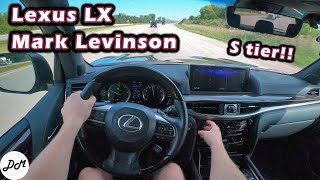
The 2008-2009 LX570 was available with two different audio systems: the standard "Lexus Premium Audio" system (made by Pioneer) and the upgraded Mark Levinson Reference Surround Sound system. These two systems are not interchangeable. The head units, amplifiers, and speakers are all different. An aftermarket upgrade is also very difficult due to the deep integration of the factory components.
The part number 86120-60A70, which has the faceplate ID P6503, is for the standard Pioneer system. It is crucial to confirm which system your vehicle has before purchasing a replacement. The easiest way to tell is to look at the faceplate of the radio itself—the Mark Levinson system will have its brand name clearly printed on it.
Warning: Do not attempt to install a Mark Levinson head unit in a vehicle originally equipped with the Pioneer system, or vice-versa. The components are incompatible and will not function correctly.
Buying a Used 2008-2009 LX570 Stereo: What to Check
A used OEM stereo is often the most practical and cost-effective solution for a failed unit. Aftermarket options are available but can be expensive and may not integrate seamlessly with all factory features like steering wheel controls and the rear seat entertainment system. Here’s what to look for when buying a used OEM unit:
- Match the Faceplate ID: This is the most important step. Your replacement unit must have the same faceplate ID as your original. For many LX570 models with navigation and Rear Seat Entertainment, this ID is 'P6503'. Double-check this before purchasing.
- Verify System Compatibility: Ensure you are buying a Pioneer unit for a Pioneer-equipped vehicle, or a Mark Levinson unit for a Mark Levinson vehicle. They are not cross-compatible.
- Check for Rear Seat Entertainment (RSE): The head unit must be compatible with your vehicle's options. If your LX570 has the factory rear entertainment system, the replacement radio must also support it.
- Physical Inspection: When possible, inspect the unit for any physical damage. Check for deep scratches on the screen, cracks in the casing, and most importantly, bent or corroded pins on the electrical connectors.
- Seller Guarantee: Purchase from a reputable seller who guarantees the unit has been tested and is fully functional. A short warranty period provides peace of mind.
Programming and Installation
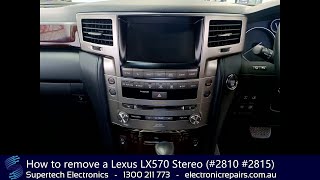
Replacing the stereo head unit is a moderately difficult job that a DIY-savvy owner can typically perform in 1-2 hours. The process involves carefully removing several trim pieces around the center console and dashboard to access the mounting bolts.
🎬 Watch: Step-by-step guide to removing the LX570 stereoProgramming and Anti-Theft
Unlike many other manufacturers, Lexus head units from this era generally do not have a traditional anti-theft radio code that needs to be entered after installation. The system is designed to work once connected to the correct vehicle. In most cases, a like-for-like replacement (matching part and faceplate numbers) is plug-and-play and does not require a trip to the dealer for programming. However, after disconnecting the battery, the system may need a few minutes to initialize all functions once reconnected.
Pro Tip: Before disconnecting the battery, wait at least 6 minutes after turning the ignition off. The navigation system uses this time to save settings and memory.
Known Issues, TSBs, and Recalls
While there are no major recalls specifically for the radio/navigation unit itself, there are a few related items of note for the 2008-2009 LX570:
- Recalls: The 2008 LX570 was subject to recalls for an accelerator pedal that could get trapped by a floor mat, and for a seat belt tension sensor that could improperly deactivate the passenger airbags. These do not directly affect the radio but are important safety items for owners to be aware of.
- Technical Service Bulletins (TSBs): While most TSBs for screen issues apply to later model years, Lexus has issued software updates in the past to fix bugs like the system rebooting or displaying errors. However, for an older vehicle, a hardware failure is more likely than a software bug.
Cost of Replacement
The cost to replace the LX570 stereo can vary significantly depending on the path you choose. The integrated nature of the unit makes it an expensive part to replace new.
| Part Type | Estimated Cost |
|---|---|
| New OEM (Dealer) | $2000 - $3000+ (Part often discontinued) |
| New Aftermarket (Android-style) | $900 - $2200 |
| Used OEM | $350 - $700 |
| Remanufactured OEM | $600 - $900 |
| Shop Labor to Install | $150 - $300 |
Frequently Asked Questions (FAQ)
Do I need a code to unlock a used radio after installation?
No, Lexus radios from this period typically do not use an anti-theft code. As long as you install a compatible unit with the correct part number, it should function without needing a special code.
Can I upgrade my standard Pioneer radio to a Mark Levinson system?
This is not a simple plug-and-play swap. Upgrading requires changing the head unit, the amplifier, all the speakers, and potentially the vehicle's wiring harness. It is generally considered too complex and expensive to be practical.
My screen works but I have no sound. Is it the radio or the amplifier?
It could be either. A total loss of sound is a common symptom for both a failed head unit and a failed external amplifier. In some cases, a diagnostic check can help pinpoint the faulty component. The amplifier is often located under one of the front seats and can be susceptible to damage from moisture.
Will a used radio work with my steering wheel controls and backup camera?
Yes, provided you purchase the correct used OEM unit that matches your vehicle's original specifications (part number, faceplate ID, and system type). A compatible OEM unit will retain all factory-integrated functions.
Can I add Apple CarPlay or Android Auto to my factory 2009 LX570 radio?
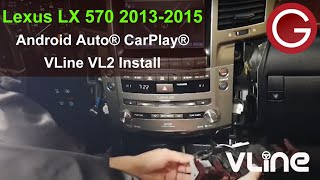
The original factory unit does not support Apple CarPlay or Android Auto. However, there are aftermarket modules, like the GROM VLine, that can be added to the factory system to provide this functionality. Alternatively, you can replace the entire head unit with a modern Android-based screen.
Helpful Videos

Technical Specifications
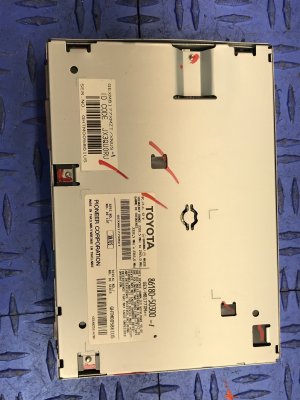
OEM Part Numbers: 86120-60A70 8612060A70
Faceplate ID: P6503. System: Pioneer Premium Audio. Features: Navigation, DVD Player, supports Rear Seat Entertainment.
We Have This Part in Stock



The information in this article is provided for general reference and educational purposes only. Vehicle specifications, procedures, and part compatibility can vary by production date, trim level, and region. Always consult your vehicle's factory service manual and verify part numbers before purchasing or performing repairs. Safety-critical components such as airbags, seat belts, and braking systems should be installed by a qualified professional.
- Lexus LX570:
- 🎬 Helpful Videos
- 🛍️ Shop This Part
- Symptoms of a Failing LX570 Stereo Receiver
- Pioneer vs. Mark Levinson: A Critical Distinction
- Buying a Used 2008-2009 LX570 Stereo: What to Check
- Programming and Installation
- Programming and Anti-Theft
- Known Issues, TSBs, and Recalls
- Cost of Replacement
- Frequently Asked Questions (FAQ)
- 🎟️ Get 5% Off