

2017 Honda Civic Coupe Premium Audio Receiver: Anti-Theft, Failures, and Replacement
This guide covers the specific radio receiver for the 2017 Honda Civic Coupe with the 10-speaker premium audio system, including common problems and the critical anti-theft reset process.
- This receiver ONLY fits 2017 Honda Civic Coupes with the 10-speaker premium audio system; it is not interchangeable with Sedan or Hatchback models.
- Any replacement receiver (new or used) WILL require an anti-theft code to be entered before it will function. This usually requires a trip to a Honda dealer.
- Common failure symptoms include a black/frozen screen, no audio output, and persistent Bluetooth/USB connectivity issues.
- Before replacing the unit, try a system reboot by holding the power button or pulling the audio fuse to rule out a simple software glitch.
Known Issues and Common Problems
The audio system in the 10th generation Honda Civic can experience several well-documented issues. While the display screen often gets the blame, the underlying cause can sometimes be the receiver unit itself. Owners report a range of problems from minor glitches to complete system failure.
Infotainment System Black Screen or Freezing
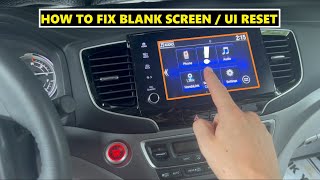
One of the most common complaints is the infotainment screen going completely black, freezing, or becoming unresponsive. This can happen intermittently, sometimes resolving itself after restarting the car, while other times it becomes a persistent issue. While this can be a software glitch, it can also indicate a hardware problem within the receiver unit. Many owners report that this issue occurs randomly, especially when using Apple CarPlay. 🎬 Watch: How to reset your blank screen and fix CarPlay issues A temporary fix that often works is to perform a system reboot by either holding the audio power button or by pulling the audio fuse from the fuse box for a few minutes.
No Audio Output
A clear sign of receiver or amplifier failure is when the display screen appears to be working correctly—allowing you to navigate menus and see song information—but no sound comes from any of the speakers. This can also manifest as intermittent audio cut-outs. Before condemning the receiver, it's wise to check the related fuses first.
Bluetooth and USB Connectivity Failures
If your phone repeatedly fails to connect via Bluetooth, or if the system doesn't recognize devices plugged into the USB port, it could point to a fault within the receiver's hardware or software. These issues often start as minor annoyances but can worsen over time.
Pro Tip: Before assuming the receiver has failed, try a simple reset. For many software-related glitches, you can reboot the system by pressing and holding the audio system's power button for several seconds. If that doesn't work, pulling the audio fuse for a few minutes can perform a hard reset that may resolve temporary issues.
Variant and Compatibility Warnings
This specific premium audio receiver is NOT interchangeable with units from other Civic models.
- Vehicle Fitment: This part is for the 2017 Honda Civic Coupe only. It will not work in Sedan or Hatchback models.
- Trim Level Fitment: It is designed for the EX, EX-L, and Touring trims equipped with the 450-watt, 10-speaker premium audio system (which includes a subwoofer). It is not compatible with the base LX trim's audio system.
- Part Numbers: Always match the part number from your original unit. Known compatible part numbers include 39100-TBH-A51, 39101-TBH-A51, and 39101-TBH-A51-M1. Part numbers starting with 39101-TBF-A51 may fit other Civic models like the Si and are not compatible.
Warning: Installing a receiver from a Sedan, Hatchback, or a lower trim level will result in incompatibility issues, loss of features, or complete non-functionality.
Buying a Used Stereo / Receiver
Purchasing a used OEM receiver is often the most cost-effective way to restore your Civic's premium sound system. However, there are critical factors to consider to ensure you get a working, compatible part.
The Anti-Theft System is a Major Hurdle
Honda audio systems are equipped with a robust anti-theft feature. If the unit loses power (like when it's removed from the vehicle) or is installed in a different car, it will lock itself and display a "CODE" prompt on the screen. You cannot use the radio until the correct 5-digit code is entered.
This is the most important thing to understand: A used receiver will be locked upon installation. You will need to get the unlock code. You can obtain the code from a Honda dealership or sometimes via Honda's official website, but you will need the VIN of the vehicle the radio came from and the radio's serial number. Because obtaining the donor car's VIN can be difficult, your most reliable option is to plan for a visit to a Honda dealer. The dealer can retrieve the code and unlock the unit for a fee.
What to Inspect on a Used Unit
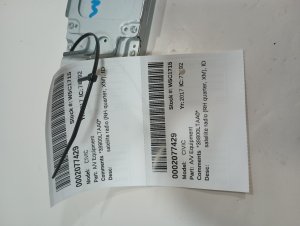
- Verify the Part Number: Double-check that the part number on the used unit's sticker matches one of the compatible numbers for your vehicle.
- Check the Connectors: Inspect all electrical connector ports on the back of the receiver. Look for bent or broken pins, corrosion, or any signs of damage.
- Look for Water Damage: Check the casing for any signs of water intrusion or rust, which can destroy the internal electronics.
Programming and Installation Requirements
Physical installation of the receiver is straightforward for a DIYer with basic tools. However, post-installation programming is required.
Anti-Theft Code Activation: As mentioned, the primary requirement is entering the anti-theft code. While you can sometimes retrieve the code yourself online if you have the radio's serial number and the donor car's VIN, it is often necessary to have a Honda dealership perform this service. They have the tools to retrieve the code and activate the unit in your vehicle.
To retrieve the radio's serial number yourself, you can typically turn the ignition to the 'ON' position, make sure the radio is off, and then press and hold the #1 and #6 radio preset buttons while turning the radio on. The serial number will then appear on the display. Write this number down before contacting a dealer or looking online.
Dealer Visit Required: Be prepared to take your vehicle to a Honda dealership after installing a used receiver. Factor the cost of this service (typically one hour of labor) into the total cost of your repair.
Cost to Replace a 2017 Civic Premium Audio Receiver
| Part Type | Estimated Cost |
|---|---|
| New OEM | $2,800 - $4,300 |
| New Aftermarket | $150 - $300 (Generic Android units, may lose premium features) |
| Used OEM | $150 - $500 (Varies by recycler and condition) |
| Shop Labor (Installation & Programming) | $150 - $300 |
Frequently Asked Questions (FAQ)
Does a replacement radio for a 2017 Honda Civic need to be programmed?
Yes. Any replacement OEM receiver, new or used, will be in a locked state due to the anti-theft system. It requires a specific 5-digit code to be entered before it will function. This process is often best handled by a Honda dealership.
Can I use a radio from a Civic Sedan in my Civic Coupe?
No. The receiver for the Coupe with premium audio is specific to that body style and trim package. A unit from a Sedan, Hatchback, or a base model without the 10-speaker system will not be compatible.
My radio screen is black. Is the receiver bad or the screen?
It could be either. If the screen is completely black and unresponsive to touch or button presses, and a system reboot or fuse pull doesn't help, the screen itself could be the issue. However, if the screen works intermittently or if you have audio but no display (or vice-versa), the receiver unit is a likely culprit. Often, software glitches can cause a black screen, which can be temporarily fixed with a reboot.
How do I get the anti-theft code for my replacement radio?
You will need the radio's serial number and the VIN of the car it came from. You can try retrieving the code on Honda's website or by calling their customer service line. The most reliable method is to have a Honda dealer service department retrieve the code and unlock the unit for you.
Helpful Videos
Technical Specifications
OEM Part Numbers: 39100-TBH-A51 39100TBHA51 39101-TBH-A51 39101TBHA51 39101-TBH-A51-M1
Designed for the 450-watt, 10-speaker premium audio system in 2017 Honda Civic Coupe EX, EX-L, and Touring trims.
We Have This Part in Stock



The information in this article is provided for general reference and educational purposes only. Vehicle specifications, procedures, and part compatibility can vary by production date, trim level, and region. Always consult your vehicle's factory service manual and verify part numbers before purchasing or performing repairs. Safety-critical components such as airbags, seat belts, and braking systems should be installed by a qualified professional.
- Honda Civic:
- 🎬 Helpful Videos
- 🛍️ Shop This Part
- Known Issues and Common Problems
- Infotainment System Black Screen or Freezing
- No Audio Output
- Bluetooth and USB Connectivity Failures
- Variant and Compatibility Warnings
- Buying a Used Stereo / Receiver
- The Anti-Theft System is a Major Hurdle
- What to Inspect on a Used Unit
- Programming and Installation Requirements
- Cost to Replace a 2017 Civic Premium Audio Receiver
- Frequently Asked Questions (FAQ)
- 🎟️ Get 5% Off