

2013-2015 Ford C-Max Radio Problems: Battery Drain, No Sound, and Replacement Guide
Diagnose common radio failures, from a dead battery to complete silence, and learn how to choose and program a replacement Audio Control Module (ACM).
- The most common radio failures are software-related, causing battery drain or no sound. A temporary fix is to pull fuse #79 under the glove box.
- When buying a used radio (ACM), you MUST match the part number (e.g., CM5T-19C107-L_) to avoid compatibility issues.
- A used radio may need to be programmed to your car's 'As-Built' data to work correctly. This can be done by a dealer or with FORScan software.
- Repairing your original module is a great alternative to buying used, as it completely avoids the need for programming.
Common Symptoms of a Failing Ford C-Max Radio

A faulty Audio Control Module (ACM) in the 2013-2015 C-Max can cause a variety of distinct and often confusing problems. Many of these are due to internal software glitches or hardware failure that develops over time.
1. Radio Stays On, Draining the 12V Battery
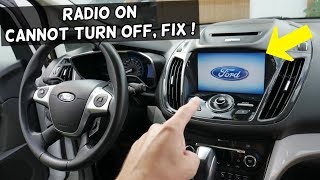
This is one of the most common and disruptive failures. You park the car, turn it off, and open the door, but the radio remains on. The screen may say "Audio Off," but the module itself is still active, drawing power. If left overnight, this parasitic drain will kill the 12-volt battery, leaving you with a car that won't start. This is often caused by a software bug that prevents the ACM from entering its sleep mode correctly.
🎬 Watch this video on fixing a radio that stays on2. No Sound From Speakers
The radio display may appear to be working perfectly—you can change stations, see song titles, and adjust the volume control—but no sound comes from any of the speakers. This can happen intermittently or become a permanent condition. This failure points directly to an internal fault in the ACM's amplifier or output circuits.
3. Complete Radio Failure (Black Screen / Unresponsive)
The radio unit may refuse to turn on at all. The screen is black, and none of the buttons respond. This can be caused by a blown fuse, but if the fuse is good, it often indicates a total internal failure of the ACM.
4. Loud Popping, Static, or Distorted Sound
A sudden, loud pop or blast of static from the speakers, sometimes at full volume, is a startling symptom of a failing ACM. This can happen at startup or randomly while driving. Ford issued a Technical Service Bulletin (TSB 13-1-13) for this exact issue, which is resolved by reprogramming the ACM with updated software.
The Temporary Fix: Pulling Fuse #79
For issues like the radio freezing or staying on, many owners have found a temporary solution by resetting the ACM. This is done by pulling a specific fuse, waiting about a minute, and re-inserting it.
- Locate the fuse panel inside the car, which is under the glove box. You may need to remove a soft fabric cover held by two plastic clips.
- Identify fuse #79, which is typically a 20-amp yellow fuse for the audio system.
- With the vehicle off, pull the fuse out. Wait for 60 seconds to allow the module to fully discharge.
- Re-insert the fuse. This forces a hard reboot of the ACM and will often restore normal operation for a while.
Pro Tip: While pulling the fuse is a great diagnostic step and temporary fix, it does not solve the underlying problem. If the issue returns, the ACM either needs a software update from a dealer or replacement.
Known Issues, TSBs, and Recalls
While there are no direct safety recalls for the radio itself, several Technical Service Bulletins (TSBs) address common audio system problems.
- TSB 13-1-13: Addresses static, popping, or distorted sound from the speakers on FM radio by reprogramming the ACM with an updated calibration.
- TSB 14-0151: For vehicles exhibiting a loud, low-frequency droning noise. This is related to the Active Noise Cancellation (ANC) system, which uses the audio system's microphones and speakers to cancel out powertrain noise. The fix involves inspecting and potentially sealing the ANC microphones in the headliner.
- Battery Drain: While not a specific TSB for the C-Max radio, battery drain from modules that fail to shut down is a well-documented issue across many Ford models. The root cause is often software-related.
Buying a Used Stereo / Receiver: A Buyer's Guide

Replacing a faulty ACM with a used unit is a cost-effective solution, but compatibility is critical. Simply finding a radio from another C-Max is not enough. Follow these steps to ensure you get the right part.
1. Match Your Part Number EXACTLY
The single most important step is to match the OEM part number on your original ACM. The part number is printed on a white label on the module's case. For this generation of C-Max, it will start with CM5T-19C107-L_. The last letter (e.g., LA, LB, LC, LD) indicates the hardware and software revision. While a newer revision (like 'LD') might work in place of an older one ('LC'), getting the exact same part number is the safest bet to avoid compatibility problems.
2. Understand Vehicle Options and Programming
Ford radios are configured for the specific vehicle they were installed in at the factory. This configuration, called "As-Built" data, tells the ACM about the car's options, such as:
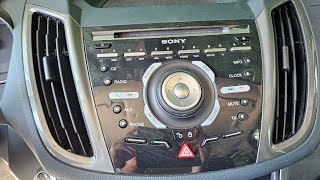
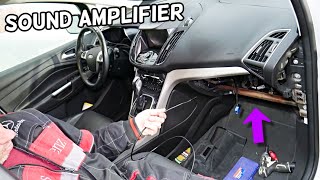
- Standard audio vs. Sony premium sound system (with an external amplifier)
- Presence of satellite radio (SiriusXM)
- Presence of HD Radio
- Active Noise Cancellation settings
If you install an ACM from a car with different options, you may experience problems like no sound (if the used ACM is programmed for a Sony amp and your car doesn't have one) or features that don't work.
Warning: If you install a used ACM and have issues, it will likely need to be reprogrammed with your vehicle's original As-Built data. This can be done by a Ford dealer using their IDS software or by an experienced independent shop or DIYer using a tool called FORScan.
3. Physical Inspection
When buying a used unit, inspect the casing for any signs of water damage, which can cause corrosion and failure. Check that all connector ports are clean and free of bent or broken pins. Since these are plentiful and relatively inexpensive, be picky and choose a unit that looks clean.
Replacement and Programming Overview
Physically replacing the ACM is a straightforward job for a DIYer with basic tools.
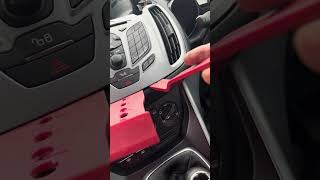
- Remove Trim: Using plastic trim removal tools, carefully pry off the trim panel around the shifter, followed by the main control panel that houses the HVAC and radio controls.
- Remove Display and Controls: The display screen and control faceplate are typically held in by a few 7mm screws or T20/T25 Torx screws. Remove these to gain access to the ACM behind them.
- Remove the ACM: The ACM itself is the large metal box. It is held in by two more screws. Once removed, disconnect the main wiring harness and antenna connectors from the back. 🎬 Watch a full walkthrough on removing and replacing the radio
- Installation & Programming: Installation is the reverse of removal. After installing the replacement ACM, test all functions. If you have no sound or other issues, the module will need to be programmed as described above.
Cost Breakdown
The cost to fix a faulty C-Max radio can vary significantly depending on the solution you choose.
| Solution | Estimated Cost | Notes |
|---|---|---|
| New OEM (Dealer) | $500 - $700+ | Very expensive and may require a core charge. Guarantees compatibility but is often not economical. |
| Used OEM (Recycled) | $50 - $150 | Most cost-effective option, but you must match the part number and may need programming. |
| Remanufactured / Repair Service | $150 - $250 | A great option. You send your original unit to be repaired, which avoids all programming issues. |
| New Aftermarket | $250 - $600+ | Can add modern features like Apple CarPlay/Android Auto, but requires installation kits and may lose some factory integration like SYNC voice commands. |
| Shop Labor (Replacement) | $100 - $225 | Based on 1-1.5 hours of labor. |
| Shop Labor (Programming) | $90 - $180 | Typically a 0.5-1 hour charge for programming a used module. |
Frequently Asked Questions (FAQ)
Does a used radio for a 2013-2015 C-Max need to be programmed?
Yes, it often does. If the used radio comes from a vehicle with different features (like a premium sound system or satellite radio), it must be reprogrammed with your car's "As-Built" data to function correctly. If you get lucky and find a unit from an identically-optioned car, it may be plug-and-play, but you should be prepared for the possibility of needing programming.
Why did my C-Max radio drain my battery?
This is a common software glitch in the Audio Control Module (ACM). The module fails to go into a low-power sleep mode when you turn the car off, causing a continuous power draw that drains the 12V battery, often overnight. A temporary fix is to pull fuse #79 to reset it, but a permanent fix may require a software update from a Ford dealer.
What OBD-II code is associated with a failed radio?
The most common code is U0184 - Lost Communication With Radio. This is a network code, not an engine code, and means other modules in the car can no longer receive a signal from the ACM. You may also see a code like B1D19 for an internal electronic failure. These codes require a more advanced scanner to read than a basic engine code reader.
Can I upgrade my basic radio to a touchscreen navigation system?
Yes, it is possible to upgrade from the 4.2-inch screen system to the larger 8-inch MyFord Touch or even a newer SYNC 3 system for Apple CarPlay and Android Auto. However, this is a complex and expensive retrofit. It requires not only the new screen and module but also a new dash bezel, wiring harnesses, and extensive programming. It is generally not a simple plug-in swap.
Helpful Videos

Technical Specifications
OEM Part Numbers: CM5T-19C107-LA CM5T-19C107-LB CM5T-19C107-LC CM5T-19C107-LD CM5T-19C107-LE CM5T-19C107-LF CM5T-19C107-LG CM5T-19C107-LH CM5T-19C107-LJ CM5T19C107LA CM5T19C107LB CM5T19C107LC CM5T19C107LD CM5T19C107LE CM5T19C107LF
This is the Audio Control Module (ACM) for the base SYNC system with the 4.2-inch display. It is not for vehicles with MyFord Touch (8-inch screen) or the Sony premium sound system.
We Have This Part in Stock



The information in this article is provided for general reference and educational purposes only. Vehicle specifications, procedures, and part compatibility can vary by production date, trim level, and region. Always consult your vehicle's factory service manual and verify part numbers before purchasing or performing repairs. Safety-critical components such as airbags, seat belts, and braking systems should be installed by a qualified professional.
- Ford C-Max:
- 🎬 Helpful Videos
- 🛍️ Shop This Part
- Common Symptoms of a Failing Ford C-Max Radio
- 1. Radio Stays On, Draining the 12V Battery
- 2. No Sound From Speakers
- 3. Complete Radio Failure (Black Screen / Unresponsive)
- 4. Loud Popping, Static, or Distorted Sound
- The Temporary Fix: Pulling Fuse #79
- Known Issues, TSBs, and Recalls
- Buying a Used Stereo / Receiver: A Buyer's Guide
- 1. Match Your Part Number EXACTLY
- 2. Understand Vehicle Options and Programming
- 3. Physical Inspection
- Replacement and Programming Overview
- Cost Breakdown
- Frequently Asked Questions (FAQ)
- 🎟️ Get 5% Off