

2013-2016 Dodge Dart Radio: Uconnect Screen Problems and Replacement Programming
From bubbling screens and phantom touches to the critical 'Proxy Alignment' required after replacement, here is what you need to know before buying a used Dodge Dart radio.
- Replacing the radio REQUIRES a 'Proxy Alignment' procedure with a special scan tool to prevent the odometer from flashing. This is not a simple anti-theft code.
- The 8.4-inch Uconnect screens are highly prone to 'delamination' (bubbling), which causes 'ghost touches' and screen failure. Inspect any used unit carefully for this.
- If your only issue is a bubbling or faulty touchscreen, you can often replace just the outer glass 'digitizer' for much less than the cost of a whole new radio.
- There are three main radio types (base RAE, 5.0, and 8.4). You must replace your unit with one of the same type for it to be compatible.
Vehicle Fitment
This guide covers all stereo and receiver options for the following vehicle:
- 2013-2016 Dodge Dart
Radio Variants

The Dodge Dart came with three main radio systems. Identifying which system your car has is the first step in diagnosis or replacement.
- Uconnect 200 (RAE): This is the base model radio, featuring a small monochrome display, an AM/FM tuner, and a single-disc CD/MP3 player. It is identified by the option code 'RAE'.
- Uconnect 5.0 (RA2): This is the mid-level option, featuring a 5-inch color touchscreen.
- Uconnect 8.4 (RE2, RB5): This is the premium system, featuring a large 8.4-inch color touchscreen. It came in two main versions: the 8.4 (RE2) and the 8.4N (RB5), which adds navigation. This unit is the source of most of the common issues.
Common Failure Symptoms

Problems with the Dart's radio system are common, especially with the 8.4-inch Uconnect unit. Here are the most frequently reported issues.
Uconnect 8.4" Screen Delamination and "Ghost Touch"
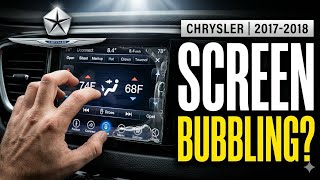
This is the most notorious issue. The adhesive bonding the top touch-sensitive layer (digitizer) to the underlying LCD screen fails, often due to heat and humidity. This creates air bubbles, a "waterfall" or "leaking glue" appearance, and pressure points between the layers. The system interprets this pressure as a finger press, leading to "ghost touching" or "phantom touches." Symptoms include the radio changing stations on its own, making random phone calls, changing climate settings, or the screen becoming completely unresponsive.
Blank or Black Screen
The unit may fail to power on, leaving the screen completely black. This can sometimes be an intermittent issue, working one day and not the next. In some cases, the audio or climate control may be stuck on with no way to control it. A temporary fix that sometimes works is to perform a hard reset by disconnecting the vehicle's battery for several minutes.
🎬 Watch: Quick fix for a blank screenNo Audio Output
The screen and all touch functions may appear to work correctly, but there is no sound from the speakers on any input (radio, CD, Bluetooth). This can be an intermittent problem. While it can be caused by a faulty radio unit, it can also be related to the external amplifier (if equipped) or wiring issues.
Software Glitches and Freezing
Owners report various software bugs, including the system freezing, randomly rebooting, or Bluetooth features failing to work. FCA has released multiple software updates over the years to address these problems. If you are experiencing these issues, checking for a software update should be one of the first steps.
Flashing Odometer After Replacement
If you replace the radio, you may notice the odometer on the instrument cluster is flashing. This is not a failure of the radio itself. It is a specific indicator that the newly installed module has not been properly introduced to the vehicle's computer network. This requires a "Proxy Alignment" procedure to fix.
Technical Service Bulletins (TSBs) and Recalls

Several TSBs have been issued for the Uconnect systems in the Dodge Dart to address software-related problems.
- TSB 08-028-16: This bulletin supersedes several earlier versions and addresses a wide range of issues on the Uconnect 8.4 systems (RE2, RB5, RE6, RB6). Symptoms covered include the screen locking up, intermittent resets, navigation errors, and greyed-out heated seat icons. The fix involves updating the radio's software.
- TSB 08-017-15: For 2015 models with the RB5 radio, this TSB addresses issues where the Travel Link feature shows "No Data Available," the screen shows "Test Mode," or the system resets intermittently.
- TSB 08-085-14 / 08-039-18: These bulletins apply to the base RAE radio with Uconnect Voice Command. They address an inoperative hands-free (Bluetooth) feature, often accompanied by DTC U11F6-00. The fix involves a software update for the Convergence Telematics Module (CTM), also known as the Hands-Free Module (HFM).
Important: A major recall was issued for many FCA vehicles for a cybersecurity vulnerability in Uconnect systems. While the Dart was not the primary focus of the high-profile hacking demonstration, it's crucial to ensure any Uconnect system has the latest available software to protect against potential security risks.
Buying a Used Dodge Dart Stereo / Receiver

A used OEM radio can be a cost-effective solution, but there are critical factors to consider before you buy.
1. Identify and Match Your System
First, confirm which radio you have: the base RAE, the 5.0-inch, or the 8.4-inch Uconnect. A replacement must be the same type to be compatible with your vehicle's wiring and dash opening. Upgrading from a base radio to the 8.4-inch screen is a complex project that requires additional modules, wiring, and programming, and is not a simple plug-and-play swap.
2. Inspect for Uconnect 8.4" Screen Delamination
If buying a used 8.4-inch Uconnect unit, this is the single most important inspection point. Carefully examine photos of the screen, looking for any signs of bubbling, peeling, or a liquid-like appearance, especially around the edges. Ask the seller for a photo of the unit while it's powered on. Be aware that a screen may look fine in a cool environment but can start to show delamination issues once it heats up in a car's dashboard.
3. Understand Programming Requirements: The Proxy Alignment
This is the most important consideration when replacing a Dart radio. Chrysler vehicles of this era use a CAN bus network where the Body Control Module (BCM) keeps a list of all expected electronic modules. When you install a used radio, the BCM detects a new, unrecognized part, which causes the odometer to flash continuously as an alert.
To fix this, a Proxy Alignment procedure must be performed. This procedure uses a diagnostic tool to update the BCM's configuration, accepting the new radio into the vehicle's network. There is no traditional anti-theft code to enter; the proxy alignment is the required "unlocking" process.
Pro Tip: Before buying a used radio, confirm you have a way to perform the Proxy Alignment. Here are your options:
- Dealership: A Chrysler/Dodge/Jeep/Ram dealer can always perform this procedure, though costs will vary.
- Independent Shop: A well-equipped independent mechanic may have a high-end scan tool (like Autel or Snap-on) that can perform the proxy alignment. You must ask them specifically if their tool supports FCA Proxy Alignment.
- DIY Method: For enthusiasts, it is possible to do this yourself using software like AlfaOBD or MultiECUScan on a Windows laptop or Android device, paired with a compatible OBD-II interface like an OBDLink MX+. This is a popular and cost-effective method for those comfortable with this level of work.
4. Repairing Your Existing Unit
If your only problem is a bubbling or non-responsive 8.4-inch touchscreen, you may not need to replace the entire radio. The screen's top glass layer, the digitizer, is the part that fails. Replacement digitizers are available from aftermarket suppliers and can be installed on your original radio. 🎬 See how to replace a delaminating touchscreen This is a delicate repair that involves disassembling the radio and separating the old, glued-on digitizer, but it is often much cheaper than replacing the whole unit.
Cost Comparison
| Item | Estimated Cost |
|---|---|
| New OEM Uconnect 8.4" Unit | $1,000 - $1,800+ |
| Used OEM Uconnect 8.4" Unit | $150 - $500 |
| Used OEM RAE Base Radio | $50 - $150 |
| Aftermarket 8.4" Replacement Digitizer | $40 - $100 |
| New Aftermarket Head Unit (e.g., Pioneer, Kenwood) | $300 - $800+ (plus dash kit, wiring harness, and interface module) |
| Shop Labor (Radio Replacement) | $100 - $250 |
| Shop Labor (Proxy Alignment) | $100 - $200 |
Frequently Asked Questions
Why is my odometer flashing after I replaced my radio?
Your odometer is flashing because a Proxy Alignment procedure is required. The Body Control Module (BCM) has detected a new radio that doesn't match its stored configuration. You must have a dealer, a capable independent shop, or use a tool like AlfaOBD to run the alignment and stop the flashing.
My 8.4" touchscreen is bubbling and acting crazy. Do I need a whole new radio?
Not necessarily. If the only issue is the screen delamination or "ghost touches," you can often solve the problem by replacing only the top glass layer, called the digitizer. This is a much cheaper repair than replacing the entire radio unit, though it does require careful disassembly.
Can I upgrade my base radio to the 8.4-inch Uconnect screen?
Yes, but it is a very involved process. It is not plug-and-play. You will need the 8.4-inch screen, the separate radio module that mounts behind the glove box, a new dash bezel, and potentially different wiring. After installation, a Proxy Alignment will be required. It is a project best suited for experienced DIYers or a professional car audio installer.
Does the radio need an anti-theft code from the dealer?
No, the 2013-2016 Dodge Dart does not use a traditional four-digit anti-theft code for the radio. Security is handled through the vehicle's electronic network. The required procedure after installing a replacement radio is the Proxy Alignment, not entering a code.
Helpful Videos
Technical Specifications
OEM Part Numbers: 04692356AF 04692356AG 4692356AF 4692356AG 4692356AH 4692356AI 4692356AJ 68252820AA 68252820AB 04692355AH 05091143AA 05091143AB 05091143AC 05091143AD 05091143AE
Radio options include the base Uconnect 200 (RAE), Uconnect 5.0 (RA2), and Uconnect 8.4 (RE2/RB5). The 8.4-inch screen measures approximately 183mm x 140mm. The digitizer uses a 4-pin ribbon cable connector.
We Have This Part in Stock






The information in this article is provided for general reference and educational purposes only. Vehicle specifications, procedures, and part compatibility can vary by production date, trim level, and region. Always consult your vehicle's factory service manual and verify part numbers before purchasing or performing repairs. Safety-critical components such as airbags, seat belts, and braking systems should be installed by a qualified professional.
- Dodge Dart:
- 🎬 Helpful Videos
- 🛍️ Shop This Part
- Vehicle Fitment
- Radio Variants
- Common Failure Symptoms
- Uconnect 8.4" Screen Delamination and "Ghost Touch"
- Blank or Black Screen
- No Audio Output
- Software Glitches and Freezing
- Flashing Odometer After Replacement
- Technical Service Bulletins (TSBs) and Recalls
- Buying a Used Dodge Dart Stereo / Receiver
- 1. Identify and Match Your System
- 2. Inspect for Uconnect 8.4" Screen Delamination
- 3. Understand Programming Requirements: The Proxy Alignment
- 4. Repairing Your Existing Unit
- Cost Comparison
- Frequently Asked Questions
- 🎟️ Get 5% Off