

2012 Chevrolet Volt Radio: VIN Lock, Programming, and Replacement Guide
This guide explains the critical anti-theft programming required when replacing the standard AM/FM/CD/MP3 radio (RPO code UFU) in a 2012 Chevrolet Volt.
- A used 2012 Volt radio is VIN-locked and MUST be programmed by a dealer or qualified shop after installation.
- Verify the part number is 22754439 for the standard UFU audio system without navigation.
- Some radio problems (like a "No XM Signal" message) can be fixed with a software update (TSB PI0861A) instead of a full replacement.
- Symptoms like a resetting clock and no Bluetooth may point to a failed VCIM module, not the radio itself.
Critical Information: VIN Lock and Programming

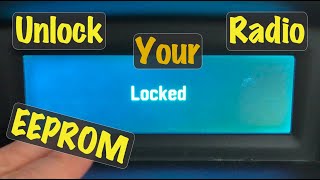
Warning: You cannot simply swap a used radio into a 2012 Chevrolet Volt. All original GM radios are tied to the vehicle's VIN as an anti-theft measure. Installing a used radio will cause it to enter "THEFT LOCK" mode, rendering it unusable until it is programmed to the new vehicle.
This is the most important factor to consider when purchasing a used radio. The unit will power on but will be locked and non-functional. The programming procedure requires special tools and software, typically only available at a Chevrolet dealership or a well-equipped independent auto repair shop. This service is not free and the cost should be factored into your total replacement budget.
Who Can Program a Used Volt Radio?
- Chevrolet Dealerships: This is the most reliable option. They have the required tools (like the MDI - Multiple Diagnostic Interface) and access to the necessary software through GM's Technical Information System (TIS2WEB).
- Specialized Independent Shops: Some independent mechanics who specialize in GM vehicles or automotive electronics may have the necessary J2534 pass-thru tools and software subscriptions to perform the programming.
- DIY Programmers: While some OBD programmers exist that claim to clear VIN locks on GM radios, their compatibility with the 2012 Volt can be inconsistent. This is a risky option for most owners, as an incorrect procedure could cause further issues with other vehicle modules.
Known Issues, TSBs, and Symptoms

Before replacing the radio, it's important to diagnose the problem correctly, as some issues can be resolved with a software update rather than a full hardware replacement.
Common Failure Symptoms
- Unresponsive Touchscreen or Buttons: The screen or physical buttons may stop responding to input, even though they might make a "click" sound.
- Blank or Black Screen: The main infotainment display may go completely dark, even though the car is on.
- No Audio Output: The radio appears to function, but no sound comes from the speakers.
- Software Glitches: The system may freeze, reboot unexpectedly, or have issues with Bluetooth or USB connectivity.
- "No XM Signal" Message: A known issue addressed by a software update.
Technical Service Bulletins (TSBs)
General Motors issued TSB PI0861A in December 2012 for an issue where the radio would display a "No XM Signal" message on vehicles with the UFU radio. The fix is not a hardware replacement but a software update performed by a dealer using a USB flash drive. This highlights the importance of checking for software updates before assuming the radio hardware has failed.
Related Component Failures
Some issues that appear to be radio-related can actually stem from a different module. A failing Vehicle Communication Interface Module (VCIM) can cause loss of Bluetooth, GPS, and the clock to reset every time the car is started. If you are experiencing these specific symptoms, the VCIM may be the actual culprit, not the radio receiver itself.
🎬 Watch this step-by-step guide to replacing your Volt's VCIM modulePro Tip: Before condemning the radio, try a simple reset. Disconnect the vehicle's 12-volt battery for 15-20 minutes, then reconnect it. This can sometimes resolve temporary software glitches. Note that this will not bypass a VIN lock.
Buying a Used 2012 Volt Radio

Purchasing a used OEM radio can be a cost-effective solution, provided you take the right steps.
- Verify the Part Number: The most critical step is to ensure you are buying the correct part. For the standard audio system (AM-FM-single CD-MP3-USB, option code UFU) without navigation, the OEM part number is 22754439. Always match this number to your original unit.
- Confirm Compatibility: This radio is for vehicles with the standard UFU audio system. It is NOT compatible with vehicles that have the factory navigation system (option code UFV).
- Physical Inspection: When buying in person, check the unit for any physical damage, especially to the screen and the connectors on the back.
- Budget for Programming: Remember that a used radio is not a plug-and-play part. You MUST budget for the cost of having it programmed to your vehicle's VIN by a dealer or qualified shop. Call ahead to get a quote for this service.
Cost Breakdown
Here is an estimated cost comparison for replacing the 2012 Volt radio receiver. Prices can vary based on location and availability.
| Part Type | Estimated Cost |
|---|---|
| New OEM (Dealer) | $500 - $800+ (if available) |
| Remanufactured OEM | $200 - $400 |
| Used OEM | $75 - $150 |
| Shop Labor (Physical Swap) | $100 - $200 (approx. 1-1.5 hours) |
| Shop Labor (VIN Programming) | $75 - $150 (approx. 0.5-1 hour) |
Recalls
There have been no recalls issued by the NHTSA specifically for the radio or infotainment system in the 2012 Chevrolet Volt. There were recalls for other issues, such as for the brake pressure modulator valve and software updates to prevent carbon monoxide buildup if the car is left running in an enclosed space.
FAQ

Does a used 2012 Volt radio need to be programmed?
Yes, absolutely. All GM factory radios are VIN-locked. A used radio installed in a different vehicle will display a "THEFT LOCK" message and will not work until it is programmed to your car's VIN by a dealer or a shop with the correct tools.
Can I install a radio from a Volt with navigation into my car that doesn't have it?
No, this is not a simple swap. The wiring and other vehicle modules are different between navigation (UFV) and non-navigation (UFU) models. You must replace your radio with one that has the exact same part number and option code.
My radio screen is black but the car runs fine. Is it safe to drive?
Yes, it is generally safe to drive. A non-functional radio is an inconvenience but does not affect the vehicle's core ability to drive, steer, or brake. However, you will lose access to audio, hands-free calling, and other integrated features.
Can I upgrade my 2012 Volt radio to get Apple CarPlay or Android Auto?
Yes, but not by using a different OEM radio. Aftermarket kits are available that integrate with the existing factory screen and system to add modern features like Apple CarPlay and Android Auto. 🎬 Check out this video tutorial on adding CarPlay to your 2012 Volt These kits are an alternative to replacing a faulty OEM radio if you also want to add new functionality.
Helpful Videos
![[Tutorial] How to add CarPlay and Android Auto to the 2012 Chevy Volt](https://img.youtube.com/vi/kvYmi-KwtUc/mqdefault.jpg)
Technical Specifications
OEM Part Numbers: 22754439
Fits vehicles with standard AM-FM-single CD-MP3-USB audio system (option code UFU). Does not fit vehicles with factory navigation (option code UFV).
We Have This Part in Stock



The information in this article is provided for general reference and educational purposes only. Vehicle specifications, procedures, and part compatibility can vary by production date, trim level, and region. Always consult your vehicle's factory service manual and verify part numbers before purchasing or performing repairs. Safety-critical components such as airbags, seat belts, and braking systems should be installed by a qualified professional.
- Chevrolet Volt:
- 🎬 Helpful Videos
- 🛍️ Shop This Part
- Critical Information: VIN Lock and Programming
- Who Can Program a Used Volt Radio?
- Known Issues, TSBs, and Symptoms
- Common Failure Symptoms
- Technical Service Bulletins (TSBs)
- Related Component Failures
- Buying a Used 2012 Volt Radio
- Cost Breakdown
- Recalls
- FAQ
- 🎟️ Get 5% Off