

2005-2007 Cadillac STS Navigation Radio: Decoding TheftLock, VIN Programming, and Replacement
This guide explains the mandatory programming, common failures, and replacement challenges for the factory DVD-Navigation stereo in the 2005-2007 Cadillac STS.
- A replacement radio MUST be programmed to your car's VIN by a dealer or specialist with GM tools to exit 'TheftLock' mode.
- Only buy a replacement unit if your car already has the factory navigation system (RPO code YQ4). It is not a plug-and-play upgrade for base models.
- Always try to match the part number on your old radio exactly, as units that look identical may not be compatible.
- A faulty radio is a common cause of parasitic battery drain in the 2005-2007 Cadillac STS.
Critical Warning: VIN Programming is Mandatory
Warning: You cannot simply swap a used navigation radio into your 2005-2007 Cadillac STS. Any replacement unit, new or used, must be professionally programmed to your vehicle's Vehicle Identification Number (VIN). If you install a radio from another vehicle without programming, it will enter 'TheftLock' mode, display a lock message, and be completely non-functional. This is not a simple unlock code; it requires specialized tools to link the radio to your car's computer system.
Symptoms of a Failing STS Navigation Radio
A failing navigation unit can present a variety of frustrating issues. Here are the most common problems owners report:
1. Screen is Blank, Black, or Unresponsive
The entire display may go black or white, or it may simply stop responding to touch commands. Sometimes the radio audio can still be heard and controlled with steering wheel buttons, but the screen remains dead. This can be caused by internal electronic failure or, in some cases, extreme interior temperatures that cause the unit to shut down temporarily.
2. Parasitic Battery Drain
A common and serious symptom is an internal short circuit within the radio that causes it to draw power even when the car is off. This will drain the battery overnight. Technicians often trace a mysterious battery drain on an STS back to a faulty radio module. If your battery keeps dying and you've ruled out the battery and alternator, the radio is a primary suspect.
3. No Power or Intermittent Operation
The unit may seem completely dead, with no lights, sound, or display. This can sometimes be caused by a blown fuse (located in the rear fuse panel under the seat) or a wiring issue, but it often points to a failed radio. Some owners experience the radio working sporadically, shutting off and turning back on at random.
4. CD/DVD Player Malfunctions
The integrated 6-disc changer may stop accepting discs, fail to eject them, or be unable to read discs that are inserted. You might hear mechanical grinding or clicking noises from the unit. Repair services specifically mention fixing jammed CD changers.
5. No Sound from Speakers
In some cases, the head unit will appear to function correctly—the screen works, you can select stations, and the navigation map displays—but no audio comes out of the speakers. This can point to a failure in the radio's internal amplifier circuits or a communication problem with the external Bose amplifier.
TheftLock and VIN Programming: The Biggest Challenge
General Motors equips these radios with a robust anti-theft system called TheftLock. This system pairs the radio to the original vehicle's VIN. When a radio is moved to a different vehicle, it detects the VIN mismatch and locks itself.
How to Get a Replacement Radio Programmed
You have a few options, but none are as simple as just plugging the unit in.
- Cadillac Dealership: The official method is to have a Cadillac dealer perform a 'VIN relearn' procedure using their diagnostic tools. They connect to the car and authorize the new radio to work with your VIN. However, be aware that some owners report that dealers are sometimes unable or unwilling to program used radios, as GM's modern diagnostic software may have phased out support for this older procedure. Always call the dealer first, explain you have a used replacement radio, and confirm they can and will perform the VIN programming.
- Independent Repair Shop with GM Tools: Some well-equipped independent shops have the necessary J2534 passthrough devices and a subscription to GM's Technical Information System (TIS). These shops can often perform the same programming as a dealer.
- Mail-In Programming Services: Several online businesses specialize in programming GM radios. You can either send them your replacement radio to be unlocked and programmed to your VIN before you install it, or they may sell already-unlocked units.
- Advanced DIY (Not Recommended for Beginners): It is technically possible for a highly skilled DIYer to perform the programming. This involves purchasing a specific vehicle interface tool (like a VXDiag VCX Nano) and using older, difficult-to-find versions of GM's Tech2Win software on a laptop. This is a complex process with a high risk of failure and is not recommended for most people.
Buying a Used 2005-2007 STS Navigation Radio
Given that new units are often unavailable or prohibitively expensive, a used OEM radio is the most common solution. Here’s what you need to know to buy the right part.
- Confirm Your RPO Code is YQ4: This entire guide applies ONLY to cars originally equipped with the DVD-based navigation system, identified by the option code YQ4. You can find your car's RPO codes on a sticker, usually in the trunk under the floor cover or on the spare tire cover. If your car has the standard non-navigation radio (RPO YQ2), this unit will not work without extensive, complex modifications.
- Match the Part Number EXACTLY: Several part numbers were used for these radios over the years, and they are not always interchangeable. Units may look identical but have different internal software or hardware designed for a specific model year or feature set. The safest approach is to remove your old radio and buy a replacement with the exact same GM or Denso part number printed on the label.
- Budget for Programming: Remember that the price of the used radio is not the final cost. You MUST factor in the cost of dealer or specialist programming, which can range from $100 to $250 or more. When you buy a used unit, you are buying a locked 'brick' that requires professional service to function.
- Inspect the Screen: Before buying, carefully inspect the touchscreen for any signs of delamination (where the top layer bubbles or separates), deep scratches, or cracks. While repair services exist, a unit with a clean, clear screen is a much better starting point.
Known Issues, TSBs, and Recalls
There are no major safety recalls or widely published Technical Service Bulletins (TSBs) from GM specifically for widespread failure of the 2005-2007 STS navigation radio. Most issues are treated as individual component failures. The most significant recall for this vehicle generation relates to a potential fuel leak, not the infotainment system.
Cost to Replace an STS Navigation Radio
| Item | Estimated Cost |
|---|---|
| New OEM Unit | $1,500 - $2,500+ (if available) |
| Used OEM Unit | $150 - $600 |
| Remanufactured / Repaired Unit | $350 - $700 |
| Shop Labor (Physical Swap) | $100 - $200 |
| Shop Labor (VIN Programming) | $100 - $250 |
Frequently Asked Questions (FAQ)
Can I upgrade my base model STS to this navigation radio?
This is not a simple plug-and-play upgrade. The navigation system uses different wiring harnesses, connectors, and may require a different amplifier and GPS antenna. It is not a recommended or cost-effective modification.
What happens if I just plug in a used radio without programming it?
The radio will power on but will be locked. It will likely display a 'TheftLock' or similar message and will not play audio or allow you to access any functions. It is completely unusable until it is programmed to your car's VIN.
My dealer says they can't program a used radio. What are my options?
This is a known issue. Your best options are to find an independent auto electronics specialist who works on GM vehicles or use a mail-in programming service that can unlock the radio for you before installation.
Is the physical replacement difficult to do myself?
The physical removal and installation of the radio is relatively straightforward for a DIYer with basic tools. It involves carefully prying off the surrounding trim panels and removing a few screws. Many video tutorials are available online. However, remember that you will still need to take the car to a professional for the final, mandatory programming step.
Technical Specifications
OEM Part Numbers: 10377613 15233578 15256169 15793847 15904398 15939015 20844561 25811104 25897589 468100-5720
DVD-Based Navigation, 6-Disc CD/DVD Changer, AM/FM Tuner, Touchscreen Interface, Integrated with Bose Sound System (if equipped), Requires RPO Code YQ4
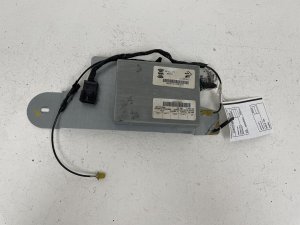
We Have This Part in Stock



The information in this article is provided for general reference and educational purposes only. Vehicle specifications, procedures, and part compatibility can vary by production date, trim level, and region. Always consult your vehicle's factory service manual and verify part numbers before purchasing or performing repairs. Safety-critical components such as airbags, seat belts, and braking systems should be installed by a qualified professional.
- Cadillac STS:
- 🛍️ Shop This Part
- Critical Warning: VIN Programming is Mandatory
- Symptoms of a Failing STS Navigation Radio
- 1. Screen is Blank, Black, or Unresponsive
- 2. Parasitic Battery Drain
- 3. No Power or Intermittent Operation
- 4. CD/DVD Player Malfunctions
- 5. No Sound from Speakers
- TheftLock and VIN Programming: The Biggest Challenge
- How to Get a Replacement Radio Programmed
- Buying a Used 2005-2007 STS Navigation Radio
- Known Issues, TSBs, and Recalls
- Cost to Replace an STS Navigation Radio
- Frequently Asked Questions (FAQ)
- 🎟️ Get 5% Off