

2019-2020 Acura TLX Radio & Display: Solving Screen Failures and Programming
This guide covers the common failures of the dual-screen infotainment system in the 2019-2020 Acura TLX, with a focus on programming requirements for replacement units.
- A replacement radio MUST be programmed by an Acura dealer or a qualified shop with specialized tools; it is not plug-and-play.
- You must match part numbers exactly, paying close attention to whether your car has factory navigation or not, as the units are not interchangeable.
- Many common issues like screen freezing or CarPlay failures can be fixed with a software reboot or a new USB cable, so try these free solutions first.
- If only the lower touchscreen is faulty, the problem is likely the digitizer, which is a much cheaper repair than replacing the entire radio unit.
Key Symptoms of a Failing 2019-2020 TLX Stereo System
Failures in the TLX's infotainment system can manifest in several ways, often related to the screens or software. While complete failure of the main receiver unit is uncommon, screen and connectivity issues are frequently reported by owners.
- Lower Touchscreen Unresponsive or "Ghost Touching": The lower 7-inch screen may stop responding to touch in certain areas or register "phantom" touches, causing settings to change on their own. This is often due to a failure of the touchscreen's digitizer, the layer that senses touch.
- Black or Blank Screen: One or both screens may fail to turn on, appearing black or white. Often, the system is still running in the background—you might hear beeps when touching the blank screen, and the backup camera may still display correctly when in reverse. This can be caused by software glitches or a problem with the MOST bus network connectors.
- System Freezing or Lagging: The entire infotainment system may become slow, unresponsive, or completely frozen. This is particularly noticeable when using Apple CarPlay or Android Auto, which can be demanding on the system's processor.
- Apple CarPlay / Android Auto Connection Failure: The system may fail to recognize a connected smartphone, or the connection may drop intermittently. This is a very common complaint and can often be traced to the USB cable, phone software, or a glitch in the head unit's software.
- Popping or Crackling from Speakers: Some owners report popping or crackling noises from the audio system. This has been linked to faulty MOST bus network connectors, which Acura has addressed with a warranty extension on some models.
Diagnosing the Problem: Simple Resets to Try First
Before assuming the hardware has failed, try these simple reset procedures. Software glitches are common and can often be resolved without replacing any parts.
System Reboot (Soft Reset)
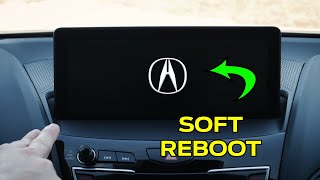
This procedure reboots the infotainment system without erasing your settings and can be performed while driving. 🎬 Watch: How to reboot your Acura screen It is effective for fixing temporary glitches with CarPlay, freezing, or a blank screen.
- Press and hold the three top buttons on the center console control panel (Back, Menu, and Nav/Map) simultaneously.
- After a few seconds, a dealer diagnostic menu will appear. Select "Detail Information & Setting".
- Select "Hardware Auto Detect". Do not change any settings.
- Press "Apply" at the bottom of the screen and confirm "Yes" to restart the system.
Power Button Reset (For Anti-Theft "CODE" Prompt)
If you've disconnected the battery and the screen prompts for a code, 2015 and newer TLX models have a simplified reset. Instead of entering a 5-digit code, simply press and hold the audio power button for about five seconds until the system resets and turns on.
Battery Disconnect (Hard Reset)
If a soft reboot doesn't work, disconnecting the battery will force a complete reset of the vehicle's electronic modules.
- Disconnect the negative terminal of your car's battery.
- Wait for at least 10 minutes to allow all capacitors to discharge.
- Reconnect the negative terminal. You may need to perform the Power Button Reset described above.
Pro Tip: Many Apple CarPlay and Android Auto issues are caused by a faulty or low-quality USB cable. Before attempting other fixes, try using a brand new, high-quality, Apple- or Google-certified cable.
Known Issues and Warranty Extensions
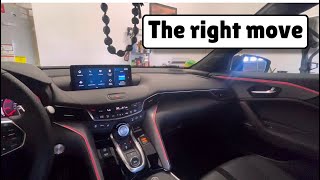
Acura has acknowledged some issues with the infotainment system and related components. For some 2019-2020 RDX models, which share a similar architecture, Acura extended the warranty on the MOST bus network connectors to address symptoms like popping speakers and blank screens (TSB 21-009). While this specific TSB is for the RDX, the symptoms are identical to those reported by some TLX owners, and Acura has issued a similar warranty extension for FAKRA connectors on the TLX, MDX, and RDX, covering them for 8 years or 100,000 miles. 🎬 See details on Acura's free warranty extension If you experience these issues, it is worth checking with an Acura dealer to see if your vehicle's VIN is covered under a warranty extension.
Buying a Used 2019-2020 TLX Stereo: What to Look For
Buying a used OEM stereo unit is a cost-effective way to fix a failed system. However, compatibility and programming are critical factors you must consider.
The #1 Question: Programming and Anti-Theft
Warning: A replacement stereo/receiver for a 2019-2020 Acura TLX cannot be simply swapped in. The unit is tied to the vehicle's original VIN and has an anti-theft system. After installation, the unit must be programmed by an Acura dealership or a qualified independent shop with access to Acura's diagnostic software (HDS - Honda Diagnostic System). Without this programming, the unit will be locked and will not function.
While older Acuras used a simple 5-digit code you could enter yourself, these newer systems require a VIN-relearn procedure. When budgeting for a used part, you must include the cost of this dealer programming service, which can range from $100 to $250.
Verifying Compatibility: The Navigation vs. Non-Navigation Trap
The most important step is to ensure the replacement unit matches your car's factory options. The TLX was available with and without a factory navigation system, and the head units are different and not interchangeable.
- Non-Navigation Units: The provided OEM part numbers (39540-TZ3-B030-M1, 39542-TZ3-B04, 39542-TZ3-B03) are for vehicles without factory navigation.
- Navigation Units: Units for vehicles with navigation will have different part numbers, such as 39540-TZ3-B320 or 39050-TZ3-A41.
Always match the part number from your original unit to the part number of the used unit you are purchasing. Installing a navigation unit in a non-navigation car (or vice-versa) will not work and cannot be programmed to function.
Cost Comparison
Replacing the infotainment unit can be expensive, especially from a dealership. A used OEM unit offers significant savings, even after factoring in the cost of programming.
| Part or Service | Estimated Cost |
|---|---|
| New OEM Unit (with Navigation) | $6,000+ |
| Used OEM Unit | $150 - $250 |
| Shop Labor (Replacement) | $150 - $300 |
| Shop Labor (Programming) | $100 - $250 |
Frequently Asked Questions (FAQ)
Do I need an anti-theft code for my 2019-2020 TLX radio?
No. Unlike older models that required a 5-digit code after a battery change, the 2019-2020 TLX system resets by pressing and holding the audio power button for a few seconds. However, if you replace the entire head unit, it requires professional programming at a dealership, not a simple code entry.
Can I upgrade my non-navigation TLX to a factory navigation system by swapping the radio?
No, this is not a simple plug-and-play swap. The navigation and non-navigation systems use different wiring harnesses and are integrated with other vehicle modules. Attempting to install a navigation unit in a car that did not come with it from the factory is not feasible.
Why is only my lower screen not working?
If the lower 7-inch touchscreen is unresponsive, bubbling, or has "ghost touches" while the upper screen works, the problem is almost certainly the touchscreen digitizer, not the entire radio unit. This is a common failure due to heat and UV exposure breaking down the adhesive. The digitizer itself can be replaced by a specialist for much less than the cost of a whole new unit.
Can an independent mechanic or locksmith program the replacement radio?
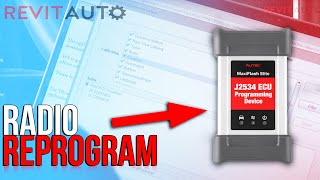
Possibly, but it depends on their equipment. Programming requires specialized software, like the Autel J2534 pass-thru device 🎬 Watch: How to reprogram a replacement radio or the official Acura/Honda Diagnostic System (HDS). Many independent shops and some advanced locksmiths have this capability, but you must confirm with them beforehand. An Acura dealership is always able to perform the programming.
Part Number Reference
These part numbers are for the main radio/display assembly. Always confirm the part number on your specific unit before ordering a replacement.
| Part Number | Vehicle Option |
|---|---|
| 39540-TZ3-B030-M1 (and variants like 39540-TZ3-B03) | Without Factory Navigation |
| 39542-TZ3-B03 / 39542-TZ3-B04 | Display Unit, US Market, Without Navigation |
| 39050-TZ3-A41 | Controller, With Navigation |
| 39540-TZ3-B320 / B330 / B340 | Display Unit, With Navigation |
Helpful Videos
Technical Specifications
OEM Part Numbers: 39540-TZ3-B030-M1 39540-TZ4-F240-M1 39542-TZ3-B04 39542-TZ3-B03 39540-TZ3-B03 39050-TZ3-A41 39540-TZ3-B320
Dual-screen system with an 8-inch upper display and a 7-inch lower touchscreen. Supports Apple CarPlay and Android Auto via USB. Features an anti-theft system tied to the vehicle's VIN.
We Have This Part in Stock



The information in this article is provided for general reference and educational purposes only. Vehicle specifications, procedures, and part compatibility can vary by production date, trim level, and region. Always consult your vehicle's factory service manual and verify part numbers before purchasing or performing repairs. Safety-critical components such as airbags, seat belts, and braking systems should be installed by a qualified professional.
- Acura TLX:
- 🎬 Helpful Videos
- 🛍️ Shop This Part
- Key Symptoms of a Failing 2019-2020 TLX Stereo System
- Diagnosing the Problem: Simple Resets to Try First
- System Reboot (Soft Reset)
- Power Button Reset (For Anti-Theft "CODE" Prompt)
- Battery Disconnect (Hard Reset)
- Known Issues and Warranty Extensions
- Buying a Used 2019-2020 TLX Stereo: What to Look For
- The #1 Question: Programming and Anti-Theft
- Verifying Compatibility: The Navigation vs. Non-Navigation Trap
- Cost Comparison
- Frequently Asked Questions (FAQ)
- Part Number Reference
- 🎟️ Get 5% Off