

2017-2023 Tesla Model 3 & Y Steering Rack: Failures, Recalls, and Replacement Guide
Diagnose the 'Steering Assist Reduced' warning, understand critical recalls, and learn why calibration is mandatory when replacing the steering rack on your Model 3 or Model Y.
- A "Steering Assist Reduced" warning is a critical safety issue that means the vehicle is unsafe to drive and should be towed.
- Compatibility is complex: All-Wheel Drive and Rear-Wheel Drive models use different racks, and a design change in March 2019 affects interchangeability. Always match your OEM part number.
- Replacement is not a simple DIY job. The new rack MUST be calibrated to the vehicle with special software, and a wheel alignment is mandatory.
- A major recall (NHTSA 25V-092) for 2023 models addresses a loss of power steering via a software update, but many vehicles still require a physical rack replacement to fix the root cause.
Symptoms of a Failing Steering Rack

A failing steering rack in a Tesla Model 3 or Model Y can manifest in several ways, from subtle noises to a complete loss of power assist. While some issues can be addressed with a software update, many point to a hardware failure that requires replacing the rack.
"Steering Assist Reduced" Warning Message
This is the most common and critical symptom. A visual alert will appear on the vehicle's touchscreen that reads, "Steering assist reduced. Steering may require increased effort." This indicates the EPS motor is not providing full assistance. The steering can become extremely heavy and difficult to turn, especially at low speeds or when parking. In many cases, this warning precedes a complete loss of power assist, which can be sudden and dangerous.
Heavy, Stiff, or Notchy Steering
Even without a warning message, you may notice changes in steering feel. This can include steering that feels unusually heavy or stiff, requiring significant effort to turn. Some drivers also report a "notchy" or "clicky" sensation when turning the wheel, which may be more pronounced in cold weather. While a software update was released to address a cold-weather notchy feel, a persistent physical clicking often points to an internal mechanical failure within the rack.
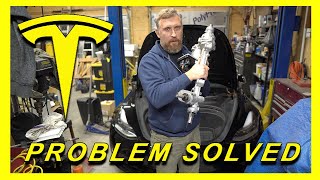
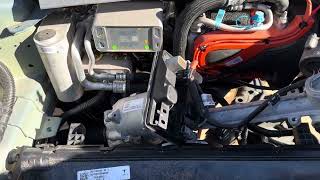
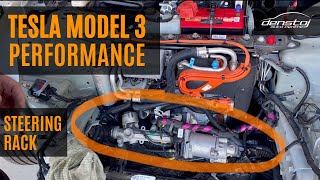
🎬 See what the inside of a Tesla steering rack looks likeClunking or Grinding Noises
Audible symptoms are a clear sign of a problem. You may hear clunking, knocking, or grinding noises from the front of the vehicle, especially when turning at low speeds or driving over bumps. While other suspension components can cause noises, when combined with steering feel changes, these sounds often point to wear or play within the steering rack assembly.
Diagnostic Trouble Codes (DTCs)
If the vehicle's computer detects a fault in the steering system, it will store specific trouble codes. Common codes associated with steering rack failure include:
- EPAS_a102 – Steering assist reduced
- EPAS_a066 – Steering system fault
- DI_a137 – Torque / steering plausibility fault
- U0126 – Lost communication with steering angle sensor module
Known Issues, Recalls, and Investigations

The steering systems in the Model 3 and Model Y have been the subject of NHTSA investigations and a major recall.
NHTSA Recall 25V-092: Sudden Loss of Power Steering
In early 2025, Tesla recalled over 376,000 Model 3 and Model Y vehicles from the 2023 model year due to a defect that could cause a sudden loss of power steering. The investigation found that an "overvoltage breakdown" could damage components on the steering rack's printed circuit board (PCB). By design, if this fault occurs while driving, assist continues until the vehicle stops. When the driver attempts to accelerate again, power assist may be completely gone. The official remedy from Tesla was an over-the-air software update (version 2023.38.4 or later). However, many owners have reported that the issue persisted until the entire steering rack was physically replaced.
🎬 Watch: Explanation of the power steering assist recallWater Intrusion and Corrosion
Though less documented for the Model 3 and Y compared to older Model S recalls for corroded bolts, water ingress into the steering rack's electrical connectors is a known failure point. This can cause electrical faults and a sudden loss of power assist. When inspecting a potential replacement, always check the connectors for any signs of corrosion or moisture damage.
Buying a Used Steering Rack for Your Tesla Model 3 or Model Y

Due to the high cost of a new OEM steering rack, a quality used part is an excellent value. However, compatibility is absolutely critical. Follow these steps to ensure you get the right part.
Warning: Fitment for this steering rack depends on your vehicle's drivetrain (All-Wheel Drive vs. Rear-Wheel Drive) and build date. Please verify that the OEM part number on your original part matches the replacement part to ensure compatibility.
1. Verify Drivetrain Compatibility: AWD vs. RWD
All-Wheel Drive (Dual Motor) and Rear-Wheel Drive models use different steering racks. They are not interchangeable. The part numbers listed in this guide, such as 1044831-00-H, are typically for AWD models. You must confirm which drivetrain your vehicle has and match the part number exactly.
2. Check for Build Date Compatibility (Pre- and Post-March 2019)
Tesla updated the front subframe and steering rack design for vehicles built on or after March 25, 2019.
- A 2nd generation rack (from a post-March 2019 car) can be installed on a 1st generation subframe, but it requires special bolts.
- A 1st generation rack cannot be installed on a 2nd generation subframe.
3. Physical Inspection
When you receive your used steering rack, inspect it carefully before installation:
- Electrical Connectors: Check all electrical pins and connectors. Look for any signs of corrosion (green or white powder), bent pins, or damage to the plastic housings. Water damage here is a major red flag.
- Boots: Inspect the rubber boots on both ends of the rack. They should be free of rips, tears, or holes. Damaged boots allow dirt and water to enter the rack, causing rapid wear.
- Housing: Look for any cracks, deep gouges, or signs of impact on the main aluminum housing of the rack.
- Tie Rods: While you will likely reuse your outer tie rod ends (or install new ones), check that the inner tie rods move smoothly without excessive play.
4. Mileage and Value
For an electronic part like an EPS rack, failure is not always tied directly to mileage. Electrical component failure can happen at any time. However, a lower-mileage part will have less mechanical wear on the internal gears and bushings. A used OEM rack from a low-mileage vehicle is often a more reliable and cost-effective choice than a new, unproven aftermarket part.
Cost to Replace a Tesla Steering Rack
Replacing the steering rack is a significant expense. A used OEM part offers substantial savings over a new unit from Tesla.
| Part/Service | Estimated Cost (USD) | Notes |
|---|---|---|
| New OEM Part | $2,300 - $3,200 | Price for the part only, from Tesla service or aftermarket suppliers of new OEM parts. |
| Used OEM Part | $400 - $650 | Based on listings from online auto recyclers. |
| Remanufactured Part | $1,500 - $2,000 | Offered by some specialist EV repair shops, often includes installation. |
| Shop Labor | $600 - $1,000 | Labor can range from 4-6 hours. A mandatory wheel alignment will add to the final cost. |
Replacement and Calibration

This is an advanced repair. While mechanically straightforward for an experienced technician, it has critical software steps that can stop a DIY repair in its tracks.
Warning: A replacement steering rack MUST be calibrated to the vehicle. Failure to do so will result in error messages and a non-functioning power steering system. A full four-wheel alignment is also mandatory after replacement.
Replacement Overview
The basic steps involve lifting the vehicle, removing the front aero shield, disconnecting the 12V power, and unbolting the steering column shaft from inside the cabin. From below, the tie rod ends are disconnected from the steering knuckles, electrical connectors are unplugged, and the rack's mounting bolts are removed from the subframe to allow the rack to be lowered and removed.
🎬 Watch: Step-by-step steering rack replacement guidePost-Installation Software Procedures
After the new rack is installed, the vehicle's firmware must be reinstalled or a specific service routine must be run using Tesla's diagnostic software (Toolbox). This procedure calibrates the new rack's sensors to the vehicle. This is not something that can be done without the proper software, making this repair difficult for many DIYers and even some independent shops not equipped for modern Teslas.
Key Torque Specifications
Using correct torque is critical for safety. Always use a torque wrench for installation. These specs are for reference; always verify with the latest official service manual for your specific vehicle.
| Component | Torque Value (Nm) | Torque Value (ft-lbs) | Notes |
|---|---|---|---|
| Steering Rack to Subframe (Inner Bolts) | 75 Nm | 55.3 ft-lbs | |
| Steering Rack to Subframe (Outer Bolts) | 47 Nm | 34.7 ft-lbs | |
| Outer Tie Rod End to Steering Knuckle Nut | 180 Nm | 132.7 ft-lbs | Nut should be replaced. |
| Steering Column to Rack Input Shaft Bolt | 18 Nm | 13.3 ft-lbs | Bolt should be replaced. |
| Tie Rod End Jam Nut | 80 Nm | 59.0 ft-lbs |
Frequently Asked Questions (FAQ)
Is it safe to drive with a "Steering Assist Reduced" warning?
No. It is not safe to drive the vehicle. A "Steering Assist Reduced" warning can precede a complete and sudden loss of power steering, making the vehicle extremely difficult to control, especially in an emergency or at low speeds. The vehicle should be towed for repair.
Do I need to program or calibrate a replacement steering rack?
Yes, absolutely. A replacement steering rack must be calibrated to the vehicle using diagnostic software. After installation, the vehicle may need a firmware reinstall or a specific steering angle sensor reset. Without this step, the power steering will not function correctly. A four-wheel alignment is also required.
Is there power steering fluid to check in a Model 3 or Model Y?
No. The Tesla Model 3 and Model Y use a fully Electric Power Steering (EPS) system. There is no hydraulic fluid, pump, or hoses. All steering assistance is provided by an electric motor.
Why does my Tesla make a clunking noise when I turn the wheel at low speeds?
A clunking or knocking noise when turning is a common symptom of a failing steering rack, indicating internal mechanical wear or looseness. However, it can also be caused by other worn suspension components like control arms or stabilizer bar links. A thorough inspection is needed to pinpoint the source of the noise.
Helpful Videos
Technical Specifications
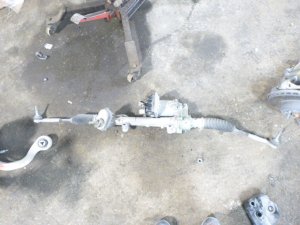
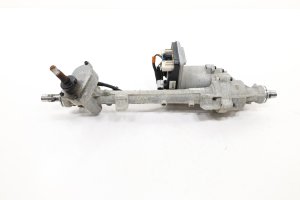
OEM Part Numbers: 1044831-00-F 1044831-00-G 1044831-00-H 1044831-00-J 1044832-00-A 1188832-00-B
Fully electric rack-and-pinion system. Integrates with vehicle computer for power assist and driver-assistance features. No hydraulic fluid.
We Have This Part in Stock



The information in this article is provided for general reference and educational purposes only. Vehicle specifications, procedures, and part compatibility can vary by production date, trim level, and region. Always consult your vehicle's factory service manual and verify part numbers before purchasing or performing repairs. Safety-critical components such as airbags, seat belts, and braking systems should be installed by a qualified professional.
- Tesla 3:
- Tesla Y:
- 🎬 Helpful Videos
- 🛍️ Shop This Part
- Symptoms of a Failing Steering Rack
- "Steering Assist Reduced" Warning Message
- Heavy, Stiff, or Notchy Steering
- Clunking or Grinding Noises
- Diagnostic Trouble Codes (DTCs)
- Known Issues, Recalls, and Investigations
- NHTSA Recall 25V-092: Sudden Loss of Power Steering
- Water Intrusion and Corrosion
- Buying a Used Steering Rack for Your Tesla Model 3 or Model Y
- 1. Verify Drivetrain Compatibility: AWD vs. RWD
- 2. Check for Build Date Compatibility (Pre- and Post-March 2019)
- 3. Physical Inspection
- 4. Mileage and Value
- Cost to Replace a Tesla Steering Rack
- Replacement and Calibration
- Replacement Overview
- Post-Installation Software Procedures
- Key Torque Specifications
- Frequently Asked Questions (FAQ)
- 🎟️ Get 5% Off