

1999-2000 Mazda Protege Cluster Failure: Solving Blank Odometers & Faulty Gauges
Learn how to diagnose, replace, and choose the correct used instrument cluster by matching production dates and key features for your 1999-2000 Protege.
- Compatibility is critical and depends on your car's production date (before/after July 27, 1999), and if it has a tachometer and/or keyless entry.
- This part is plug-and-play. No dealer programming or immobilizer reset is needed for a 1999-2000 Protege.
- The mileage is stored in the cluster; a used replacement will display the mileage from the donor car.
- Most failures, like blank odometers or dead gauges, are caused by cracked solder joints on the internal circuit board.
Key Compatibility Warnings: Don't Get the Wrong Cluster!

The single most important factor when replacing a 1999-2000 Mazda Protege instrument cluster is ensuring you get a compatible unit. There are several variations that look similar but are not interchangeable. Mismatches can result in a check engine light, non-functional gauges, or connectors that don't physically plug in.
Warning: There is a critical production date split for 1999 models. Clusters for vehicles built through July 27, 1999 are different from those built from July 28, 1999 onwards. You must verify your vehicle's production date before purchasing a replacement.
You can find the production date on the sticker inside the driver's side door jamb. Look for a "MFG. DATE" or similar label.
Compatibility Checklist:
- Production Date: Is your car built before or after July 27, 1999? This is the first and most important question.
- Tachometer: Does your original cluster have a tachometer (RPM gauge)? Base models (like the DX) often did not, while higher trims (LX, ES) did. You must match this feature.
- Keyless Entry: Does your vehicle have factory keyless entry? Clusters for cars with keyless entry have different internal circuitry and connectors than those without.
- Transmission: While most clusters are compatible between automatic and manual transmissions, ensure the replacement has the correct display for gear selection (P-R-N-D-L) if your car is an automatic.
Forum discussions among owners confirm that using a cluster from a different year or feature set can cause issues like a pegged temperature gauge or a check engine light, even if it plugs in.
Symptoms of a Failing 1999-2000 Protege Cluster

Failures in these clusters are common and typically stem from cracked or failing solder joints on the main circuit board due to age and thermal cycles. Symptoms can be intermittent at first and worsen over time.
- Intermittent or Dead Gauges: The speedometer, tachometer, fuel, or temperature gauge may stop working, work sporadically, or get stuck in one position.
- Blank Odometer Display: The LCD for the odometer and trip meter may go completely blank or flicker, preventing you from seeing the mileage. This is one of the most common failures reported by owners.
- Tapping the Dash Helps: A classic sign of a bad solder joint is when tapping on the top of the dashboard temporarily brings the gauges back to life.
- Total Cluster Failure: In some cases, the entire cluster, including all gauges and warning lights, may go dead at once.
- Flickering or Dim Backlighting: The lights that illuminate the gauges for night driving may flicker or fail completely.
If only the speedometer is failing, it's also worth investigating the Vehicle Speed Sensor (VSS), as a faulty sensor can produce similar symptoms.
Programming and Immobilizer Information

Good News: The 1999-2000 Mazda Protege instrument cluster is plug-and-play. It does not contain immobilizer data and does not need to be programmed or flashed by a dealer after installation. The car will start and run with a compatible replacement cluster.
The vehicle's mileage is stored directly inside the instrument cluster itself. This means when you install a used cluster, it will display the mileage from the donor vehicle, not your car's original mileage. This is normal and expected. It is critical to document the mileage of your original cluster and the replacement cluster for your records and to comply with state and local laws regarding odometer disclosure when you sell the vehicle. A TSB from Mazda outlines the legal requirements for speedometer replacement, emphasizing that tampering with odometers is prohibited.
Buying a Used 1999-2000 Protege Instrument Cluster

Since new OEM clusters are largely discontinued or prohibitively expensive (often listed for over $700), a quality used OEM part is the most practical solution.
- Verify Compatibility First: Before you buy, use the checklist above. Know your car's production date, tachometer status, and keyless entry status.
- Ask for Photos: Get clear photos of the front and, most importantly, the back of the exact cluster you are buying. Compare the rear connectors to your original cluster to ensure they match.
- Check the Lens: Inspect the clear plastic lens for deep scratches, cracks, or hazing that could obstruct your view.
- Inspect Mounting Tabs: Ensure all plastic mounting tabs around the perimeter of the cluster are intact and not broken off.
- Understand the Mileage: Remember you are buying the donor car's mileage. Choose a part from a reputable seller who can provide the mileage reading if possible.
Step-by-Step Replacement Guide
Replacing the instrument cluster in a 1999-2000 Protege is a straightforward job that a DIY mechanic can typically complete in about an hour.
- Disconnect the Battery: Always disconnect the negative battery terminal before working on any vehicle electronics.
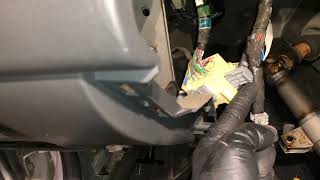
- Remove Dash Trim: 🎬 Watch this video guide on removing the Mazda Protege dash trim Carefully remove the plastic trim piece (bezel) surrounding the instrument cluster. It is typically held in by a few Phillips head screws and clips.
- Unscrew the Cluster: The cluster itself is held into the dashboard by four screws (usually Phillips head). Remove these screws.
- Disconnect Electrical Connectors: Gently pull the cluster forward enough to access the rear. There will be two or three main electrical connectors plugged into the back. Press the release tab on each connector and pull it straight out.
- Install the New Cluster: Installation is the reverse of removal. Plug the connectors into the replacement cluster, slide it into place, secure it with the four screws, and reinstall the dash trim.
- Reconnect and Test: Reconnect the negative battery terminal and turn the key to the 'ON' position. Verify that all gauges, warning lights, and the odometer display are functioning correctly.
Cost Comparison
The market for these parts is dominated by used and remanufactured options due to the age of the vehicle.
| Part Type | Estimated Cost |
|---|---|
| New OEM | $700 - $1100+ (Largely discontinued, very limited availability) |
| New Aftermarket | Not commonly available |
| Used OEM | $75 - $200 |
| Remanufactured / Repair Service | $150 - $400 |
| Shop Labor for Installation | $100 - $200 |
Known Issues, TSBs, and Recalls
There are no specific NHTSA recalls for the instrument cluster itself on the 1999-2000 Mazda Protege. However, Mazda did issue general Technical Service Bulletins (TSBs) regarding speedometer replacement procedures and the legal requirements for odometer documentation. The most common issues, such as intermittent gauges and blank odometers, are widely documented in owner forums and are almost always attributed to internal circuit board solder joint failure rather than an external cause.
Frequently Asked Questions (FAQ)
Do I need to program the new cluster to my car?
No. For the 1999-2000 Mazda Protege, the instrument cluster is a plug-and-play part. There is no immobilizer link or special programming required. The car will start and run immediately after a compatible cluster is installed.
Will the new cluster show my car's real mileage?
No, it will show the mileage from the vehicle it was removed from. The mileage data is stored inside the cluster. You must legally document the mileage swap for your records.
How do I know which cluster to buy?
You must match three things: 1) The production date of your car (before or after July 27, 1999), 2) Whether your car has a tachometer, and 3) Whether your car has factory keyless entry. Check the sticker on your driver's door jamb for the production date.
My speedometer doesn't work, but other gauges are fine. Is it the cluster?
It could be, but if only the speedometer is failing, you should first check the Vehicle Speed Sensor (VSS). A faulty VSS is a common cause for an inoperative speedometer and is a separate part from the cluster.
Helpful Videos
Technical Specifications
OEM Part Numbers: BJ0H-55-430B BJ0H-55-430C BJ0H-55-471B BJ0H55430C BJ0J-55-430B BJ0J-55-430C BJ0J-55-471B BJ0J55430B BJ0J55430C BJ0K-55-430B BJ0K-55-430C BJ0K55430B BJ0K55430C
Compatibility is determined by vehicle production date (split at 7/27/1999), presence of a tachometer, and presence of keyless entry.

The information in this article is provided for general reference and educational purposes only. Vehicle specifications, procedures, and part compatibility can vary by production date, trim level, and region. Always consult your vehicle's factory service manual and verify part numbers before purchasing or performing repairs. Safety-critical components such as airbags, seat belts, and braking systems should be installed by a qualified professional.
- Mazda Protege:
- 🎬 Helpful Videos
- Key Compatibility Warnings: Don't Get the Wrong Cluster!
- Compatibility Checklist:
- Symptoms of a Failing 1999-2000 Protege Cluster
- Programming and Immobilizer Information
- Buying a Used 1999-2000 Protege Instrument Cluster
- Step-by-Step Replacement Guide
- Cost Comparison
- Known Issues, TSBs, and Recalls
- Frequently Asked Questions (FAQ)
- 🎟️ Get 5% Off