

2020-2025 Defender, Discovery Sport & Evoque Meridian Speaker Problems: Buzzing, Rattles, and Fixes
Your guide to diagnosing failed speakers in Land Rover's Meridian audio systems and finding the right used replacement part.
- You MUST verify if your vehicle has the Base, 380W Meridian, or 825W Meridian Surround system before buying a speaker, as they are not interchangeable.
- The most common failure symptom is a buzzing or rattling sound with bass, often caused by the speaker cone separating from its surround, not a completely 'blown' speaker.
- Diagnosing the faulty speaker is simple using the 'Balance' and 'Fader' controls in your vehicle's audio settings to isolate each corner.
- Replacement is a DIY-friendly job, with the main task being the careful removal of the interior door panel.
Critical: Identify Your Audio System First!

Before purchasing a replacement speaker, you must identify which audio system is in your vehicle. Land Rover offered several tiers, and the speakers are not interchangeable between them. Using the wrong speaker can result in poor sound quality, no sound, or even damage to the amplifier. The systems are typically distinguished by speaker count and amplifier wattage.
Warning: Do not buy a speaker based on appearance alone. A speaker from a Base audio system may look similar to a Meridian speaker but will not work correctly with the Meridian amplifier. Always verify part numbers.
- Standard (Base) Audio: The entry-level system with the fewest speakers and no Meridian branding. Speakers for this system have different part numbers and impedance ratings.
- Meridian™ Sound System (380W or 400W): This is the most common premium upgrade, typically featuring 10-13 speakers plus a subwoofer.
- Meridian™ Surround Sound System (825W): A higher-tier option with more speakers (up to 19) and a more powerful amplifier. It uses Meridian's Trifield technology to create a surround sound experience.
- Meridian™ Signature Sound System (1700W+): The top-of-the-line system, often with over 25 speakers and advanced 3D sound processing.
You can usually find the Meridian logo on the speaker grilles or check your vehicle's original window sticker or build sheet to confirm which system you have.
Symptoms of a Failing Meridian Speaker

A failed speaker in these Land Rover models typically presents with very distinct audio cues. Forum members across Defender, Discovery Sport, and Evoque communities report similar issues.
- Buzzing or Rattling with Bass: This is the most common symptom. It sounds like a 'blown' speaker and is most obvious during music with low-frequency bass notes. The noise is often caused by the speaker cone's adhesive failing, causing it to separate from its flexible surround and vibrate incorrectly.
- Crackling or Popping: Sharp, intermittent crackling sounds that may worsen as you increase the volume. This can indicate a damaged voice coil inside the speaker or a poor electrical connection.
- Muffled or Distorted Sound: If the audio from one speaker sounds muddy, unclear, or generally distorted at all volumes, the speaker driver itself is likely damaged.
- Complete Silence: No sound from one specific speaker corner usually points to a dead speaker or a break in the wiring to that unit. If an entire side of the vehicle (e.g., left or right) goes silent, the problem is more likely with the amplifier.
- Intermittent Audio: In some cases, the audio may cut out and then return. Some owners have reported audio playing from only the center dash speaker, an issue that sometimes resolves itself after restarting the vehicle, suggesting a software glitch rather than a hardware failure.
How to Diagnose the Problem Yourself

You can easily find the faulty speaker using your vehicle's Pivi Pro infotainment system without any tools.
- Navigate to your vehicle's audio settings and find the 'Balance' and 'Fader' controls.
- Play a song you are very familiar with, preferably one with a full range of bass, mids, and treble. Using satellite radio is not recommended due to signal compression.
- Move the sound entirely to one corner of the vehicle (e.g., front left) by adjusting the balance and fader.
- Listen carefully for buzzing, distortion, or a lack of sound.
- Repeat this process for the front-right, rear-right, and rear-left corners until you isolate the problematic speaker.
Pro Tip: If all speakers sound distorted, or if the problem is intermittent, try a system reset. With the vehicle on, press and hold the infotainment system's power/volume knob for about 15-20 seconds until the screen goes blank and reboots. This can sometimes clear software glitches causing audio problems.
Buying a Used Meridian Speaker: A Smart Repair

Since these are relatively new vehicles, speaker failure is often due to a manufacturing defect (like adhesive failure) rather than age-related wear. A used OEM speaker from a reputable recycler is an excellent, cost-effective solution.
What to Look For:
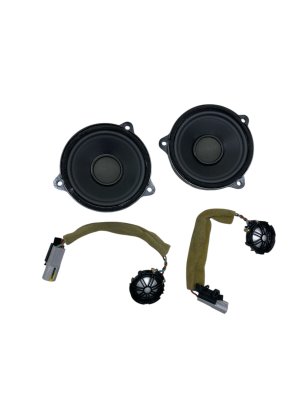
- Part Number Match: This is the most critical step. The part number is printed on a label on the magnet or frame of the speaker. It must exactly match the one you are replacing. Part number LR190098 (which replaces LR115597) is a common door woofer for the Meridian systems in these vehicles.
- Physical Inspection: Before buying, carefully inspect photos of the used speaker. Look for any tears or punctures in the cone (the main circular part that moves). Check the flexible rubber or foam surround for any signs of cracking, brittleness, or separation from the cone or frame.
- Clean Connectors: The electrical terminals should be clean and free of any green or white corrosion.
- Verify the Source: If possible, confirm the used part came from a vehicle with the same audio system as yours (e.g., Meridian Surround 825W).
Replacement Overview
- Difficulty: 2/5 (Easy to Moderate)
- Estimated Time: 0.75 - 1.5 hours
- DIY Feasible: Yes, this is a very manageable DIY job for most people.
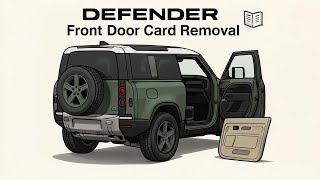
The replacement process is straightforward. The main challenge is removing the interior door panel carefully to avoid breaking the plastic retaining clips. 🎬 Watch: Defender L663 front door panel removal guide Once the panel is off, the speaker is typically held in by just a few Torx screws. Simply disconnect the electrical connector, unscrew the old speaker, and install the new one.
Cost of Replacement
Opting for a used OEM speaker provides significant savings over a new part from the dealer, with no compromise in quality or compatibility.
| Part Source | Estimated Cost |
|---|---|
| New OEM (Dealer) | $70 - $100 |
| Used OEM | $40 - $120 |
| New Aftermarket | Not available (custom installation required) |
| Shop Labor | $100 - $200 |
OEM Part Numbers
While many speakers are used across these models, part numbers can vary based on location (front/rear door) and the specific audio system. Always verify the number on your existing part. The following are common Meridian system speakers for this platform:
| Part Number | Description | Notes |
|---|---|---|
| LR190098 | Door Woofer | For Meridian Premium Audio. Supersedes LR115597. |
| LR115597 | Door Woofer | Older part number for Meridian systems, replaced by LR190098. |
| BJ32-18808-AC | Door Speaker / Tweeter | Used in various Meridian systems. |
| K8D2-18808-AC | Door Speaker | Associated with Meridian systems in the Evoque L551. |
Frequently Asked Questions (FAQ)
Why do I have to match the audio system when buying a speaker?
The Meridian systems use a dedicated amplifier with Digital Signal Processing (DSP) that is calibrated for specific speakers with unique impedance and frequency response characteristics. A speaker from a base system or a different tier of Meridian system will not match these electronic requirements, leading to poor sound, low volume, or potential damage to the amplifier.
Can a dealer software update fix my buzzing speaker?
If the issue is a physical defect like a separated speaker cone, a software update will not help. However, if you are experiencing intermittent audio cutouts, sound coming from only one speaker, or other strange behavior, the problem could be a software glitch. In these cases, a system reboot or a dealer-installed software update might resolve the issue.
Is it difficult to remove the door panel to access the speaker?
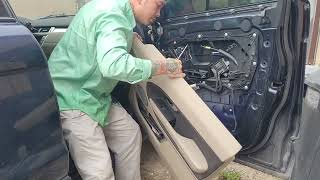
It is not overly difficult, but it requires patience. You will need a set of plastic trim removal tools to pry the panel away from the door frame without scratching the paint or panel. There are typically several hidden screws (often behind small covers in the armrest or door handle area) that must be removed before the panel can be unclipped. The key is to use firm, steady pressure and to know where the clips and screws are located.
🎬 See this Range Rover Evoque door speaker replacement walkthroughWhy does my Defender's stereo sound disappointing even when it's not broken?
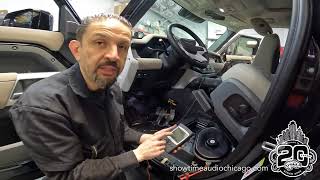
This is a common sentiment among some owners. While the Meridian systems are marketed as premium, some listeners find the bass response lacking or prone to causing rattles in the door panels. This can be due to the speaker placement in the doors and the acoustics of the cabin. Some owners have improved the sound by adding sound-deadening material inside the door panels while replacing a speaker, which helps reduce vibrations and tightens up the bass response.
Helpful Videos


Technical Specifications
OEM Part Numbers: LR190098 LR115597 BJ32-18808-AC K8D2-18808-AC LR025875
Compatibility is determined by the vehicle's specific audio system (Base, Meridian 380W, Meridian Surround 825W). Speakers are electronically matched to the system's amplifier and DSP.
We Have This Part in Stock
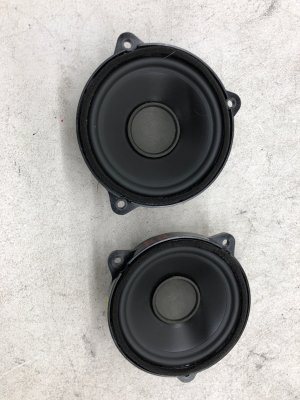
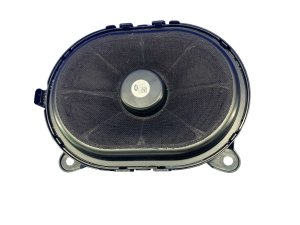
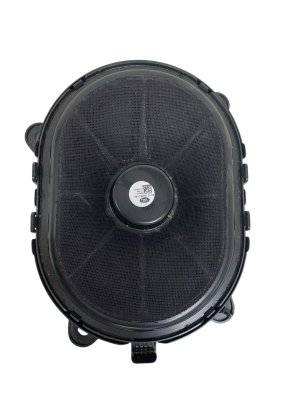
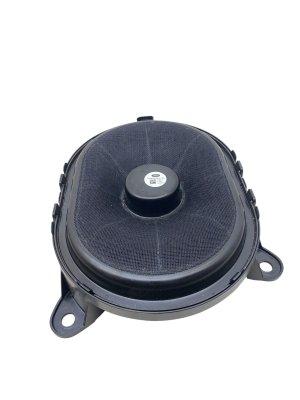

The information in this article is provided for general reference and educational purposes only. Vehicle specifications, procedures, and part compatibility can vary by production date, trim level, and region. Always consult your vehicle's factory service manual and verify part numbers before purchasing or performing repairs. Safety-critical components such as airbags, seat belts, and braking systems should be installed by a qualified professional.
- Land Rover Defender:
- Land Rover Discovery Sport:
- Land Rover Range Rover Evoque:
- 🎬 Helpful Videos
- 🛍️ Shop This Part
- Critical: Identify Your Audio System First!
- Symptoms of a Failing Meridian Speaker
- How to Diagnose the Problem Yourself
- Buying a Used Meridian Speaker: A Smart Repair
- What to Look For:
- Replacement Overview
- Cost of Replacement
- OEM Part Numbers
- Frequently Asked Questions (FAQ)
- 🎟️ Get 5% Off