

2020-2025 Corvette C8 Speaker Guide: Diagnosing Rattles, Amp Faults, and Audio TSBs
Your definitive guide to diagnosing failed speakers, understanding the critical amplifier TSB, and choosing the correct used replacement for your C8 Corvette's specific trim.
- Many audio issues like noise or intermittent sound loss may be fixed by a free software update for the amplifier, as detailed in TSB #21-NA-099.
- A complete loss of all sound (including turn signal clicks) is almost always a failed amplifier, not a speaker problem.
- Replacing door speakers is a difficult (4/5) DIY job that requires removing the entire interior door panel.
- You must match the speaker part number to your vehicle's audio system (10-speaker vs. 14-speaker) and be mindful of options like HUD and interior trim color for compatibility.
Symptoms of a Failing Corvette Speaker

Diagnosing an audio issue in the C8 Corvette can be tricky, as a bad speaker, a faulty amplifier, or even a software glitch can present similar symptoms. Pay close attention to the specific nature of the problem to narrow down the cause.
1. Rattling, Buzzing, or Static
This is the most common symptom reported by C8 owners. A distinct rattling or buzzing sound that occurs only with music, often at specific frequencies or volumes, points to a speaker issue. The voice coil or the speaker cone surround may have failed. You might be able to temporarily stop the noise by lightly pressing on the speaker grille. However, be aware that rattles in the door area can also be caused by loose trim pieces, clips, or electrical connectors on the back of the door panel, not the speaker itself.
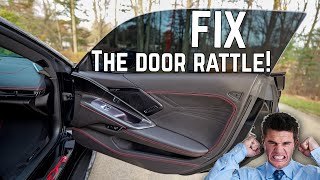
🎬 Watch: How to fix common C8 door rattles and buzzing.2. No Sound from One or More Speakers
If one speaker location is completely silent while others work, the speaker itself has likely failed or has a loose connection. You can confirm this by using the audio system's balance and fader controls to isolate the problematic speaker location. Some owners have reported losing sound to an entire side of the car (e.g., the entire left channel), which could be a speaker or an amplifier channel issue.
3. Complete Loss of All Audio
If you experience a total loss of sound — no music, no turn signal clicks, no warning chimes — the problem is almost certainly the audio amplifier, not the speakers. The amplifier is the central brain for all vehicle sounds. Forum members have frequently traced total silence to a failed amplifier, which may require replacement and programming.
4. Distorted or Muffled Sound
Sound that is muffled, "blown," or heavily distorted indicates a physically damaged speaker. The paper or composite cone may be torn, or the voice coil may be damaged, preventing it from reproducing sound clearly. This typically affects only one speaker.
Pro Tip: Before assuming a speaker is bad, check for any available Over-The-Air (OTA) software updates on your infotainment screen. A critical TSB addresses many audio issues with a simple software patch.
Known Issues, TSBs, and Recalls

While there are no specific safety recalls for C8 Corvette speakers, there is a crucial Technical Service Bulletin (TSB) that every owner with audio problems should be aware of.
TSB #21-NA-099: Speaker Noise, Loss of Bass, or No Audio Output
For 2020-2021 models, GM released this bulletin to address a wide range of audio complaints, including unexpected noises (squealing, screeching), loss of bass, or intermittent loss of sound from certain speakers. The cause is identified as a fault in the amplifier's software calibration. The official fix is to reprogram the audio amplifier. Many vehicles can receive this update via an OTA update that appears on the infotainment screen. If the update is not available or fails, a dealer must perform the reprogramming. This should be the very first diagnostic step for any of the listed symptoms, as it can save you the cost of unnecessary hardware replacement.
Amplifier Failures
Beyond the software issue, the amplifier itself can fail. The amplifier is located in the passenger footwell area. In some early models, an issue with the A/C condensate drain line could cause water to leak into this area, potentially damaging the amplifier. If you have audio issues, it's wise to check for any signs of dampness under the passenger side floor mat.
Warning: Total audio failure, including the loss of warning chimes and turn signal sounds, is often caused by a faulty amplifier. Do not mistake this for a simple speaker problem.
Buying a Used 2020-2025 Corvette Speaker

A used OEM speaker is an excellent, cost-effective replacement. Because the Bose systems are specifically tuned for the Corvette's interior, a used original part will sound correct, whereas a generic aftermarket speaker may not. Here’s what to check before you buy.
1. Identify Your Audio System
First, know what you have. The 1LT trim has the 10-speaker Bose Premium system. The 2LT and 3LT trims have the 14-speaker Bose Performance Series system. Speakers are generally not interchangeable between these two systems. Ensure the part you are buying comes from a vehicle with the same sound system as yours.
2. Match Part Numbers Exactly
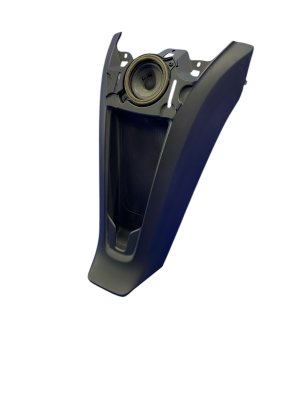
The Corvette uses different speakers for each location (door woofer, door tweeter, dash center, etc.). The only way to guarantee a perfect fit and correct sound is to match the OEM part number. For example, the lower door woofer is commonly part number 84759850, while the upper door speaker is 23429191. Do not rely on a visual match alone.
3. Check Compatibility Warnings
- Head-Up Display (HUD): On many GM vehicles, the center dashboard speaker and grille are different on cars equipped with a Head-Up Display. Verify if the donor car had HUD if you are replacing a dash speaker.
- Interior Trim and Color: Some speakers, particularly A-pillar tweeters or certain door speakers, are integrated into a trim panel or have a color-matched grille. You must match the interior color and trim code of your vehicle to the donor part to ensure an exact cosmetic match.
4. Physical Inspection
When you receive the part, inspect it carefully:
- Cone and Surround: Look for any rips, tears, or holes in the speaker cone. Check the flexible rubber or foam ring around the cone (the surround) for any signs of cracking or deterioration.
- Connector: Ensure the electrical connector pins are straight, clean, and free of corrosion.
- Frame: Check that the metal or plastic frame is not bent or cracked, and that all mounting tabs are intact.
Cost Comparison for a C8 Corvette Speaker
| Part Type | Estimated Cost | Notes |
|---|---|---|
| New OEM | $75 - $150 per speaker | Price varies by location (door woofer, tweeter, etc.). For example, a new door woofer (84759850) costs around $75. |
| New Aftermarket | $50 - $400+ per speaker | Direct-fit aftermarket speakers for the Bose system are not common. Most are part of a custom installation requiring new amplifiers and wiring. |
| Used OEM | $50 - $100 per speaker | Offers the best value. A used pair of OEM Bose door woofers can often be found for around $150. |
| Shop Labor | $150 - $300 per door | Labor is primarily for removing and reinstalling the door panel. Expect 1-2 hours of labor per door. Dash speakers may be less. |
Replacement Difficulty

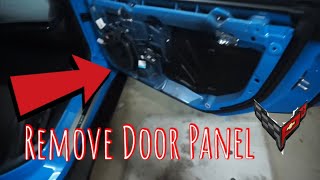
- Dash & A-Pillar Speakers: Difficulty: 2/5. These speakers are often located under grilles that can be carefully removed with 🎬 See this guide for removing speaker grilles and door panels. non-marring plastic trim tools.
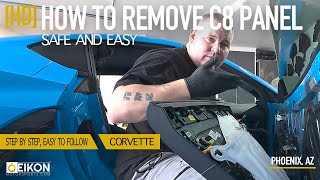
- Door Speakers: Difficulty: 4/5. This is an involved job requiring the complete removal of the interior door panel. You will need a set of trim removal tools and 7mm/Torx drivers. The process involves finding hidden screws, carefully releasing numerous plastic clips, and disconnecting sensitive electrical harnesses. There is a moderate risk of breaking clips or scratching the panel if not done 🎬 Watch: A step-by-step tutorial on removing the C8 door panel. patiently.
Frequently Asked Questions (FAQ)
Do I need to replace my speakers after performing TSB 21-NA-099?
Not usually. The TSB is for a software issue in the amplifier. If the software update fixes your problem, no hardware replacement is needed. You should always perform the software update before buying any parts.
My turn signals don't make a clicking sound anymore. Is that a speaker problem?
No, this is a classic symptom of a failed audio amplifier. All of the car's sounds, including chimes and turn signal clicks, are routed through the amp. If they are all gone, the amplifier is the likely culprit.
Can I upgrade my 10-speaker system to the 14-speaker system?
This is not a simple swap. It would require changing the amplifier, adding wiring for the extra speakers, and potentially reprogramming the vehicle's body control module. It is a complex and expensive conversion.
Why does my speaker only rattle with certain songs?
This is a common sign of a blown speaker. The speaker may only rattle when it's forced to reproduce a specific frequency that excites the damaged part of the cone or voice coil. It can also indicate a loose trim piece that only vibrates at a certain resonant frequency.
Helpful Videos
Technical Specifications
OEM Part Numbers: 84759850 84500609 23429191 84226008 84570865 84643927 86797959
System options include a 10-speaker Bose Premium system or a 14-speaker Bose Performance Series system. Door woofers are 10-inch shallow mount units.
We Have This Part in Stock




The information in this article is provided for general reference and educational purposes only. Vehicle specifications, procedures, and part compatibility can vary by production date, trim level, and region. Always consult your vehicle's factory service manual and verify part numbers before purchasing or performing repairs. Safety-critical components such as airbags, seat belts, and braking systems should be installed by a qualified professional.
- Chevrolet Corvette:
- 🎬 Helpful Videos
- 🛍️ Shop This Part
- Symptoms of a Failing Corvette Speaker
- 1. Rattling, Buzzing, or Static
- 2. No Sound from One or More Speakers
- 3. Complete Loss of All Audio
- 4. Distorted or Muffled Sound
- Known Issues, TSBs, and Recalls
- TSB #21-NA-099: Speaker Noise, Loss of Bass, or No Audio Output
- Amplifier Failures
- Buying a Used 2020-2025 Corvette Speaker
- 1. Identify Your Audio System
- 2. Match Part Numbers Exactly
- 3. Check Compatibility Warnings
- 4. Physical Inspection
- Cost Comparison for a C8 Corvette Speaker
- Replacement Difficulty
- Frequently Asked Questions (FAQ)
- 🎟️ Get 5% Off