

2017 Audi A3, S3, RS3 Bang & Olufsen Amplifier: No Sound, Diagnosis, and Component Protection
This guide covers the common failures of the B&O amplifier in the 2017 Audi A3, S3, and RS3, focusing on diagnosis and the critical Component Protection programming required after replacement.
- This part is the Bang & Olufsen (B&O) amplifier, not a speaker, and is only for cars with the premium B&O system.
- A replacement amplifier (new or used) MUST be programmed to your vehicle by a dealer or specialist to remove 'Component Protection'; it will not work otherwise.
- The most common failure symptom is a total loss of sound while the MMI screen continues to function normally.
- Before buying a replacement, check for water damage in the trunk where the amplifier is located, as this is a frequent cause of failure.
Critical Compatibility Warnings for 2017 A3, S3 & RS3

Important: This is an amplifier for the premium Bang & Olufsen (B&O) sound system only. It is NOT compatible with the standard Audi audio system or the upgraded "Audi Sound System." Your vehicle must have been originally equipped with the B&O system for this part to work.
Component Protection is Active: This is the single most important factor when buying a used amplifier. This part is equipped with an anti-theft system called Component Protection (CP). After installation, the amplifier will be in a restricted mode, resulting in no sound or audio from only one side of the car. The vehicle MUST be taken to an Audi dealer or a qualified independent shop with the proper online diagnostic tools (ODIS) to have the Component Protection removed and the amplifier adapted to your car's VIN. This programming is not optional.
Verify Part Numbers and Build Dates: There was a production change during the 2017 model year. It is critical to match your original part number exactly or confirm compatibility with a dealer using your VIN. Part numbers 81A035466 and 81A035466A are generally for vehicles built before mid-2017. Part number 81A035466B is for vehicles built from approximately May 29, 2017, onwards. Installing the wrong version may result in compatibility issues.
Symptoms of a Failing B&O Amplifier

A bad B&O amplifier in your 2017 Audi A3, S3, or RS3 can manifest in several ways. Because it's a digital component on a fiber optic network, failure isn't always straightforward.
1. Complete Loss of Sound
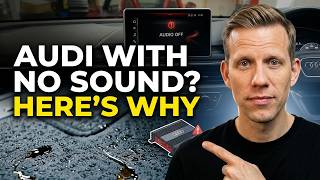
This is the most common symptom. The MMI screen will turn on, and you can navigate through menus for radio, media, and navigation, but no sound comes from any speaker. 🎬 Watch this guide on diagnosing Audi speaker sound issues You may also notice that sound-related settings, like bass and treble, are grayed out or unavailable. A soft reset of the MMI system (pressing and holding the volume knob) does not resolve the issue.
2. Crackling, Popping, or Intermittent Audio
You may experience persistent static, crackling, or popping sounds from the speakers, which can occur across all audio sources. In some cases, the audio may cut out from one or all speakers when driving over bumps, which can indicate an internal fault or a bad connection. Some owners have noted crackling is more apparent when streaming audio via Bluetooth due to how the MMI system processes the signal.
3. MMI System Errors or Freezing
The B&O amplifier is a node in the fiber optic Media Oriented Systems Transport (MOST) ring. If the amplifier fails electronically, it can break this ring, preventing communication between other infotainment modules. This can cause the entire MMI system to freeze, get stuck on the startup screen, or display errors related to unavailable systems.
4. Diagnostic Trouble Codes (DTCs)
A scan with a proper diagnostic tool like VCDS or ODIS will likely reveal specific fault codes. Look for:
P02095or similar text indicating "Component Protection Active". This code is expected after installing a replacement unit, before it has been programmed.- Faults indicating "Optical Data Bus Open" or that the amplifier (address 47) is "unreachable". This points to a break in the MOST fiber optic loop, very likely at the amplifier itself.
Diagnosing the Amplifier

If you have no sound, you can perform a few checks before replacing parts.
- Check for Water Intrusion: The amplifier is located in the trunk, on the driver's side behind the trim. This area can be susceptible to water from clogged sunroof drains or a leaking rear window washer line. Feel the carpeting in the trunk and around the amplifier for any signs of dampness or water stains. Water damage is a leading cause of failure for these units.
- Fuse Check: Check the amplifier's fuse in the vehicle's fuse panel. While a blown fuse is less common than internal failure, it's a simple and important check.
- MOST Bus Loop Test: This is the most definitive way to diagnose a failed module on the fiber optic ring. You will need a MOST bus bypass loop (a small, inexpensive fiber optic connector). Unplug the fiber optic connector from the amplifier and plug the bypass loop into it. This completes the ring, bypassing the amp. If sound returns to other components (if any are on the loop) or if other MMI errors disappear, you have confirmed the amplifier is the source of the open loop and needs to be replaced.
Buying a Used B&O Amplifier
A used OEM amplifier is a cost-effective alternative to a brand-new unit, but you must be careful. The biggest hurdle is Component Protection.
- Factor in Programming Costs: Remember that a used amplifier will not work until the Component Protection is removed by a dealer or qualified shop. When comparing prices, add an estimated $150 - $350 for this programming service.
- Verify the Part Number: Double-check that the part number on the used unit matches your original amplifier exactly. The wrong hardware version may not be compatible with your vehicle's MMI system and build date.
- Inspect for Physical Damage: Do not buy a unit with any signs of corrosion, water marks, or physical damage to the casing or connectors. Ask the seller for clear photos of the connectors.
- Buy from a Reputable Source: Purchase from a seller with a good return policy. Be aware that if the part came from a vehicle reported as stolen, Audi's online system will flag it during the Component Protection removal process, and the dealer may be obligated to report it.
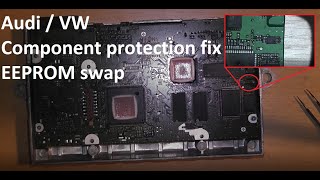
Pro Tip: Some specialized independent shops offer a mail-in service to clone the security data from your original (faulty) amplifier to the used replacement unit. This involves transferring a small memory chip. If successful, this makes the replacement unit plug-and-play, avoiding the need for a dealer visit to remove Component Protection. This is only possible if you still have your original amplifier and its main board is not completely destroyed.
🎬 See how to avoid component protection when swapping modulesReplacement Overview

Replacing the amplifier is a straightforward DIY job, but remember that programming is required afterward.
- Location: The B&O amplifier is located in the trunk on the driver's side, mounted to a bracket behind the side trim panel.
- Access: You will need to remove the trunk floor covering and the driver's side trunk liner to access 🎬 Watch this step-by-step video on removing Audi A3 trunk trim the amplifier bracket. This typically involves removing a few plastic clips and Torx screws.
- Removal: Disconnect the main electrical harness and the fiber optic (MOST) connector. The fiber optic connector has a small tab that must be pressed to release it. Unbolt the amplifier from its mounting bracket.
- Installation: Installation is the reverse of removal. Be very careful not to bend or kink the fiber optic cables. They are fragile.
Cost Comparison
| Part Type | Estimated Cost | Notes |
|---|---|---|
| New OEM | $1,300 - $1,900 | Purchased from an Audi dealership. Still requires programming. |
| Used OEM | $150 - $400 | From salvage yards or online retailers. Requires programming. |
| Repair/Remanufacture Service | $400 - $600 | Your original unit is repaired and sent back, or data is cloned to a replacement. Often plug-and-play. |
| Shop Labor (Replacement) | $100 - $200 | Estimated 0.5-1.0 hour to physically swap the unit. |
| Shop Labor (Programming) | $150 - $350 | Cost for Component Protection removal at a dealer or independent shop. |
Frequently Asked Questions (FAQ)
Can I install a used amplifier myself and drive to the dealer for programming?
Yes. The physical installation is something a DIYer can do. You can install the used amplifier, but you will have no audio until it is programmed. The car will be perfectly safe to drive without sound.
What is Component Protection and why does it exist?
Component Protection is an anti-theft feature used by Audi and other VW Group brands. It links major electronic modules (like the amplifier, MMI unit, and instrument cluster) to the vehicle's unique VIN. If a module is swapped, the system locks its core functions until it is officially paired to the new vehicle via a secure online connection to Audi's factory servers.
Can any mechanic remove Component Protection?
No. Only Audi dealerships and certain independent repair shops that have a licensed subscription to Audi's online diagnostic system (ODIS) can remove Component Protection. A standard OBD-II scanner cannot do it. Always ask a shop specifically if they have the capability to remove Audi Component Protection before booking the service.
My sound system is the standard one, not B&O. Can I use this amplifier to upgrade it?
No. Upgrading from the standard system to the B&O system is a very complex and expensive process that involves much more than just swapping the amplifier. It requires different speakers, additional wiring, and extensive coding. This amplifier is only a direct replacement for vehicles that already have the B&O system from the factory.
Helpful Videos
Technical Specifications
OEM Part Numbers: 81A-035-466 81A-035-466-A 81A035466 81A035466A 81A035466B
System: Bang & Olufsen (B&O) Premium Sound Communication Protocol: MOST (Media Oriented Systems Transport) fiber optic bus
We Have This Part in Stock



The information in this article is provided for general reference and educational purposes only. Vehicle specifications, procedures, and part compatibility can vary by production date, trim level, and region. Always consult your vehicle's factory service manual and verify part numbers before purchasing or performing repairs. Safety-critical components such as airbags, seat belts, and braking systems should be installed by a qualified professional.
- Audi A3:
- Audi S3:
- Audi RS3:
- 🎬 Helpful Videos
- 🛍️ Shop This Part
- Critical Compatibility Warnings for 2017 A3, S3 & RS3
- Symptoms of a Failing B&O Amplifier
- 1. Complete Loss of Sound
- 2. Crackling, Popping, or Intermittent Audio
- 3. MMI System Errors or Freezing
- 4. Diagnostic Trouble Codes (DTCs)
- Diagnosing the Amplifier
- Buying a Used B&O Amplifier
- Replacement Overview
- Cost Comparison
- Frequently Asked Questions (FAQ)
- 🎟️ Get 5% Off