

2015-2018 Ford F-150 Gateway Module: Solving Communication Errors and Programming a Replacement
This in-depth guide explains the common failures of the F-150's Serial Data Gateway Module, why programming is mandatory, and how to diagnose network problems.
- A replacement Gateway Module is NOT plug-and-play; it absolutely requires professional programming (PMI) to your truck's VIN.
- Before replacing the module, inspect for A-pillar water leaks (TSB 15-0081) and clean the G401 ground stud on the frame under the driver's door, as these issues can mimic module failure.
- Symptoms of failure are widespread and electrical, including multiple dash warning lights, loss of features, and inability to communicate with a scan tool.
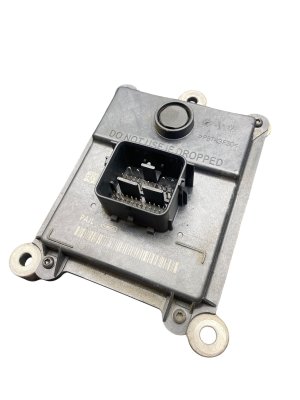
- Buying a used OEM module is a cost-effective option, but you must match the part number (e.g., GL3T-14F642-AA) and budget for programming costs.
Symptoms of a Failing Gateway Module

A problem with the Gateway Module often causes widespread and confusing electronic issues because it disrupts communication across the entire vehicle. Instead of a single component failing, the systems that rely on network communication begin to malfunction. Symptoms are often intermittent at first.
- Multiple Warning Lights: The most common sign is the instrument cluster lighting up like a Christmas tree with seemingly unrelated warnings for ABS, airbags, traction control, hill start assist, and more.
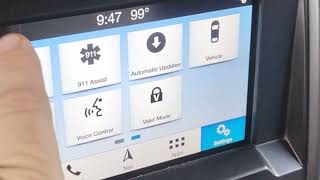
- "Network Communication Error": A message may appear on the main SYNC infotainment screen indicating a communication fault.
- Loss of Functions: You may lose control of various features at once. The dashboard instruments might go dead, turn signals or headlights may not work, and power windows could become unresponsive.
- No Communication with Scan Tool: If you plug a diagnostic scanner into the OBD-II port and it cannot connect to the vehicle, this points directly to a problem with the Gateway Module or its power supply. 🎬 Watch: How to locate and replace the gateway module fuse
- Crank, No Start: The engine may turn over but refuse to start. This can happen because the Gateway Module isn't properly relaying the security handshake between the Powertrain Control Module (PCM) and Body Control Module (BCM).
- Vehicle Enters "Limp Mode": The truck may suddenly enter a reduced power mode, sometimes accompanied by a transmission fault warning.
- Flood of "U" Codes: A scan that does connect may reveal dozens of Diagnostic Trouble Codes (DTCs) starting with "U," which signify a loss of communication between modules. The code U0140 (Lost Communication With Body Control Module) is a very common indicator of a GWM problem.
Known Issues, TSBs, and Recalls

Water Intrusion from A-Pillar Leaks (TSB 15-0081)
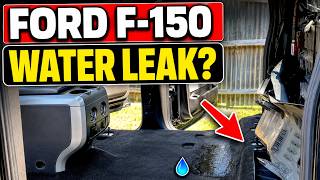
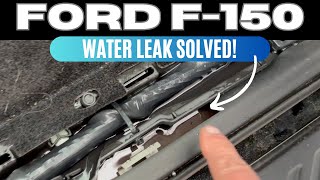
A significant known issue for 2015 F-150s is a water leak originating from the A-pillar area, near the windshield or hood hinges. Ford issued Technical Service Bulletin (TSB) 15-0081 to address this. Water entering the cabin can run down behind the dash trim and drip onto electrical components, connectors, and modules located in the driver's side footwell area—exactly where the Gateway Module and its wiring are. This can cause corrosion and short circuits, leading to GWM failure. Leaking sunroof drain tubes can cause similar issues. If you experience GWM failure, inspecting for signs of water damage like damp carpets or a musty smell 🎬 See how to find water leaks inside your F-150 cab is a critical diagnostic step.
Pro Tip: Check This Ground Wire First! Before you condemn the Gateway Module, inspect ground connection G401. It is located on the frame rail directly under the driver's door and is exposed to road salt and moisture. Corrosion on this single ground point can create high resistance, disrupting the entire vehicle network and perfectly mimicking the symptoms of a failed Gateway Module, including a crank-no-start condition and multiple U0140 codes. Disconnecting the battery, unbolting the ground wires, cleaning all contact points to bare metal, and reassembling tightly can often solve these complex electrical gremlins for free.
Recalls and Software Updates
While there are no widespread recalls specifically to replace the 2015-2018 F-150 Gateway Module, Ford has issued numerous recalls and customer satisfaction programs for other model years that involve reprogramming the GWM to fix software-related bugs. This highlights the importance of the module's software for proper vehicle function.
Programming and Installation

Warning: A replacement Serial Data Gateway Module MUST be programmed to your vehicle. It is not a plug-and-play part. Failure to program the module will result in continued communication errors and non-functional systems.
When an electronic module like the GWM is replaced, it needs to be configured with the vehicle's specific information, including its VIN and factory-installed options. Ford's official process for this is called Programmable Module Installation (PMI).
The PMI process is performed with a diagnostic scan tool and does one of two things:
- If the old module still communicates: The tool reads the configuration data from the original module and saves it. After the new module is installed, the tool writes that saved data onto the new part.
- If the old module is dead: The tool must download the vehicle's original configuration from Ford's servers. This is called "As-Built" data. The tool then writes this VIN-specific data to the new module to configure it correctly.
Who Can Program the Gateway Module?
- Ford Dealerships: This is the most straightforward option. They have the required tools (IDS or FDRS software) and direct access to Ford's As-Built data.
- Independent Repair Shops: Many professional shops invest in the same tools and software subscriptions as dealers and can perform module programming. Expect to pay a fee specifically for the programming service.
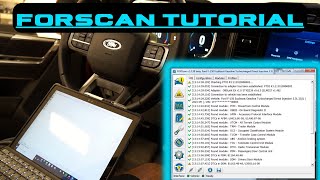
- Advanced DIY / FORScan: It is possible for an advanced DIY mechanic to perform the PMI process using software like FORScan with a compatible OBD-II adapter. This requires technical knowledge of saving and restoring module configuration files. 🎬 Watch: Tutorial on using FORScan to program F-150 modules
Buying a Used Serial Data Gateway Module
Purchasing a used GWM is a great way to save money, as the part itself is very reliable electronically when not subjected to external factors like water damage. Because programming is required regardless of whether the part is new or used, the primary risk is eliminated.
- Match the Part Number: It is essential to match the OEM part number exactly. While different numbers may look identical, they can have internal hardware or firmware differences. The most common part number for this range is GL3T-14F642-AA.
- Inspect for Damage: Check the connector pins for any signs of corrosion (green or white powder), which indicates water damage. Ensure no pins are bent or broken.
- Factor in Programming Costs: Remember that the price of the used part is not the final cost. You must budget for the additional cost of having it professionally programmed to your truck.
- Why Used OEM is a Good Choice: Unlike some complex modules, the GWM does not store theft-related data or mileage. A used OEM module that has been properly programmed is functionally identical to a new one.
Replacement Cost Breakdown
The cost to fix a failed Gateway Module involves the part itself and the labor for programming. The physical replacement is very simple as the module is part of the OBD-II port assembly under the dash.
| Part or Service | Estimated Cost |
|---|---|
| New OEM Module | $110 - $240 |
| Used OEM Module | $50 - $80 |
| Shop Labor (Installation & Programming) | $150 - $300 |
Frequently Asked Questions (FAQ)
Where is the Gateway Module located on a 2015-2018 F-150?
The Gateway Module is integrated with the OBD-II diagnostic port. It is located under the driver's side of the dashboard, typically to the left of the steering column.
Does a used Gateway Module need to be programmed?
Yes. Any replacement Gateway Module, whether new or used, must be programmed to your truck's specific VIN and configuration using a process called Programmable Module Installation (PMI).
Can I drive my F-150 with a bad Gateway Module?
It is not recommended. A failing GWM can cause unpredictable behavior, including sudden loss of power, non-functional lights and turn signals, and a no-start condition, posing a significant safety risk.
Can I replace the Gateway Module myself?
Physically replacing the module is very easy for a DIYer, as it's attached to the easily accessible OBD-II port. However, the mandatory programming step requires specialized diagnostic tools and software that most DIYers do not own. You can save on labor by installing the part yourself and then having the vehicle towed or driven (if possible) to a shop for programming.
Helpful Videos



Technical Specifications
OEM Part Numbers: GL3T-14F642-AA GL3T14F642AA GL3Z-14F642-A
Integrates the OBD-II Data Link Connector. Manages communication between HS-CAN, MS-CAN, and diagnostic networks.
We Have This Part in Stock



The information in this article is provided for general reference and educational purposes only. Vehicle specifications, procedures, and part compatibility can vary by production date, trim level, and region. Always consult your vehicle's factory service manual and verify part numbers before purchasing or performing repairs. Safety-critical components such as airbags, seat belts, and braking systems should be installed by a qualified professional.
- Ford F-150:
- 🎬 Helpful Videos
- 🛍️ Shop This Part
- Symptoms of a Failing Gateway Module
- Known Issues, TSBs, and Recalls
- Water Intrusion from A-Pillar Leaks (TSB 15-0081)
- Recalls and Software Updates
- Programming and Installation
- Who Can Program the Gateway Module?
- Buying a Used Serial Data Gateway Module
- Replacement Cost Breakdown
- Frequently Asked Questions (FAQ)
- 🎟️ Get 5% Off