

2024-2026 Cybertruck Seat Control Issues: Switch Failure vs. Software Glitches
This guide explains how to diagnose failing seat controls on the 2024-2026 Tesla Cybertruck, from simple software recalibration to identifying a faulty switch.
- Many Cybertruck seat issues are software-related and can be fixed with a screen reboot or by running the seat calibration routine in the service menu.
- A critical known issue involves the seat's occupancy sensor failing, causing the truck to 'phantom park' at low speeds; this is a sensor fault, not a switch fault.
- Before buying a replacement switch, confirm it's the source of the problem, as wiring harness damage can cause similar symptoms like spontaneous movement.
- The OEM part number 1877780-00-B, sometimes associated with Cybertruck switches, is for the frunk/hood release button, not the seat switch.
Symptoms of a Failing Seat Switch or Control System

Problems with the Cybertruck's seat adjustment can stem from the physical switch, software glitches, wiring issues, or even the seat's occupancy sensor. It's important to identify the specific symptom to narrow down the cause.
Classic Switch Failure Symptoms
- Seat Does Not Move: The most obvious sign is when the seat does not move at all when you press the switch. This could indicate a complete failure of the switch or a loss of power to the system.
- Intermittent or Slow Operation: The seat may work sometimes but not others, or move very slowly in one direction. This often points to a failing internal contact within the switch itself.
- One Function Fails: You might find that the seat moves forward but not back, or the recline works but the height adjustment doesn't. This usually isolates the problem to a specific part of the switch assembly.
Cybertruck-Specific Electronic & Software Issues
Many seat-related problems on the Cybertruck are not caused by a bad switch, but by software or other electronic components. Always investigate these possibilities before replacing parts.
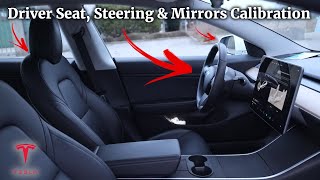
- Incorrect Memory Profile Recall: After a software update or when switching driver profiles, 🎬 Watch this guide to fixing seat issues with shared profiles. the seat may move to the wrong position or fail to adjust completely. This is almost always a software calibration issue.
- Stuck in 'Easy Entry' Position: Owners have reported the seat getting stuck in the rearmost 'Easy Entry' position, with the switch becoming unresponsive. This can be caused by a software fault or the seat physically binding on its tracks.
- Spontaneous Seat Movement: In rare cases, the seat may move on its own without any input. This has been traced to damaged wiring harnesses under the seat or a fault in the main cabin floor harness, which is a complex electrical issue requiring professional diagnosis.
- 'Phantom Parking' at Low Speeds: A serious issue has been reported where the truck suddenly shifts into Park while moving at very low speeds (under 1.4 mph). This is caused by a faulty driver's seat occupancy sensor that incorrectly determines the driver has left the seat, triggering a 'rollaway prevention' feature. This is a sensor issue, not an adjustment switch problem, but is a critical seat-system fault to be aware of.
Pro Tip: Before assuming any hardware is broken, perform a full vehicle reboot by holding down both scroll wheels on the steering wheel until the Tesla 'T' appears on the screen. If that doesn't work, perform a seat calibration. 🎬 See how to run the calibration routine on your touchscreen. Navigate to Controls > Service > Driver Seat, Steering & Mirrors Calibration on the touchscreen and follow the on-screen instructions. This resolves a majority of seat position and memory issues.
Known Issues, Recalls, and Service Bulletins

As of early 2026, there are no specific recalls or Technical Service Bulletins (TSBs) for the seat adjustment switch on the 2024-2026 Tesla Cybertruck. However, the vehicle has been subject to numerous recalls for other issues, including accelerator pedals, exterior trim, and wipers, reflecting the challenges of an all-new vehicle platform. The documented cases of spontaneous seat movement and 'phantom parking' are known issues discussed among owners but have not yet resulted in a formal recall for the seat system itself.
Buying a Used Cybertruck Seat Switch

If you've ruled out software issues and confirmed the physical switch is faulty, a used OEM part can be a cost-effective solution. Since no aftermarket options exist for this new of a vehicle, your only choices are a new part from Tesla or a recycled OEM part.
Warning: Before buying a switch, be certain it is the cause of your problem. Many seat issues on the Cybertruck are related to software, wiring, or sensors. Test the switch with a multimeter if possible to confirm a lack of continuity when a button is pressed.
What to Inspect on a Used Part:
- Physical Condition: Check for cracks in the housing or worn-down button graphics. Ensure all parts of the switch move freely and provide a distinct 'click' when pressed.
- Connector Pins: Look at the electrical connector on the back. The pins should be straight, clean, and free of any corrosion or damage.
- Mounting Points: Verify that all screw holes and plastic clips are intact. Broken mounting points will result in a loose-fitting switch.
- Part Numbers: While a definitive public part number for the switch is not available, try to match any numbers or markings on your original switch to the used part. Tesla often makes small changes during production runs.
Cost Comparison
Pricing for a specific Cybertruck seat switch is not widely available, as Tesla does not typically sell these small components directly to consumers online. The estimates below are based on pricing for similar switches on other Tesla models and related Cybertruck parts.
| Part Type | Estimated Price Range | Notes |
|---|---|---|
| New OEM (from Tesla) | $80 - $150 | Must be ordered through a Tesla Service Center. Price is an estimate based on other models. |
| New Aftermarket | Not Available | No aftermarket manufacturers are producing this part yet. |
| Used OEM | $60 - $120 | Availability is limited to salvage vehicles. Prices can vary widely. |
| Shop Labor | $75 - $150 | Typically 0.5 to 1.0 hours of labor. |
Replacement Procedure & Difficulty
Replacing the seat switch is a manageable DIY job for those comfortable with basic tools and removing interior trim panels. Tesla's official service manual for the Cybertruck notes the procedure is 'in development,' but the process is expected to be very similar to other Tesla models.
- Disconnect Power: For safety, it's always best to disconnect the vehicle's low-voltage power supply before working on electrical components.
- Raise the Seat: Use the switch (if it works) or the on-screen controls to raise the seat to its highest position to gain access to the lower trim screw.
- Remove the Outer Side Trim: A single Torx screw typically holds the bottom of the large plastic side cover on the seat. After removing the screw, the panel must be carefully unclipped. Use plastic 🎬 Watch this video for a safe way to remove trim. trim removal tools to avoid scratching the panel or breaking the hidden clips.
- Unplug and Remove the Switch: With the side panel removed, you can access the switch. Disconnect the single electrical connector. The switch itself is held to the trim panel with three or four small Torx screws.
- Installation: Installation is the reverse of removal. Attach the new switch to the trim panel, reconnect the electrical plug, and carefully snap the trim panel back into place before reinstalling the final screw.
Frequently Asked Questions (FAQ)
Can a software update fix my seat adjustment problem?
Yes, often it can. If your issue is with memory seats or 'Easy Entry' not working correctly, the first step should always be to run the seat calibration routine from the service menu on your touchscreen. This resets the known limits of the seat's travel and often resolves software-induced problems.
Is the driver's side switch the same as the passenger's side?
No, they are typically not interchangeable. The driver's side switch assembly is unique and has a different part number from the passenger side due to mirroring and sometimes different functions.
My seat moves on its own. Is the switch bad?
Unlikely. Spontaneous seat movement is almost always a sign of a more complex electrical problem, such as a short in a wiring harness, rather than a faulty switch. This issue requires professional diagnosis, as it may involve the main body control module or under-seat wiring.
Why did my truck slam into Park when I was pulling into my garage?
This is a known and dangerous issue related to the driver's seat occupancy sensor, not the adjustment switch. The sensor fails to detect your weight, and the truck's safety system engages the emergency brake to prevent a 'rollaway.' If this happens, you should immediately file a service request through the Tesla app, as it may require replacement of the entire seat cushion or sensor mat.
Helpful Videos

Technical Specifications
OEM Part Numbers: 1877780-00-B (Note: This is for the frunk/hood release, not the seat switch)
The seat switch assembly communicates with the body control module via a digital signal. Replacement requires a T20 Torx bit and plastic trim removal tools.

The information in this article is provided for general reference and educational purposes only. Vehicle specifications, procedures, and part compatibility can vary by production date, trim level, and region. Always consult your vehicle's factory service manual and verify part numbers before purchasing or performing repairs. Safety-critical components such as airbags, seat belts, and braking systems should be installed by a qualified professional.
- Tesla Cybertruck:
- 🎬 Helpful Videos
- Symptoms of a Failing Seat Switch or Control System
- Classic Switch Failure Symptoms
- Cybertruck-Specific Electronic & Software Issues
- Known Issues, Recalls, and Service Bulletins
- Buying a Used Cybertruck Seat Switch
- What to Inspect on a Used Part:
- Cost Comparison
- Replacement Procedure & Difficulty
- Frequently Asked Questions (FAQ)
- 🎟️ Get 5% Off