

2018-2020 Ford F-150 Running Board Module: Programming, Failures, and Fixes
Diagnose and replace your F-150's power running board module and understand the critical programming steps required for proper function.
- Programming is mandatory. A new or used module must be programmed to the vehicle's VIN using dealer tools or FORScan.
- Diagnose first. Many running board issues are caused by seized hinges or bad motors, not the control module. Clean and lubricate hinges before replacing parts.
- A dead battery can disable the boards. Always check the in-dash settings and reset them to 'Auto' after a low-voltage event before assuming the module is bad.
- A used OEM module is a cost-effective option, but inspect it for corrosion and factor in the mandatory programming cost.
Symptoms of a Failing Running Board Control Module


When the Running Board Control Module (RBCM) begins to fail, you'll notice issues with the power running boards' operation. It's important to distinguish these symptoms from a failing motor or a simple mechanical jam.
- Running Boards Won't Deploy or Retract: The most obvious symptom is the running boards failing to move at all when a door is opened or closed. This can affect one or both sides.
- Intermittent Operation: The boards may work sometimes but not others, or one side might work while the other is stuck.
- Boards Stuck in 'Off' Mode: In the instrument cluster settings, the option for the running boards may be stuck on 'Off' and cannot be changed to 'Auto' or 'Out'. This often happens after a battery has been disconnected or has died.
- Clicking Noises, No Movement: You might hear a click from the module or the motor, but the board itself doesn't move. This indicates the module is trying to send a signal, but the command isn't being executed.
- Diagnostic Trouble Codes (DTCs): A professional scan tool can pull codes related to the module. A common code is U0251, which indicates a loss of communication with the running board control module.
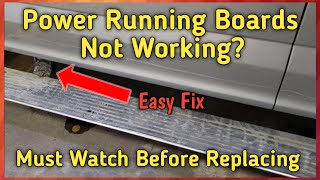
Pro Tip: Before blaming the module, always check the basics. Many running board problems are caused by dirt, salt, and grime seizing the hinge pivot points. A thorough cleaning and lubrication with a quality silicone or lithium spray can often restore function. If the board moves slowly or stops halfway and retracts, it's likely a mechanical restriction, not a module failure.
🎬 Watch: How to clean and lubricate sticking power running boardsKnown Issues, TSBs, and Recalls

As of this writing, there are no specific recalls for the 2018-2020 Ford F-150 Running Board Control Module itself. However, it's important to be aware of related issues:
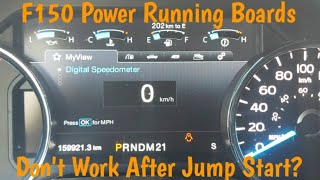
- Battery Issues: A weak or failing battery can cause the truck's computer to disable non-essential features, including the power running boards, to conserve energy. Often, after a jump-start or battery replacement, the running board setting in the instrument cluster defaults to 'Off' and must be manually set back to 'Auto'. 🎬 See how to fix running boards after a jump-start
- Wiring and Connectors: The wiring and connectors for the module and motors are located underneath the truck, exposed to moisture and road debris. Corrosion on the connector pins can lead to a loss of communication and trigger a U0251 code. 🎬 Watch: Diagnostic steps for non-working F-150 running boards
- TSBs for Later Models: While outside the 2018-2020 range, Ford has issued Technical Service Bulletins (TSBs) like TSB 21-2310 for 2021 models with similar issues, such as boards deploying unexpectedly. This indicates ongoing development and potential software updates that may also benefit earlier models.
Programming and Calibration: The Most Important Step

This is the most critical piece of information for anyone replacing this part. A new or used Running Board Control Module MUST be programmed to your vehicle. It is not a plug-and-play part.
The module needs to be configured for your truck's specific options and VIN. This process, often called Programmable Module Installation (PMI), ensures it communicates correctly with the Body Control Module (BCM) and other systems.
- Dealer Programming: A Ford dealership can program the module using their Integrated Diagnostic System (IDS) software. This is the most straightforward but often most expensive option.
- Independent Shops: A well-equipped independent repair shop with access to Ford's diagnostic software or a high-end scan tool can also perform the programming.
- DIY with FORScan: For advanced DIY mechanics, the FORScan software provides a powerful, near-dealership-level diagnostic and programming tool. Using FORScan, you can access the module's configuration data and program a replacement module. This requires a specific OBD-II adapter and a good understanding of the software to avoid causing other issues.
Warning: Failure to program the module after installation will result in the running boards not working at all, or the settings in the dash menu being unavailable.
Buying a Used Running Board Control Module
A used OEM module is a great way to save money, provided you take the right steps. Since programming is required regardless, there's little benefit to buying a new module unless the used part is damaged.
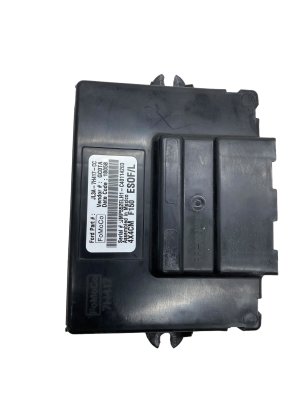
- Match the Part Number: The most important step is to match the engineering or service part number from your original module. For 2018-2020 F-150s, look for numbers like JL3T-16C478-AA (engineering number) or HL3Z-14C177-A / JL3Z-14C177-A (service numbers). In 2018, the module location moved from the back wall of the cab to behind the center console.
- Inspect for Damage: Carefully inspect the used module's housing and, most importantly, the connector pins. Look for any signs of corrosion (green or white powder), bent pins, or physical damage to the case. Water intrusion is a potential failure point.
- Factor in Programming Costs: Remember that the price of the used part is not the final cost. You must account for the cost of programming, whether you pay a dealer/shop or invest in the tools to do it yourself.
- Why Used OEM is a Good Choice: For an electronic module like this, a used OEM part that has been tested and inspected is often more reliable than a new, unproven aftermarket alternative. The OEM hardware is designed and validated for the vehicle, and as long as it's programmed correctly, it will function just like the original.
Replacement Cost Comparison
| Item | Estimated Cost |
|---|---|
| New OEM Module (Part Only) | $150 - $250 |
| Used OEM Module (Part Only) | $50 - $150 |
| Shop Labor (Physical Swap) | $90 - $140 (approx. 0.5-1.0 hour) |
| Shop Labor (Programming) | $100 - $200 (approx. 1.0 hour) |
| Total Dealer Repair (New Part) | $340 - $590+ |
| Total DIY/Indie Shop Repair (Used Part) | $150 - $350 |
Frequently Asked Questions (FAQ)
Can I replace the Running Board Control Module myself?
Yes, the physical replacement of the module is relatively simple. On 2018 and newer models, it is typically located behind the center console. However, the critical step is the programming that must be done after installation. If you are not equipped with tools like FORScan, you will need to have the vehicle towed to a dealer or shop for programming, as it will not function correctly until this is done.
My running boards stopped working after my battery died. Is the module bad?
Probably not. When the battery voltage gets low, the F-150's Battery Management System (BMS) starts disabling non-essential features to save power. The power running boards are one of the first things to be turned off. After charging or replacing the battery, go into your instrument cluster settings: Settings -> Advanced Settings -> Vehicle -> Power Running Boards, and change the setting from 'Off' back to 'Auto'.
How do I know if the problem is the module or the motor?
This is a common diagnostic challenge. If only one side is not working, the problem is more likely to be the motor or the hinge mechanism on that side. If both sides stop working simultaneously, or if the settings in the dash are gone, the module is a more likely culprit. You can also try swapping the motor connectors side-to-side (if the wiring reaches) to see if the problem follows the motor. A scan tool that can read DTCs from the RBCM is the best way to diagnose for sure.
What is FORScan?
FORScan is a software application that allows you to connect to your Ford vehicle's computer systems using a compatible OBD-II adapter. It provides advanced diagnostic capabilities, allowing you to read and clear codes from all modules, view live data, and—most importantly for this repair—modify module configuration data and perform programming procedures. It is a powerful tool for advanced DIY mechanics.
Helpful Videos

Technical Specifications
OEM Part Numbers: HL3Z-14C177-A JL3Z-14C177-A JL3T-16C478-AA
Location: Behind the center console (2018+ models). Communicates on the vehicle's CAN bus network.
We Have This Part in Stock



The information in this article is provided for general reference and educational purposes only. Vehicle specifications, procedures, and part compatibility can vary by production date, trim level, and region. Always consult your vehicle's factory service manual and verify part numbers before purchasing or performing repairs. Safety-critical components such as airbags, seat belts, and braking systems should be installed by a qualified professional.
- Ford F-150: