

2015 Chrysler 200 Radio Control Unit: Decoding Failures, Programming, and Replacement
This guide covers the common black screen issues, anti-theft codes, and mandatory programming for the Uconnect 5.0 radio in the 2015 Chrysler 200.
- This guide is for the 5-inch Uconnect 5.0 (RA2) radio only, not the 8.4-inch version.
- Replacing the radio requires BOTH a 4-digit anti-theft code and a dealer-level 'PROXI Configuration Alignment' to prevent a flashing odometer and ensure full functionality.
- Common failures like a blank or frozen screen were addressed by TSB 08-027-15 REV. B, which may require a software update or a full radio replacement.
- A simple 'soft reset' by holding the volume and tuner knobs can sometimes fix temporary software glitches.
Symptoms of a Failing Radio Control Unit


When the radio control unit in a 2015 Chrysler 200 begins to fail, it can cause a range of frustrating issues. Because it controls more than just audio, symptoms can affect other vehicle functions.
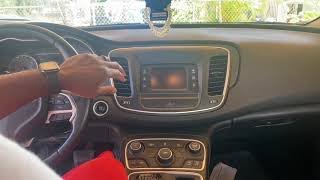
- Black or Blank Screen: The most common complaint is the 5-inch display going completely black and becoming unresponsive. Sometimes this happens intermittently, while other times it is permanent.
- Unit Frozen or Locked: The radio may freeze on the Chrysler logo screen or become completely unresponsive to touch or button presses.
- No Audio: The display may appear to work, but there is no sound from the speakers for any audio source.
- Backup Camera Issues: The backup camera display may not appear when in reverse, or it may stay on the screen even after shifting back into drive.
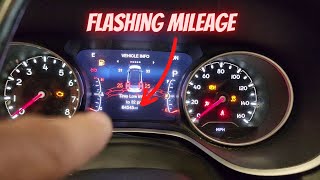
- Flashing Odometer: A flashing odometer reading is a classic sign of a "PROXI" configuration issue in Chrysler vehicles. This means a module on the vehicle's network, like the radio, is not communicating correctly with the Body Control Module (BCM). 🎬 Learn why Chrysler vehicles get a flashing mileage display
- Loss of Climate Controls: Since the touchscreen is used to manage some climate functions, a dead radio can leave you unable to adjust A/C or heat settings.
In many cases of complete failure, a scan tool will reveal the diagnostic trouble code U0184 - Lost Communication With Radio stored in other vehicle modules.
Initial Troubleshooting Steps
Before assuming the radio is completely dead, try these two reset procedures:
- Soft Reset: With the vehicle running, press and hold the volume and tuner knobs simultaneously for 20-30 seconds. The screen should go black and then reboot, displaying the Chrysler logo. This can often resolve temporary software glitches.
- Battery Disconnect: Disconnecting the car's negative battery terminal for a few minutes can perform a hard reset on all the vehicle's modules, including the radio. This can sometimes restore function if the soft reset fails.
Pro Tip: Many of these symptoms were addressed by a factory software update. Technical Service Bulletin (TSB) 08-027-15 REV. B was released to fix issues like blank screens, frozen displays, and no audio. A dealer can check if this update has been performed. If the radio is stuck on the logo screen, the TSB may require complete replacement of the unit.
Known Issues, TSBs, and Recalls

Technical Service Bulletin 08-027-15 REV. B
This is the most important TSB for the Uconnect 5.0 (RA2) radio in the 2015 Chrysler 200. It specifically addresses customer complaints of the screen going blank, locking up, intermittent audio loss, and the backup camera display not turning off. The fix involves a software update performed by the dealer using a USB drive and their wiTECH scan tool. If the radio is already locked on the brand logo, the bulletin instructs the technician to replace the radio entirely.
Recall NHTSA 15V-461 / FCA R40 (Does NOT Apply)
Warning: Many sources mention a major security recall for 2015 Chrysler 200 radios that allowed for remote hacking. However, this recall, NHTSA 15V-461, only applies to vehicles equipped with the larger 8.4-inch Uconnect screens (sales code RA3 or RA4). It does NOT apply to the 5-inch Uconnect 5.0 (RA2) radio that is the subject of this guide.
Buying a Used Radio Control Unit
Buying a used OEM radio is a cost-effective option, but it requires careful attention to detail to ensure compatibility and functionality. The physical swap is easy, but the electronic setup is complex.
1. Verify the Part Number and Screen Size
This is the most critical step. This guide and the associated part numbers are ONLY for the 5-inch Uconnect 5.0 system (sales code RA2). The 8.4-inch system is completely different and its components are not interchangeable. Match the part number on your original radio to the replacement. The part numbers for this unit often supersede, so a later letter suffix (e.g., 'AG' instead of 'AC') is generally acceptable. Verified OEM part numbers include 68226693AC, 68226693AD, 68226693AE, 68226693AF, and 68226693AG.
2. Understand the Anti-Theft Code
When you install a replacement radio, it will power on to a screen asking for a 4-digit anti-theft code. This code is tied to the radio's serial number, NOT your vehicle's VIN.
- Best Case: The seller provides the code with the used radio.
- Good Case: The seller can provide the VIN of the vehicle the radio came from. With this VIN, a Chrysler dealer's parts department can often look up the code for you.
- Workable Case: If you only have the radio, you will need its serial number, which is printed on a label on the unit's metal casing. You can then use an online code service or try calling different dealerships; some may provide the code over the phone with the serial number, while others may refuse or charge a fee.
3. Plan for PROXI Configuration Alignment
Warning: Entering the anti-theft code is NOT the final step. To get full functionality and prevent a flashing odometer, the replacement radio must be registered to your car's network using a procedure called PROXI Configuration Alignment. 🎬 See how a PROXI alignment is performed using a scan tool This tells the Body Control Module (BCM) that the new radio is authorized to be in the vehicle. This procedure requires a dealer-level scan tool (like Chrysler's wiTECH) or a high-end professional aftermarket scanner. An independent shop specializing in Chrysler vehicles may be able to perform this, but a dealer visit is the most certain method. Failure to perform the PROXI alignment will result in a flashing odometer and may leave climate or steering wheel controls non-functional.
Cost Comparison
Prices can vary based on location and supplier, but this table provides a general estimate for replacing a 2015 Chrysler 200 radio unit.
| Item | Estimated Cost |
|---|---|
| New OEM Unit (Dealer) | $600 - $900+ |
| New Aftermarket (Android-style) | $180 - $400 |
| Used OEM Unit (Salvage) | $100 - $200 |
| Remanufactured OEM Unit | $250 - $450 |
| Shop Labor (Physical Install) | $75 - $150 (approx. 0.5-1.0 hours) |
| Shop Labor (PROXI Programming) | $100 - $200 (approx. 0.5-1.0 hour diagnostic fee) |
Frequently Asked Questions (FAQ)
Can I install a used radio myself?
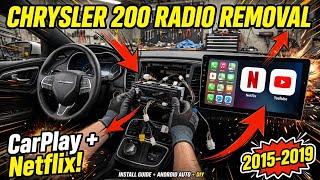
Yes, the physical installation is relatively easy for a DIYer. It involves prying off the dash trim and removing four screws. 🎬 Watch this step-by-step video on removing and replacing the radio However, you will still need a dealership or a properly equipped independent shop to obtain the anti-theft code (if you don't have it) and perform the mandatory PROXI Configuration Alignment for the unit to work correctly with your vehicle.
Will my odometer flash after installing a new radio?
Yes, it is very likely your odometer will flash after installing a used radio. This indicates a PROXI mismatch. The flashing will stop once the PROXI Configuration Alignment procedure is successfully completed with a compatible scan tool.
Can I upgrade from the 5-inch radio to the 8.4-inch radio?
Yes, this is a popular upgrade, but it is not a simple plug-and-play swap. It requires the 8.4-inch screen, the corresponding radio module, a new dash bezel, and potentially other wiring adapters. Like a standard replacement, it also requires PROXI alignment at a dealership to integrate the new system.
What is the difference between the anti-theft code and PROXI programming?
The anti-theft code is a simple 4-digit PIN that unlocks the radio itself, allowing it to function after being disconnected from power. PROXI programming is a more complex dealer-level procedure that registers the radio's unique electronic identity with the car's main computer (BCM), allowing it to communicate with other systems like the climate controls and instrument cluster without errors. Both are required for a successful used radio installation.
Helpful Videos
Technical Specifications
OEM Part Numbers: 68226693AC 68226693AD 68226693AE 68226693AF 68226693AG
Fits 2015 Chrysler 200 with Uconnect 5.0 (Sales Code RA2) 5-inch touchscreen display.
We Have This Part in Stock



The information in this article is provided for general reference and educational purposes only. Vehicle specifications, procedures, and part compatibility can vary by production date, trim level, and region. Always consult your vehicle's factory service manual and verify part numbers before purchasing or performing repairs. Safety-critical components such as airbags, seat belts, and braking systems should be installed by a qualified professional.
- Chrysler 200:
- 🎬 Helpful Videos
- 🛍️ Shop This Part
- Symptoms of a Failing Radio Control Unit
- Initial Troubleshooting Steps
- Known Issues, TSBs, and Recalls
- Technical Service Bulletin 08-027-15 REV. B
- Recall NHTSA 15V-461 / FCA R40 (Does NOT Apply)
- Buying a Used Radio Control Unit
- 1. Verify the Part Number and Screen Size
- 2. Understand the Anti-Theft Code
- 3. Plan for PROXI Configuration Alignment
- Cost Comparison
- Frequently Asked Questions (FAQ)
- 🎟️ Get 5% Off